

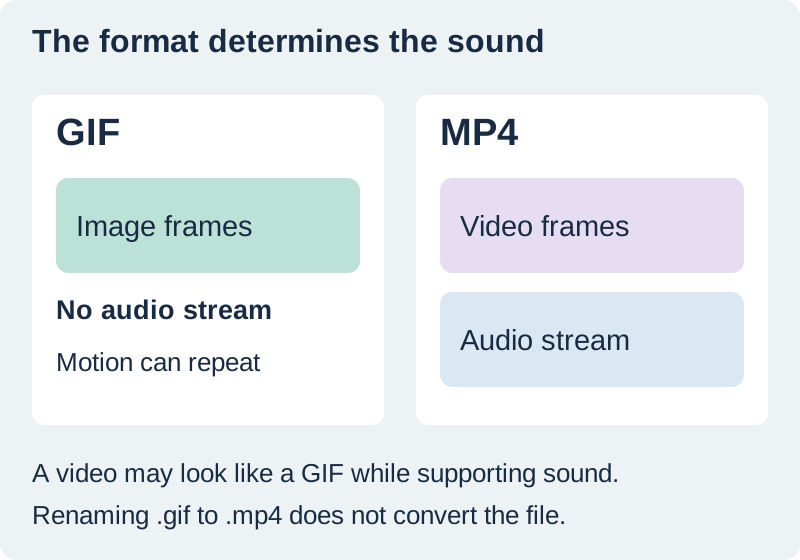
A GIF file cannot contain an audio track. To give an animation music or another sound, put the animation and audio into a video and export a format that supports both, such as MP4. The result may look like the same short looping animation, but it is a video file.
This distinction explains many “my GIF has no sound” problems. You may hear audio in an editor, see a moving preview on a website, and still download a silent GIF. Check the actual output format and streams instead of relying on the name of the editing tool.
Separate the visual style from the file format
People often use “GIF” to describe any short repeating animation. A social platform may show a video in a similar way, with automatic playback or a muted start. That appearance does not tell you whether the underlying file is a GIF, MP4, or another supported video format.
Ezgif's format explanation makes the same distinction: GIF has no sound track, so an animation with audio needs a different delivery format. A tool labeled “add audio to GIF” generally uses the GIF as an input and produces a video or another presentation that can carry sound.
Renaming a filename from .gif to .mp4 does not convert its contents. A real conversion must encode the image sequence into a video stream and include an audio stream if sound is required. The exported file should then be opened in a player that supports it.
Compare the original silent and audible examples
We created a three-second motion sample specifically for this article: a circle travels across a horizontal guide and returns to its starting position. The video version includes a short synthesized tone at each second. The tone is an original demonstration cue, not a commercial song or a recording of a customer project.
Download the silent GIF and MP4 with the demonstration cue. Both contain the same authored frame sequence. Stream inspection and decoding confirmed that the MP4 has video and audio, while the GIF has image frames and no audio stream.
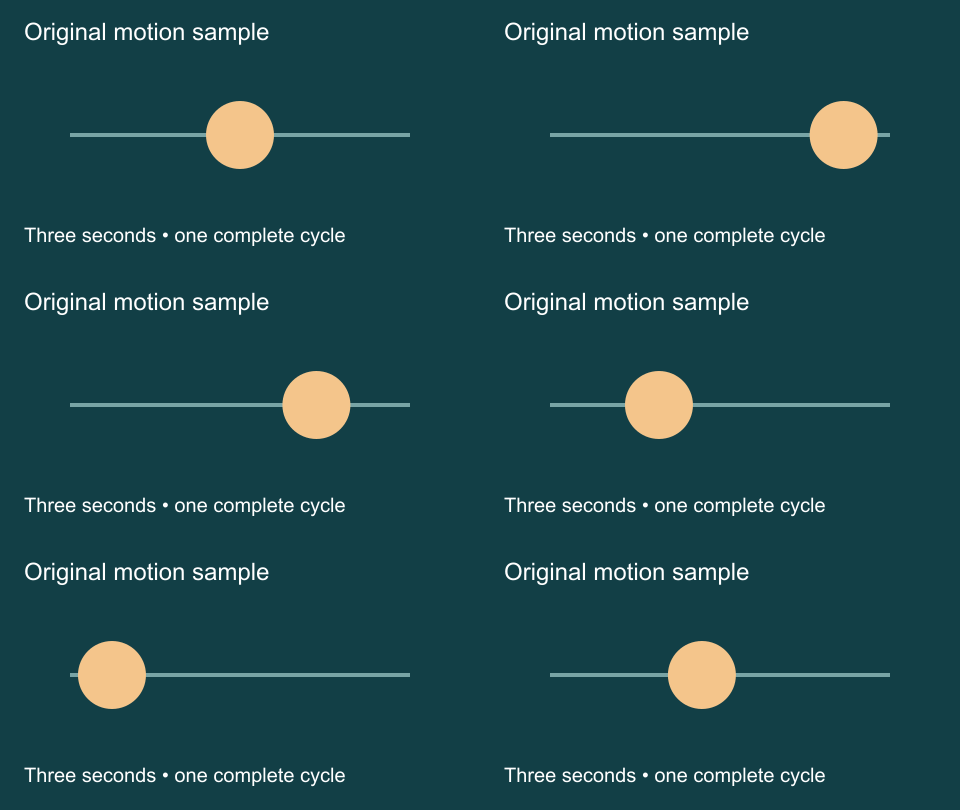
Audio description: the circle moves right, crosses toward the left, and returns to the center over three seconds. Three short tones mark the seconds; the final tone is higher. There is no speech or information available only through sound. Press play and use the player volume control to hear the example.
The GIF is provided as a download rather than an automatically repeating image in the article. That lets you choose when to view the motion. The video has controls and does not start playing automatically.
Prepare the animation and audio as separate sources
Keep the original animation and a separate audio file. Record the animation's intended duration and whether it should play once or repeat. Record the audio source and the permission or terms that apply to your intended use.
Choose an audio section with a useful beginning and ending. A three-second visual may not suit a phrase cut from the middle of a longer song. A short cue, a deliberate accent, or silence may communicate more clearly than a fragment that ends abruptly.
If the animation originally contains a title or product label, check that wording before converting. The format change will not repair a wrong date or unreadable text. Keep the approved source so that you can correct it without repeatedly recompressing the latest export.
Combine the sources in a video timeline
Import the animation into a video editor and place it on the visual track. Confirm its duration in the timeline. Some editors interpret an animated image differently or import only a still frame, so play the timeline before adding sound.
Add the audio on its own track and align the intended cue with the visible action. Trim or repeat the picture deliberately if it must cover a longer audio section. Do not assume the animation will repeat indefinitely in a video just because the original GIF was configured to loop.
In our example, the three-second visual completes one cycle and the three tones fit within that duration. For a longer piece, inspect every join. The loop-seam guide covers matching motion across the boundary; here the narrower task is preserving audio in the delivery format.
Use a short fade where appropriate to avoid an abrupt audio cut, but listen after applying it. A fade cannot rescue a musical phrase whose meaning depends on the missing next beat. The music-to-video walkthrough explains the broader timeline assembly process.
Export a video, then inspect the downloaded file
Choose a video export format accepted by the destination and confirm that audio is included. MP4 is a practical option for many destinations, but the receiving platform's requirements still decide the final container, codec, dimensions, and duration.
Open the downloaded file outside the editor. Check the first and last frames, the full motion, and the sound. If you only preview the timeline, you have not established what the export contains. A muted player can hide valid audio, while an absent audio stream requires a new export.
Use the animation-with-sound checklist to separate those cases. Record the format, duration, video stream, audio stream, audible playback, and destination preview. “MP4” alone does not prove sound exists; an MP4 can also contain video without audio.
Check what the destination does with sound
Upload or preview through the intended workflow and inspect the result there. Some placements start muted, convert media, or accept only particular formats. A file that plays correctly on your computer can behave differently when embedded in a page or displayed by a social app.
Keep the essential message understandable without sound when the destination may mute playback. Use readable text or a visible action rather than making a single tone the only indication of success. Provide a silent fallback where the required format does not support audio.
QuestStudio's Music Lab can help create a short music candidate for a video. Keep its source and usage record, select a suitable passage, and perform the same export and playback checks. It produces an audio asset for the workflow; it does not change the GIF format's capabilities.
Frequently asked questions
Can a GIF file have music embedded in it?
No. GIF does not contain an audio track. Combine the animation and sound in a video format when audio is required.
Why does a website show a GIF-like animation with sound?
The presentation may use a video or a separate audio player rather than a true GIF file. The visual style alone does not identify the underlying format.
Will changing the extension to MP4 add audio?
No. Renaming a file does not convert it or create an audio stream. Use an actual video export with the intended sound included.
Why is my MP4 still silent?
Check both the file and the player. The export may lack an audio stream, the track may be silent, or playback may be muted. Open the downloaded file and inspect those possibilities separately.
Does the example prove that every platform will play the sound?
No. It verifies the supplied files and their local streams. Test the exact destination because platforms and browsers can change playback behavior or start video muted.
Make a short original music cue
Create a cue in Music Lab, then pair it with your animation in a video editor and check the exported file.
Hero: AI-generated editorial illustration. Original teaching materials and documented feature research, checked October 31, 2026. Examples are labeled where synthetic or hypothetical.