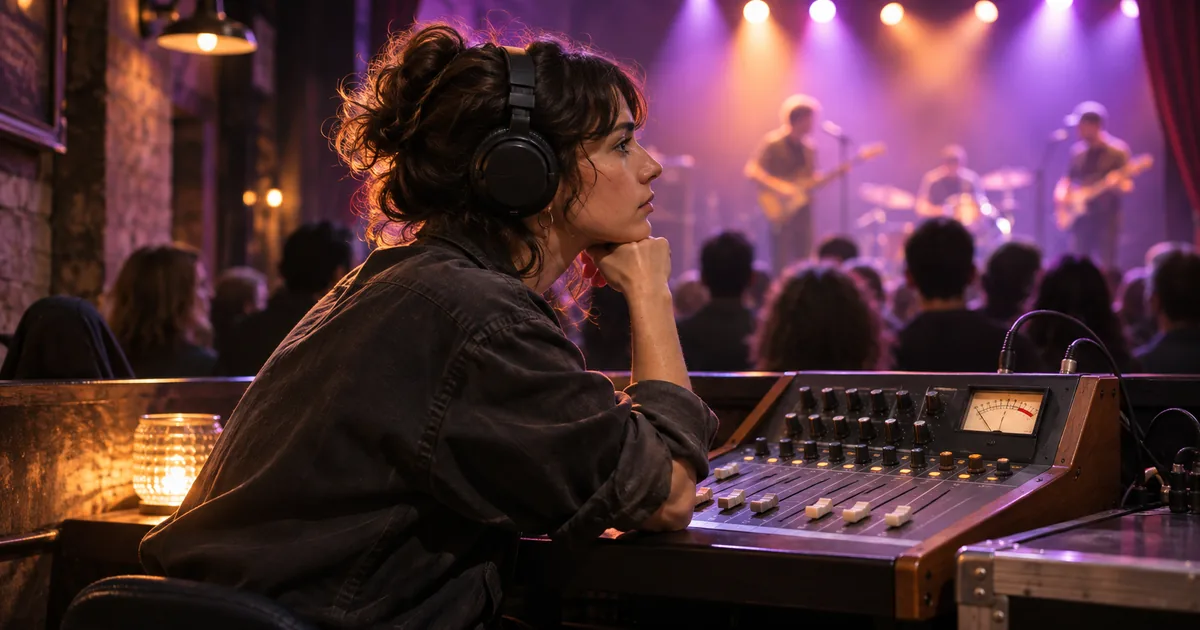

A concert recap sounds like the performance when you keep a few moments of the real room. Put the important words or music in front, lower everything competing with them, and retain short bits of audience sound around cuts. Plan the mix from the picture before adding another track. A clear 15-second recap needs a beginning, one moment to remember, and enough space for the ending to register.
Jump to the Music Lab example.
Label what the audience needs to hear
Play the unedited clips in order. Mark the sound that does the work in each shot. It might be the crowd's response, a spoken line, a sharp drum hit, or a quiet breath before someone walks on. Choose one cue to carry each beat. If the actual clip is overpowered by the room or distorts at the loudest moment, consider a nearby clip with cleaner sound while keeping what happened in the right order.
Imagine a fictional small theater show. The first shot is people settling in, the second shows the first drum hit, the third catches a short welcome, and the last shows applause after the performer leaves the frame. The recap could open with room tone, let the hit arrive clearly, and give the welcome enough space. If you add an instrumental layer, it can sit under the spaces between those cues.
Keep the clips you have permission to use together with the audio files and editing project. Know where the venue sound came from before you build the mix. A separate instrumental cue can help with pacing, but the useful crowd reactions still need to come from a recording you can use.
Build a 15-second cue map
| Time | Picture | Sound in front |
|---|---|---|
| 0–3 seconds | View of the room. | A brief bit of the actual room before the cut. |
| 3–7 seconds | Performer steps into the light. | One clean, audible live cue. |
| 7–11 seconds | Someone delivers one short welcome. | The spoken line, with the bed pulled lower. |
| 11–15 seconds | Audience response and end card. | Applause that fades with the picture. |
Try letting the audience sound begin slightly before the video switches to the crowd. That can make the cut feel connected. Listen through once with your eyes closed. If the room disappears completely under the bed, bring back a quiet stretch right before a cut. If the spoken line is hard to understand, lower the other tracks around it and check again before boosting the whole mix.
Leave a short fade on the last sound. Supporting sound that cuts off suddenly makes an otherwise smooth edit feel unfinished. If the end card has a different visual rhythm, try holding a trace of the room over the first part of the card, then fading it before the last frame.
Add a simple music bed only where the edit needs it
A bed can carry a stretch with little usable sound. Choose one with room for speech and a steady pulse that suits the pace. Use an original instrumental cue or a track you can use for the intended placement.
Open the example in QuestStudio Music Lab.
Original instrumental music bed for a 15-second independent concert recap. Soft low percussion and a restrained warm bass pulse, gentle late-evening energy, room for a short spoken line in the middle. Use one steady groove with a clean ending and a natural fade. No vocals, no featured melody, no crowd sounds, and no imitation of an existing song or artist.Bring the chosen cue into the editor and trim a section with a natural start. Keep the bass and drum pattern restrained under dialogue. Set the music level against the actual spoken clip, then replay the transition into applause. The cue should make the cut clearer and leave the live response recognizable.
Check the mix on speakers your audience uses
Export one version and listen at a normal volume on a phone. Make a note if you can't hear a word or if a beat jumps out when the screen cuts. Check again on headphones for noise, jumps in the room tone, or clipped peaks. Adjust the problem track and export again. Lowering the whole export won't fix a bed that drowns the speaker.
Watch it muted as well. Caption the welcome and let the picture show which part of the show the audience is seeing. If the loudest applause is audible and the video uses an empty stage, check whether the cut still communicates the reaction. Add a crowd shot or hold a reaction before the card if the timing feels confusing.
Save the audio track sources and rough timing. If the artist or event organizer asks for a longer cut, you can extend the shot where the actual sound is strongest. Recheck the mix after any timing change because a longer edit can move a spoken line under a busier part of the music.
Handle a bad audio cut with two small edits
Suppose the welcome was recorded from the back of the room and the applause clip came from the front. The welcome ends with a long room echo, then the crowd jumps to a much louder sound. First, cut the spoken track after the understandable end of the line and leave a little room tone. Then lower the opening of the applause clip, let it rise as the crowd picture appears, and fade it under the end card. Compare the join before changing your music bed.
If a sharp noise overlaps one word, review the other usable takes before boosting or filtering the only clip. A cleaner version of a nearby phrase can sometimes fit a recap if the cut remains faithful to who spoke and what was said. If it doesn't, use a brief on-screen quote from the real line. You can steer the audience toward what happened without covering a noisy recording with a louder song.
Save the version with the timing marks and give it to one listener without describing what they should hear. Ask which line they remember and what sound told them the show had ended. Those two answers tell you whether the speech and room both survived the mix. Adjust the level only around the cue that got lost.
Try a simple original backing cue in Music Lab, then place it underneath the parts of your own recording you want the audience to hear.
Create a QuestStudio accountFrequently asked questions
Should I keep the original concert audio?
Keep the moments you have permission to use that show the event, such as applause or a spoken line. Make room for those cues in the mix.
How loud should the background music be?
Set it against the recorded words or sound you want people to hear. Test it on a phone and pull the bed lower where it competes.
How can I connect two shots recorded in different places?
Use a short tail of the previous sound or begin the next sound just before the cut when it makes sense. Listen for a jump in room tone.
What should I check before posting a concert recap?
Check the loudest moment, the clearest spoken line, the ending, captions, and the sound sources used in the final edit.
Related guides
 Voice
Background Music Under AI Voiceover: A Mix You Can Hear Clearly
Mix background music under AI voiceover with separate tracks, phrase-based ducking, a practical cue map, and listening checks that beat a fixed volume preset.
 Voice
AI Voiceover Timing: Fit a 15, 30, or 60-Second Video
Fit AI voiceover to a video using a real timing budget, measured takes, careful script cuts, and pitch-preserving tempo changes only when they help.