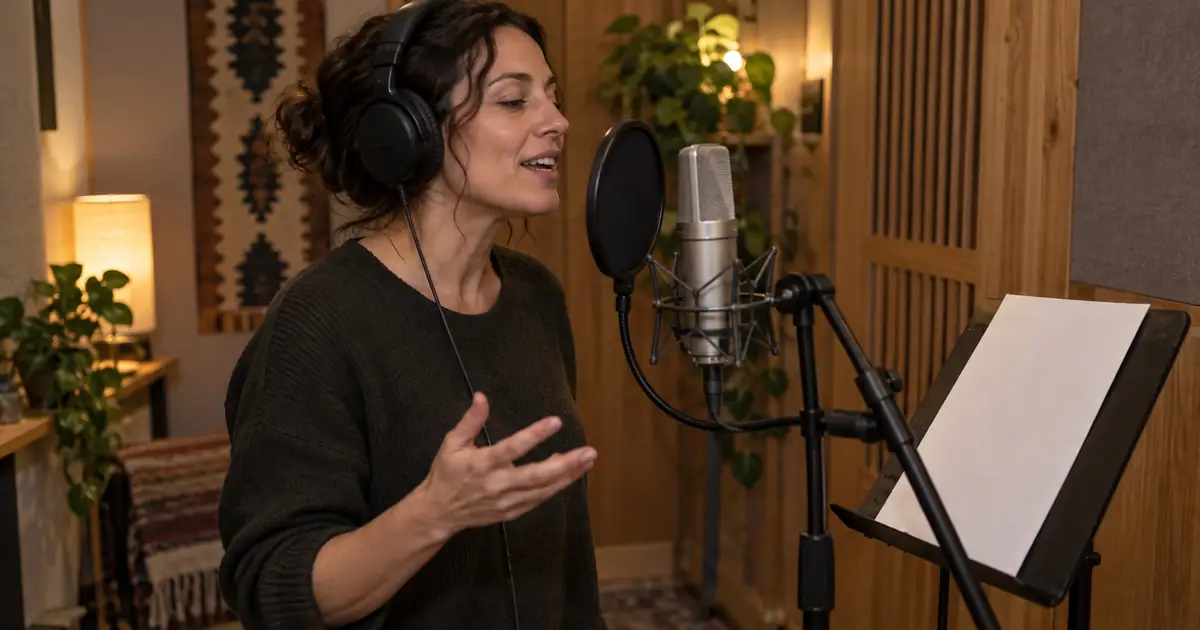

You recorded the right pause, the right laugh, and the right hesitation. Now you want a different voice without throwing away that performance. This is the situation where speech-to-speech is worth considering: the recording supplies the delivery, while the conversion changes the voice that carries it.
Audition a narration line · Download the performance comparison sheet
Documentation checked September 14, 2026. The example below is an original recording exercise, not a measured ElevenLabs benchmark. The hero is AI-generated. QuestStudio's available narration and RVC workflows are separate from ElevenLabs Voice Changer.
Choose the input that contains the thing you need to preserve
Text-to-speech starts with words and generates a delivery. Speech-to-speech starts with a performed recording. If the critical detail is a half-second hesitation before a confession, recording the hesitation gives the conversion an explicit acoustic example. A written direction asks a text model to interpret your intention.
ElevenLabs describes Voice Changer as converting recorded or uploaded speech into a different voice while retaining aspects of the original performance. Its earlier name was Speech to Speech. This explains why both names appear in tutorials; they do not automatically describe two different products.
Choose text-to-speech when the script is still changing and you have no performance to protect. Choose voice conversion when you can supply the reading you want. For a natural human performance that already fits the project, ordinary audio editing may be enough. A conversion should solve a specific casting problem.
Record a short line with a testable intention
Use this original line: “I thought you meant tomorrow. I can still get there—just leave the porch light on.” Read it once as reassurance, then again as someone trying to hide that they are worried. Keep the wording identical so you can hear how much meaning comes from delivery.
For the first take, put mild emphasis on “tomorrow,” leave a brief thinking pause, and let the final request soften. For the second, start the next sentence sooner and make “still” sound like a promise you need the listener to believe. These are performance directions for you, not guaranteed model-control syntax.
Record a short passage rather than filling the entire allowed upload. Leave a little clean room tone before and after the line. Note the intended emotional change in the comparison sheet before listening to any output. Otherwise, a striking target voice can distract you from whether the original intention survived.
Make the source easy to interpret
Use a quiet room, a consistent microphone position, and one speaker. Keep background music out of the source. A voice buried under a backing track gives the conversion extra sounds to interpret, and heavy room echo can blur the beginning and end of words.
The official Voice Changer guide covers uploading or recording speech and choosing the target voice. It also explains that the source performance can carry its accent into the result. Selecting a British target voice should not be treated as a dependable way to turn an American reading into a British performance.
Listen to the raw recording once before cleaning it. Remove an obvious click or long accidental silence if needed, but avoid repeatedly processing the same file until its consonants sound watery. Keep the unprocessed original. When a conversion sounds strange, you need to know whether the defect was already present.
Run one controlled audition
- Save the source with a clear take name, such as
porch-reassuring-source-01.wav. - Open Voice Changer in ElevenLabs and upload or record the short performance.
- Choose a voice you are permitted to use for the project. Check the current interface for available models, limits, and controls.
- Convert the passage and save the result with the target voice and take number in its filename.
- Compare the same phrase in both files at similar listening loudness.
Change one decision at a time. If you switch the target voice, rewrite the line, and rerecord the emotion together, you will not know what improved the result. First establish whether a target can carry the original performance. Then revise the performance if the scene needs a different intention.
Avoid choosing a winner solely because it sounds deeper, brighter, or louder. Those qualities can create a strong first impression while a useful pause disappears. Turn down the louder file for comparison; do not assume that matching peak meter values makes two clips equally loud to your ears.
Use a five-part listening pass
| Check | Question for this line | What to record |
|---|---|---|
| Words | Is “porch” complete and easy to understand? | Any lost consonant, extra syllable, or changed word |
| Timing | Does the thinking pause still separate the two ideas? | Where the pause begins and whether it feels intentional |
| Emphasis | Does “still” carry the promised reassurance? | The word that now sounds most important |
| Accent | Does the result retain the source's pronunciation pattern? | A specific vowel or rhythm difference |
| Texture | Do breaths and phrase endings belong to the same person? | Rough, metallic, doubled, or abrupt moments |
Play the sentence in context after the isolated comparison. An unusual breath may be harmless in a full scene; a tiny timing change may matter greatly if another actor must respond on a specific beat. Judge the audio against the job it needs to perform.
Repair the source when the problem starts there
If the emotional intention is unclear in the original, rerecord the line. If a word is swallowed, pronounce it clearly at a natural pace. If the microphone clipped on a loud syllable, a new recording usually gives you a better starting point than asking the conversion to reconstruct the damaged sound.
If the source sounds good but one converted phrase fails, try another conversion of a short, coherent passage. Include enough surrounding speech to preserve the entrance, breath, and exit. Replacing a single consonant can create a more noticeable seam than replacing the entire phrase.
Use a simple stopping rule: after a small set of auditions, identify a concrete recurring defect before spending more time. “The word porch loses its final sound in every take” is actionable. “It is almost there” does not tell you whether to change the source, the target, or the editing approach.
Place the converted voice back in the scene
Keep the raw source, the chosen conversion, and the scene edit as separate files. Align the converted line to the scene using a recognizable word or breath, then check both ends. Do not stretch the entire clip immediately because its total duration differs slightly; first inspect whether extra silence explains the difference.
Add room ambience and music after the performance works on its own. Listen once on headphones and once through an ordinary speaker. Quiet phrase endings can vanish on small speakers even when the studio playback sounds clear. If the voice will accompany video, check lip timing in the final edit rather than only in the audio preview.
Where QuestStudio fits
Voice Lab is useful for auditioning a script or exploring its currently available voice workflows. ElevenLabs Voice Changer itself runs in ElevenLabs. Compare the actual input controls before moving between tools: text generation, preset voice conversion, and custom voice models are different capabilities.
For a project that starts with writing, generate a narration draft to hear the pacing, revise the script, and then decide whether a human performance is needed. For a project that starts with a strong recording, keep that recording as your reference throughout conversion and editing.
Frequently asked questions
Is ElevenLabs Voice Changer the same as speech-to-speech?
Voice Changer is the current name used for ElevenLabs' speech-to-speech workflow. It takes a recorded performance as input rather than generating the entire delivery from text alone.
Will selecting a target voice change my accent?
Do not rely on that. The source recording can carry its accent and cadence into the result. Record the intended pronunciation or use a workflow specifically suited to the language and accent change you need.
Should I include music in the uploaded recording?
A clean recording of one speaker is the better starting point for this workflow. Add music and scene ambience after you have checked the converted performance.
Can I use this ElevenLabs feature inside QuestStudio?
This guide does not describe an ElevenLabs integration. QuestStudio Voice Lab offers its own available narration and voice options; use ElevenLabs for the Voice Changer steps described here.