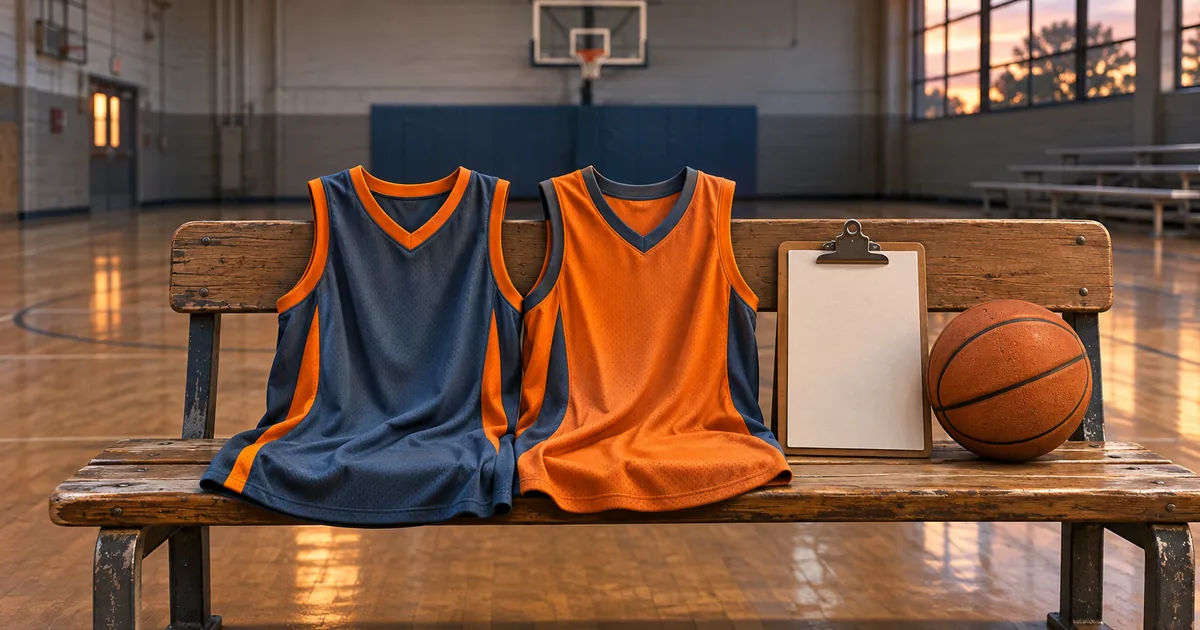

A game day schedule graphic should answer three questions quickly: who's playing, when, and where. Use the league or organizer's confirmed schedule as the source, then build an editable layout that can handle a time or venue change. Test it on a phone at the size people will see when they scroll.
Jump to the Image Lab example.
Turn the fixture list into an approved game card
Get the opponent, date, start time, venue, and home or away designation from the official fixture list used by the team. Compare the entry against any updated event notice. A game might move to a different court in the same building without changing its start time. Record the court or field number the visitor needs to get to the right place. If a time is provisional, use the label the organizer provided and give viewers a place to check again.
Here is a fictitious local matchup. The Harbor Owls play the Ridge Comets on Saturday, December 5 at 6:15 p.m. Eastern, at Ridge Rec Center on Court 2. The Owls are away. Spectators enter through the east doors. This gives you enough information to make a useful card for someone who has never been to the venue. Fill in the same fields from your team's schedule before opening your layout tool.
| Field | Example | Where it belongs |
|---|---|---|
| Matchup | Harbor Owls at Ridge Comets | Main headline. |
| Start | Sat, Dec 5 · 6:15 p.m. ET | Immediately under the matchup. |
| Venue | Ridge Rec Center, Court 2 | On the card and in the caption. |
| Access | East doors | Caption or small line if essential. |
Design the first glance before adding decoration
Start with a portrait card and a solid panel for the text. On a phone, you want the matchup, date and start, and venue to make a compact block. A small fixture table can work for three dates if the label widths stay consistent. A full season schedule usually needs multiple cards or a link to the complete schedule. Repeating the month on rows that cross a date boundary removes the need to guess which heading applies.
Use the team colors and wordmarks you are allowed to publish. Write home or away in text if it changes where people go. A color code that means home to the design team might be invisible to a visitor looking at a black-and-white screenshot. Keep the caption complete enough that a reader can get the date, venue, and location link without relying on the picture.
Check the actual team names before styling them. Give a long opponent name room to wrap as a unit. In a matchup where one name breaks into three lines, reduce secondary graphics or switch to a two-line matchup stack. Keep the time and venue close so a reader can see both without searching a corner of the card.
Make a flexible team background
Take a photo in your gym or make an original neutral basketball background. Let the art carry atmosphere and leave the fixture in a text layer. That makes it easier to change the venue without redoing the whole graphic.
Open the example in QuestStudio Image Lab.
Portrait 4:5 editorial sports graphic background for a local basketball team. One plain orange basketball and the edge of a wooden bleacher, positioned in the lower right of a small indoor gym. Slate-blue wall, gentle evening light, rich but subtle texture. Keep the upper two thirds dark, quiet, and even for fixture text added later. No existing team logos, sponsor marks, text, scores, numbers, or athletes.Crop the background before you add the approved information. If a ball or line winds up behind the time, move the crop or use a solid panel. Keep the same dimensions and palette on the next game if the first layout reads clearly.
Test the card as though the game moved
Give the export to someone who has not read the fixture list and ask them where and when to show up. Start with the image at normal phone size. If they read 6:15 as 8:15 or confuse the opponent's gym with yours, rework the time typography or put the venue on a separate line. Check whether the important words are readable when the app trims its preview.
Then simulate a change. Duplicate the card and replace Court 2 with West Court and 6:15 with 7:00. Update the caption from the approved note and inspect both side by side. If the old time survives in a badge, a thumbnail, or a filename that another person might grab, record which source files need to be updated. Assign one person to replace the public image and pin the updated information people should follow.
Keep a short text version as part of the template. It should have the opponent, time, place, and source link in that order. That is useful for the team's caption, a group message, or for people who reach the event page without the graphic. The next week, start from the fresh fixture entry and proof it again rather than copying last week's time.
Use a separate card when the audience has a different destination
Imagine your rec center also hosts a junior game before the Owls play. Both games share the building but use different courts and doors. There are two valid designs. One gives the adult and junior games separate cards with their start times, court numbers, and entry directions. The other is a small fixture list with one row for each game, where each row repeats the division and court. Choose the version that a parent can read while holding a phone in one hand.
To choose, show a tester the design and ask them to pretend they're meeting a friend at the junior game. Listen for the door and court they pick. If they point to the first time on the poster just because it is bigger, split the layout. Give the junior game its own heading and complete place line. A link to the venue may still be useful, but a visitor should know which door to look for before they open it.
Give the text source one line for each game you publish. If an organizer sends an update, copy the exact new line into the correct card and caption. Recheck the other partial schedule before sharing to make sure it still points spectators to the right place.
Make a team background in Image Lab and keep the game details editable for the next fixture.
Create a QuestStudio accountFrequently asked questions
What belongs on a game day schedule graphic?
Put the matchup, date, start time, venue, and any important home or away detail on the card. Add the directions or event link in the caption.
Should I make one graphic for the whole season?
A full schedule can live on the team's site or as a set of cards. Use a single card for the next fixture when you want supporters to find the time quickly.
How can I handle a postponed or relocated game?
Update the approved fixture record, card, and caption together. Replace the pinned image or post so readers can find the current version.
Can I create the graphic with AI?
Use AI for an original background if you want one. Add the team name, game time, and location as editable text from the schedule.
Related guides
 Image
ChatGPT Sports Photography Prompts: 25 Action Ideas
Copy ChatGPT sports photography prompts for football, basketball, running, fitness, portraits, and ads with uniform, anatomy, and claim checks.
 Image
AI Image Fact-Check Workflow: Verify Before Publishing
Verify an AI image and its caption before publishing. Use a worked claim ledger to separate supported facts, invented details, and questions that need evidence.