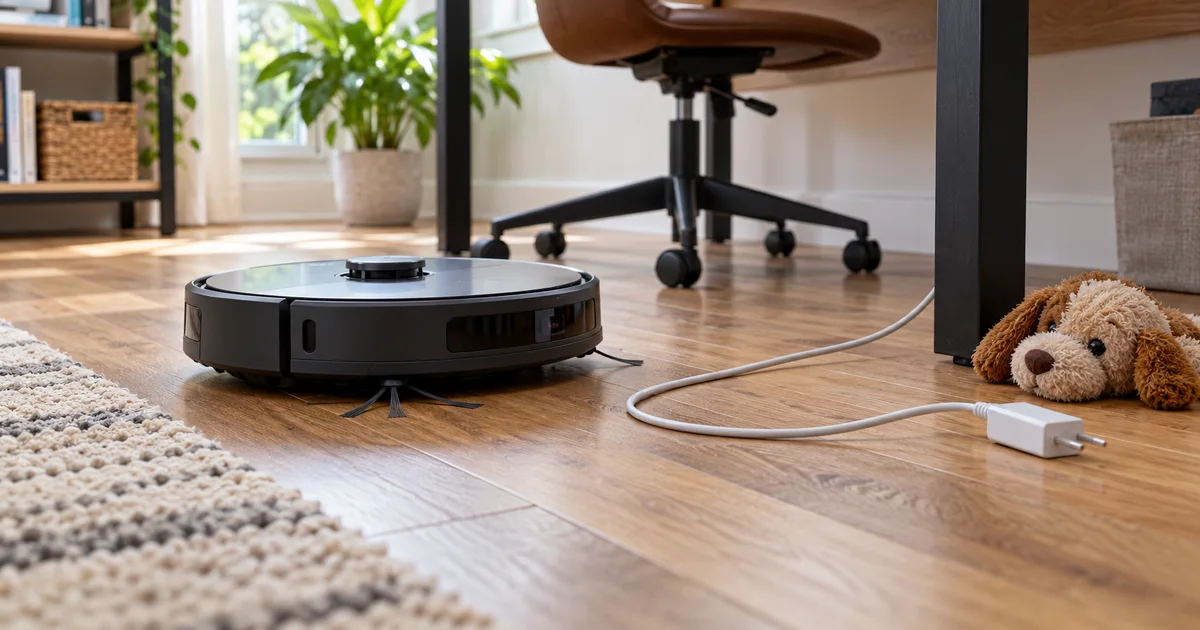

Robot vacuum obstacle avoidance can reduce interruptions, but it does not make loose cables, pet accidents or delicate objects safe to leave on the floor. Buy for the obstacles in your home and the cleaning it still completes around them. A long list of recognized objects is not the same as reliable avoidance.
Download the practical worksheet
Original blank CSV worksheet. Add your own observations; it contains no invented test results.
Start with the failure you want to prevent
For a home office, the common problem is a robot catching a charging cable or becoming trapped around a chair. For a home with pets, it may be small toys, food bowls, hair and occasional accidents. These are separate challenges. A vacuum can avoid a toy well and still clean embedded hair poorly.
Our research shortlist uses the Roborock Saros 10R as an available model to investigate and the eufy X10 Pro Omni as comparison context. Neither is presented as the newest model or a universal winner. The eufy Amazon listing was unavailable when checked on October 26, 2026, so it is not linked here as a current Amazon purchase.
If your main goal is to stop a robot eating thin USB cords, begin with cable management. The published Saros 10R testing discussed below specifically identifies USB cords as a weakness. Buying a more expensive robot is not a sound substitute for fixing that known hazard.
Separate mapping, recognition and avoidance
Mapping estimates the room and where the robot has traveled. Recognition tries to identify an object. Avoidance decides how to move around it. A system can build a useful map while missing a thin object, or correctly avoid an item while leaving a large uncleaned area around it.
Manufacturer names for these systems are not standardized scores. Compare observable tasks: did the robot touch the object, move it, become tangled, need help, or skip too much floor? The RTINGS obstacle-avoidance methodology is useful because it separates test conditions and the kinds of intervention a robot needs.
Room lighting, object shape and floor contrast can influence camera-based recognition. A dark cable on a dark rug differs from a bright toy on a clear hard floor. Check whether a review's scenario resembles yours before carrying its conclusion into a buying decision.
Saros 10R: useful evidence, with an important cable caveat
Roborock documents obstacle avoidance and video-call capability for the Saros 10R. The front camera is relevant to both its navigation features and your privacy decision. A camera-equipped robot should be evaluated as a connected device, not only as a vacuum.
The RTINGS Saros 10R review reports strong obstacle handling overall but trouble with USB cords and rug tassels. It also distinguishes that performance from weaker pet-hair pickup in its tests. These are RTINGS findings, not QuestStudio measurements.
That evidence supports a conditional recommendation: investigate the Saros 10R when avoiding many ordinary household objects and reaching under furniture matter, while still clearing thin cords. Skip it as a guaranteed cable solution. If pet hair in carpet is the main problem, compare direct pickup tests before prioritizing obstacle technology.
Check Roborock Saros 10R on Amazon (paid link). Confirm the exact 10R model, regional offer, dock and included accessories.
What the eufy comparison adds
The X10 Pro Omni product page describes its AI.See obstacle-recognition system. Treat object-count and performance claims as manufacturer claims. They do not establish that it can avoid every instance of an object in your room.
Eufy's misidentification support article acknowledges that lighting and object appearance can affect classification. That is a more useful buying detail than assuming an AI label means the robot understands the room as a person would.
There is also a firmware-specific change: eufy's Real Obstacle Photos FAQ says version 2.2.40 removes that feature while obstacle recognition continues locally. Older reviews and screenshots may therefore show an app function that is no longer available. Do not buy based on an old screenshot alone.
Use a home-fit table before a model ranking
| Home condition | Evidence to seek | What you still do |
|---|---|---|
| Charging cords near a desk | Thin-cable tests, not only large-object recognition | Lift and secure cords before cleaning |
| Pets and carpet | Separate hair pickup and obstacle tests | Inspect for accidents and remove hazards |
| Low furniture | Exact body height and clearance behavior | Measure the lowest obstruction and safe access |
| Mixed rugs and hard floor | Transition handling and mop behavior | Follow flooring and robot care guidance |
| Camera concerns | Model-specific processing and remote-view controls | Review permissions and account access |
Measure the dock location as carefully as the robot. Allow the clearances specified in the manual, access for water tanks or dust bags, and a practical power connection. A dock that fits tightly under a shelf may be inconvenient to maintain even if the robot can enter it.
Include recurring supplies and cleaning duties in the decision. A self-emptying or mop-washing dock reduces particular tasks; it does not remove the need to inspect brushes, tanks, sensors and the surrounding floor. Read the maintenance instructions for the exact model.
A safe first-week observation plan
Download the home obstacle inventory and walk the intended cleaning area before the first run. Remove cords, fragile objects, liquids and pet waste. Identify places where the robot could damage something if it made a mistake. Use supported boundaries or close a door where appropriate; do not rely on a map line for every physical hazard.
Supervise the first ordinary cleaning run. Record where the robot needs help, where it leaves too much space around furniture, and whether it reaches the areas you bought it to clean. Do not create a risky obstacle course with live electrical cables or real pet accidents to prove a marketing claim.
Change one setting at a time if the manual provides sensitivity controls. More cautious navigation may reduce contact but also skip more floor. Keep a record of that tradeoff instead of treating the most sensitive option as automatically the best setting.
Repeat the observation during normal room use after furniture or lighting changes. If a recurring location causes trouble, solve that location with a supported boundary or physical organization. The goal is a dependable routine, not one impressive demonstration.
Review privacy before enabling extra camera features
Read our robot vacuum camera privacy checklist before turning on remote viewing or optional photo features. Local recognition, saved obstacle photos and live video are different functions. One statement about on-device processing does not describe every data flow.
This is part of QuestStudio's practical AI coverage for everyday equipment. Our creative Labs do not configure or certify robot vacuums. The useful next step here is the downloadable checklist and a model-specific manual review, rather than an unrelated software signup.
Buy only when the documented limits still fit your home. If the essential problem is one a review repeatedly shows the robot failing, keep researching that requirement or change the room setup first.
Frequently asked questions
Can a robot vacuum safely avoid every charging cable?
No. Thin cords remain difficult for some systems, including in published Saros 10R testing. Clear and secure them before cleaning.
Does obstacle avoidance mean good pet-hair pickup?
No. Navigation and debris pickup are separate capabilities. Compare tests for the actual floor and hair problem.
Should I test avoidance with pet waste?
No. Inspect and remove accidents before running the robot. A review result or vendor claim is not a guarantee for your home.
Is the X10 Pro Omni obstacle-photo feature still available?
Eufy's support notice says firmware 2.2.40 removes Real Obstacle Photos while local recognition continues. Check the current firmware guidance for your unit.
Does QuestStudio test these vacuums hands-on?
No. This guide uses manufacturer documents and attributed published testing. Its home checklist is an original planning aid, not a laboratory result.
Sources and further reading
Sources and product details checked October 25–26, 2026. Hero: AI-generated editorial illustration of generic equipment, not a product test photograph. Worksheet and decision framework: QuestStudio.