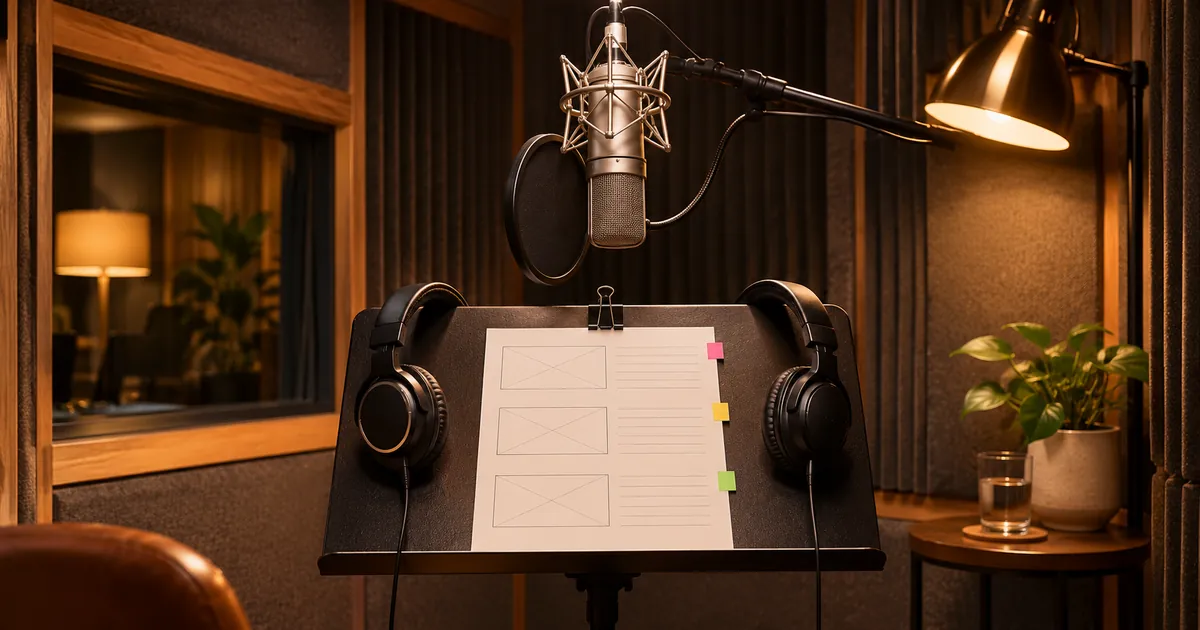

A scratch voiceover gives an edit temporary timing while the real narrator is lined up. Record each thought as its own clip, leave room on the timeline for a natural performance, and mark the frames a spoken line has to meet. Give the final narrator the words, intended meaning, and picture cue. A temporary read should help the edit move forward and leave space for the final speaker to do their job.
Jump to the Voice Lab example or download the worksheet.
Reserve timing before recording a placeholder
Separate the lines that must match a picture event from the lines that can move. A sentence naming a switch can need a stable visible control. A closing reassurance may work anywhere during a held end card. Put markers at the action and at the end of the available picture. If the final narrator needs to pause for emphasis, those boundaries show exactly how much space remains. Keep the scratch clips on a track whose name and color make their temporary role easy to see.
Suppose a 24-second desk-lamp explainer has three spoken beats: outline the problem, show the lamp turning on, and tell the viewer where to find details. The light turns on at 9 seconds and the caption changes once the switch is visible. The second recording needs space for the word “switch” before the demonstration. The opening and close can move a little as long as the visual instructions remain clear. Mark that difference in the brief. The voiceover timing guide covers how to treat a picture with several fixed events.
Ask the final narrator for a short pace sample early if available. Some speakers use a brief space before an important number or give a product name extra time. Set the scratch pace close to that sample instead of filling every second with words.
Give each thought a playable window
Record an ordinary speaking pace. Leave an exposed leading and trailing margin in the clip when you trim it for the timeline. This makes it easy to move the start by a few frames without cutting the start of a word. Show the narrator the exact picture instead of asking them to match the temporary voice's accent or emotional inflection, unless those choices were part of the brief. Write the intention in a short phrase such as “friendly instruction with a small wait for the switch.”
| Beat | Sample window | What can move |
|---|---|---|
| Opening | 0:01–0:06 | Narration starts over the already visible desk |
| Demo | 0:07–0:12 | Word identifying the switch needs to lead the action near 0:09 |
| Close | 0:16–0:22 | A little space remains on the held end card |
In the sample, the start of the demo line is flexible and the noun needs to land near the switch. Keep half a second or more of clean picture where a longer delivery is likely. If a first scratch read fills the window, test a read about 10 percent longer as an editing exercise. The number is a working allowance, not a rule for human speech. If nothing works in that expanded window, shorten redundant words or add usable picture. Do that before giving the finished storyboard to a narrator.
Record the scratch file separately from music and effects. The editor should be able to remove the whole track with one mute without silencing the click or ambient sound. Add version information in the track name so another editor does not pull a draft sentence from a previous script.
Replace the temporary take against the picture cue
Import the final clips underneath the scratch track and align each one at the marker or relevant verb. A natural read might put a breath earlier or hold the product name a little longer. Compare the important word and visible action. Move the whole audio phrase before asking the speaker to change tempo. You can often recover space in a silent piece of picture without compressing the delivery. A switch in the middle of a word or caption should guide the visual fix.
If the supported picture cannot move, choose between a revised script and a concise pickup. Give the narrator the actual target duration and explain the event the viewer has to see or hear. Say “the viewer needs to hear ‘switch’ before the lamp comes on at nine seconds” in the handoff. A timing request with an observable cue is easier to perform than asking for a generally faster read. Move a cutaway or an empty frame only when timing still describes the real action.
Once the approved clips are in place, mute the scratch track and listen for missed lines. Then disable or archive it according to your project convention. Play the whole piece. The editor's hearing can skip a gap because they remember a sentence the new version never says.
Keep captions and the handoff tied to the real performance
Use captions from the accepted take. The temporary track may have a clearer version of a phrase, but the final recording establishes the actual words and cadence. Edit mismatches from the delivered audio and confirm any intentional differences in wording. Keep a note of the sentence the reviewer should hear beside the file. Where the script shows a technical model number with punctuation, match it to the literal approved string.
Check the export once with a fresh person. Have them identify the control before the lamp comes on and repeat the action after the cut. Confirm the closing line is visible for its full caption duration. Save the approved audio files and marker list beside the edit. Keep a proof export with the actual performance, including the version of the picture that matches it. The audio file delivery guide helps your voice editor label the files for the next revision.
Clear comment markers that were specific to the draft or give them completed status. If the product changes a control name later, the team can pick out the affected phrase and verify the picture without listening through every unused test.
How QuestStudio helps
You can render an explicitly labeled scratch line in QuestStudio Voice Lab. Use a plain approved voice for timing and use scripts that can be transferred to your final narrator. Render each line or beat separately when flexibility matters more than the continuity of a single temporary read.
Place the lamp on a clear surface. Press the switch on the base when you're ready. The lamp turns on at its lowest setting.Compare the sample with the actual captured lamp behavior before using it in any video. Save the test clip for timing review and replace it with the authorized final performance. Keep both picture cue and delivery notes in the edit project.
Try it with your own material
Start with one three-beat segment and calculate where the real speaker has space to breathe. A useful scratch track gives the editor an accurate timeline and gives the narrator a clear picture cue.
References
Frequently asked questions
Does a scratch voice need to sound polished?
Use a clear pace and a complete read. The timings and thought boundaries are more useful to the editor than a perfected temporary performance.
Can I use a scratch voice in the final export?
Only use it when the voice and performance are approved for that delivery and you have checked the full script and captions.
How do I keep the temporary track out of the master?
Label the track, mute or disable it once the final takes are in place, and listen from start to finish before exporting.
Do I need one file per line?
Use one clip per meaningful beat where timing can change. Long connected dialogue can stay together if breaking it would make the performance harder to preserve.
Related guides
 Voice
AI Voiceover Timing: Fit a 15, 30, or 60-Second Video
Fit AI voiceover to a video using a real timing budget, measured takes, careful script cuts, and pitch-preserving tempo changes only when they help.
 Voice
AI Voiceover File Delivery: Give Editors a Usable Handoff
Deliver AI voiceover files editors can use. Confirm formats and timing, map clips to the approved script, and reimport the package before handing it over.
 Voice
AI Voice Auditions: Choose a Voice With Your Own Script
Choose an AI voice using your actual script. Compare anonymous samples at matched levels, check wording first, and judge the finalists in the intended mix.