
An AI prompt is the input you give a generative AI system to ask for a response or output. It can contain a question, an instruction, reference material, or a combination of those elements. In tools that support them, images and audio can also supply context. A useful prompt tells the system what task to attempt and gives you a way to review the result.
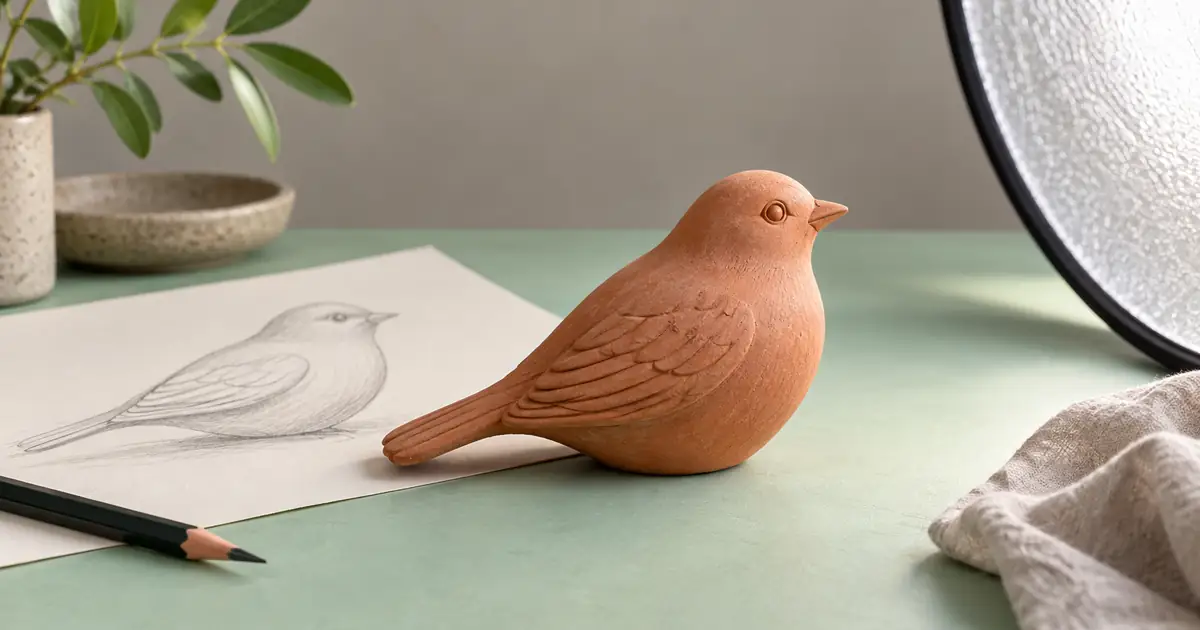
Start with one small task. In this original exercise, the goal is a concept photograph of a fictional ceramic bird for a craft-shop announcement. We will turn a vague request into a clear brief, then decide what counts as a usable result. The sample is authored teaching material, not a claim that a particular model followed it perfectly.
A prompt begins the work; it does not approve the answer
“Make a beautiful bird photo” is a prompt. It simply leaves many decisions open: a living bird or a sculpture, a product shot or a wildlife scene, a close view or a wider composition. The model may fill those gaps with choices you did not intend. A longer prompt is not automatically better, but a request needs enough information to distinguish the wanted result from a plausible alternative.
The University of Florida’s prompt introduction describes a prompt as the instruction or request you give a system. Treat that definition literally. You are asking for an attempt. You still need to inspect the resulting text, image, or audio before relying on it.
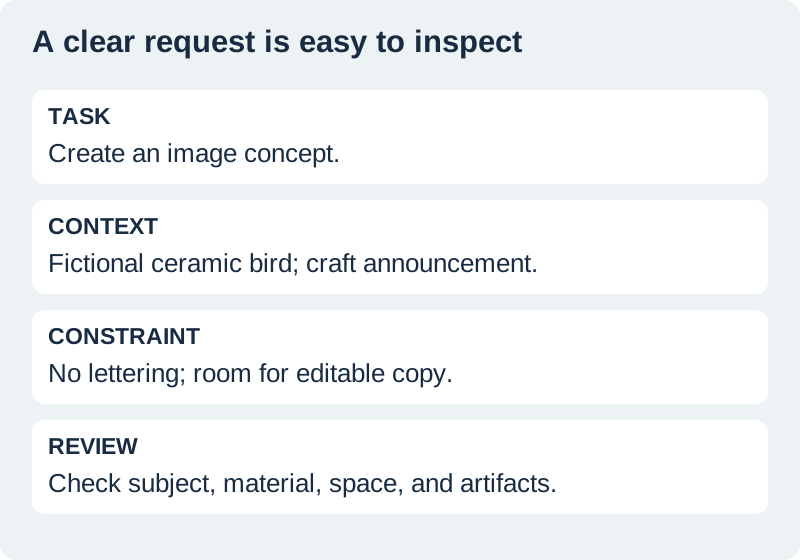
Name the task and the subject precisely
For our craft-shop example, the task is to create an image concept, and the subject is a small terracotta ceramic bird sculpture. Those few words remove a major ambiguity. Add the destination: a square announcement with room for editable text. Now the image direction serves an actual layout instead of producing a beautiful object with no place for the announcement.
Say whether you want invention or preservation. A new fictional concept can explore a bird shape. A photograph of a real product needs an accurate reference and a review for changed details. These are different tasks. If you have an existing sculpture to advertise, do not describe an invented concept as a faithful product photograph.
Add context that changes the answer
Relevant context might include the intended viewer, the background, the light, and how much room the layout needs. For the fictional announcement, we want a calm handmade feel, soft daylight, and a plain background. We do not need a biography of the shop owner or a long list of unrelated visual styles. Each added detail should help choose between possible outputs.
A reference image can carry information that text describes poorly. State its role: preserve the object, borrow only the lighting, or use it as a loose mood reference. Do not assume the system will know which part matters. When a photograph includes a person, a label, and a background, an unexplained instruction to “use this” can create several conflicting interpretations.
Create a concept photograph of a fictional terracotta ceramic bird sculpture.
Use soft window light and a simple warm-gray surface.
Compose for a square craft-shop announcement with open space above the object for editable text.
Keep the subject clearly ceramic, with a matte handmade texture.
Do not add lettering, a logo, price labels, or other products.
This is an invented concept, not a photograph of a real item for sale.
State constraints in concrete terms
Constraints tell the system where variation is unwelcome. “Keep it professional” is hard to inspect. “Do not add lettering” and “keep the subject clearly ceramic” are easier to check. Pick the restrictions that protect the intended use. Too many repeated instructions can make the request harder to understand without giving you a better review standard.
For text work, a constraint might be to use only supplied event facts or to return three fields. For voice, it might be to preserve an approved script. For images, it might be to keep the product silhouette and leave a clear copy area. These instructions express requirements; they do not guarantee compliance. Review the actual output rather than counting how many restrictions you wrote.
Decide what you will check before generating
Our acceptance checklist has five items: the subject reads as a ceramic sculpture, the intended material remains visible, the background is simple, the copy area is usable, and no unrequested lettering appears. This gives the first attempt a fair review. You can reject a striking image if it solves a different problem.
Separate a taste preference from a failure. A slightly warmer background may be a choice to discuss. A real-looking wild bird instead of a sculpture is a subject failure. A product that changes shape is a preservation failure. Naming the type of problem helps you write a targeted revision instead of adding increasingly vague quality adjectives.
Revise the part that failed
If the composition has no room for text, keep the useful subject and lighting instructions, then change the framing requirement. Ask for the sculpture to sit lower in the square with uninterrupted background above it. If the material looks glossy, specify a matte ceramic surface and compare that detail. Do not reopen every choice unless the original direction itself was wrong.
OpenAI’s prompting guidance describes an iterative process of reviewing and refining requests. The principle is useful across creative tools, but individual controls and model behavior differ. A negative-prompt field, for example, is a feature of some workflows rather than a universal requirement for every AI request.
How QuestStudio helps with a first image brief
Use Image Lab to try a bounded concept and compare the result with your checklist. Select the workflow that matches whether you are inventing an image or working from a reference. Keep any required announcement copy editable in the final layout. Do not depend on generated letters when the wording must be exact.
After the first useful attempt, save the prompt alongside the selected output and the changes you made. The photography brief guide adds camera and lighting detail when that becomes relevant. The organization guide helps you keep examples retrievable. Neither step needs to precede your first small, clearly reviewed request.
Download the original practice worksheet
Frequently asked questions
Does a prompt have to be a question?
No. It can be an instruction, question, supplied context, or a combination that fits the supported tool.
Do I need special magic words?
No. State the task, relevant context, constraints, and what you will check.
Can a prompt include a photograph?
Yes, when the selected tool supports image input. Explain whether the image is a subject reference, style reference, or edit target.
Will a detailed prompt guarantee accurate results?
No. Detail can clarify the task, but the output still needs factual and visual review.
What should I save after a useful attempt?
Save the prompt, selected output, relevant settings, and a short note about the checks and revisions.
Try one clearly bounded image request
Use Image Lab to explore a concept, then compare the result with the details you asked to preserve.
Hero: AI-generated editorial illustration. Original teaching materials and documented feature research, checked November 1, 2026. Examples are labeled where synthetic or hypothetical.