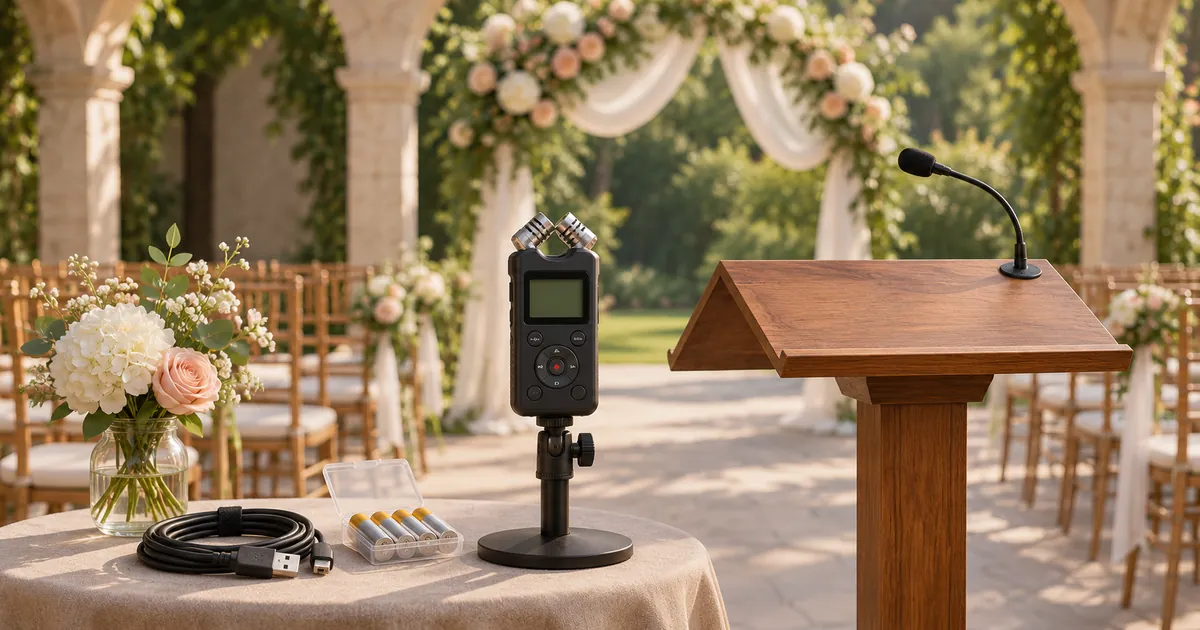

For wedding vows, prioritize a microphone close to the speakers and two independent recordings. The Zoom H1essential can cover a nearby stand or supply a backup recording in the right room. It records 32-bit float, but file headroom cannot replace proximity, quiet handling or a backup if one recorder stops.
Gear to consider
We may earn a commission if you buy through these Amazon links.
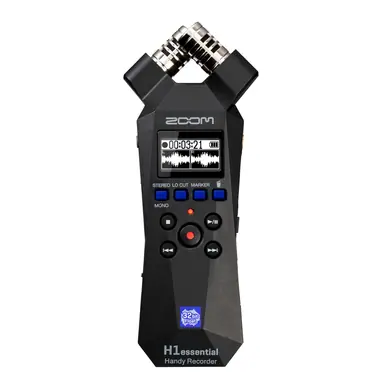
Zoom H1essential, recorder only
For a tested nearby stereo backup
Consider the recorder-only version if you have an approved stable position, independent primary audio, and the required card and power.
Decide where each voice will be heard
On the venue walk-through, find where the couple and officiant will stand, where they will face and whether anyone uses a handheld microphone. Listen from the available placements while another person reads a sentence at a quiet speaking level. If the sound changes when that person turns, pick a position that covers the likely movement or use an appropriately placed mic for each side. Get the couple, venue and audio operator's permission before attaching or hiding any equipment.
A practical division is a close primary source plus an independently powered backup with its own storage. A camera track is useful for alignment and may provide emergency context. A camera at the back of a large room is unlikely to capture the cleanest speech. Record which mic hears which voice clearly before choosing where the handheld recorder goes.
What the H1essential tests tell you to check
Zoom documents built-in stereo microphones and 32-bit float recording for the H1essential. Podcastage's hands-on tests demonstrate how the mic, handling and equipment setup affect the recorded result. Listen to the examples with headphones, then have someone read while you move the recorder between the acceptable positions. In a reflective room, the quieter vow can be harder to hear than the sudden loud reaction. Choose the spot where ordinary words are intelligible.
A 32-bit float file can preserve useful level information across a wide range. Distortion captured at the input and a word masked by wind, clothing or a chair scrape are separate problems. If you plan to record a venue mixer, ask its operator what output and level it provides and consult the recorder manual for input compatibility. Use a verified device and connection for the board feed. Keep an independent microphone path.
| Source | Good job for it | Check before guests arrive |
|---|---|---|
| Close dedicated mic | Primary intelligible vows | Placement, clothing movement and consent |
| Handheld recorder on a stand | Local room backup or nearby lectern speech | Distance, mounting noise, power and space |
| Venue board | Voices amplified through the PA | Output level, routing and what never goes to the PA |
| Camera reference | A sync reference and room context | It records the full portion you need |
Rehearse the two failures you can control
Make a short test with clean storage and the actual batteries. Confirm that time advances when recording, then stop and listen to the file. Make another test with two sources running, turn one off deliberately and listen to what survives. That exercise reveals which speaker the second source can cover and whether your fallback is usable. If the backup needs moving, find an approved stable surface outside the walking path.
Pack a labeled spare memory card and tested replacement batteries. During setup, confirm the time and recording status without touching the microphones. If two people are working together, name who starts each recorder and when they do it. In a solo setup, include a physical checklist near the camera. Leave enough setup time that checking the second recorder doesn't interfere with the processional.
Organize the files while the layout is fresh
Copy both sources to separate, labeled folders before formatting any card. Keep a note of which track covered the officiant, couple or room. Align the tracks using a common event, if available, and listen at both ends for drift during a long segment. Work on copies and keep the untouched originals. Read the 32-bit float explanation for level and overload examples and the room tone guide for covering brief edits when you have a suitable ambient reference.
If the editor needs a lower-resolution listening copy, give it a different file name and preserve the original recorder format independently. Try importing one sample file into the same editor and version everyone on the project will use. In a test timeline, reduce the level of a loud section before applying processing, then confirm the export can play on the delivery device. A ten-second transfer test can expose a format mismatch before you hand someone a folder of ceremony recordings.
Leave a recovery note for the edit
Sketch the positions of the sources before leaving the venue. Include the angle of the backup microphones and the time when the room sound changed, such as a door opening or an audience member starting to speak. If the ceremony includes a reader at another spot, log which source was close enough to hear that voice. In the edit, listen to each source alone at the same perceived level before blending them. A clear backup may be easier to use on its own than to mix with a distant version of the same sentence.
Test an edit with a QuestStudio scratch track
Use Voice Lab to make a short scratch narration if you need something repeatable to practice edits before the wedding. Leave real vows in their own cleared production workflow. Make a rehearsal timeline with a quiet sentence and a loud reaction and verify that you can lower the reaction without burying the speech.
Frequently asked questions
Can the H1essential be my only recorder?
Use a separate source whenever missing the words would be costly. A built-in microphone on a nearby stand can cover useful speech, but a recorder failure would still leave a single-path setup without backup.
Can 32-bit float remove room echo?
It helps with handling digital file levels. Use a closer mic and listen to the placement if reflections obscure speech.
Can I connect it straight to the DJ's mixer?
Confirm the output type and level with the operator and check the exact recorder input rating. Test the whole route with spoken words before relying on it.
Should the recorder go on the lectern?
Only place it there with permission and after checking distance, handling noise and physical stability. Folded paper, a moving stem or fingers on the lectern can interfere with the pickup.
Choose the recorder for its actual role
Buy the H1essential if you have a tested placement for nearby stereo backup and can run a separate primary path. Rent or select a different solution when you need supported mixer connections or a recorder designed to travel on the person wearing the mic.
Download the setup checklist (CSV)
Ready to check the listing?
We may earn a commission if you buy through these Amazon links.
Zoom H1essential, recorder only
Sources and further reading
Affiliate disclosure
As an Amazon Associate I earn from qualifying purchases. Recommendations draw on product documentation and the external tests linked above. The hero is an AI-generated setup illustration.
Continue with a useful next step
 Creator Workflows
32-Bit Float Audio: What It Can and Cannot Fix
Understand 32-bit float recording without the hype. Separate file headroom from microphone overload, wireless dropouts and the audio sent to your phone.
 Voice
How to Record Room Tone for Cleaner Voiceover Edits
Record room tone with your voiceover mic and use it to smooth narration cuts. Learn what to capture, where to crossfade and how to check a repaired pause.