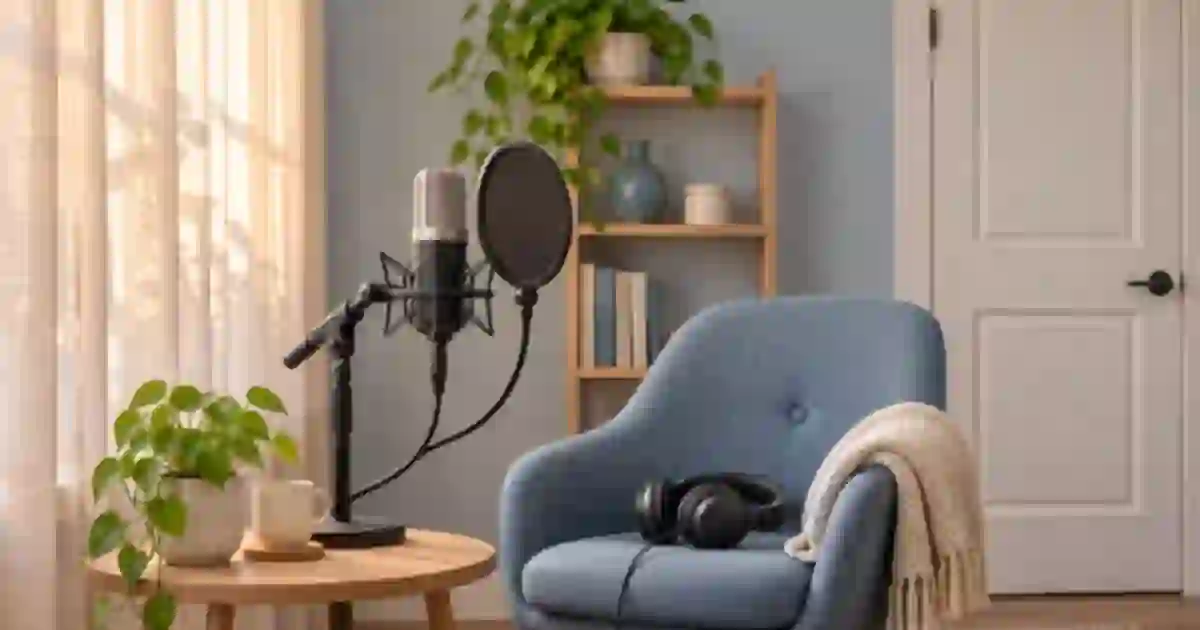

When a narration edit sounds like the room keeps turning on and off, I recommend filling the cut with a short recording of the same room. Record it with the same mic, position and gain as the voice. That quiet background gives you something to blend into the gap after trimming a line or replacing a take.
My gear pick for this setup
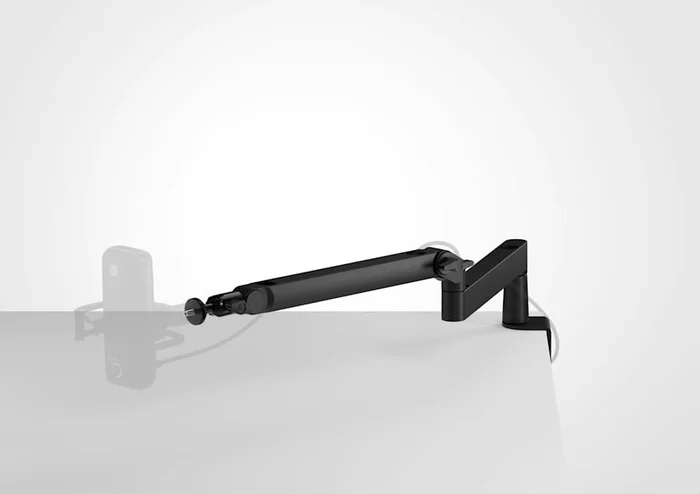
Elgato Wave Mic Arm LP, black
Keep the microphone in the same position between takes
I’d consider the Wave Mic Arm LP for a desk setup where a repeatable mic position is hard to maintain. Check mic weight, thread and desk clamp clearance.
Record the sound you want the edit to sit in
Room tone is the quiet sound captured in a particular setup when nobody speaks. Even a quiet room may have a steady ventilation sound, reflections or microphone noise. Keep the setup in place after a good take. Sit in the same position, leave the mic at the same distance, and record a stretch where nobody moves or touches the desk. I aim for about 20 to 30 seconds when the room allows it. That gives me a choice of sections without forcing me to repeat a tiny loop.
Label the file as soon as you save it. For example, use a name like DeskMic-RoomTone-WindowClosed-Take01.wav. If you move the mic, switch gain or turn off a noisy appliance before the next section, record a fresh sample. The quiet background from the first setup can sound different even in the same room. For a voice pickup at a later date, I record a sample alongside the replacement line and keep both samples while deciding which best matches the edit.
Listen for a steady patch
Solo the tone at a comfortable level and look through the recording for chair clicks, breaths, distant doors and other events. Mark a smooth portion that resembles the audio immediately before and after the cut. A hum from the same space may be a better match than another clip that sounds quieter in isolation. If the background changes noticeably over the take, pick the sample closest to the specific sentence you are repairing.
Noise gates and aggressive cleanup can make this trick harder. If a gate shuts on a bare room tone recording, it may give you digital silence. Record a clean sample with the relevant processing understood, and compare it against the final processed voice. I listen at the cut after any cleanup, because the amount and texture of background noise matter in the delivered audio.
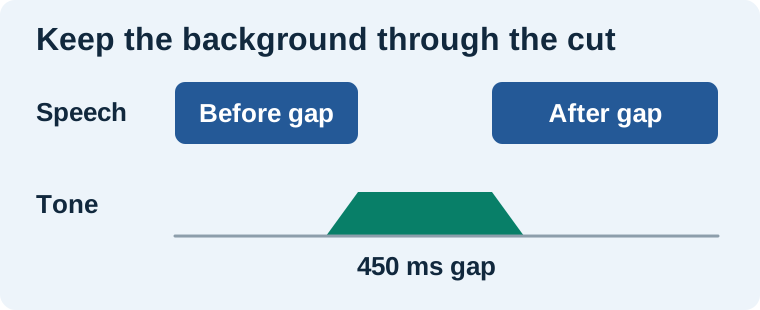
Patch a gap without moving the picture
Suppose an editing tutorial has a pause from 00:04.100 to 00:04.550 after you remove a chair creak. I would place a clean patch on a dedicated tone track and let its ends overlap the surrounding background slightly. Start with short fades and adjust by ear. Keep the fades out of syllables you need. If the overlapped section gets louder than the rest of the bed, change the overlap, fade shape or clip level. Then play the entire sentence so you can judge the pause in context.
For a single short gap, I often use only enough tone to keep the background continuous. When replacing narration for a long stretch, I use a longer clean segment and check for audible loops. Repeating a small sample that contains a recurring fan pulse or distant knock can introduce a rhythm. Let the actual sound guide the edit. The patch should support a natural reading pace and leave enough time to understand the line.
Match the problem to the repair
| Symptom | Adjustment I try |
|---|---|
| Silence opens between every sentence | Restore a steady bed and reduce abrupt gating. |
| One splice sounds louder | Compare the overlapping clips and adjust patch gain or fade length. |
| A tick repeats | Choose a longer clean source and listen for a hidden event. |
| The new line sounds like another room | Match the pickup setup or recut more of the phrase. |
I record extra tone while I have the mic set up because that is when it is easiest to get a match. If you are choosing a narration setup, the USB microphone guide for voice work covers practical choices. The headphone guide for dialogue editing helps with monitoring the seam at a normal level.
Use the tone around a synthetic pickup
If a permitted synthetic line from Voice Lab needs to sit beside recorded narration, I first compare pace, pronunciation and mic character. Then I place the room bed under the new line only as needed and listen for a transition at each edge. Room tone can join the background, while distance and timbre still need their own attention. Save a short before-and-after excerpt and pick the version where the sentence reads naturally without calling attention to the edit.
Listen to a clean gap and a filled gap
Make two copies of a sentence with a half-second pause. In version A, leave the gap as digital silence. In version B, fill it with a clean patch from the same mic setup and use short fades into the surrounding bed. Play each sentence at the same level. Listen for whether the background vanishes, whether the patch jumps in level, and whether the breath leading into the next word still sounds natural. Keep the version that fits the surrounding speech and log the position of the patch. This exercise helps train your ear before a deadline pickup.
Download the voice editing worksheet (CSV)
Frequently asked questions
How long should I record room tone for voiceover?
I aim for 20 to 30 seconds of steady sound in the same setup. Capture more if the room cycles through different noise levels.
Should I lower the mic gain to record room tone?
Use the same gain and mic position as the narration you want to match. A gain change can make the background different from the rest of the take.
Can I use room tone to remove an echo?
Room tone can smooth a gap. A replacement line with different distance or reverberation may still need a matched recording or a different edit.
How long should the fades be?
Start with short overlaps and listen at the seam. Length depends on the available background, the surrounding speech and whether the overlap changes the level.
Sources and further reading
Affiliate disclosure
As an Amazon Associate I earn from qualifying purchases.
Continue with a useful next step
 Voice
USB Microphones for Voice Cloning and Clean Narration
Choose a USB microphone for narration and voice-clone samples. Compare Shure MV7+ and RØDE PodMic USB, then check room noise, monitoring and processing.
 Voice
Headphones for Video Editing, Voice and AI Music
Compare Sony MDR-7506 and Audio-Technica ATH-M40x for editing speech and video. Use a repeatable listening check for comfort, cable fit and audible flaws.
 Voice
How to Fix Microphone Clipping in Voiceover
Fix microphone clipping by finding where the voice distorts. Test input gain, spot overloaded effects and compare a clean pickup with the original take.