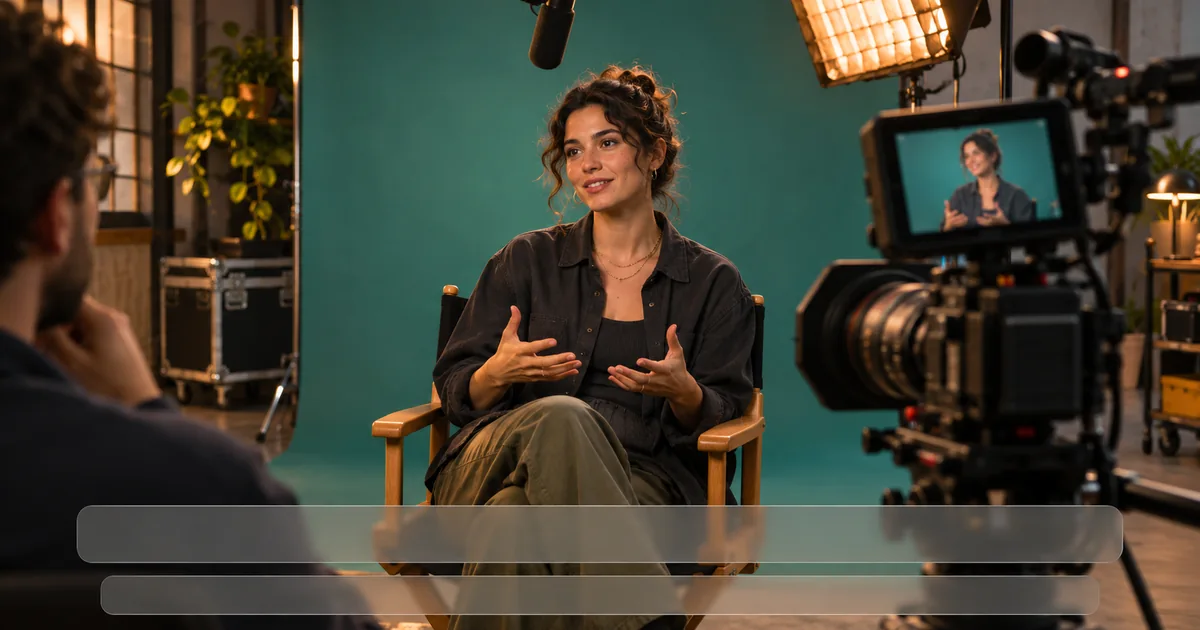

Add subtitles by making a timed transcript, checking it against the final audio, and choosing how viewers will see it. Upload an SRT as a separate caption track when viewers should be able to turn it on or off. Export a copy with the text burned into the picture when it must always be visible. Correct the text once before sending it down both paths.
Choose the two deliverables before placing text
For a platform with a caption track, prepare a clean video and a timed text file. Check your destination for supported formats and language settings. YouTube accepts subtitle files through its caption workflow. Verify the correct language and video revision in that interface before publishing the track.
When a silent social preview or a recipient's workflow requires visible text, create a second version with the captions rendered onto the picture. This copy gives you precise control over placement, font and contrast. It also means the viewer cannot toggle the text off. Keep the clean master and the editable caption source alongside it so you can change the visual style later.
Decide whether the file needs translated dialogue, same-language captions, or both. For accessibility, include the speech and important sound information such as an off-screen speaker or a cue that explains an action. A transcript of dialogue alone may omit information that people who cannot hear would need. The W3C caption guide explains which information belongs in that track.
Review one caption master against the final cut
Lock the cut or name the exact revision you are captioning. Start with a transcript or automatic pass, then listen while reading the actual words. Correct names, numbers, abbreviations and terms the recognizer cannot infer. In a pottery tutorial, “cone six” is an instruction, and “con six” is an error even if viewers could guess it. If you need captions after a revision, recheck every cue following the changed cut.
Break long lines at a sensible phrase boundary, leaving enough time for someone to read them. Consider whether a speaker change needs a label and whether relevant audio needs a bracketed description. When two people exchange short lines off-screen, correct speaker attribution can matter more than matching a word-by-word animation. Test the cue with the picture at normal speed before tightening it further.
Keep a plain timed master. SRT uses numbered cues with start and end timestamps and an empty line between cues. Keep the character encoding compatible with the destination and verify accented characters after import. The downloadable studio-kiln-demo.srt example has four original cues, including an off-screen speaker and an important timer beep. It is timed to a fictional 12-second tutorial and intended for practice against a clean 12-second timeline.
Verify the selectable caption track
Upload or import the timed text against the same video used to create it. Toggle captions on and off, then inspect the first cue, one in the middle, and the final one. Confirm the text and cue times match what you approved. Step through any overlap or unexpected blank region. Check a name or non-ASCII character if you included one.
If the first cue is early and the last is early by the same amount, examine the start offset. If the gap grows with time, look for a revision or timing mismatch before manually dragging cues. That distinction can save a full pass of edits. In a browser player, inspect the loaded language label and confirm you can actually select the track from a different viewer session.
Avoid uploading the caption file onto the wrong revision with a similar title. Pair the files by name. For example, kiln-v03-clean.mp4 should travel with kiln-v03-en.srt. A corrected v04 file needs an explicit caption approval of its own.
Render a visible copy for the intended screen
Apply the reviewed text in your editing timeline and choose a readable style. Check the text on a bright frame and a dark frame. Give it enough contrast against the actual picture instead of guessing from an isolated editor panel. Move it away from the product, the speaker's mouth and controls that commonly cover the frame.
Run the vertical export on a phone and view it as closely as possible to its final placement. Interfaces vary across app and device. A caption with room in the timeline can sit under a button or over a lower third in the player. In the pottery example, raise the timer cue when the timer itself enters the lower part of the frame. The viewer should have a chance to read the cue and see the action.
Export the video and review it muted once. Check that the lines appear at the approved times and that an important meaningful sound has a usable description. Then play with audio and check for cuts that land before a phrase ends. If text is missing in the export, verify that the caption or text layer is enabled in the output route you chose.
Send a package that the next person can check
Keep the clean video, caption track and visible copy separately named. The receiving editor should be able to identify each file without reading your entire chat. Note the language, revision, approximate runtime and anything specific to the destination. When submitting the selectable track to a player, use the clean master unless that destination specifically needs both.
If the text is already permanently rendered, enabling a second caption track can show duplicate lines. Watch the result with controls visible, then toggle available caption options. An export that looked fine in isolation may give a different experience in a player. Treat the actual viewing route as the last approval step.
Practice and verification
| Revision | File | Language | Viewer control | Verify at |
|---|---|---|---|---|
| kiln-v03 | Clean MP4 + SRT | English | Selectable | First cue, timer, final line |
How QuestStudio helps
If the script keeps changing, create and approve the final narration in Voice Lab before timing the text. Save the approved audio as a separate source. Use your editor or platform to apply and verify captions against the final exported picture.
Frequently asked questions
Do I need an SRT if the text is burned in?
Only if the destination or recipient also needs a selectable or editable caption track. Keep an SRT or other timed source as a separate working asset.
Can I use auto-generated captions as they are?
Review them against the final audio. Names, technical terms, numbers, speaker changes and relevant sounds often need attention.
What is the difference between captions and translated subtitles?
In common usage, captions include useful non-speech information such as speaker labels and sound cues. Translated subtitles focus on conveying dialogue in another language. Terminology varies.
Why are my subtitles ahead of the video?
Confirm the correct matching revision, compare a cue at the start and one near the end, and determine whether the error is a fixed offset or growing over time.
Where should burned-in captions go?
Place them where they remain readable and do not cover important action or player controls. Verify the placement on the intended device and destination.
Before you deliver
Save one corrected timed transcript and review each delivered version where it will be watched. A visible social copy and a selectable track can both originate from the same approved text.
Sources
Related QuestStudio guides
 Creator Workflows
SRT Subtitle Format: Fix Timing, Encoding, and Import Errors
Read an SRT subtitle file, repair malformed timestamps, and check encoding. Download valid and broken examples with a repair checklist for your final video.
 Creator Workflows
SDH Captions: Speaker Labels and Meaningful Sound Cues
Create SDH captions with speech, speaker labels, and meaningful sounds. Compare an original scene, inspect caption files, and use the review checklist.
 Creator Workflows
Where to Place Instagram Reel Captions: A Preview Checklist
Place Reel captions where viewers can read them. Compare illustrative layouts, avoid faces and controls, and use a phone-preview worksheet before sharing.
Hero image created with AI. Practice materials by QuestStudio.