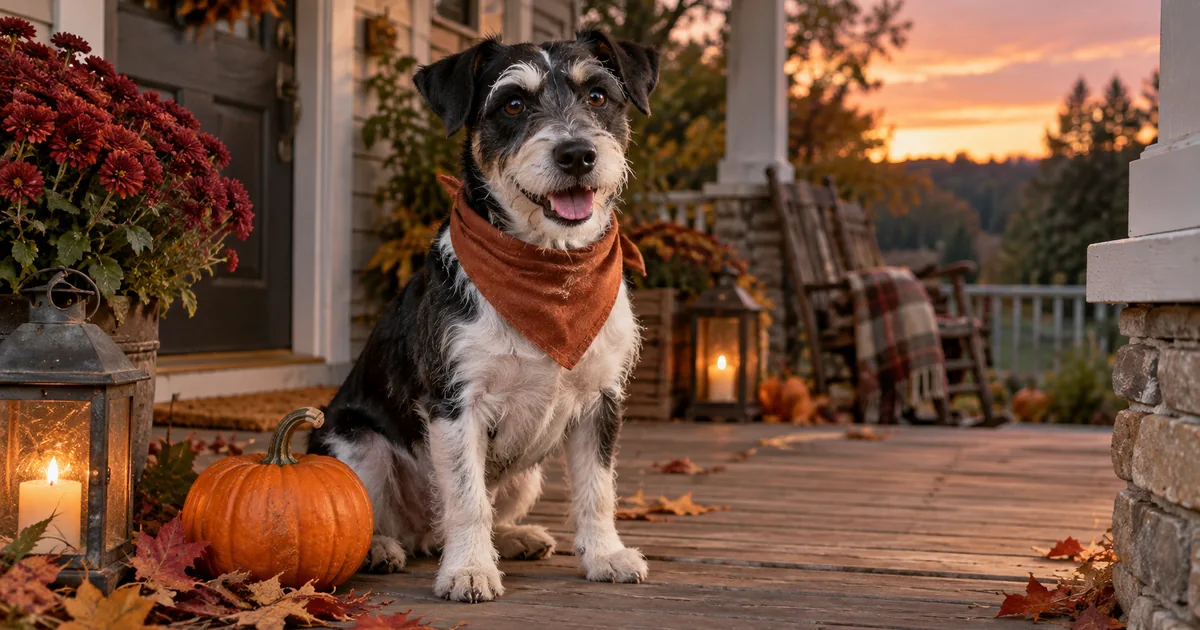

A Halloween portrait can look beautiful and still give your dog the wrong ears. These AI Halloween pet photo prompts start with a real photograph, keep the animal recognizable, and put the creative work into the setting. You will make one believable seasonal portrait before trying costumes, extra props or a full set.
Download the pet portrait review card · Create one pet portrait in Image Lab
Choose a source that already looks like your pet
Use an eye-level photograph with visible eyes and a readable muzzle. A slightly ordinary background is easier to replace than a face hidden behind a toy. Keep the whole animal in frame if you want a full-body result. Asking a model to invent cropped paws introduces a second problem before you have solved the first.
Write three identifying details before opening an editor. For a terrier, that might be a white eyebrow over the right eye, a black patch at the base of the left ear, and one white front paw. For a cat, it might be a narrow nose stripe, uneven cheek markings, and a bent ear tip. Use the animal's actual details, not this example's description.
The reference photograph carries more information than a breed name. “A border collie” describes many dogs. It does not describe yours. Keep the original file alongside every candidate so you can compare them at the same size. A command to preserve identity is a request, not a guarantee.
Use this preservation line with every scene
Paste this first, then add one scene. Replace the bracketed details with your own. If your editor has separate instructions and negative-prompt fields, use the fields it actually supports rather than assuming all models interpret the same syntax.
For the first comparison, keep crop and output shape consistent with the source. Once the pet passes inspection, make a second version for your destination. A social portrait and a wide family card need different space around the animal, but they should not require a new face.
Seven Halloween scenes to adapt
1. The pumpkin-porch portrait
This is the simplest starting point because the decoration stays around the animal. If the bandana changes the neck or chest markings, remove it from the brief and keep the porch. A recognizable pet in a modest setting is more useful than an elaborate failed costume.
2. The little observatory cat
Check the window edge where it meets the tail. A model may merge two similar dark shapes. Keep the telescope as background scenery rather than asking the cat to operate it with human-like paws.
3. The autumn detective
Avoid a hat for the first pass. Hats often conceal the ear shapes that help you identify the animal. The notebook also stays closed so small generated writing cannot become a distraction.
4. The friendly doorway ghost
The joke happens behind the pet. You get the Halloween idea without covering its face or inventing an opening in a bedsheet. Inspect the space between the decoration and each ear so the silhouettes remain distinct.
5. The moonlit garden visitor
Dark fur should retain detail. If a black cat becomes a featureless silhouette, ask for gentler contrast or choose a brighter reference. Increasing “cinematic” adjectives rarely gives you a more faithful coat.
6. The tiny harvest librarian
Keep props at a believable scale. A pumpkin larger than the pet's head changes the portrait into a novelty scene. That may be fun, but decide deliberately rather than accepting accidental proportions.
7. The matching pair
Start from a photograph that already contains both animals. Combining separate references adds identity assignment and scale problems. Review each pet independently; a correct dog does not excuse a cat whose markings have migrated onto its companion.
Review the animal before the atmosphere
| Check | Accept | Revise or reject |
|---|---|---|
| Face | Same muzzle length and eye spacing | A generic breed face replaces yours |
| Ears | Same fold, position and outline | Hat, prop or fabric hides a changed ear |
| Coat | Identifying patches remain in place | Markings mirror, move or disappear |
| Whiskers | Separate fine strands where visible | Whiskers fuse into decorations |
| Paws | Same visible count and contact | New toes, floating feet or fabric paws |
Make the first pass at normal viewing size, then inspect problem areas at a matched zoom. Finally reduce the image to the size people will see on a phone. A small collar error may matter less than a face that looks subtly wrong at thumbnail size. Save a short rejection note so the next attempt addresses the actual failure.
Fix one failure and keep the successful parts
If the pet is correct but the background is busy, simplify the scene. If the background is excellent but the muzzle changed, return to the original reference and narrow the edit. Reusing a wrong face as the next reference can make the error harder to notice because each iteration looks internally consistent.
For a costume request, introduce one accessory at a time. A bandana is easier to inspect than a full outfit with sleeves. Avoid treating an AI picture as evidence that a real costume fits or is comfortable. The image is a playful edit, and it can stay that way in the caption.
Before sharing a set, place the original beside all candidates. Pick the image that looks most like your pet first, then use atmosphere as the tie-breaker. Keep the caption short and identify an AI edit where that context matters to the audience.
How QuestStudio helps
Use Image Lab with a reference-capable model to try one scene. Save the identifying details with the prompt, compare candidates against the original, and change the setting only after the pet passes the review card. For everyday portraits, the pet photography guide covers a wider range of lighting and poses.
Frequently asked questions
Can I use these prompts for cats and rabbits?
Yes. Replace the identifying details and use a scene that suits the animal’s pose. Check ears, whiskers, coat pattern and body proportions against the source.
Do I need to put my pet in a real costume?
No. A clear ordinary photo is enough to propose an edited accessory or seasonal background. The generated image does not establish real costume fit.
Why does the AI change my pet’s markings?
The model may reinterpret the animal while editing. Name distinctive markings, simplify the requested changes, and reject candidates that do not match the reference.
Can I make two pets from separate photos?
Some models support multiple references, but identity assignment and scale can become harder. A clear photograph of both pets is a simpler starting point.
Which output shape should I use?
Choose the shape for the final placement, then inspect the crop. Keep ears, paws and important markings away from an edge that may be trimmed.
Keep the pet, change the story
Choose one scene and finish one recognizable portrait. Once it passes the marking and anatomy checks, save the approved brief and reuse it for a small seasonal set in Image Lab.
The worked example is a proposed creative exercise, not a measured model benchmark. The hero is an original AI-generated editorial illustration.