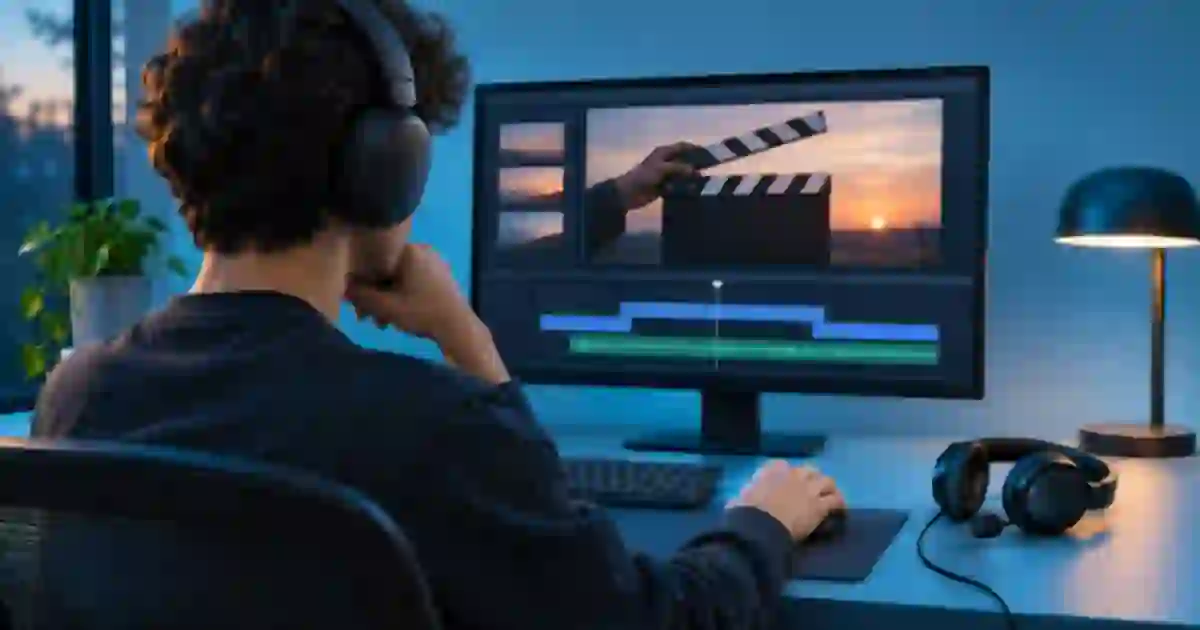

If dialogue looks late while you edit with Bluetooth headphones, I recommend checking the same moment through a wired output before shifting anything. The sound can arrive late at your ears even when the audio and picture line up in the file. I make sync decisions from a visible event and the waveform, then listen on the output I trust for that edit.
My gear pick for this setup
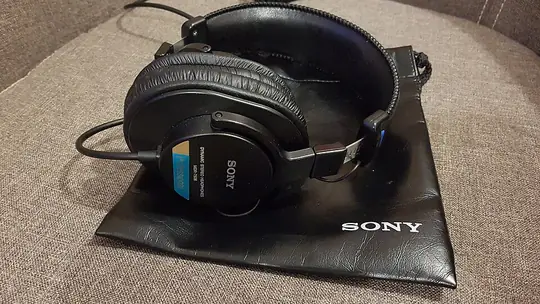

Sony MDR-7506
My wired reference for a timing check
I’d use the MDR-7506 as a straightforward wired reference if your computer or interface has a compatible jack. Try the wired pair you already have before buying around a sync problem.
Pick a contact you can see and hear
Use a hand clap, a door latch or the moment a mug touches a table. Choose an action near the camera and with one sharp, distinct sound. A quiet consonant in a wide shot can be hard to place by eye and a heavily compressed preview can make the exact contact ambiguous. Zoom in on the timeline and mark the first frame where the contact is visible. On the audio track, mark the start of the corresponding transient. Keep the marks even if you later decide the preview is misleading.
For a short test project, I prefer putting the same kind of event near the beginning and end. If both marks stay close, the underlying sync has a useful reference. If the distance grows, you have a different issue to investigate. Sound takes time to travel and video captures discrete frames, so the aim is a practical check against the footage rather than sample-perfect agreement between a physical action and a pixel.
Change one output and replay the same section
Duplicate the project or save a version, then select a six-second loop around the contact. Listen over Bluetooth. Switch the editor’s audio output to wired headphones or the built-in speaker and replay that exact loop. Some applications keep a device setting separate from the operating system. Confirm the new device is actually playing. Give the application a moment to settle after switching, then start playback from the same point.
If the delay appears only on the wireless path and the markers still align, I leave the clips where they are. Bluetooth monitoring can add delay through encoding, transmission, buffering and playback. The actual delay depends on the device and software. A video player may compensate during steady playback, while scrubbing or playing an edit feels different. I avoid timing a cut from a wireless preview that changes as soon as I switch devices.
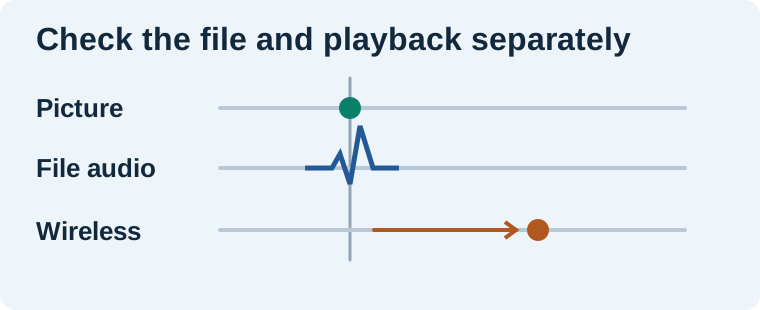
Read the pattern before fixing the cut
| Observation | What to check next |
|---|---|
| Only the wireless preview feels late | Use the wired reference and keep the timeline markers. |
| Both outputs show the same offset | Check the source clip and the export against the visible event. |
| The gap increases later in the clip | Compare the start and end of the original recording and its timing settings. |
| Playback stutters and then catches up | Try a short rendered preview and look for dropped frames. |
At 30 frames per second, three frames span 100 milliseconds. If a late sound feels about three frames off on Bluetooth and a wired replay seems right, that observation can help narrow the problem. It does not measure the headphones’ delay precisely. You would need a controlled measurement of the actual visual and audible outputs for that. Use the rough number to describe the symptom while you compare the two playback paths.
Export a small proof before changing the master
Export the same marked section using the intended frame rate and audio settings. Open it in a separate player using the wired output. Compare the moment the object lands with the sound you hear. If the local export is clean, test one upload or playback target if that is where the issue first appeared. I keep the short file until the full video passes. It gives me a reference I can reopen without recomputing a big timeline or relying on memory.
If the export really is late, compare the picture and waveform from the original file before nudging. Audio recorded to a separate device can be offset or drift over time. A short AI clip can also include an effect that simply lands at the wrong moment. The guide to checking sync at two anchors helps distinguish those cases. Keep the edit reversible by retaining the unshifted audio and noting the offset you applied.
Decide where wireless fits
I use wireless listening as an audience-style playback check after placing cuts and effects. For a final sync pass, I favor wired monitoring or a speaker path I have already verified with the test reel. If the aim is merely to proofread captions on a train, wireless convenience may matter more than timing confidence. If you are setting a dry latch click to a frame, choose the setup that lets you repeat the result. The editing headphones guide has practical wired options and fit checks.
Review a generated clip the same way
When I bring a short clip from Video Lab into an editor, I keep the downloaded original beside the edit. If it contains an action cue, I choose one visible frame and inspect the audio around it. If the clip has no usable cue, I add a separate effect and listen against the picture through the wired path. The output device stays constant while I compare the source, edit and export.
Run the same six seconds three ways
In a 30 fps product demo, place a marker on the first frame where the lid contacts the jar. Put a second marker on the click waveform. Use the worksheet to mark whether the visual and audio references agree, then listen on Bluetooth and wired playback. Export that six-second section and listen to it wired in a separate player. If all the file checks pass and only the Bluetooth preview feels late, keep the edit and use wired playback for sync. If the exported click is still late, compare its marker with the source before correcting the take.
Download the video and audio sync worksheet (CSV)
Frequently asked questions
Can Bluetooth headphones make exported video out of sync?
Playback latency can make the export sound late through those headphones. An edit you move to compensate can change the actual file. Inspect the audio marker and replay the export through a second path.
Is a delay of three frames always 100 milliseconds?
It is 100 milliseconds at 30 fps. At other frame rates, divide the number of frames by the rate to find the time.
Can I use Bluetooth headphones for a rough cut?
Yes, if the delay is acceptable for the task. Verify precise dialogue, impacts and beat cuts on an output you have checked for timing.
Why does a streaming video look fine on the same headphones?
Players can compensate differently for playback delay. Scrubbing, switching outputs and editing playback can expose a lag that is less visible during steady viewing.
Sources and further reading
Affiliate disclosure
As an Amazon Associate I earn from qualifying purchases.
Continue with a useful next step
 Voice
Headphones for Video Editing, Voice and AI Music
Compare Sony MDR-7506 and Audio-Technica ATH-M40x for editing speech and video. Use a repeatable listening check for comfort, cable fit and audible flaws.
 Video
AI Video Audio Out of Sync: Fix Offset and Timing Drift
Fix AI video audio sync with three timing anchors. Separate a fixed offset, growing drift, edit jumps, and incorrect mouth movement before changing the track.
 Music
Product Demo Sound Effects: Sync the Cap, Click and Pour
Build product demo sound effects around visible contact. Time a cap, click and pour with a cue sheet, separate sound layers and review the final exported video.