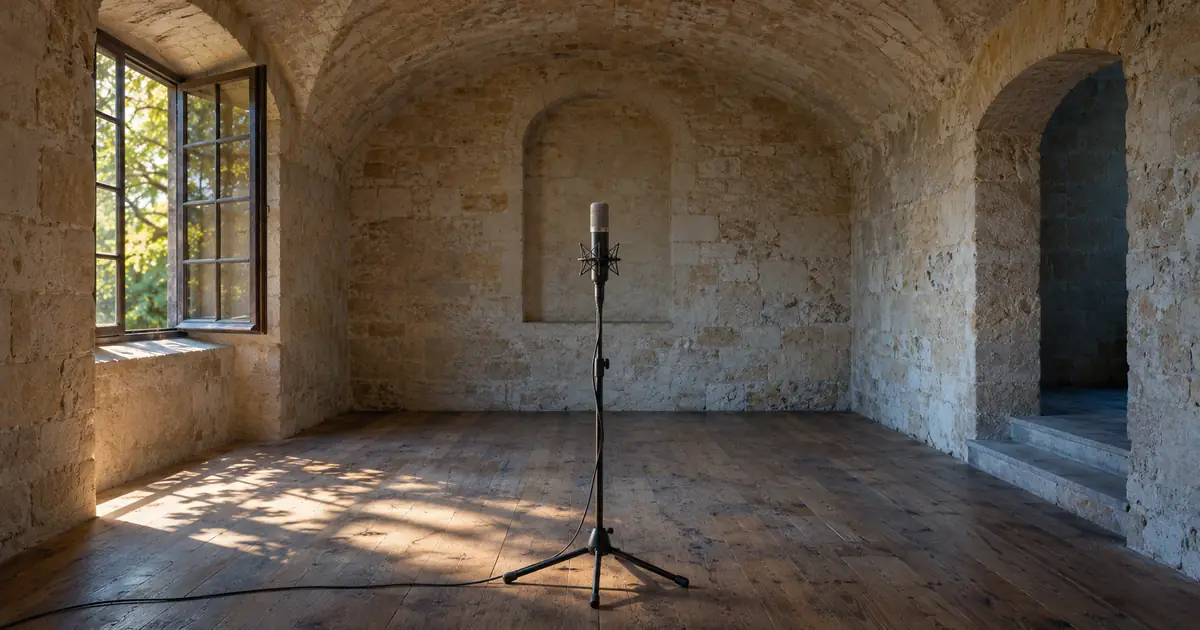

The picture shows a person in a tiled room, but the replacement line sounds as if it was recorded inches from the listener in a quiet booth. The words are clear; the space is missing. Convolution reverb is one way to give that clean voice a more convincing relationship with the scene.
I would use it to solve a specific mismatch, not to make every narration sound larger. A close instructional voiceover may need very little room effect. A line meant to come from someone inside a visible space has a different job.
What convolution reverb uses
A convolution reverb processes audio with an impulse response, often shortened to IR. The response describes how a system reacts over time to a very short input. For a room-style effect, it can contain early arrivals and a decaying tail that shape the processed sound.
Adobe's Audition reverb documentation describes loading impulse files and adjusting the balance between the original and reverberant sound. An IR can come from a captured space or be constructed synthetically. A file labeled “hall” does not, by itself, prove how or where it was made.
The useful creative question is not whether the preset name matches the room on screen. It is whether the processed voice has a believable distance, clarity, and decay in that particular edit. A convincing small amount usually does more for a scene than a spectacular tail that hides the sentence.
Hear a deliberately simple synthetic example
For this guide, I created three short tonal pulses and a synthetic impulse response. The response contains a direct component, clear later arrivals at 45 and 90 milliseconds, another smaller arrival at 140 milliseconds, and a short decaying collection of later taps. Nothing was recorded in the room shown in the hero.
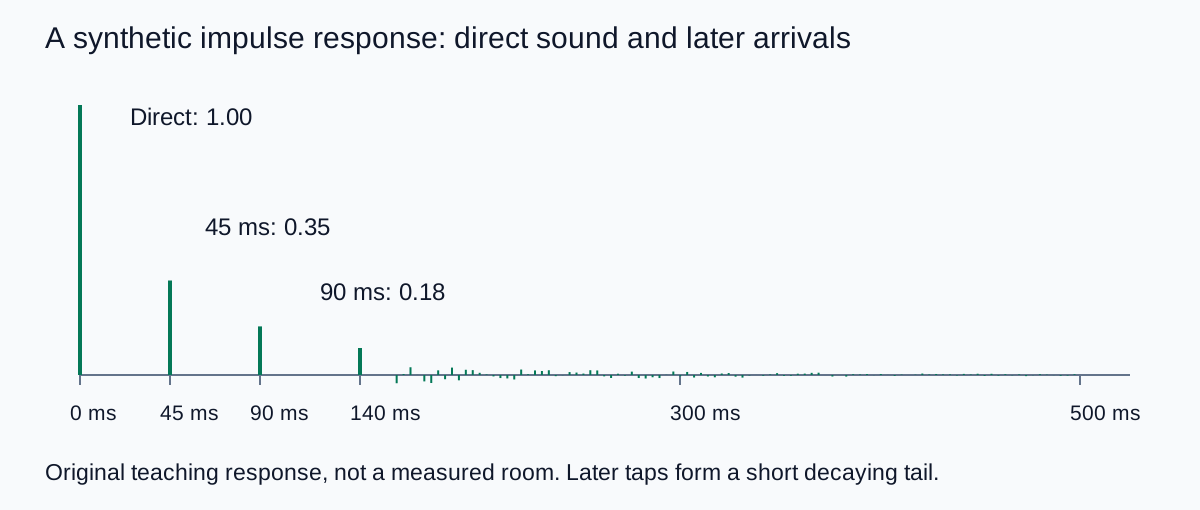
The processing adds delayed, scaled copies of the source according to that response. This makes the timing easier to understand than starting with a complicated voice recording. It demonstrates the operation, not a recommended final narration sound.
You can download the synthetic impulse response for an editor that accepts a custom mono WAV impulse. It uses a 24 kHz sample rate and includes a direct component. Check how your plugin handles direct sound before mixing it with another dry copy, and begin with a low monitoring level.
Decide where the voice belongs
Before loading a preset, choose the listening perspective. Is the voice the narrator speaking directly to the audience, a person in the filmed room, or a deliberately stylized internal thought? Those roles can justify different treatment even when the picture is identical.
For a product tutorial, I would normally keep the narrator close and intelligible while the demonstration sounds establish the room. For a replacement line from the person on camera, I would compare it with the surrounding production audio. A voice that becomes much larger only for one sentence can expose the edit.
| Role | Useful target | Review first |
|---|---|---|
| Direct instructional narration | Clear words with restrained ambience | Consonants and pace |
| Replacement line inside a scene | Continuity with neighboring dialogue | Distance, decay, and background tone |
| Deliberately distant voice | A spatial cue that still serves the story | Whether the required words remain understandable |
| Stylized trailer or dream sequence | An intentional effect | Timing against music and the following cut |
Room tone and reverb are related to the scene but do different work. Room tone provides continuing ambience; reverb responds to the voice. The room-tone guide covers collecting that background reference. Adding room tone alone does not give a completely dry voice the same decay as surrounding dialogue.
Match a short insert before treating the whole track
- Choose a representative sentence. Include a clear consonant, a sustained vowel, and a pause after the final word.
- Keep the untreated file available. Compare the processed insert with the source and the neighboring scene audio.
- Start with a restrained blend. Raise the room contribution only until the voice feels connected to the scene.
- Check the tail after the sentence. It should support the transition rather than spill awkwardly into the next shot.
- Listen with music and effects restored. A room effect that seems attractive in solo can make a busy mix harder to understand.
- Export a short section. Reopen it and check both the words and the edit boundaries before applying the treatment broadly.
I would make these decisions at a consistent listening level. If the processed version is noticeably louder, that difference can distract from the actual spatial comparison. Match the perceived level as carefully as the available tools allow, then decide whether the room effect helps.
Avoid stacking rooms without a reason
If the source already has a strong room sound, adding another response does not replace the first one. You are processing an already reverberant signal. The result may be useful as an effect, but it is a poor starting assumption for a subtle dialogue match.
I would ask for a cleaner pickup or regenerate a cleaner source when possible. If that is not possible, compare a restrained repair with the untreated version before adding more space. Do not keep increasing reverb to hide an inconsistent microphone position.
The voiceover pickup workflow helps plan a replacement line with matching delivery. Performance continuity matters too: a different pace, emphasis, or distance from the microphone can remain obvious even when the decay is similar.
Use a clean AI narration as a flexible source
In QuestStudio Voice Lab, create a short narration with the delivery you want and keep the original output. Add the room treatment in an audio editor that provides the required convolution controls. This keeps voice generation and room matching as separate choices.
I would audition the performance before choosing the space. If the line feels rushed or the important product name is mispronounced, reverb will not solve that. Once the words work, compare a dry version and one restrained room version in the actual video.
For a campaign with several clips, save the approved source, impulse file, blend, and any timing adjustments with the project. Avoid copying only a preset name; the same preset can behave differently when the input level or surrounding mix changes.
Keep the scene believable and the sentence clear
My approval test is to stop listening for the effect and follow the story. The voice should belong where the scene places it, the words should remain clear, and the tail should end naturally around the edit.
If you notice the reverb before you understand the sentence, reduce it and compare again. A small, repeatable treatment is often the right result for creator videos.
Frequently asked questions
What is an impulse response?
An impulse response describes how a system reacts over time to a very short input. A convolution reverb uses that response to shape another audio signal.
Is every convolution reverb based on a real room?
No. Impulse responses can be captured or synthesized. Check the source and usage terms rather than assuming a preset name proves a real location.
Does convolution reverb remove the room already in a recording?
No. Adding a response processes the existing sound; it does not simply replace the original room. A cleaner source is usually easier to match subtly.
Should I add reverb to every AI voiceover?
No. Direct narration may work best with little or no room effect. Add it when a specific scene or creative role calls for spatial treatment.
Is the downloadable response a recording of the hero image location?
No. The hero is an AI-generated editorial illustration. The downloadable response is an original synthetic teaching example with deliberately defined arrival times.
Technical references
Continue with a useful next step
 Voice
AI Voiceover File Delivery: Give Editors a Usable Handoff
Deliver AI voiceover files editors can use. Confirm formats and timing, map clips to the approved script, and reimport the package before handing it over.
 Voice
AI Voiceover Pickups: Replace a Line and Keep the Tone
Replace one AI voiceover line without an obvious change in tone. Recover the voice settings, generate phrase context and check timing, joins and captions.
 Voice
AI Voiceover for Screen Recordings: Match Every Step
Match AI voiceover to screen recordings. Map each instruction to an action and result, fix pauses and keep interface labels, captions and revisions aligned.
Hero: AI-generated editorial illustration. Supporting diagrams and exercises: QuestStudio.