

Few-shot prompting means supplying a small set of worked examples inside the request so the model can follow a pattern. It is useful when the desired output shape is easier to demonstrate than describe. The important work is choosing examples that teach the rule without accidentally teaching facts, habits, or shortcuts you do not want.
This guide builds an original shot-note extraction exercise. It is an authored example set and review rubric, not a benchmark of a particular model. You can run it in a supported text workflow, compare the result with the reference answers, and record your own observations before saving it as a reusable prompt.
Decide whether examples solve the actual problem
A clear instruction may be enough for a simple task. If you need one sentence describing a product, begin there. Examples become valuable when the output must follow a repeated pattern: the same field names, a particular level of detail, or a consistent rule for missing information. Adding examples to a vague assignment can simply demonstrate the vagueness.
Our task is to turn short production notes into three fields: subject, action, and missing information. We want a predictable handoff for a storyboard. This differs from asking for more creative scene ideas. The source note controls the content; the examples teach how to represent that content. A new subject should not inherit the example’s product details.
Write the rule before collecting examples
Use a short instruction: extract only information explicitly stated, retain the named subject, and mark missing information as unknown. That last rule is important. Without it, examples containing complete notes may encourage the model to fill a blank from imagination. The instruction and the examples must agree.
Amazon’s few-shot documentation shows how example inputs and outputs can guide a response format. Apply that idea to a narrow creator job. You do not need a fixed universal number of examples or a claim that more always improves quality. Begin with the smallest set that illustrates the important cases.
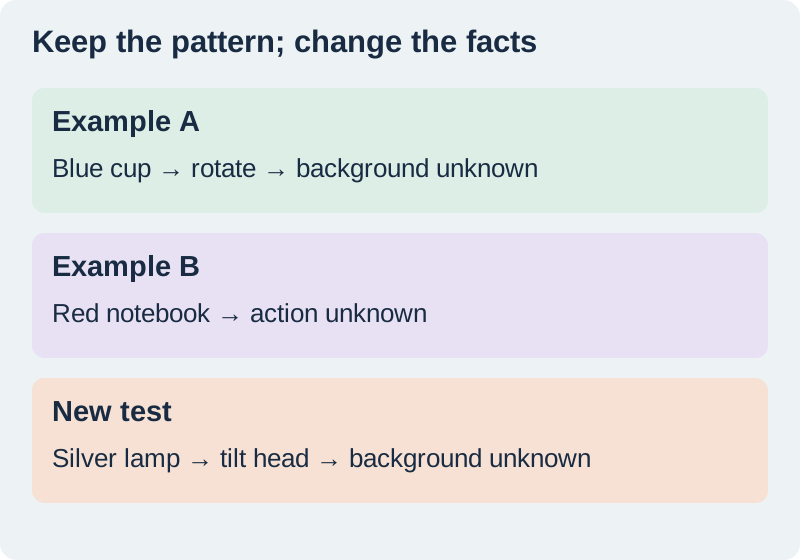
Extract subject, action, and missing from each production note. Use only the supplied facts. Write unknown when a field is unstated.

Example A
Input: Blue cup; rotate it to show the handle.
Output: subject=blue cup | action=rotate to show handle | missing=background

Example B
Input: Red notebook on oak. No action specified.
Output: subject=red notebook | action=unknown | missing=action

New input
Input: Silver lamp; tilt the head downward.
Output:
Include a missing-information case
The red-notebook example teaches restraint. The input names a surface but does not describe motion. The action should remain unknown. This catches a common production problem: a system turns every static reference into an invented camera move because all its examples happened to contain motion.
Inspect each example for hidden rules. If every subject is blue, is blue intended or incidental? If every answer uses a flattering adjective, does the task require one? Vary incidental content while keeping the required output shape stable. Do not change field names between examples unless variation itself is the lesson. Inconsistent formatting forces the model to infer which pattern matters.
Keep a genuinely new case outside the examples
The silver-lamp note is the first held-out case. Its reference answer is subject=silver lamp, action=tilt head downward, and missing=background. Do not put that answer into the prompt when you are evaluating whether the pattern transferred. A test that includes its own answer measures copying rather than the intended task.
Add a second check with an unstated action, such as “green bottle against cream paper.” You should expect action=unknown. A third can contain a distracting sentence that is not a production instruction. Keep these cases in the worksheet separately from the prompt examples so you can reuse them after a revision without accidentally turning them into training demonstrations.
Compare errors before changing the prompt
Record three separate outcomes: whether the required fields exist, whether their contents match the input, and whether unsupported facts were added. A response can have perfect formatting and incorrect facts. It can also preserve the facts while adding explanation that breaks a downstream copy-and-paste step. These are different failures with different fixes.
If field names drift, make the schema and examples consistent. If facts leak from the blue cup into the lamp result, strengthen the instruction to use only the current input and vary the example subjects. If the model invents missing actions, improve the incomplete example. Change one suspected cause, then rerun the held-out cases and retain the results.
Separate examples from external source material
A worked example is an instruction aid that you approve. A client document, web page, or raw transcript is source material to inspect. Clearly label those roles. A sentence inside a supplied document telling the system to ignore your format should not become a new instruction for the task. Keep your actual extraction rules outside the untrusted source text.
Do not include confidential client notes merely because examples seem more realistic that way. Construct a small representative example or use approved material. Keep the source and output understandable to the person who will maintain the prompt next month. If you shorten a long reference packet, use the context-packet checklist to preserve its exceptions and exact strings.
How QuestStudio helps with a reusable pattern
Store the approved instruction and examples in Prompt Lab after the held-out review. Keep the evaluation cases and reference answers separately labeled, along with the model or workflow used and the date. This article does not claim that Prompt Lab automatically grades those cases. The worksheet gives you a small manual comparison you can reproduce.
Use the structured shot notes to prepare an image or video brief only after a person approves the facts and missing fields. A consistent format makes the handoff easier; it does not approve the content. For the broader storage process, see organizing prompts with their outputs. Retest the saved pattern when the task, schema, or model changes.
Download the original practice worksheet
Frequently asked questions
Is few-shot prompting the same as fine-tuning?
No. Here the examples are included in the request. This workflow does not change model weights.
How many examples should I include?
Use enough to show the required pattern and important exceptions. There is no universal best count.
Should the test answer appear in the prompt?
No. Keep held-out inputs and reference answers outside the demonstrations when evaluating transfer.
What if the output format is right but the facts are wrong?
Score factual fidelity separately from formatting and inspect whether example facts leaked into the new result.
When should I retest a saved pattern?
Retest after changing instructions, examples, output fields, the task, or the selected model or workflow.
Save the pattern after checking a new case
Organize the instructions and approved examples in Prompt Lab, keeping test cases separate.
Hero: AI-generated editorial illustration. Original teaching materials and documented feature research, checked November 1, 2026. Examples are labeled where synthetic or hypothetical.