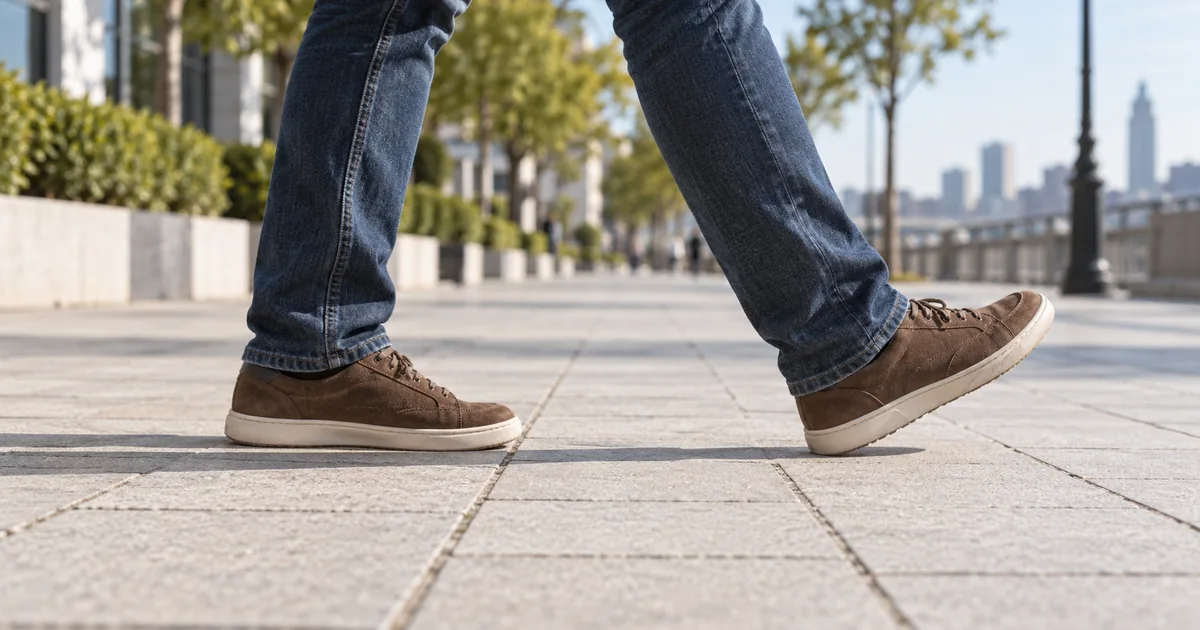

The legs seem to walk, but the shoes glide along the pavement. That mismatch makes an AI walking video feel wrong even when the face and clothes look convincing. Before changing the prompt, separate foot sliding from camera movement, floating contact and inconsistent body travel.
Download the walking-contact review sheet · Test one walking shot in Video Lab
Identify the kind of movement that looks wrong
A foot that slides during its planted phase is different from a foot that never reaches the floor. A tracking camera creates another possibility: the shoe moves on screen because the viewpoint moves, even though its contact with the ground may be plausible. Screen position alone is not enough to diagnose the problem.
Pick a visible patch of ground near the foot: a pavement seam, a small floor mark or a stable texture detail. Watch their relationship. A planted shoe should remain associated with the same local ground area until it lifts. If the shoe drifts across that area without a step, you have a useful sliding clue.
| What you see | Likely review target | First adjustment to try |
|---|---|---|
| Shoe glides while apparently planted | Foot-to-ground contact | Simpler, shorter step with visible contact |
| Both feet hover above the surface | Ground plane and source framing | Clearer source with complete shoes and shadows |
| Person travels too far for each stride | Body motion versus step rhythm | Slower, shorter walk and fewer simultaneous actions |
| Whole scene drifts together | Camera movement | Stable viewpoint for the diagnostic test |
| Shoes fuse or change shape | Source detail or generated anatomy | Better source and reduced motion complexity |
Treat these as observable categories, not proof of a model's internal cause. You can choose a better next test without claiming to know how the network represented the legs.
Start with a source that shows the support
Use a full-body image with both shoes visible, enough floor below them, and a legible contact shadow. Avoid a long coat that completely hides the knees and ankles for the first test. A strong fashion pose with crossed legs may be attractive as a still but awkward as a walking start.
A side or three-quarter view makes foot contact easier to inspect than a straight walk toward the camera. Keep the horizon and ground surface coherent. If the original already appears to float, animation may amplify that ambiguity.
Do not ask an image editor to invent missing feet and then judge a walking model as if it received a clean source. Approve the complete still first. The image preparation guide covers source defects that become more obvious in motion.
Remove competing actions from the first test
Start with one person walking a few natural steps across a level surface. Leave out waving, turning, dancing, dramatic wind and a sweeping camera orbit. Each additional action gives the model more relationships to maintain, and it makes a failed result harder to diagnose.
This wording describes the desired visible behavior. It does not activate a physical foot-lock control. Use a short supported duration and review it before asking for a longer walk. If the camera still moves, use the locked-camera troubleshooting guide to isolate that problem.
Runway's image-to-video prompting guide distinguishes subject action, camera movement and timing. Keeping those components separate is useful here: a walking subject and a moving camera are two instructions, even when the finished shot makes them feel like one.
Use a three-frame contact test
Find a moment when one foot appears planted. Pause shortly after contact, near the middle of that support phase, and just before the foot lifts. Record a nearby ground landmark in each frame. Compare the sole's relationship to that landmark, not just its pixel location in the overall image.
If the camera moves, also track a second ground point. This helps distinguish global image movement from local shoe drift. It is a qualitative review method, not a calibrated biomechanics measurement. Perspective, motion blur and changing ground texture can make a single frame misleading.
Check the opposite leg next. A model may produce one convincing step and then slide through the next. Watch the entire clip at normal speed after the paused review. A technically plausible foot position can still feel wrong if the body's rhythm stalls or accelerates unexpectedly.
Change one variable in the next candidate
For candidate A, keep the original source and request the short side-on walk. For candidate B, change only the motion demand, perhaps asking for one step followed by a natural stop. For candidate C, use a clearer source angle while keeping the simpler request. Record which change improved the visible contact.
Do not change model, source, camera, duration and prompt together and call the result a controlled comparison. You may find a usable clip that way, but you will not know which decision helped. For recurring work, a small review log is more useful than a collection of unexplained favorites.
If reference-motion input is supported, select a clip with visible shoes, steady framing and the kind of walk you actually need. Check the selected model's requirements. A reference with occluded legs or a turning camera can transfer ambiguity as well as useful movement.
Know what an ordinary video editor can repair
If the first two steps work and the third slides, trim before the failure and cut to another shot. A detail insert, a reaction or an environment view can preserve the intended scene without showing a broken walk. Make sure the cut still communicates where the person is going.
Global speed changes do not usually solve a mismatch between foot contact and body travel because they retime both together. Frame interpolation can add in-between frames, but it does not establish missing ground contact. Cropping above the feet may hide the symptom, but use it only when that framing still serves the story.
A rigged animation is a different kind of asset. Tools with a skeleton and editable motion can expose foot-lock or motion-correction controls. For example, Reallusion documents sliding correction for iClone. Those controls do not automatically exist in a rendered AI video file, which contains pixels rather than the original character rig.
Choose a stopping point
After a few scoped attempts, decide whether the full-body walk is essential. A story about a jacket may work with a standing turn or an upper-body shot. A gait demonstration cannot honestly substitute an obscured crop for accurate foot contact. The purpose of the asset determines what compromise is acceptable.
Keep the accepted source, motion brief and review notes. Save the actual usable range, such as the first two steps, rather than labeling the whole clip approved. During assembly, review the exported sequence again because a different trim point can reintroduce the sliding frame you meant to exclude.
How QuestStudio helps
Use Video Lab to compare short walking candidates from an approved image. Keep the motion request narrow and use the contact worksheet to decide what to keep. QuestStudio can generate candidate footage; a request for planted feet is not a guarantee of physically correct motion or an editable character rig.
Frequently asked questions
Does “feet planted” guarantee a natural walk?
No. It describes the desired result. Review the shoe against ground landmarks and reject contact failures even when the prompt is explicit.
Will slowing down the clip fix sliding?
It may change how noticeable the problem feels, but it retimes body and feet together. It does not necessarily repair their relationship.
Should I use a tracking camera?
You can for the final shot. A stable viewpoint is easier for the first diagnostic test because it removes one source of apparent movement.
Can frame interpolation fix foot contact?
It can create intermediate frames, but it is not a reliable way to establish a missing or incorrect contact relationship.
Can I use a 3D foot-lock tool on the video?
A rendered clip usually lacks the editable skeleton those tools require. Rigged animation workflows and flat video editing are different.
Keep the steps that survive review
Judge contact before cinematic style. A short believable walk is more useful than a long smooth glide. Create the first controlled test in Video Lab and note exactly which steps pass.
The worked example is a proposed creative exercise, not a measured model benchmark. The hero is an original AI-generated editorial illustration.