
A pour is a connected action. Liquid leaves a source, travels through a stream and arrives in a receiving glass. If the glass fills before the stream reaches it, the scene feels wrong even when every individual frame looks attractive. Plan an AI beverage pour video around that relationship before adding splashes or a moving camera.
Begin with the actual beverage and containers, choose a short continuous action and keep the receiving glass still. Review the source level, stream contact and receiving level through the clip. A five-moment log makes the inspection easier, but the full motion still needs to be watched.
Prepare the pour continuity sheet before opening Video Lab.
Decide what the pour needs to communicate
A café serving demonstration and an imagined splash campaign are different jobs. A real serving demonstration should use the actual drink, glass and portion information. A fictional concept can explore a mood, but it cannot establish viscosity, carbonation, ingredient content or the amount delivered by a real product.
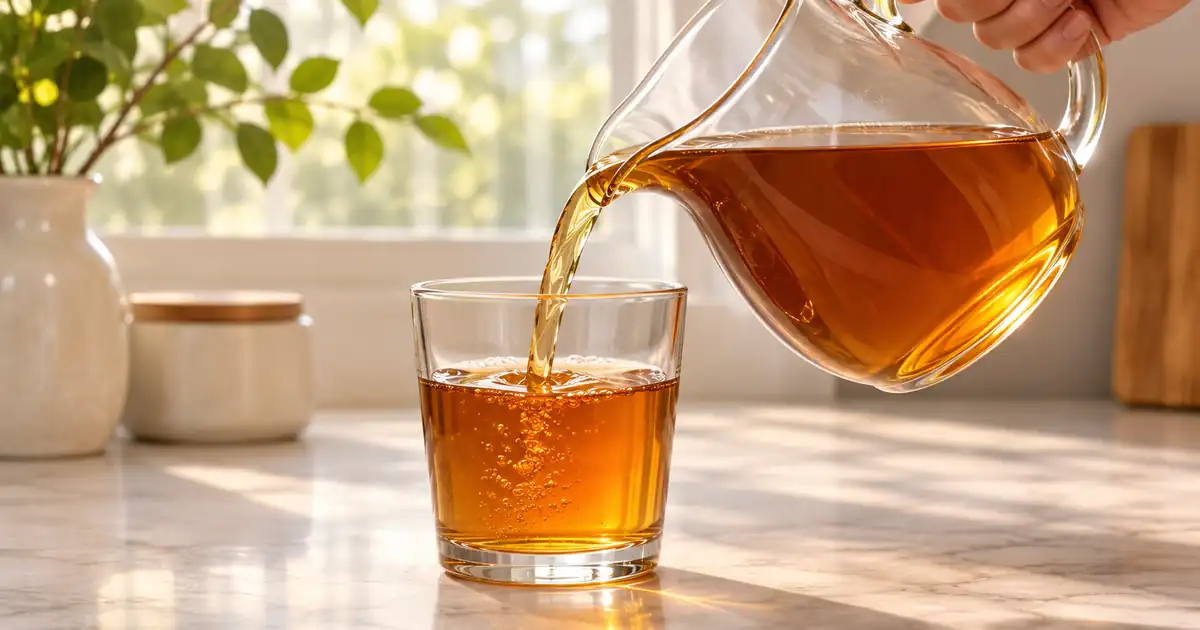
Our planning example is still amber tea poured from a clear pitcher into a stationary glass. We choose an uncluttered side view so the stream and both liquid levels are visible. The first test has no ice, floating garnish or camera orbit. Those additions can wait until the basic action is coherent.
Prepare a start frame with room for the action
Use permitted references that show the source opening, the receiving rim and the relevant liquid appearance. Make sure the containers are large enough to inspect in the intended crop. A tiny glass in a wide scene makes continuity errors difficult to diagnose.
Keep the pour path clear. If a hand covers the source opening, the model must invent the connection behind it. If the receiving rim is hidden by foreground props, you cannot easily judge whether the stream arrives inside the glass. Choose a source view that exposes the action rather than trying to repair an ambiguous composition later.
Describe one uninterrupted pour
Ask for one action with a clear beginning and end. Keep the camera steady and preserve the visible containers. Avoid simultaneously requesting a dramatic swirl, a rising camera, a rotating bottle and an overflowing glass. You need to know which part failed before you can improve it.
Use the approved pitcher and glass references. Show one restrained continuous pour of still amber tea into the stationary glass. Keep the camera fixed. The stream should connect the pitcher opening to the inside of the glass. Preserve container shapes and beverage appearance. Keep the liquid below the rim. Do not add fizz, ice, garnish or extra containers.
This brief describes the intended result. It does not establish that a system will conserve liquid volume or simulate fluid behavior accurately. Review the output as an image sequence, and keep real serving evidence separate from the generated scene.
Mark five moments, then inspect between them
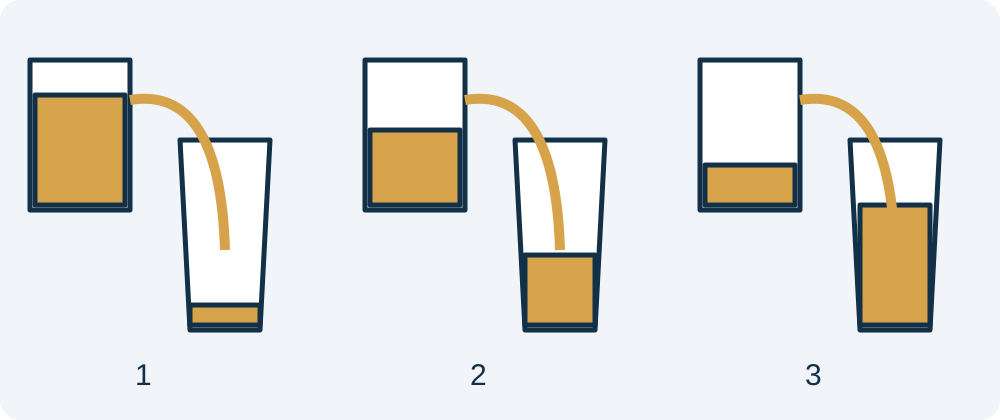
Record the frame before the pour, the first stream contact, the midpoint, the stream ending and the settled final view. At the start, confirm the initial container states. At first contact, check that the receiving level has not already jumped upward. At the midpoint, inspect the stream at both ends.
At the ending, look for a stream that continues after the pitcher stops or disappears while liquid still appears to arrive. In the settled view, inspect the glass rim, liquid surface and any unexpected foam. Compare those moments with the intended still beverage.
Now watch and scrub the intervals. A stream can briefly split, miss the rim or pass through a wall between the marked frames. The sheet is a review aid, not a complete automated physical validation. Keep uncertain sections out of the accepted clip.
Compare levels without pretending to measure volume
A liquid level can rise more quickly in a narrow region than in a wide one. Perspective and container shape also affect the visible line. Do not demand equal pixel changes in source and receiving vessels. Instead, look for obvious contradictions: a receiving glass emptying during the pour or a source refilling without another visible action.
If exact volume is part of the message, use real measured footage and an appropriate product record. A generated level change cannot substantiate a serving quantity. Keep that boundary clear when writing the caption or building the product advertisement.
Repair the cause of the continuity problem
If the stream misses the receiving glass, simplify the source angle and keep the camera fixed. If the beverage becomes fizzy, remove splash language and return to the approved still-drink appearance. If the container changes shape, reduce motion and use a clearer reference.
Do not keep a short apparently correct section without checking its entry and exit. Cutting into an already established stream may work editorially, but the resulting shot still needs a believable relationship with the surrounding shots. The product video workflow explains how to build an edit from separately approved modules.
How QuestStudio helps
Use Video Lab for a small image-to-video test with a fixed camera and a visible pour path. Compare the result with the approved container and drink references. The drink photography workflow helps establish the still appearance before you add motion.
Once the picture is accepted, plan the soundtrack with the product demo sound guide. Place the audible pour against the actual visible action rather than using a long generic splash. Review the final crop, speed and sound together, because each can change how the action reads.
Frequently asked questions
What is the easiest pour to test first?
Use a short fixed-camera pour with a clear source opening and a stationary receiving glass. Leave extra camera motion and decorative splashes for later tests.
Should both liquid levels change by the same number of pixels?
No. Container shape and perspective affect visible level changes. Look for continuity contradictions rather than treating pixel height as a direct volume measurement.
Can a generated pour prove a serving quantity?
No. Use real measured footage and verified product information when the quantity is part of the claim.
Why does a still drink acquire bubbles?
The generated scene may follow common beverage styling cues. Remove unnecessary fizz and splash directions, use a clear reference and reject appearance changes that contradict the actual drink.
Are five marked frames a complete review?
No. Watch and scrub the full clip, especially the intervals around first contact and the end of the stream.
Try one reviewed production step
Bring the approved source and the smallest useful brief to Video Lab. Compare the result with your reference before expanding the project.