
Choose PromptHero alternatives by the reference-search job you need to finish. Browsing for composition, searching for a visual treatment and buying a prompt product are different activities. A useful alternative helps you find and understand a reference, then turn that observation into an original brief for your own image.
This guide uses one concrete task: create a quiet campaign scene for a blue ceramic lamp with an ivory shade. We checked accessible public discovery surfaces on November 3, 2026. The comparison does not rank paid prompt quality or claim that a borrowed prompt will reproduce its preview image.
Define what is missing from your brief
Before opening a library, name the visual decision you cannot yet explain. You may need a lighting reference, a camera angle or a way to leave room for campaign copy. Those are narrower questions than “find a beautiful image.”
For the lamp campaign, the product identity is already fixed. The reference search should help with soft side light and a calm surrounding scene. It should not replace the approved lamp with a more dramatic object from someone else's portfolio.
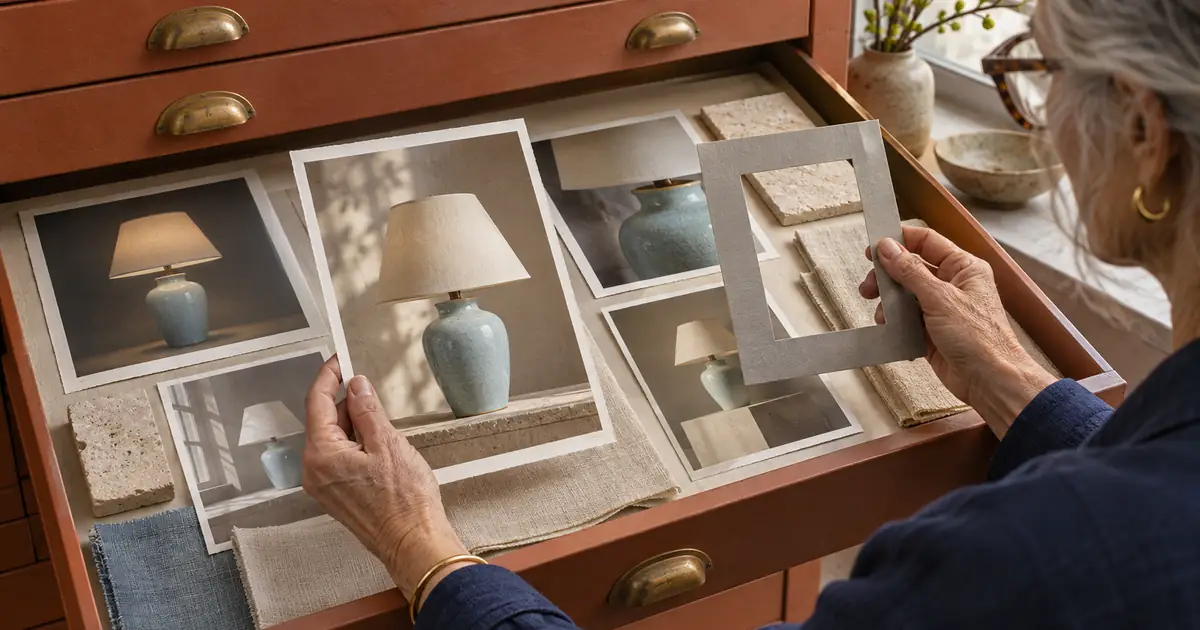
Write a short search record: subject, missing decision, intended model, output shape and reference role. If you cannot describe what a saved image contributes, do not add it to the production packet yet. A large mood board can hide unresolved decisions instead of solving them.
Compare discovery routes
| Route | Public surface observed | Useful next question | Boundary of this review |
|---|---|---|---|
| PromptHero | Browse navigation including featured, hot, new, model and category routes | Can I locate a reference whose model and visual decisions I understand? | Public navigation reviewed; no reproduction test |
| Lexica | Search input and a separate generation entry point | Can a search help isolate the light, framing or material treatment? | Search surface observed; query results not verified here |
| PromptBase | Marketplace listings with model labels, seller identities and prices | Does a specific listing explain a relevant use case and its requirements? | No purchase or paid-product evaluation |
The checked PromptHero homepage supports browsing across several discovery categories. Use those routes to narrow the kind of reference you need rather than treating a popular feed as a task-specific recommendation.
The accessible Lexica homepage exposes a search surface and a generation route. Our retrieval did not verify the results for the lamp query. That limits the comparison to its observed discovery entry point, rather than a claim about search-result quality.
The PromptBase marketplace presents a different decision: evaluating a particular product and seller. A marketplace preview is evidence of what the listing advertises, not proof of the result your model, settings and reference will produce.
Search for one visual variable at a time
Start with the missing decision. For this exercise, useful original search phrases include “ceramic lamp soft side light,” “table lamp editorial still life” and “product photograph negative space.” These are proposed search tasks, not verified high-volume keywords.
Save only a few candidates and record why each one matters. One may show a soft shadow edge. Another may show how the shade sits inside a portrait crop. Reject a beautiful scene if its product occupies too little space to evaluate identity.
Then change the search when the results answer the wrong question. If you keep seeing decorative interiors, narrow toward product framing. If every preview depends on dramatic lettering, search for unbranded still life. The purpose is a usable visual decision, not collecting the largest folder.
Separate identity, lighting and framing references
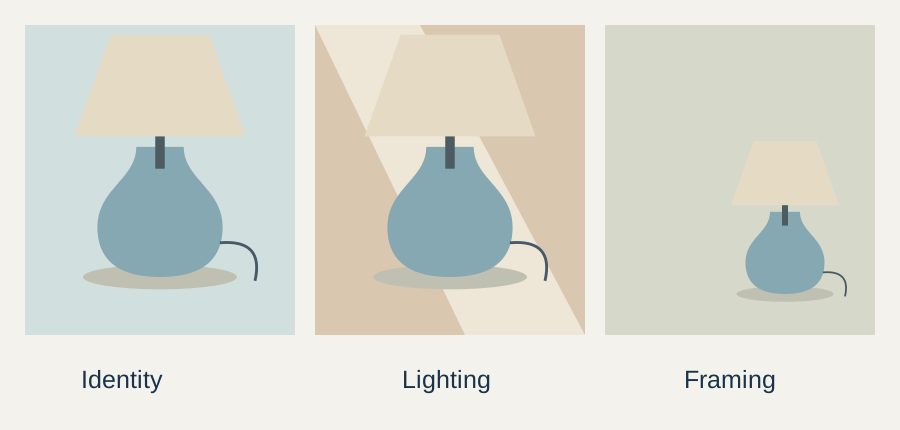
The identity reference should be your approved product image. A lighting reference can explain where the light falls without becoming a replacement product. A framing reference can show empty space while leaving materials and proportions under the identity reference's control.
Give those roles an explicit order. For example: preserve the approved lamp first, borrow only the soft light direction second, and adapt the empty space to the required crop third. If two references conflict, resolve the conflict in the brief instead of asking the model to blend everything equally.
Download the discovery observation sheet. It records the public surfaces checked and the limits of the review. Add your own chosen reference URL, creator, access date and reason for saving it.
Check model relevance before copying syntax
A library prompt may contain model-specific flags, weights or references to settings that your chosen tool does not support. Separate the useful descriptive language from those controls. Do not paste an unfamiliar parameter into another model and assume it keeps the same meaning.
Record the model shown with the source when available. If it is absent, mark it unknown. A similar-looking preview does not establish which settings produced it or how much editing happened afterward.
For the lamp task, words describing light direction and surface texture can inform an original brief. A model-specific seed or style parameter belongs in a separate implementation record only if your actual route supports it. Preserve that distinction when handing the task to another person.
Write your own production brief
The original lamp brief is a starting example. It gives the references different roles and keeps the product description tied to the approved source.
Create a quiet campaign scene around the approved lamp reference.
Preserve its pale-blue ceramic base and ivory shade.
Use soft side light and a restrained matte surface.
Leave useful empty space for separately added campaign copy.
Keep the full product visible with a clear contact shadow.
Do not add lettering, a different shade, extra products or claims.
Use visual references only for their assigned lighting or framing role.
Review the result against the product first. A pleasing background cannot compensate for an altered base or shade. If a detail changes, correct that defect before enlarging the campaign into several crops or animated scenes.
This guide supplies a brief and original diagrams, not a generated comparison of the three discovery services. No paid prompt was purchased and no third-party preview image was copied into the article.
Keep source and usage conditions attached
A publicly visible image is not automatically available for every commercial use. Inspect the relevant service and item's current terms before using an image or purchased prompt in a campaign. Keep the source record with the project rather than relying on a screenshot saved without context.
For example, Lexica's published terms distinguish conditions by image source, use and plan. The practical point for this workflow is to check the actual item and intended use. This comparison does not grant rights to a third-party image.
When the goal is inspiration, describing a lighting observation in your own words is often a cleaner handoff than passing around an unexplained image collection. If you intend to upload a reference, verify that you may use it for that purpose.
How QuestStudio helps turn research into an asset
Bring the approved product reference and your original scene brief into Image Lab. Keep the chosen reference roles visible during review. Our product-photography shot-list guide covers scene consistency, while the prompt-generator comparison handles the separate builder-selection task.
Choose the discovery route that resolves your missing visual decision, then stop browsing long enough to test that decision. A small, explained reference packet is easier to review than an impressive collection with no production role.
Frequently asked questions
Which PromptHero alternative is best for every task?
This review does not establish a universal winner. Choose a route based on whether you need browsing, visual search or evaluation of a specific marketplace product.
Were paid prompt products tested?
No. Public discovery surfaces were reviewed, but no purchase or paid-product quality comparison was performed.
Can I reuse model-specific parameters in another tool?
Check that tool's documentation first. Preserve descriptive observations separately from parameters whose meaning depends on a particular model.
Does a public preview grant campaign usage rights?
Do not assume that. Review the current service and item conditions for your intended use, and retain the source record.
How many visual references should I keep?
Keep enough to resolve the task, with a stated role for each. For the lamp exercise, product identity, lighting and framing are separate decisions.
Turn the reference packet into an image
Use Image Lab with the approved product reference and an original brief that assigns each reference a clear role.