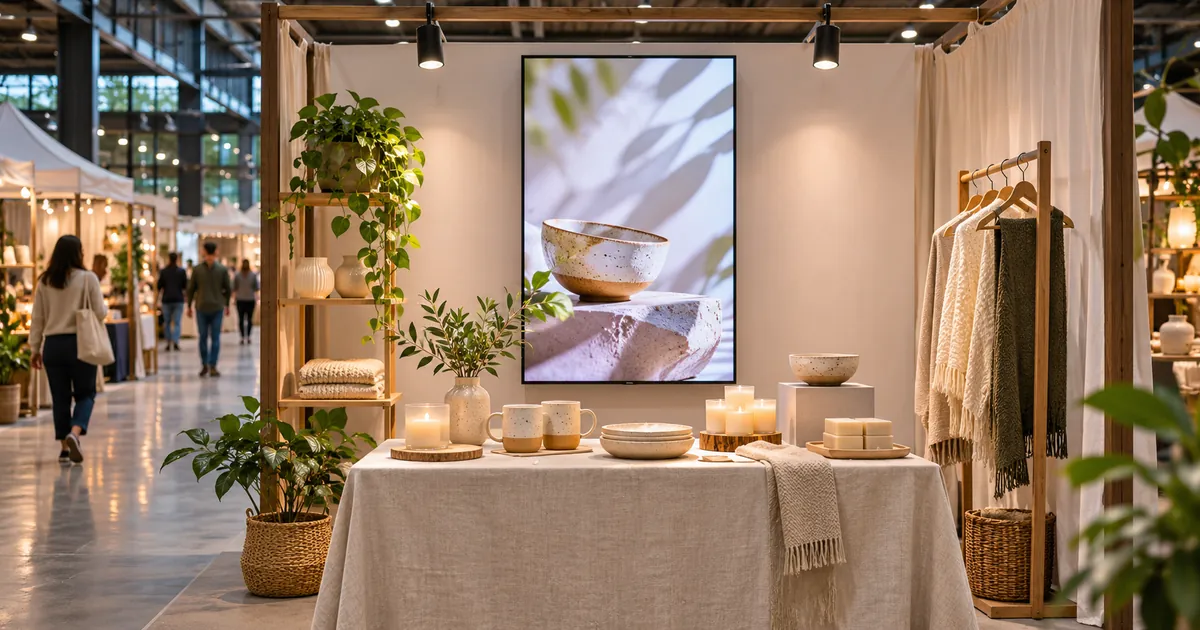

Make a silent booth video that loops by designing for people who walk up at any point. Give each short section a complete idea, leave key words on screen long enough to read, and use a clean restart. Test it on the actual booth display and player. A great clip with a delicate title or an instruction that depends on sound can become hard to follow in a busy aisle.
Jump to the Video Lab example or download the worksheet.
Design for a viewer arriving in the middle
List three things a person should learn while standing a few steps away: what you make, one useful detail, and what they can do next. Keep those answers in every cycle. Start with a product a passerby can recognize. Use concise editable labels and show a real detail rather than alternating between unrelated renderings. Give one action such as “Pick up a sample here” or “See the full catalog” that matches what the booth can deliver.
A fictional maker sells compact ceramic planters. The display can show an overview, the underside drainage detail, and the sample table a visitor can find. After the intro, an item name or small persistent brand mark helps someone who enters during the detail. A passerby may only see the second half. Give that half a reasonable promise and a route to the object without asking them to wait through several loops.
Write the facts in short lines and put important claims on simple backgrounds. A phone-sized social overlay may look small or be hidden by physical frames around the display. Measure the distance people are likely to stand and inspect a real screen at that distance. Test under booth lighting as well as on your desk.
Build the video from short independent cards
Use one subject and one text block per card. Keep the timing long enough to complete the sentence at ordinary reading speed. An image of a planter's base should stay visible while the drainage detail is on screen. If you move to a price card, confirm the display uses the current value and the right market, date, or item. Put fast-changing prices in a printed or live product list when you can keep the booth video useful without them.
| Segment | Picture and text | A person walking up should know |
|---|---|---|
| 0–5 s | Planter overview and name | What is being offered |
| 5–10 s | Underside detail and concise description | One concrete purchase-relevant feature |
| 10–16 s | Sample table photo and visit instruction | How to inspect it in person |
| 16 s to restart | Shared color and readable steady image | The video can rejoin without a blackout |
Keep the final message as short as the first. If a QR code is helpful, place one verified static code with an adequate quiet area and allow it time to scan at the real distance. Verify it on more than one device. Repeat a short link or the booth location in readily readable text if a phone cannot scan from the aisle. The instructions should let people find a next step even if they only glance at the display.
Use actual product images and clear texture. For a large screen, consider a wider stable shot with room for the text. Excessive movement can pull attention away from a brief caption in an otherwise quiet video.
Make the last and first frames agree
Compare the last panel and the opening image in your editor. A clean cut can feel natural if both share color, overall brightness, or a recognizable product angle. A fade to black may look like the screen turned off in a brightly lit venue. A sudden jump from bright white to nearly black can prove equally distracting. Test a continuous background or a short shared color card if you want a gentle handoff. The loop timing guide covers exact boundary checks for a continuous product movement.
Keep the audio muted by design. If the player defaults to volume on, provide a file with an intentional silent track or use the documented player setting. Review the video with captions off if all labels are part of the picture. A caption file might not load or be accessible on a signage player. Render the essential words in the final visual, keeping the editable project and approved text for later revisions.
Check export settings against the player manual. The device may require a specific codec, resolution, bitrate, drive format, or orientation setup. Test the actual player rather than assuming the export that runs on a laptop will run the same way through the booth controller.
Test a cold start and several complete cycles
Load the exact file on the display in its final orientation. Confirm the screen starts after power comes back and the display returns to the loop in your intended mode. Watch three cycles from the far side of the table and then closer. Note any frame cutoff, restart gap, brightness change, or clip of a label. If the player inserts a pause, adjust your editing endpoint to leave a complete final image on screen. You can test the same asset elsewhere to understand whether the gap comes from the file or the device.
Give a teammate the real next action and ask whether they can find it while joining during the second card. If they must wait for the last one, keep a compact line visible on more cards or make the cards more informative. Bring a verified backup export and keep a simple still with the essential facts ready if the player has trouble. Document the working device, file and settings so setup can be repeated without guessing.
How QuestStudio helps
Use QuestStudio Video Lab to test a calm visual from the actual product still. Build the readable words in your signage editor and confirm the final player can run your output. Keep the movement gentle near a reading area.
Wide steady tabletop video of the exact planters in my uploaded proof photo. Soft diffuse light with very slight movement, static product forms and surfaces, slow calm camera. Leave the upper right blank for separately editable text. No generated numbers or additional products.Compare the result against the real items and use any accepted clip under one complete information card. Keep accurate text and the display's safe area under your control in the editor.
Try it with your own material
Cycle the finished file on the real screen and walk up at a random moment. If you can understand the product and find the sample table before the loop restarts, the video is ready for that display.
References
Frequently asked questions
How long should a silent booth loop be?
Start with a short sequence of complete cards and test the time needed to read them from the actual aisle. Keep the essentials available across the cycle.
Should I bake text into the video?
Put essential lettering in the rendered visuals when your player cannot be relied on to show captions. Keep it editable in your project.
What if the display adds a black gap on restart?
Test the encoded file separately and check the player settings. Choose a complete ending and usable first image for a device with a fixed gap.
Can I use the same cut online?
Use it if the aspect ratio, crop, and type size remain useful in the actual online player. Recheck any instructions specific to the physical booth.
Related guides
 Video
Loop a 360° Product Turntable Video for Reels
Film a full product turn, measure the real rotation in frames, and make a seamless vertical Reel. Check the label, crop, light, and motion at the join.
 Video
Seamless AI Video Loops: Fix the Jump at the Restart
Make a seamless AI video loop by checking position, motion direction, speed, and lighting at the seam, with practical choices for blends, bridges, and reversals.
 Video
Vertical Video Safe Zones: Keep Products and Text Clear
Check vertical video safe zones against real placement overlays. Keep products, captions and calls to action visible throughout motion and at the final frame.