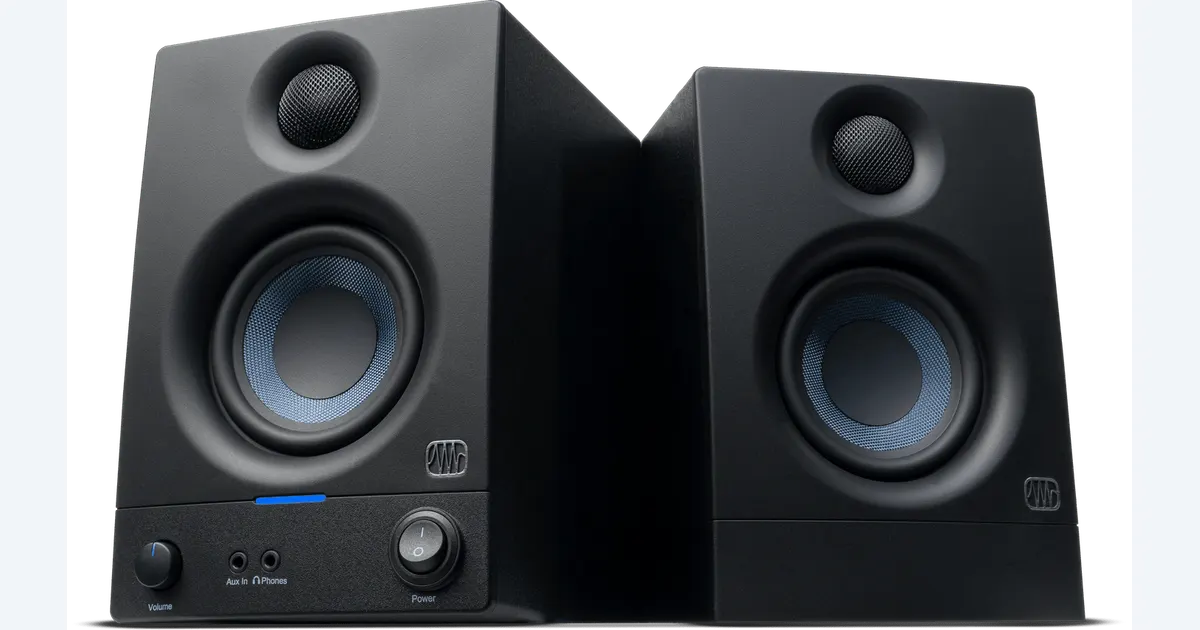

Start with headphones when you record near an open microphone, share a noisy room or cannot place two speakers properly. Add desktop monitors when you have a stable listening position and want another perspective on voice, music and video balance. The PreSonus Eris 3.5 second-generation pair is a compact option to investigate, with clear limits at the low end and no promise that a small untreated room becomes a mastering studio.
A product to consider
Check the fit below, then select Buy on Amazon for the current offer and buying options. We may earn a commission from this paid link.
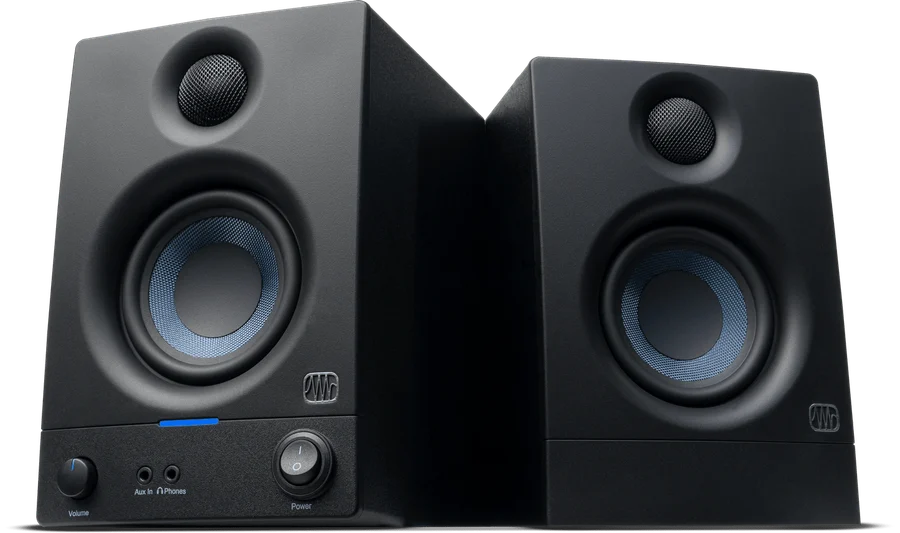
PreSonus Eris 3.5 2nd Gen, black pair
For a small desktop listening position with space for left and right speakers
This is the non-Bluetooth pair, model 2777500121. It accepts analog audio and needs mains power. It does not replace headphones during microphone recording or provide a USB audio interface.
Download the practical worksheet
Original blank CSV worksheet. Record your own setup and observations.
Choose around the task and the room
Headphones are useful for inspecting edit clicks, missing syllables and quiet noises without filling the room with playback. They also help keep sound out of a nearby recording microphone, though leakage still depends on the headphone and level. Their presentation can make stereo width and balance feel different from speakers in a room.
Speakers add the interaction between left and right channels, your listening position and the room. That can be useful for checking whether narration sits clearly over music or whether a transition feels abrupt at an ordinary listening distance. It also means desk reflections, walls and asymmetry affect what you hear.
Neither option makes the other obsolete. Our headphone guide covers choosing a wired pair. This decision is whether a second playback perspective is useful enough to justify the desk space, cabling and placement work.
What the Eris 3.5 pair actually includes
The linked model is the black, non-Bluetooth Eris 3.5 second-generation pair, PreSonus SKU 2777500121. The manufacturer lists 3.5-inch woofers, one-inch tweeters, 25 watts per side and an 80 Hz–20 kHz frequency-response range. Those specifications do not establish a perfectly flat response at your chair or reliable sub-bass judgment.
Inputs include rear quarter-inch TRS and RCA connections plus a front 3.5 mm stereo input. The pair needs mains power, and the two speakers connect with speaker wire. It is not a USB audio interface. Plan the actual analog output and cable required by your computer or interface.
PreSonus also provides high- and low-frequency tuning controls and a front headphone output. Use the current manual for their operation. Do not confuse this pair with Eris 3.5 BT, an older E3.5 generation or a bundle containing stands and extra cables.
We have not measured these speakers. Older first-generation reviews and marketplace ratings do not establish the second-generation pair's performance. This recommendation is for a documented compact format and a defined listening job, not a claim that it outperforms every monitor at its price.
Check whether the desk can support useful placement
| Question | Useful answer | Reason to pause |
|---|---|---|
| Can both speakers face the listener? | A balanced left/right arrangement | One speaker must sit behind a screen |
| Can the listening position stay consistent? | A normal chair position with clear paths | You always work far to one side |
| Can playback stay out of recording? | Speakers muted during mic capture | The open mic always hears the speakers |
| Do you need deep-bass decisions? | A separate appropriate cross-check | Expecting small speakers to reveal every low note |
PreSonus's monitor-placement tutorial discusses a balanced listening triangle and the effects of nearby boundaries. Use it as a starting point, then adapt within the actual speaker and furniture instructions. A neat-looking pair squeezed into two different corners is not the same arrangement.
Keep the paths to your ears reasonably clear and the left/right positions comparable. Do not place a speaker on an unstable pile to reach a photograph's ideal height. If you need support, choose an appropriate stable stand or platform and account for its footprint.
Tuning controls can help adjust the presentation, but cannot remove every acoustic problem. Begin with a documented neutral baseline, then change one setting at a time. Keep notes so an adjustment made for one room does not become an unexplained default later.
Connect the source without creating a monitoring loop
Identify the output you will use: a computer headphone output, an interface's line outputs or another supported line-level source. Match the cable wiring as well as the plug size. Two balanced mono outputs and one stereo headphone output are different signal arrangements even when quarter-inch connectors appear in both paths.
Turn levels down while connecting and follow the equipment manuals. Begin playback quietly, confirm left and right channels, then raise to a comfortable working level. More volume can make a version seem more impressive without making the mix better, so keep comparison levels reasonably consistent.
If you record narration at the same desk, establish a clear headphone-only capture routine. Loudspeaker playback entering the microphone can create echo or feedback and contaminate a source recording. A speaker purchase does not eliminate the need to understand the application's input and output routes.
Our audio-interface guide explains the capture side. Do not buy an interface merely to obtain another box if your existing source already provides the supported analog connection you need.
Make a translation worksheet for one short edit
Choose a short sequence with speech, music and a transition. Keep an unchanged reference export. Listen once on the headphones you know, once at the speaker position and once on an ordinary destination device such as a phone. The worksheet records observations, not numeric sound-quality scores.
- Speech: note any word that becomes hard to understand.
- Balance: identify where the music competes with narration.
- Transitions: listen for jumps, clicks or an abrupt change in apparent level.
- Stereo: check whether an important element disappears or shifts unexpectedly.
- Revise: make one justified change, export again and repeat the same checks.
Do not equalize every difference you hear between devices. If familiar commercial material shows the same characteristic, part of the difference may belong to the playback system. Use several permitted reference tracks you know well to learn the system rather than forcing every project into the speaker's preferred presentation.
Keep low-frequency limitations explicit. A bass note being hard to hear on a small speaker is not proof it is absent from the file. Excessive compensating boost can produce a poor result on a system that reproduces it. Use an appropriate additional listening or analysis method when that decision matters.
Use the extra perspective on AI-generated music
Generate or import a permitted track in QuestStudio Music Lab, then keep the selected output and its prompt notes with your project. Check endings, transitions, vocal clarity and the relationship to the actual video. A pleasing preview does not establish that the file fits the finished edit.
The Eris pair does not connect to a cloud model as a special enhancement. It is a playback option after you have an audio signal. Distinguish a problem in the generated file from a problem caused by the room, connection or listening level.
Choose these speakers when their physical and analog setup fits, and when you will use a repeatable cross-check. Keep headphones as the main tool if your space cannot support balanced placement or quiet playback. The useful upgrade is another dependable perspective, not a studio label on the desk.
Save your placement and level notes alongside the worksheet. Repeating a simple check after moving the desk is more informative than remembering that a mix sounded good several weeks ago under different conditions.
Check the current offer
If the product fits your setup, check the selected model, condition, seller and included contents on Amazon. We may earn a commission from this paid link.
Frequently asked questions
Do studio monitors replace headphones?
No. They provide a different playback perspective. Headphones remain useful for detailed edits and for keeping speaker playback out of microphone recordings.
Is this Eris pair Bluetooth?
No. The linked black second-generation 3.5 pair uses analog inputs. Eris 3.5 BT is a separate model.
Can I connect it directly by USB?
This pair does not provide a USB audio interface. Use a supported analog output and the correct cable arrangement.
Can I make final sub-bass decisions on these speakers?
Do not assume so. Their compact format and published response have limits. Use an appropriate additional reference for important low-frequency decisions.
Will tuning knobs fix my room?
They can adjust the response, but cannot remove every placement or room problem. Establish a suitable physical arrangement before relying on controls.
Sources and further reading
Research and Amazon listings checked October 28, 2026. Check the current offer for condition, seller, price and included contents. Images: credited manufacturer product imagery, not QuestStudio test photographs. Original decision framework and worksheet: QuestStudio.
Affiliate disclosure and research approach
As an Amazon Associate I earn from qualifying purchases. If you buy through paid links, QuestStudio may earn a commission at no extra cost to you. See our editorial and affiliate policy.
This is a research-based guide using linked manufacturer documentation and clearly attributed published reviews where available. We have not tested this equipment hands-on. The worksheets are original exercises for your observations, not published test results.