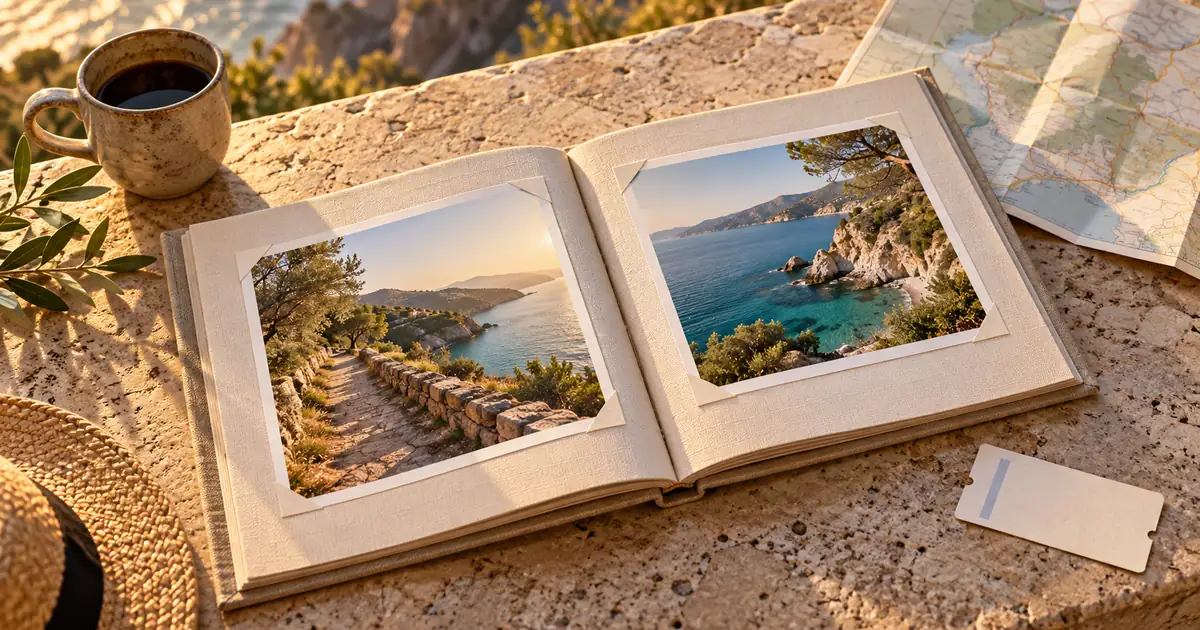

Travel photo book captions work best when they add information the picture cannot supply on its own: a verified place, a meaningful moment, or why two images belong together. Plan the book as a sequence of spreads, keep factual notes separate from remembered impressions, and check the captions at their actual print size before ordering.
This guide uses an original fictional six-spread coastal-trip plan. The diagrams are layout studies, not documentary photographs of an actual journey. The sample captions demonstrate roles and editing decisions. Substitute your own photographs and verified trip notes, and identify any generated illustration instead of presenting it as evidence that something happened.
Choose the story before sorting every photograph
A book about a coastal weekend could follow time, places, or a recurring theme such as walking and small details. Pick one main organizing idea. Chronology is useful when the order matters, but a camera roll is not automatically a story. Repeated views may be worth combining or removing even when each photograph is pleasant.
For the fictional plan, six spreads serve six jobs: arrival, first walk, a close detail, a shared meal, a weather change, and departure. This is a planning example rather than a rule about book length. Each spread should introduce something or deepen the previous one. If two spreads do exactly the same job, consider combining them.
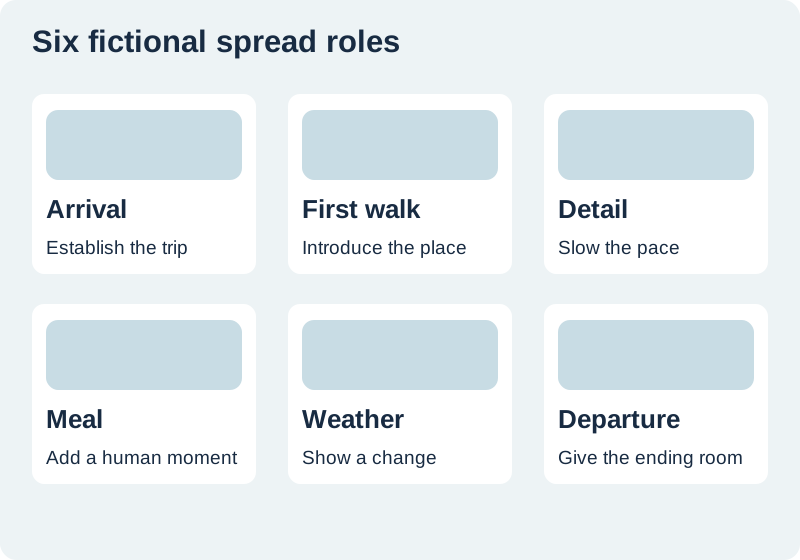
Give each spread a lead image and a caption job
Choose a lead image before filling the remaining space. A wide view can establish a place; a detail can slow the pace; a pair can show a meaningful contrast. Then decide what the caption contributes. “A beautiful view” usually repeats the visual impression. A verified route, a small observation, or the reason you stopped can add something new.
A sample arrival caption might be “We left the bags by the door and walked to the path before unpacking.” It describes a fictional moment in our exercise. Your version should come from the actual trip record or a clearly marked memory. Do not invent a dramatic incident because a page feels empty. Empty space can be a stronger design choice than unsupported narrative.
Separate verified details from remembered impressions
Use a small source ledger for dates, place names, people, and image filenames. Confirm a landmark name before printing it. Where a memory is uncertain, write in a way that respects that uncertainty rather than turning a guess into a fact. A caption can say what you noticed without claiming a precise historical or geographic explanation.
Keep original files and note meaningful edits. Ordinary crop or exposure adjustments differ from changing the scene. If you insert a generated map-like illustration or an imagined view, label its role. The travel photo prompting guide discusses the distinction between improving a photograph and inventing a scene. A keepsake can contain both when the reader can tell which is which.
Build a consistent caption system
Choose a small number of caption roles. One could be a brief location line; another a sentence of personal context. Use consistent alignment, spacing, and type treatment so the viewer does not have to relearn the page on every spread. Consistency does not require every caption to have exactly the same length.
For the meal spread, one sentence may be enough. For a path image, a short verified place name may do more than a paragraph. Edit words that merely praise the picture. Read adjacent captions aloud to catch repeated openings such as “We visited” or “This was.” Keep the personal voice, but give each sentence a reason to remain in the book.
Respect the gutter, trim, and safe area
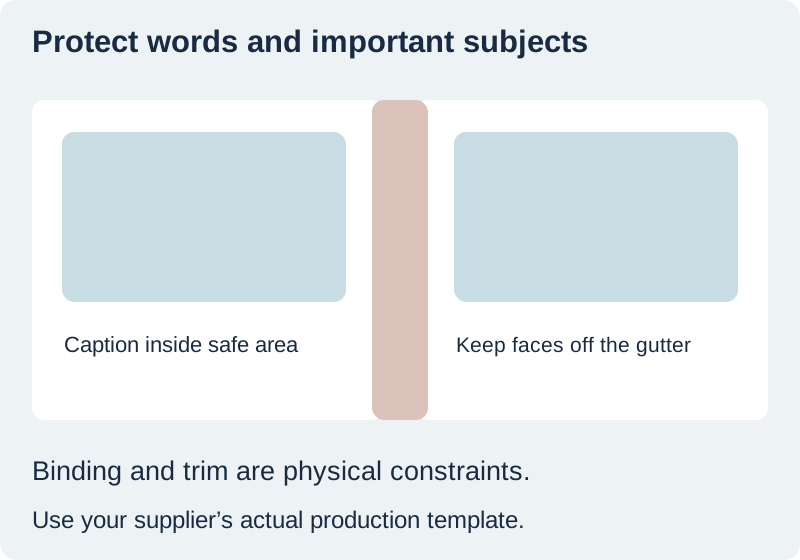
The middle of a spread is a physical binding area, not an ordinary empty column. Avoid putting a face, important detail, or small caption where it may become difficult to see. Follow the exact template for your chosen book and binding. Do not transfer safe-area numbers from a different product just because both are called photo books.
Blurb’s bleed and trim guidance explains the distinction between the cut edge, full-bleed image area, and protected content. The practical lesson is to use the actual printer specification. Extend backgrounds as required, keep essential content inside the safe region, and inspect the spread preview before export.
Check image pixels at the intended printed size
An image that looks clear as a small thumbnail may not support a full page. Calculate the pixels required from the intended physical size and the supplier’s resolution guidance. For example, six inches at 300 pixels per inch requires 1,800 pixels along that dimension. That is arithmetic for a chosen target, not a promise that enlargement creates missing detail.
Inspect the source for blur, compression, and meaningful texture. Do not stretch a weak crop simply to fill a space. Use a smaller placement or another photograph where appropriate. The print preparation guide explains pixel planning and inspection. Keep the original source even when you prepare an enlarged derivative.
Review the book in sequence and at print size
Make a contact sheet of all spreads to judge pacing, then inspect the actual-size pages for type and details. These views answer different questions. The contact sheet reveals repeated layouts and abrupt story changes. The actual-size view reveals tiny captions, awkward line breaks, and details too close to the edge.
Ask a second reader to follow the story without your explanation. Check whether people and places can be understood from the available captions, and verify every required name against the ledger. Save the final export and the editable source together. A first physical proof can reveal binding and material differences that a screen cannot fully predict.
How QuestStudio helps with a supporting illustration
Image Lab can help create a clearly labeled illustration for a chapter opener or conceptual page. Keep it separate from documentary trip photographs and their records. Editor Lab may help prepare crops, but it does not replace the printer’s template or the factual review of captions.
The worksheet gives each spread a job, lead-image filename, caption source, and unresolved check. Finish with a book whose order makes sense, words add meaning, and photographs fit the intended printed area. The result should feel like your account of the journey rather than a collection of generic travel slogans.
Download the original practice worksheet
Frequently asked questions
Should every picture have a caption?
No. Add text where it supplies useful context or supports the story. Some images can stand alone.
Can I include an AI illustration?
Yes, if its role is clear. Do not present an invented scene as a documentary photograph of your trip.
What if I cannot verify a place name?
Keep the uncertainty visible or omit the unsupported precision until you can verify it.
Can I use the same gutter measurements for every printer?
No. Follow the chosen product, binding, and supplier template.
Does upscaling guarantee a sharp full-page print?
No. Calculate the required pixels, inspect the source and derivative, and consider a smaller placement or a physical proof.
Prepare a supporting travel illustration
Use Image Lab for a clearly labeled illustration, keeping documentary trip photographs and their original records separate.
Hero: AI-generated editorial illustration. Original teaching materials and documented feature research, checked November 1, 2026. Examples are labeled where synthetic or hypothetical.