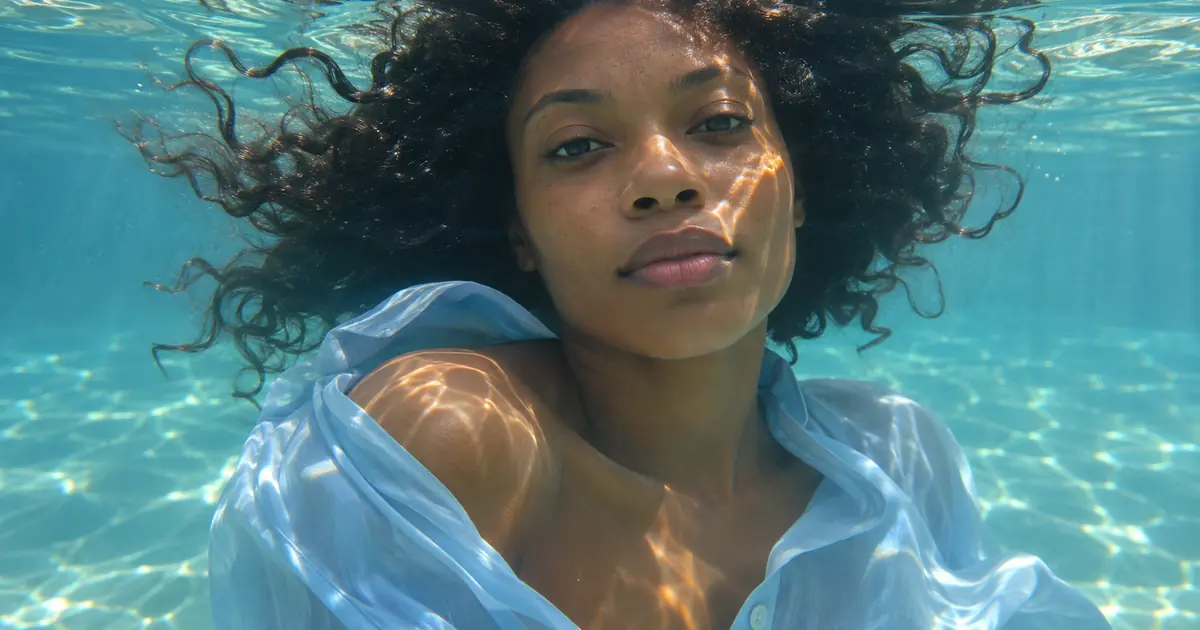

Underwater portrait prompts work best when the scene is simple enough to review: one authorized adult reference, clear shallow water, one light direction and a restrained pose. Extra bubbles, dramatic fabric and heavy blue color can hide a changed face rather than make the portrait more convincing.
This workflow develops a fictional underwater still-image concept. It is not a plan for putting someone underwater or a claim that the person visited the pictured location. The task is to make a coherent creative portrait and preserve the reference details that matter to its owner.
Choose submerged or surface-level framing
Decide where the water surface belongs before writing the rest of the brief. A fully submerged portrait, a face near the surface and a split view above and below water ask the image to solve different visual problems.
Start with a fully submerged head-and-shoulders concept if you want the simplest first test. Keep the surface above the subject rather than adding a waterline across the eyes. A split-level concept can be explored later as a separate composition.
Use a clear authorized reference where the eyes and main facial features are visible. Avoid asking the model to reconstruct most of a face from a source covered by hair or a phone. The reference-first portrait guide gives a broader preparation method.
Give the light a source
For a shallow pool concept, ask for sunlight entering from above and one consistent direction. Look at the bright bands on the face, shoulder and clothing together. They should support the same scene rather than resemble unrelated glowing decorations.
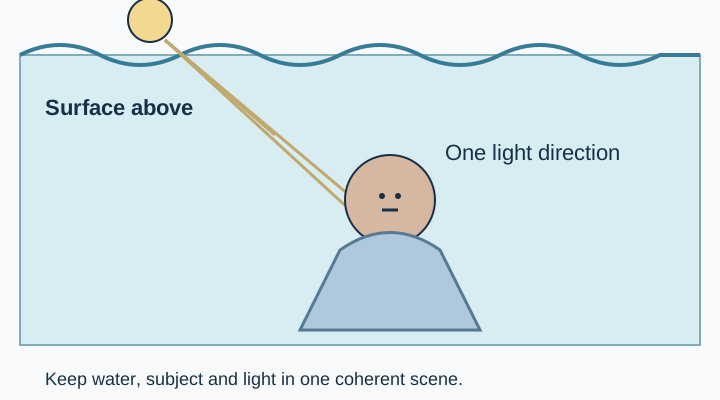
Adobe's underwater photography overview shows how broad this photographic category is. For a generated still, narrow that category to a specific setting rather than mixing a sunlit pool, dark open sea and studio spotlight into one request.
Keep the first color treatment moderate. A heavy blue cast can make the face difficult to compare with the reference. You can explore a stronger mood after the identity and scene structure pass review.
Let hair and fabric support one pose
Describe a calm, simple posture and a small amount of floating movement. Give hair and fabric room around the silhouette without asking for a dramatic spiral. The more material crosses the face, the harder it becomes to judge likeness.
Choose ordinary approved clothing for the concept and keep its major features visible. A shirt should not acquire extra sleeves or turn into a different garment because its edge meets a ripple. Follow the fabric from its attachment points before judging the overall mood.
Hair can drift in several small strands without every strand pointing in exactly the same direction. The useful question is whether the shape belongs to the same head and scene. Look for disconnected sections, duplicated hairlines and strands that pass through the face.
Write the first prompt without decorative clutter
Use a clear reference role and keep the setting small. Ask for the conditions you can inspect, then make a separate request if you want a more elaborate image.
Use the attached authorized adult portrait as the identity reference. Create a fictional head-and-shoulders underwater portrait in clear shallow pool water, with the subject fully submerged below the surface. Preserve recognizable facial features, apparent age, natural skin tone, hairstyle and proportions. Use gentle sunlight from above, restrained light patterns on the cheek and shoulder, a plain pale shirt and a calm expression. Keep the eyes and face available for comparison. Add only a few small bubbles if needed. No extra limbs, jewelry, clothing redesign, opaque blue skin, duplicated facial features or text.Preservation wording makes the review criteria clear; it does not guarantee a match. Compare the output with the original before choosing it for a profile or campaign. If the face changes, simplify the scene and return to the reference rather than hiding the difference behind more water effects.
Compare the face before the water effects
Look at the eyes, nose, mouth, jawline and apparent age at a similar scale to the source. Then compare hairline, skin tone and the relationship between face, neck and shoulders. Attractive reflections can distract from subtle identity changes.
Use an explicit decision: acceptable creative concept, needs another edit or rejected because likeness changed. Keep a short note about the reason. A rejected image should not become the identity reference for the next variation.
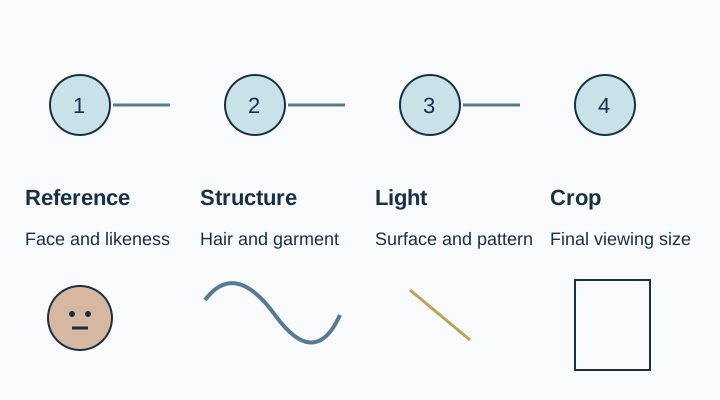
If you need an exact personal likeness and the generative edit cannot preserve it, use a conventional composition or another source-based method that leaves the face intact. The project does not need to continue generating merely because the environment looks promising.
Check the visible water relationships
Inspect the boundary between hair, skin and background. A sharp halo around every strand can make the subject look pasted into a blue backdrop. A strong haze can cause the opposite problem by hiding useful features.
Look at bubbles near the mouth and eyes. Too many identical circles can look like a decorative texture rather than part of the scene. Remove bubbles that obscure the face or make the expression appear distressed when the intended concept is calm.
If you later try a surface-level composition, review the waterline separately. It should cross the scene consistently and should not become a second jaw, an extra mouth or a disconnected strip of skin. Keep the successful fully submerged concept as a separate version so you can return to it.
Choose a crop that leaves the portrait understandable
Make the final profile or vertical crop only after the full scene passes. Leave enough shoulder, hair and surrounding water to explain the concept. A tight crop that removes all context may leave only an unusually colored face.
Inspect the file on a phone as well as enlarged on a desktop. Check that the eyes remain readable and that light patterns do not cover the most recognizable features. Keep the original, candidate and accepted export in separate files.
Download the underwater still review worksheet below. It records reference identity, framing choice, light direction, hair and clothing checks, and the intended use. It is a still-image record, not a water-safety or shoot-production checklist.
Explore the still concept in QuestStudio
Use Image Lab with the authorized portrait reference and the restrained brief. Review one output before adding another effect. Save the approved prompt and the acceptance note together in Prompt Lab.
For motion, the underwater video workflow serves a separate job involving changes across frames. Approve the portrait still first; a single attractive image does not establish that a later animation will preserve its face, light or geometry.
Download the underwater-review worksheet and replace its fictional example entries with your own approved sources.
Frequently asked questions
Should I begin with a split-level waterline portrait?
It adds another structural problem. A fully submerged concept is a simpler first test; explore a surface-level composition separately after the reference likeness is acceptable.
Can I generate an underwater portrait from a selfie?
You can explore a creative concept from an authorized adult reference. The result still needs a careful face and proportion review.
Why does the face look too blue?
The color treatment may be overwhelming the portrait. Ask for a restrained cast and compare the face with the source before adding more atmosphere.
Do more bubbles make the result more realistic?
Not necessarily. A few coherent details can be easier to read than many repeated bubbles that cover the face or distract from the pose.
Is this a guide to a real underwater shoot?
No. It covers a generated still-image concept. A physical underwater shoot requires a separate plan and appropriate professional expertise.