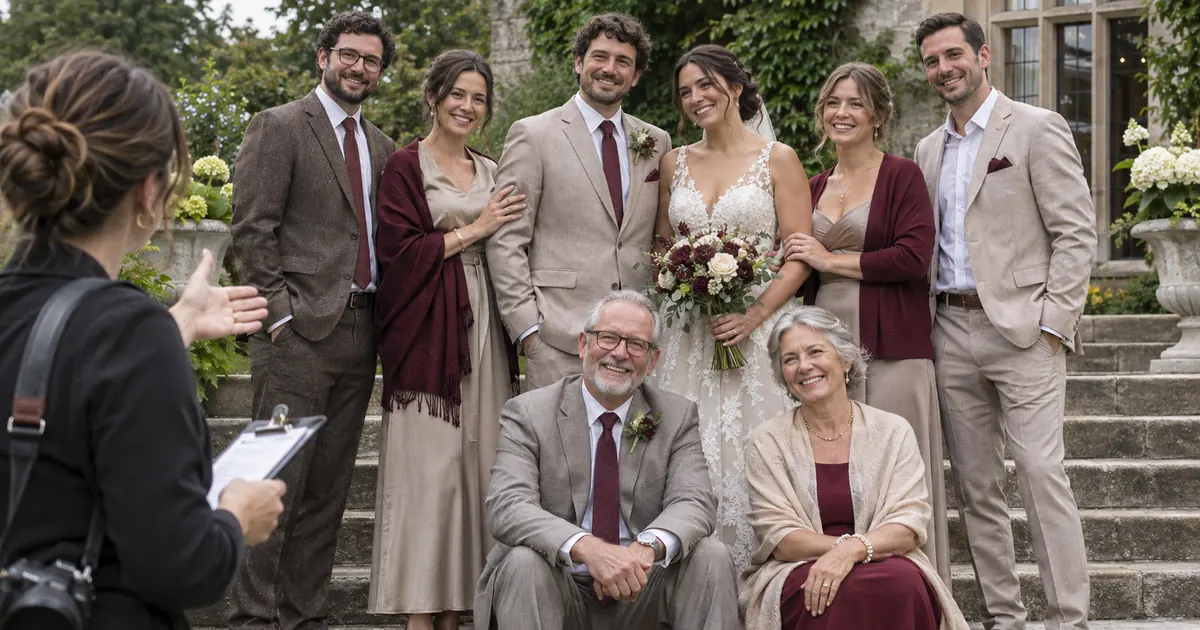

A wedding family photo shot list should tell the photographer exactly who belongs in each group and help a caller gather them without confusion. Names, priorities and an agreed order matter more than a huge list of generic combinations. Start with the couple's actual requests, then build a short sequence that respects the people who will be there.
This guide turns a fictional roster into a call sheet with group IDs and a simple time estimate. It concerns planning real photographs before capture. For editing an existing family image, use the separate group-photo workflow rather than trying to solve the schedule with compositing.
Ask for names and requested combinations
Have the couple provide the names they want used and the combinations they actually want photographed. Do not infer relationships, attendance or family dynamics from a surname. “Partner A with Sam and Priya” is clearer than an assistant deciding who counts as immediate family.
Ask the couple privately about any practical needs the photographer should know: someone who needs to remain seated, a person who can only attend part of the session, or a grouping they do not want. Keep sensitive notes in the appropriate private handoff rather than printing them on a public call sheet.
Choose a caller who knows the people or can identify them reliably. The photographer needs to concentrate on the picture; a separate person can check who is present and prepare the next group. Agree on that role before the day rather than assuming an available relative will take it.
Make a must-have list before the optional list
Start with a small set of essential photographs. Add optional combinations only after the photographer has checked the schedule. A list becomes difficult when every possible pairing has the same priority and no one can decide what to drop if the ceremony runs late.
For the fictional example, the couple chooses five must-have groups and three optional ones. The two partners appear together in the first five. The optional list includes smaller individual combinations that can happen later if time allows. These numbers illustrate the method, not an ideal limit for every wedding.
The photographer-authored Cara Eliz family photo list is a useful starting point for thinking about combinations. Adapt suggestions to the couple's own people and priorities rather than copying a family structure that does not fit.
Use group IDs so changes stay clear
Give each requested photograph an ID such as G01. Record the exact names, whether seating is needed, its priority and the place it belongs in the sequence. Keep the group description short enough for a caller to read aloud.
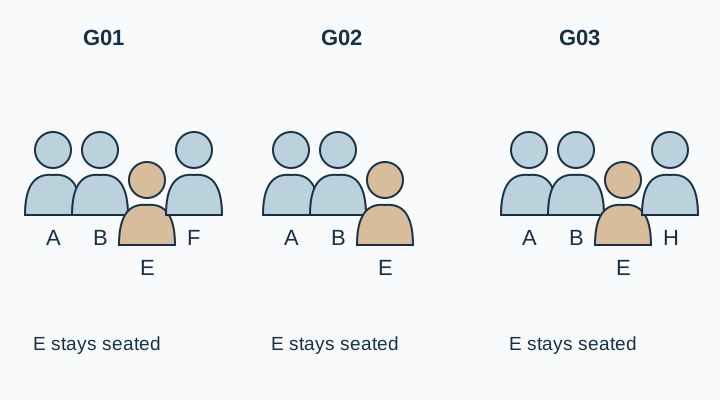
An ID makes revisions concrete. “Move G04 before G02” is less ambiguous than “do the larger family picture first.” It also helps separate a new grouping from a renamed version of an existing one.
Check for duplicates by comparing the member lists, not only the labels. “Couple with parents” and “both partners with the four listed adults” may describe the same photograph. Combine them when the couple confirms that they mean the same group.
Use AI to organize the roster, not invent it
A text assistant can turn approved requests into a table and identify missing names. It should not decide who needs to stand together or fill gaps with assumed family roles. Give it explicit instructions to preserve the supplied combinations.
Organize the approved wedding photo groups below into a caller sheet. Use only supplied names and combinations. Keep the five must-have groups separate from optional groups. Preserve all seating and availability constraints. Suggest an order that reduces unnecessary movement, but do not infer relationships or add or remove people. Flag duplicate member lists and unresolved conflicts. Return group ID, exact names, priority, location, seating note and caller instruction. Ask for missing information instead of guessing.
[Paste the approved roster, requested groups and practical constraints.]
Review the result with the couple and photographer. Compare every proposed group with the original requests. An efficient-looking sequence that omits someone is not an improvement. Keep the original roster beside the generated table until the approved version is signed off.
Order the session around actual movement
Ask the photographer which groups should happen first given the light, location and people involved. Someone who needs to sit may benefit from a run of adjacent groups in the same position. Another person's departure time may require a different priority.
Do not optimize the schedule by making those assumptions yourself. Record the needs explicitly and let the photographer and couple resolve conflicts. A sequence is useful when it reduces confusion while respecting the people, not when it minimizes a mathematical count at their expense.
Keep the location stable where possible. Moving every guest to a new background for each grouping introduces more variables: walking time, light changes and people drifting away. Save a second location for photographs that actually need it.
Estimate time with visible assumptions
Use a planning estimate agreed with the photographer. For illustration only, suppose five groups each need two minutes of arranging and capture, with four thirty-second transitions. That is ten minutes plus two minutes of transitions, before any buffer. It is arithmetic for the example, not a tested promise about a real session.
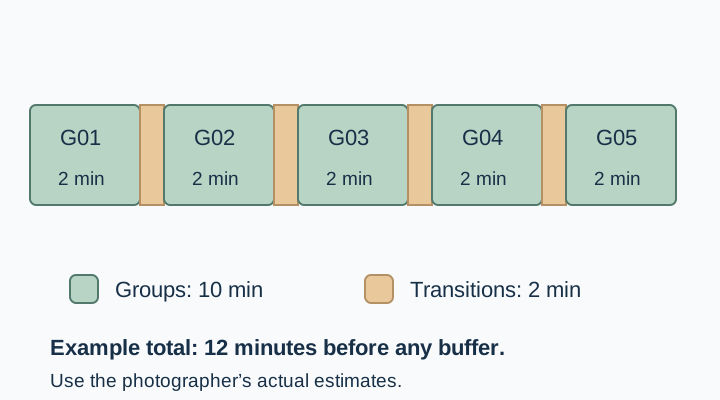
If the available time is shorter than the plan, resolve that before the wedding. Reduce optional groups, adjust the location or change the schedule with the photographer. Do not assume everyone will simply move faster.
Keep an agreed fallback order. If time is cut, the caller should know which must-have IDs remain and which optional groups can wait. That prevents a rushed decision from being made differently by three people at once.
Prepare a call sheet that works without a phone signal
Print or download the final list. Use readable type, exact names, a completion box and a version date. Put the agreed location and caller's name at the top. Keep private background notes in a separate appropriate record.
Give the same final version to the photographer and caller. If the couple changes a group, update both copies rather than relying on a message someone may not see. Check the names one last time against the approved roster.
Download the group-call worksheet below and replace the fictional entries. For individual portrait concepts, the wedding photo guide serves a different stage. For an existing picture that needs a careful local edit, the group photo guide explains how to preserve identities after capture.
Keep the approved plan in QuestStudio
Use Prompt Lab to save the roster-organizing instructions and the approved group structure. Keep names and constraints current, and review the generated table before exporting the call sheet.
The finished asset is a short, clear plan the couple recognizes and the photographer can use. Once that exists, stop adding combinations merely because a template has another empty row.
Download the group-call worksheet and replace its fictional example entries with your own approved sources.
Frequently asked questions
How many family group photographs should we plan?
Choose the essential combinations with the couple and photographer, then check them against the available time. There is no universal number that fits every wedding.
Can ChatGPT decide the family combinations?
It should organize the supplied requests, not infer relationships or add people. Have the couple approve every group and the exact names.
Who should call people into the photographs?
Agree on a caller who can identify the guests and coordinate with the photographer. Do not leave the role unassigned until the session starts.
Is two minutes per group a reliable estimate?
No. It is an illustrative assumption in this guide. Use the photographer's estimate for the actual group sizes, location and practical needs.
What happens if the schedule runs late?
Use an agreed must-have and optional order. Resolve the fallback with the photographer and couple in advance so the caller can follow one clear plan.