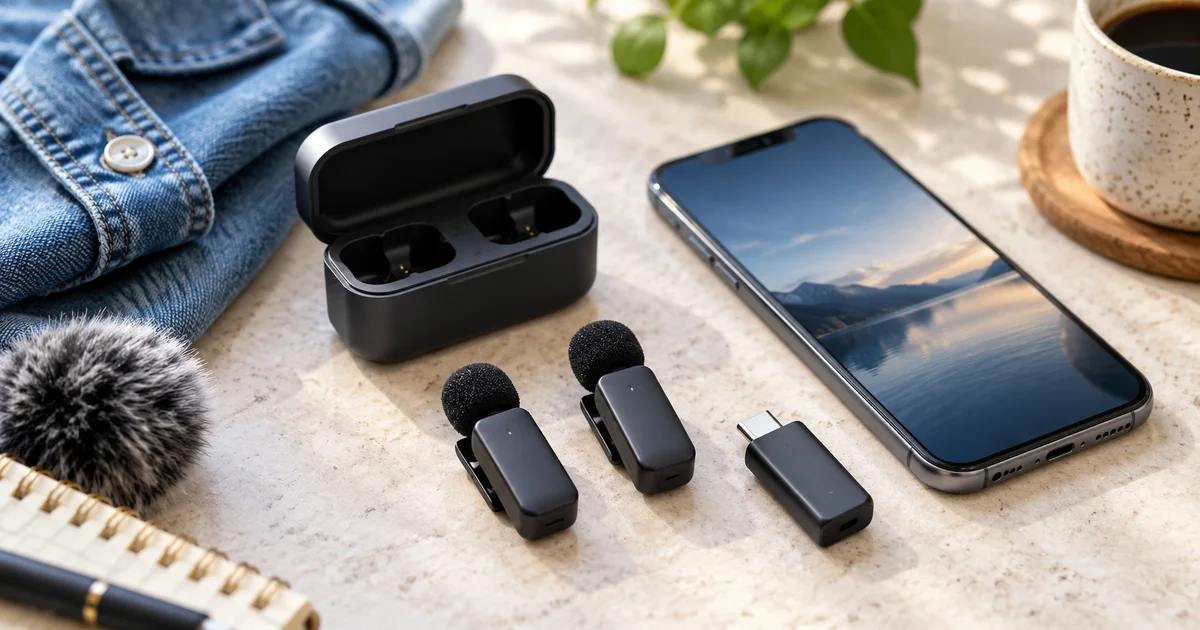

The best wireless microphone for your iPhone is the kit that connects to your exact phone, works in your recording app and captures the number of people you film. Begin with the receiver and connector. A transmitter with excellent specifications is useless if your phone records its built-in microphone instead.
Download the practical worksheet
Original blank CSV worksheet. Add your own observations; it contains no invented test results.
Choose the connection before the brand
Our shortlist starts with the DJI Mic Mini for a compact system that can serve phone and camera workflows, and the Hollyland LARK M2S for people who want a small clip-on transmitter with a receiver package matched to their devices. This guide concerns those exact models. Newer products with similar names can have different recording and connection features.
If you use a USB-C iPhone, look for the appropriate USB-C phone receiver or documented receiver adapter. If you use a Lightning iPhone, check the actual Lightning accessory included in that bundle. A photo showing several connectors does not mean every connector ships in the selected package.
Write a one-line connection plan before comparing prices: two speakers, two transmitters, one compatible receiver, one named phone, one recording app. Add a camera receiver only when you need one. Buying an oversized combination kit can waste money; buying a transmitter-only offer can leave the essential connection missing.
DJI Mic Mini: compact capture, with a backup limit
The original DJI Mic Mini is a sensible candidate for lightweight phone or camera recording, but it has a major boundary: DJI's FAQ says it has no internal storage and cannot record a backup inside the transmitter. If the receiving path fails, you do not have an onboard file to recover.
That does not make it unsuitable for every creator. For repeatable product demonstrations or short pieces you can record again, a simple kit can be enough. For an interview that cannot be repeated, internal backup recording may be worth choosing a different system. Do not buy the Mic Mini expecting the features of DJI Mic 2, Mic 3 or a similarly named Mini variant.
Direct Bluetooth connection is another separate decision. DJI documents app and operating-system conditions; do not assume pairing in the phone's settings means every camera app will use the microphone. A receiver-based connection is easier to verify as a complete chain. Check DJI's current compatibility guidance for your exact app and OS.
Check DJI Mic Mini, two transmitters with receiver and charging case, on Amazon (paid link). Confirm the phone adapter included in the selected offer, especially for Lightning.
Hollyland LARK M2S: pay attention to the package
Hollyland sells several receiver combinations under the LARK M2S name. The manufacturer's M2S support information and user manual are useful for checking connection and control details. The small transmitter shape is only one part of the purchase.
A USB-C phone kit is a focused choice when that is the only device you film with. An Ultimate Combo can be relevant when you genuinely need camera, USB-C and Lightning receiver options. Check the listing's contents rather than treating the phrase “works with iPhone” as a complete compatibility statement.
The original M2S should not be confused with Hollyland systems that advertise onboard 32-bit float recording. If backup files are essential, verify that feature in the exact model's manual. A charging case, noise-reduction switch or wide advertised wireless range does not establish internal recording.
Check LARK M2S USB-C phone kit on Amazon (paid link)
Check LARK M2S Ultimate Combo on Amazon (paid link)
What reviews can tell you, and what to recheck
Digital Camera World's wireless microphone guide is useful for comparing real handling priorities such as size, mounting and recording flexibility. It also highlights the Mic Mini's lack of onboard backup. We use that as supporting review context, not as evidence that we tested either kit.
Published range and battery figures deserve care. A line-of-sight specification is not a promise of dropout-free audio through a person's body, a crowded room or several walls. Charging-case totals also differ from the time a transmitter runs without returning to the case. For a long session, check the component that actually needs to stay on.
Clothing is another variable no specification table can settle. A clip that works well on a thick jacket may rub on a loose shirt. Mount the microphone away from jewelry, hair and moving fabric. Wind protection and placement usually deserve attention before you turn noise reduction to its strongest setting.
Check two-person audio before the important interview
| Check | Why it matters | Evidence to keep |
|---|---|---|
| Phone connector and case clearance | A receiver may not seat fully through a thick case | Exact receiver and adapter names |
| App input | The app may still use the phone microphone | A short saved test file |
| Two-speaker routing | Merged and separate channels edit differently | Playback confirming each speaker's channel |
| Monitoring and playback | Recording success is not guaranteed by a pairing light | Headphone review of the exported clip |
For two people, confirm whether your chosen receiver mode and app preserve separate channels or combine them. Separate channels can make level adjustments easier, but the app must retain them. A stereo label does not automatically mean a clean isolated recording of each person.
Record each speaker alone, then both together. Listen for one voice disappearing, a channel missing on ordinary playback, or a quiet speaker being overwhelmed. If the app combines everything, adjust the recording plan before the interview rather than expecting editing software to perfectly separate overlapping voices.
Use a five-minute shoot rehearsal
Download the compatibility worksheet. Record the actual opening sentence, walk to the demonstration position and turn away briefly as you would during the shoot. Include the loudest expected phrase without shouting unnaturally. Keep the receiver and phone in their intended positions.
Play the file back through headphones after disconnecting or configuring the receiver as required for your phone. Check for crackles from clothing, wind, missing words and clipping. Compare noise reduction off and on using a similar passage. Keep the setting that preserves speech, not simply the one that makes pauses unnaturally silent.
For an important session, write down a fallback: a second recording device, a different microphone, or a way to repeat a failed answer. The 32-bit float guide explains why an internal backup file and the signal sent to a phone can have different protections. The USB-C guide helps with adapters and hubs when several accessories share one port.
How QuestStudio helps with the finished story
Use Video Lab for a short supporting visual that fits your recorded script, or Voice Lab for separately labeled narration using a permitted voice. Keep the real interview and its source audio intact. Generated speech should not silently replace what an interviewee actually said.
A useful first project is a short demonstration with one real spoken introduction and one supporting insert. Review the complete result on a phone. The purpose of the microphone purchase is understandable speech in that finished piece, not a longer equipment list.
Frequently asked questions
Will every wireless microphone work in the iPhone Camera app?
No. Compatibility depends on the microphone's connection method, receiver, phone, OS and app. Save and play a test clip before filming.
Does DJI Mic Mini record a backup?
The original Mic Mini does not have internal storage or onboard backup recording, according to DJI. Do not transfer features from other DJI models.
Do I need the LARK M2S Ultimate Combo?
Only if its extra receiver types serve devices you actually use. Check the package contents against your phone and camera.
Is a USB-C adapter enough for a Lightning phone?
Not automatically. Use the manufacturer's documented connection path and a compatible accessory for the exact receiver and phone.
Does a long advertised range mean no dropouts?
No. Bodies, obstacles and radio conditions can change performance. Rehearse the actual route and retain a fallback for important recordings.
Sources and further reading
Sources and product details checked October 25–26, 2026. Hero: AI-generated editorial illustration of generic equipment, not a product test photograph. Worksheet and decision framework: QuestStudio.