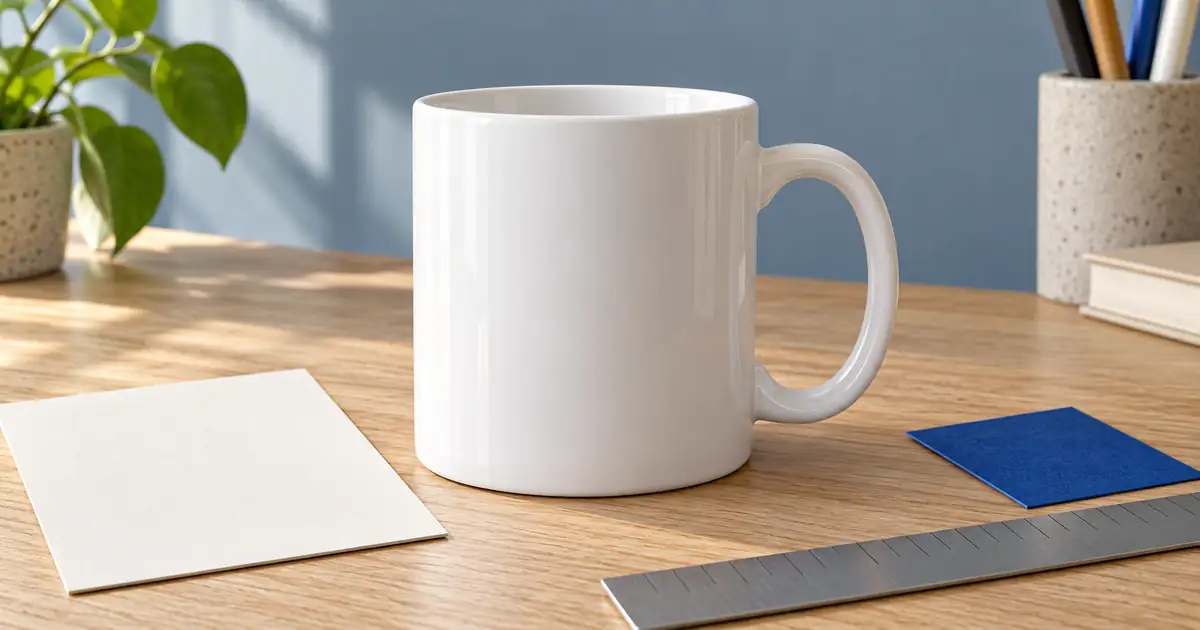

A mug mockup has two jobs: show an appealing scene and represent the design where it will actually print. A beautiful image fails the second job if the handle changes sides, the artwork stretches, or a front-only design becomes a wraparound pattern.
Use AI mug mockup prompts to explore the scene, but keep the mug specification and production artwork as separate references. Check placement against the actual blank and printer template. Treat a generated image as a concept until its product and artwork details are approved.
This walkthrough uses a fictional white mug and a simple three-peak motif. The original example is useful for spotting what a model preserved and what it only approximated. It is not a photograph of a manufactured sample or a print-ready file.
Lock the mug before choosing a background
Record the exact blank you intend to sell: shape, color, finish, handle, rim, and available print area. A straight-sided white mug is not interchangeable with a tapered cup, a colored-interior mug, or an enamel camping mug.
Obtain the supplier's current template for that exact product and size. Do not borrow a random rectangle from another mug listing. The template governs production placement; the generated scene helps communicate the idea.
Keep the handle direction explicit in each view. A right-side handle exposes one face of the mug, while the opposite view may show a different design area. Label the views in your project notes so a reversed image does not become a silent print instruction.
For comparing applications rather than building one mockup, use the product-mockup comparison guide. Here the deliverable is one approved mug presentation and a clear production handoff.
Keep artwork out of the scene-description job
Save the actual design in its editable master and the required production format. The mockup should refer to that design instead of asking the model to invent a similar one from a verbal description.
For our teaching example, the motif is intentionally simple: three cobalt triangles with the middle peak tallest and one gold circle above it. We described that motif in the image edit to make a composition study. That choice does not demonstrate exact reproduction of an uploaded artwork file.
For a real shop, use the approved art as an additional reference where the tool supports it, or place it with a controllable mockup template. Exact typography, logo spacing, and thin line art are especially poor candidates for approval by resemblance alone.
Keep personalization text editable. If the customer's name changes, update the production artwork and the corresponding proof from the same version. Do not correct only the generated photograph and leave the file sent to the printer unchanged.
Read the original mug example critically
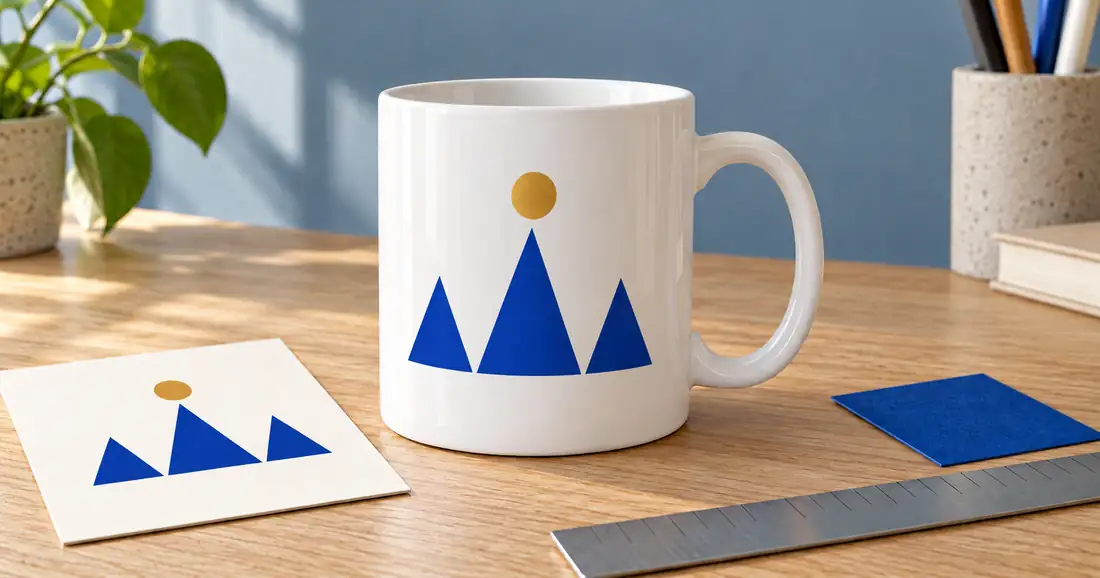
The handle remains on the right, the mug stays broadly straight-sided, and the motif contains three blue peaks and one gold circle. Those visible checks make this a useful scene candidate.
The proof card does not solve artwork validation. Its motif was also generated, and perspective changes how the shapes appear. Comparing two generated versions can show consistency between them while missing a shared error against the real master.
For production, open the independent original artwork beside the mockup. Check element count, orientation, relative spacing, and intended physical size. The study has no ruler calibration or supplier print template, so it cannot establish how large the design would print.
Use the mug proof-review worksheet to keep those decisions separate from whether you like the tabletop and lighting.
Write a scene prompt around fixed constraints
Begin with a clean product view rather than a hand holding the mug. The handle, rim, print area, and contact shadow are easier to inspect when nothing covers them.
Use the approved mug photograph and artwork reference. Keep the straight-sided white ceramic body, rim, handle shape, and handle on the right. Show the mug on pale oak with soft side daylight and a quiet blue-gray background. Place the approved design on the visible front at the specified scale and orientation, following the cylinder gently. Keep all artwork elements intact. No extra design, lettering, embossing, changed mug shape, or additional mug.
If the tool cannot apply the artwork accurately, split the task. Generate or select the blank scene, then place the original art through a template or editor that gives you direct control. The scene prompt can remain useful even when its printed design is rejected.
Check the cylinder instead of flattening the design
A flat design viewed on a curved mug does not have the same appearance everywhere across its width. The center faces the camera more directly, while the sides turn away. A mockup that pastes the entire rectangle as a flat card can look detached from the ceramic.
That does not mean arbitrary warping is acceptable. Compare the apparent curvature with the mug's orientation. A small front motif may need only restrained perspective treatment; a wide wrap needs a template that represents the actual printable surface and handle gap.
Inspect the relationship between the artwork and the mug's light. The print should look like it belongs on the surface, without becoming raised metal, carved relief, or a shadow-casting sticker unless that is the real product.
For text, inspect every character and the line spacing. Read the result at full size and at the eventual listing size. The text-rendering workflow explains why readable-looking generated lettering still needs an exact-copy check.
Build useful views rather than duplicate scenes
Start with a clear front view. Add an opposite-side view if the design or product requires it. Then add one lifestyle image that keeps the printed area visible. A close detail should answer a real question about the design or finish, not simply repeat the first image at higher magnification.
When making the reverse view, do not mirror the entire image if that reverses the artwork or misrepresents which side is printed. Use a suitable product reference or mockup view for that orientation.
Props should remain secondary. A notebook, flowers, or biscuits can suggest a setting, but the product and included quantity must stay clear. If your offer is one mug, avoid a scene that looks like a matching two-mug bundle unless the context makes the distinction explicit.
For an Etsy listing, the Etsy product-photo workflow covers planning factual photographs and checking the gallery. A styled generated scene should not replace the evidence needed to show what the buyer receives.
Keep the mockup and print file separate
A scene includes perspective, lighting, a mug, and a background. A production file describes the design to print. Sending a cropped screenshot of the mockup to production confuses those two purposes.
Check the printer's required dimensions, file type, resolution, color instructions, and nonprinting areas for the exact blank. Remove guide layers from the delivered artwork when the supplier requires it. Keep a copy of the template version with the job.
Order or inspect a real sample when you need to verify placement, color, finish, and the relationship to the handle. A generated ceramic surface cannot establish those manufacturing results. Record any changes in both the art master and the matching mockup.
Use filenames that identify the blank and art revision. A practical handoff includes the production file, approved mockup, supplier template reference, and a short note about which side carries which design.
How QuestStudio helps
Use Image Lab to explore a scene with the approved mug reference. Keep the first attempt simple and check whether its handle, body, and print treatment survive. Preserve the scene as a concept if the artwork itself needs a controlled replacement.
Finish when the scene, artwork proof, and production file agree. Another attractive background does not resolve a wrong print position. The most useful next edit is the one that fixes the remaining mismatch.
Frequently asked questions
Can an AI mug mockup be sent directly to a printer?
A scene image is not a production file. Prepare the independent artwork using the supplier's current template and requirements for the exact blank, then keep the approved mockup as a visual reference.
Why does the handle direction matter?
It identifies which side of the mug is visible and how the design relates to the handle. Reversing the view can change the apparent placement or mirror the artwork if done carelessly.
Can AI preserve a logo or customer name exactly?
It may approximate the design, but exact artwork requires comparison with the independent master. Use a controllable mockup or compositing method when the generated version changes lettering or geometry.
Does the proof card in the example validate the print?
No. The card was generated in the same image as the mug. It is a scene prop, not an independent artwork source, supplier template, or physical print sample.
How many mockup views should I make?
Make the views needed to explain the real item: a clear front, the reverse when relevant, and a useful context image. Avoid multiplying scenes that hide the same important print details.
Explore a supporting mug scene
Use Image Lab to explore a scene, then place approved artwork using a controllable mockup or compositing workflow.
Hero: AI-generated editorial illustration. Original teaching materials and documented feature research, checked October 30, 2026. Examples are labeled where synthetic or hypothetical.