
AI music for a product reveal needs to meet a specific visual moment. A track can have the right mood and still feel disconnected if its strongest accent arrives before the product appears or after the viewer has already understood the reveal. Mark the visual event first, then align a real audible accent in the generated music.
Do not treat a requested tempo as a guarantee of synchronization. Listen to the actual track, locate the useful accent and place it in your editor. The first useful result is one short reveal with a deliberate musical relationship, rather than a complete song whose timing happens to be close.
Decide what counts as the reveal
Watch the picture without music and choose the frame where the key information becomes visible. It might be the moment a cover clears the product, a light exposes its shape or a camera move reaches the full composition. The first pixel of the object appearing is not always the moment the viewer recognizes it.
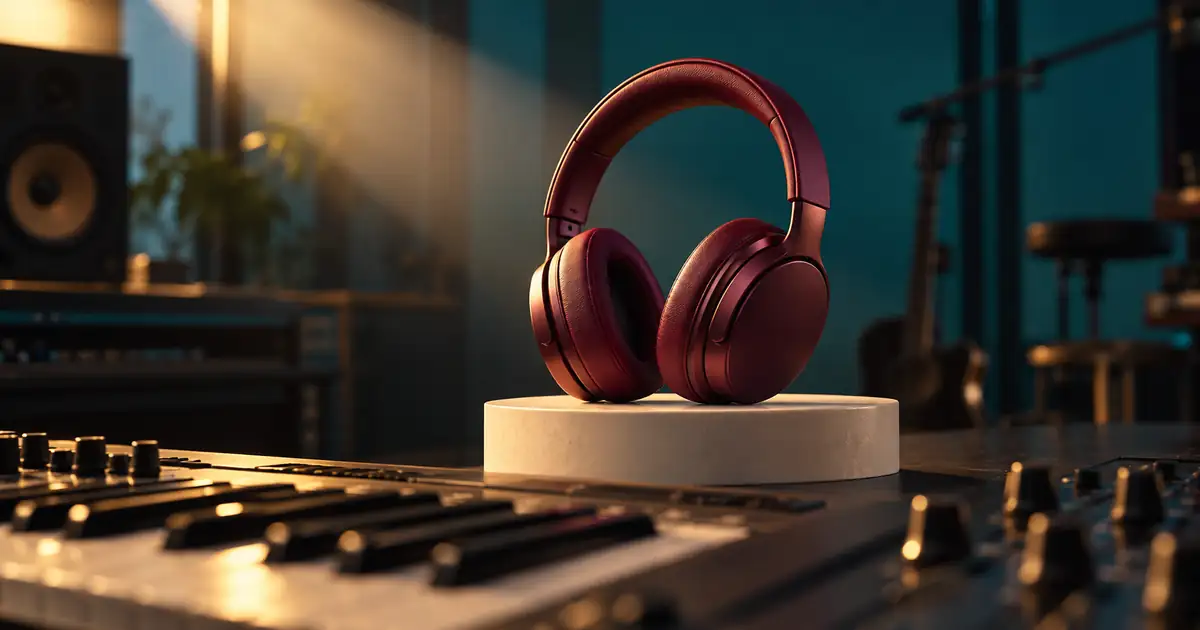
Write down the reason for the chosen marker. In an original planning example, burgundy headphones sit in a dim studio and become fully recognizable when a light reaches the ear cups. The intended musical accent supports that recognition, not an unrelated cut earlier in the shot.
If the video has several possible reveal moments, choose one primary event. Music that emphasizes every movement can make the main event less distinct. Secondary changes can support the build without demanding an equally strong accent.
Write a music brief around the event
Describe the desired mood, instrumentation and energy leading into the reveal. Include whether the scene needs space for narration or product sound. A dense track may make a strong accent difficult to identify or compete with the information the ad needs to communicate.
This brief does not promise an accent at an exact second. Check the selected model's available duration and style controls, then judge the returned audio. If a precise hit cannot be obtained directly, choose a candidate with a usable accent and place it manually rather than pretending the prompt is a timing contract.
Find the accent in the actual audio
Listen through the candidate and mark where the accent is perceived. A visible waveform peak can help locate an event, but the loudest peak is not always the musical moment you want. A swell, change in harmony or entrance of a new instrument may carry the reveal more effectively than a sharp drum hit.
Replay the surrounding phrase. Check that the buildup leads naturally into the accent and that the tail supports the remaining picture. A useful one-second event inside an otherwise unsuitable track may require more editing than a simpler candidate with a coherent beginning and ending.
Corel's beat-synchronization tutorial illustrates marking music events on a timeline. The principle is useful even when your editor differs: work with the actual audio and picture positions rather than relying only on a tempo label.
Calculate the alignment, then listen
Suppose the visual reveal occurs 4.20 seconds into a planning edit, while the desired musical accent occurs 3.55 seconds into the audio file. Starting that file 0.65 seconds after the video begins places the two events at the same timeline time. These numbers are an illustrative calculation, not a measured model result.
| Quantity | Illustrative value |
|---|---|
| Visual reveal time | 4.20 seconds |
| Accent position inside audio | 3.55 seconds |
| Required audio start offset | 4.20 minus 3.55 = 0.65 seconds |
At 30 frames per second, 0.65 seconds lies between frame boundaries. Place the audio at the precision your editor supports and judge the perceived result. The mathematical match is a starting point; the strongest perceived synchronization may depend on the visual motion and the shape of the sound.
If the calculation gives a negative start offset, the track's useful accent occurs too late for a simple delayed start. You may need to trim the intro, choose a different musical event or select another candidate. Check that the revised opening still sounds intentional.
Use tempo as a planning aid
For evenly spaced quarter-note beats at 120 beats per minute, each beat is half a second apart. At a constant 30 frames per second, that spacing is 15 frames. This can help plan a simple rhythmic edit, but it does not establish the location of the first beat or prove that a generated track follows a perfectly steady grid.
Listen for the actual rhythmic structure. A track may include an introductory pickup, a tempo change, a pause or accents that do not fall where a simple calculation predicts. Mark the events you intend to use, especially near the reveal and ending.
The music-for-ads workflow covers broader planning for ad-length music. This task is more specific: make one meaningful accent land with one visual event. Do not rebuild the entire campaign music package before that relationship works.
Protect the lead-in and the tail
After aligning the accent, listen from the start of the video. A delayed music start may create an awkward empty opening, while trimming the file may remove the musical setup that made the accent effective. Use an intentional intro or another candidate rather than hiding a broken phrase with a rushed fade.
Then review the ending. The reveal may be synchronized perfectly while the music cuts off during the final message. Leave room for a natural tail or edit a suitable ending that does not obscure the next step. Check the exported file because an editor's playback range can differ from the final delivery range.
If the campaign needs a recurring brand sound, the sonic-logo guide addresses identity and reuse. A reveal accent is an editorial timing decision; it should not automatically be treated as a finished brand asset.
Review the reveal with the complete mix
Add narration, product sound and any captions before making the final decision. A musical accent that works alone may cover the key spoken word. Lowering the entire track can help balance, but sometimes a less crowded candidate is the better choice.
Watch at normal speed on the intended screen size and listen through ordinary speakers as well as headphones. Check whether the reveal feels deliberate without requiring an exaggerated impact sound. Also watch muted to confirm that the visual message remains understandable on its own.
Record the video version, reveal marker, music file, accent marker and final offset in the reveal synchronization worksheet. That record makes a later picture revision easier to handle. Moving the reveal by a few frames may require moving the audio again, even if the track itself has not changed.
How QuestStudio helps
Use Music Lab to generate a candidate with the required mood and a clear build-and-release structure. Review the current model options, usage terms and controls before choosing a track for a commercial project. Do not assume every output or plan has identical usage conditions.
Your audio or video editor supplies the timeline alignment, trimming, mixing and export review. QuestStudio does not automatically prove that a generated accent is synchronized to your picture. Complete one short reveal and save its timing worksheet before producing additional variations.
Frequently asked questions
Can I request the reveal hit at an exact second?
You can express the intended structure, but exact timing depends on the model and its supported controls. Inspect the actual output and align a usable accent in your editor rather than assuming the request was followed precisely.
Does matching BPM guarantee that cuts will line up?
No. Tempo alone does not identify the starting beat, phrase structure or every accent. Generated music may also vary in timing. Use the actual track to place the events that matter.
Should the reveal always land on the loudest sound?
No. Choose the event that supports the visual meaning. A harmonic change, swell or restrained accent can work better than the highest waveform peak, especially when narration is present.
What should I do when the picture changes after synchronization?
Recheck the reveal marker and its relationship to the music. Update the offset, lead-in and ending as necessary, then review the complete exported mix again.
Make one moment feel intentional
Choose the visual event, find the real musical accent and align them in the finished edit. A small amount of deliberate timing can give a simple reveal a clear shape without relying on a generator to understand the final timeline.
Generate one reveal music sketch
Hero image: AI-generated editorial illustration. Examples are original planning exercises, not measured model tests.