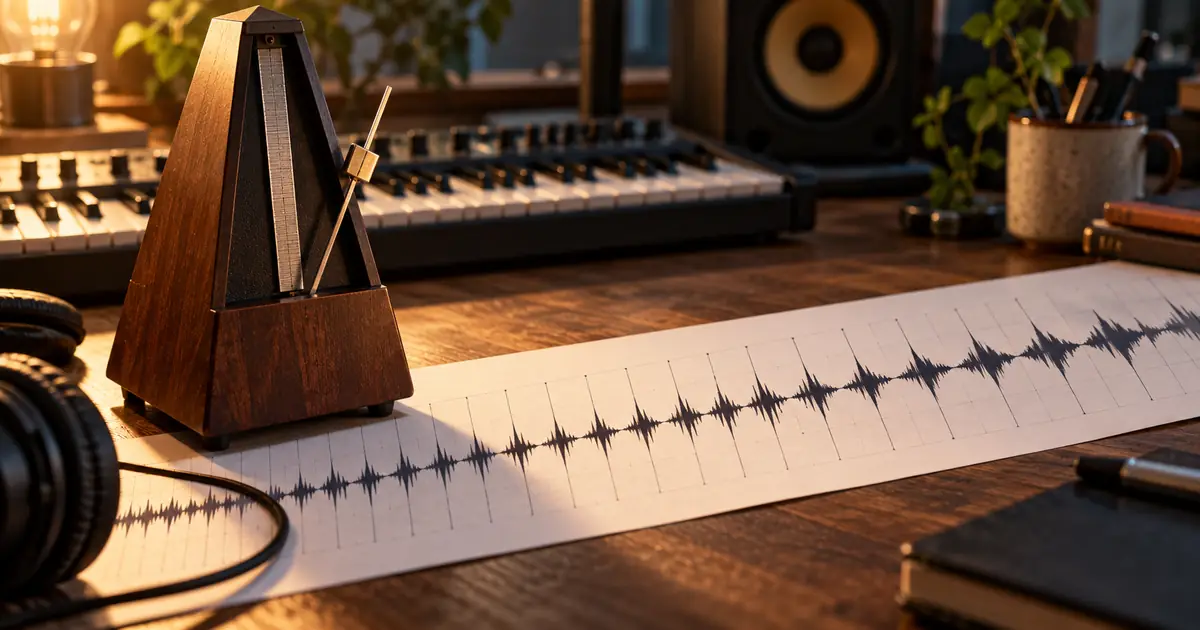

When an AI music track drifts away from a beat grid, first determine whether the grid is wrong or the audio actually changes tempo. A wrong starting point, a half-time reading and a gradual timing change can look similar on screen, but they need different repairs.
Changing beat markers tells software how to interpret the music. Time-stretching changes the audio itself. Decide which deliverable you need before applying an automatic fix, especially if you want to add drums, synchronize a video or mix the track with another song.
Listen before trusting the BPM display
Play a section with a clear pulse and count along. Identify the musical beat and the beginning of a phrase. Do not assume the largest waveform peak marks the first beat; it may be a snare, a pickup or another accented sound.
Check whether the displayed tempo is a plausible half or double reading. A track that feels comfortable at 80 BPM may also be counted at 160 depending on the rhythmic level. That difference is not the same as a track gradually speeding up.
Algoriddim's beatgrid editor documentation separates tempo, downbeat and anchor controls. That distinction is useful even if you use a different editor: identify the type of error before choosing the control.
Classify the mismatch
Inspect a clear beat near the start, another in the middle and another toward the end. Then listen around any point where the relationship changes suddenly.
| What you observe | Likely issue to investigate | First action |
|---|---|---|
| Every beat is displaced by the same amount | Grid origin is offset | Move the grid start |
| Grid matches every second beat | Half-time or double-time interpretation | Check the counting level |
| Alignment gets progressively worse | Wrong fixed BPM or real tempo movement | Compare separated sections |
| Alignment changes abruptly at one point | Extra beat, missing beat or section change | Count through that boundary |
| Grid follows the track, but new drums do not | Audio is not on the desired fixed grid | Decide whether to warp audio |
These are diagnostic possibilities, not automatic conclusions. A syncopated rhythm can fool a visual inspection. Confirm the pattern by listening and counting before changing the file.
Use a timing calculation as a check
At 120 BPM, one quarter-note beat lasts half a second. Sixteen beats span eight seconds from the first beat to the beat sixteen intervals later. When measuring in an editor, count intervals carefully: sixteen marked beats contain fifteen intervals between the first and last marker.
As a fictional example, suppose the first clear beat and the corresponding beat sixteen intervals later are 8.08 seconds apart. The average tempo over that span is about 118.81 BPM, calculated as 60 multiplied by 16, divided by 8.08.
That calculation does not prove the entire track has one fixed tempo. Measure another clear span. If the average differs, inspect whether the music intentionally changes pace or whether the generated timing is inconsistent. Keep the measurements as observations, not as a substitute for listening.
Correct the grid when the audio should stay intact
If the music already sounds right and you need accurate cue points or navigation, correct the grid or build a tempo map around the existing performance. Move the starting marker, adjust the tempo reading, or use supported anchors where the timing changes.
This approach preserves the source performance. It may be appropriate when a track has intentional expressive timing. The output may be an editor project or metadata record rather than a new constant-tempo audio file.
Confirm what your software actually exports. A repaired grid inside a DJ application does not necessarily alter the downloaded audio. If the next editor needs a fixed-tempo file, you still need a separate audio-processing step.
Warp audio only for a defined purpose
If you need the track to align with a fixed session tempo, work on a copy in an editor that supports time-stretching or warping. Choose meaningful musical anchors and review the spaces between them. Avoid placing markers at every visible peak without understanding the rhythm.
Start with a short section. Listen for softened drum attacks, metallic tails, unstable vocals or changes in the groove after processing. A perfectly aligned waveform is not useful if the repair creates more distracting artifacts than the original drift.
Keep related stems aligned if your workflow uses them. Moving one stem independently can change timing relationships with the others. Follow the editor's documented grouping or synchronized-warp workflow, and compare the recombined result with the source.
Treat sudden jumps separately
If the track stays aligned until a transition and then shifts by a beat, count through that transition. There may be an added bar, a shortened phrase or a generated irregularity. A single fixed BPM adjustment will not necessarily solve it.
Decide whether the musical event is acceptable. An intentional extra beat may belong in the arrangement. An accidental jump that disrupts a video cue may need a local edit, a replacement section or a different generated take.
Do not stretch the entire song aggressively to hide one isolated event. Work on the smallest meaningful section, then inspect its entrance and exit. The music loop workflow is useful when your final deliverable is a short repeating cue rather than a full song.
Improve the next generation without promising a lock
Write a clear rhythmic brief when generating a replacement. Describe the intended pulse, meter and absence of tempo changes. Those instructions communicate your target but still require verification in the resulting audio.
This is an original prompt example, not evidence that a model will deliver sample-accurate timing. Use supported tempo controls when the selected model offers them, and inspect the export before arranging other parts around it.
If the harmony matters as well, the chord-progression prompt guide explains why composition instructions also need an output check. A written request and a verified musical result are separate things.
Verify the repaired file in its destination
Reimport the export into the actual project. Check alignment at the beginning, middle, end and any repaired transition. Play it with the new drum track, video cue or neighboring song that motivated the repair.
Listen without looking at the grid for a second pass. Check that the groove still feels intentional and that processing has not introduced distracting artifacts. Save the untouched source, the repair project and the accepted export separately.
Download the tempo diagnosis worksheet to record your observations and whether the deliverable is a corrected grid, a tempo map or new audio. That distinction prevents confusion when another person opens the file.
How QuestStudio helps
Use Music Lab to generate a revised rhythmic brief or compare alternative source takes. Keep model settings and prompt changes with each output.
Use an external audio editor or DJ application for beat analysis, grid editing and time-stretching. Do not treat a successful generation as proof that every beat lands on the intended session grid.
For a finished track with exact work and recovery cues, the interval music production workflow keeps the approved clock schedule separate from the generated music.
If the harmony works but the requested waltz does not, the AI music time-signature guide shows how to count 3/4 versus 6/8 and verify the grouping across sections.
Frequently asked questions
Does an exact BPM in the prompt guarantee a fixed tempo?
No. It communicates a target. Verify the generated audio, and use supported controls where available rather than assuming the prompt enforces exact timing.
Will changing BPM metadata fix the track?
It may correct how software interprets the track, but it does not necessarily change the audio timing. Confirm whether your task needs metadata, a tempo map or processed audio.
Why does the track line up at the start but not the end?
The fixed tempo estimate may be slightly wrong, or the music may change tempo. Compare multiple spans and inspect any abrupt transition before deciding.
Should every track be forced onto a constant grid?
Only when the project requires it. Expressive timing can be intentional, and a tempo map may preserve the performance better than warping the source.
When should I choose another generated take?
Choose another take when the required timing repair damages the groove or introduces artifacts you cannot accept. A cleaner source can be more efficient than a complicated repair.
Deliver the kind of repair the project needs
Identify offset, drift or a structural jump before changing the track. Then verify both timing and sound in the real destination, keeping the original available for comparison.
Try a steadier source cue in Music Lab
Hero image: AI-generated editorial illustration. Examples are original planning exercises, not measured model tests.
Continue with a useful next step
 Music
MusicAI Music Chord Progression Prompts: Write and Verify
Write AI music prompts with chord progressions, tempo and a clear arrangement. Learn what to verify by ear and when editable MIDI is the better starting point.
 Music
MusicAI Music Drum Fills: Lead Into the Next Section Cleanly
Shape AI music drum fills around the next section. Compare restrained, busy and quiet transitions, protect the vocal phrase, and check the incoming downbeat.
 Music
MusicAI Music Mastering: Compare the Sound, Not Just the Loudness
Evaluate an AI music master with a level-matched comparison, an original listening log, source repair decisions, and destination-specific delivery checks.