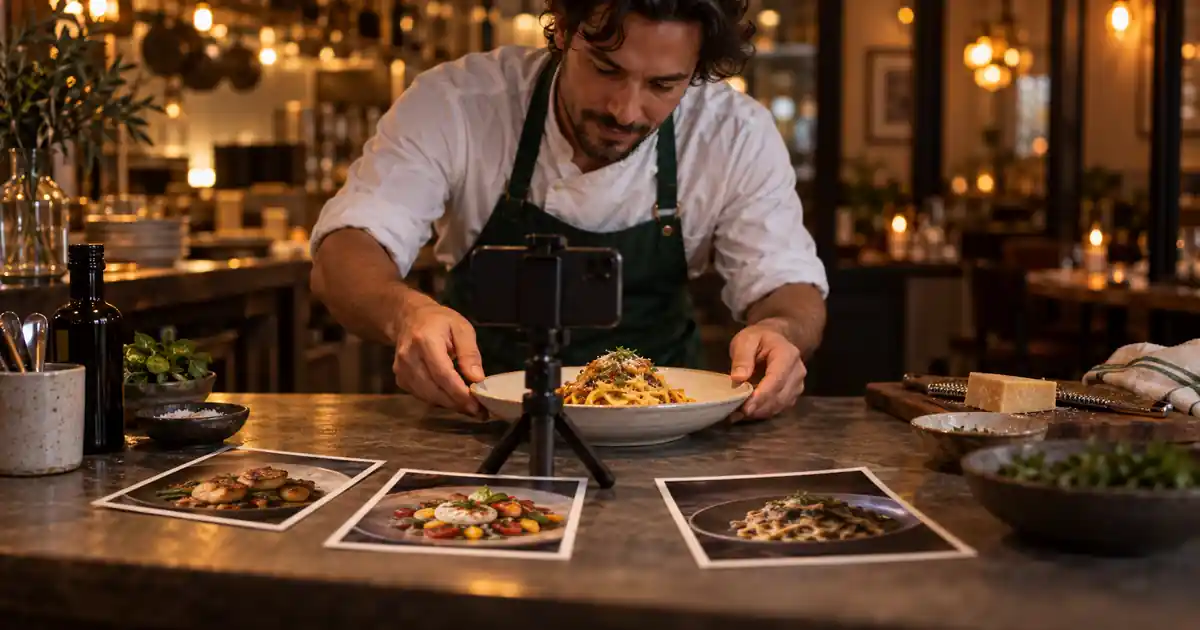

A restaurant promo does not need to imitate a television commercial. It needs to make one meal appealing, explain the offer, and give the viewer enough time to act. Three good photos can support that job. The challenge is adding motion without changing the ingredients, portions, or message that the customer relies on.
Download the 15-second restaurant offer and shot map · Try one dish shot in Video Lab
Choose one offer before choosing a video style
Write one sentence that explains the promotion: what is available, when, where, and how to order. A lunch special for a particular weekday is a different message from a general introduction to the restaurant. If the offer is still changing, approve it before producing motion or recording narration.
Keep the video focused. Three dishes, two discount codes, a new opening time, and an event announcement compete for attention in fifteen seconds. Choose the information a viewer needs to make the next decision, then place secondary detail on the linked menu or ordering page.
Check every factual element with the person responsible for the offer. Do not let a generated script invent a price, suggest unlimited availability, or describe an ingredient that is not in the meal. Record the approved wording in the worksheet so the editor, narrator, and final reviewer share the same source.
Select three real photos with different visual jobs
Choose a hero image that makes the featured food recognizable, a detail image that adds texture, and a wider meal or serving image that gives context. These can show one dish from different views or three dishes that actually belong to the offer. They should not imply that unrelated items are included.
Use approved photos with enough room for the intended vertical or horizontal crop. A tightly cropped plate may leave nowhere for editable text. Choose images with compatible light and color so the sequence feels like one restaurant rather than three unrelated advertising styles.
If the photos still need work, complete the menu photography workflow first. Motion can magnify a weak source: a malformed fork becomes an animated distraction, and an unclear ingredient can turn into something else. Keep untouched originals beside the accepted stills.
Build the timeline before generating motion
| Time | Visual job | Copy or sound |
|---|---|---|
| 0–3 seconds | Recognizable hero dish; one gentle camera move | A short, factual hook |
| 3–7 seconds | Texture or second approved dish | One useful offer detail |
| 7–11 seconds | Complete meal or serving context | Availability or location, if necessary |
| 11–15 seconds | Stable final card with approved food image | Clear ordering action and destination |
This is an example plan, not a guarantee that every audience needs these exact durations. The final card needs enough time to read. If the ordering instruction is long, shorten the earlier copy or extend the video rather than shrinking the type until it becomes unreadable.
Sketch the four beats using the stills in your editor. Even a rough slideshow can reveal whether the offer is clear. Approve that structure before generating clips. It is easier to replace an unsuitable photo at this stage than after you have built sound and timing around it.
Animate one restrained action in each shot
For the hero image, a gentle camera move may be enough. Avoid combining a rotating plate, falling garnish, rising steam, a hand entering, and a dramatic camera orbit in one request. Each action creates another opportunity for the food or tableware to change.
Use a model that supports the source-image workflow you need. A prompt cannot guarantee preservation, so compare the first frame, middle, and final frame with the photo. Watch for moving sauce boundaries, duplicated garnish, growing portions, and utensils that bend as the camera shifts.
A still photo with a controlled pan or scale change in a conventional editor is also a useful option. If generation repeatedly changes the meal, that simpler motion can finish the job. The audience needs an appealing, accurate view, not proof that every frame was synthesized.
Keep prices, dates, and calls to action editable
Add text in the finishing editor after the imagery is approved. Use real type for the restaurant name, price, availability, and ordering instruction. Baking essential words into generated footage makes a later correction harder and can introduce misspellings or unstable letters.
Place copy where it does not cover the food’s defining feature. Leave comfortable margins for the destination’s interface, captions, and crop. Check the video at phone size instead of judging a large desktop preview. If viewers must pause to understand the main offer, simplify the copy.
Use one action on the final card. “View the lunch menu” and “Order for pickup” are different requests; choose the one your destination supports. Verify that the linked page opens the relevant menu or ordering flow and that its offer matches the video. Do not spend the final seconds advertising an action that leads somewhere unrelated.
Build sound around the message
Record or generate a short narration only if it helps the viewer. Read the copy aloud before producing it. A fifteen-second video with several detailed sentences may force the speaker to rush, leaving no room for the food or final card. Remove repeated information before increasing the speaking speed.
Use a modest music bed and a small number of meaningful sound cues. A utensil sound should align with visible action; adding loud sizzling to a cold salad creates a mismatch. Avoid filling every cut with a dramatic transition effect.
Listen to the mix on a small speaker and with headphones. The words should remain clear without uncomfortable volume. Keep narration, music, and final export separately so a last-minute offer change does not require reconstructing the entire soundtrack. The music-under-voice guide covers that finishing stage.
Review the video as a customer, then as an editor
| Review pass | Question |
|---|---|
| Offer | Are the item, price if shown, availability, and destination correct? |
| Food | Does every shot preserve the actual portion and ingredients? |
| Motion | Do dishes, cutlery, and surfaces keep their shape? |
| Silent playback | Can the viewer understand the offer and next action without audio? |
| Sound playback | Are words clear, cues aligned, and music restrained? |
| Export | Is the final card readable and free from accidental cutoff? |
Watch the complete video once without stopping. Write down what you understood: the meal, the offer, and the next action. Then inspect suspicious frames individually. A detailed technical review is useful, but it should not replace the basic question of whether the message lands.
Ask someone unfamiliar with the project to read the final card. If they infer that a side dish or drink is included when it is not, adjust the imagery or wording. The video should not depend on the viewer knowing the restaurant’s unwritten conventions.
Export the version that matches the destination
Set the aspect ratio and output requirements for the actual channel. Reframe each shot deliberately when adapting a horizontal edit to vertical. Automatic center cropping can remove a dish or place text over the main ingredient. Keep separate export versions with clear names.
Open the exported file and watch through the final frame. Confirm the music does not end abruptly and the ordering information remains visible long enough. Check a draft preview in the destination when available, especially for interface overlays that cover the bottom of the video.
Save the approved script, original photos, accepted clips, editable project, and export together. When the special changes next week, you can update the offer and final card without rebuilding a good visual sequence. Retire outdated versions from the active delivery folder.
How QuestStudio helps with the visual pieces
Use Video Lab for one short shot from an approved dish image when the selected model supports it. Voice Lab and Music Lab can supply separate draft assets where useful, with a finishing editor handling the actual sequence and editable offer text.
This is a production workflow, not a promise that one prompt creates an accurate, finished restaurant campaign. Vendor examples such as CapCut’s restaurant promotion ideas can suggest formats, but your source photos and approved offer remain the authority.
About this guide
This is an editorial production method, not a claim that every AI model can perform every step. Examples and worksheets are illustrative; no measured generation results are implied. The hero is an original AI-generated illustration.
Frequently asked questions
Can I make a restaurant promo video from three photos?
Yes. Give each photo a clear visual job, plan a short sequence, and add restrained motion plus editable offer text. Three approved images are enough for a focused promotion.
Should AI generate the price and restaurant name inside the video?
Add essential words in your editor as editable text. That makes spelling, timing, and future offer changes easier to control.
What if AI changes the food while animating it?
Reject the clip, simplify the motion, or use a conventional pan or scale animation of the original still. Food accuracy matters more than complex generated movement.
How do I know whether the promo works without sound?
Watch it silently at phone size. You should still understand the featured meal, essential offer details, and the next action before the final card disappears.