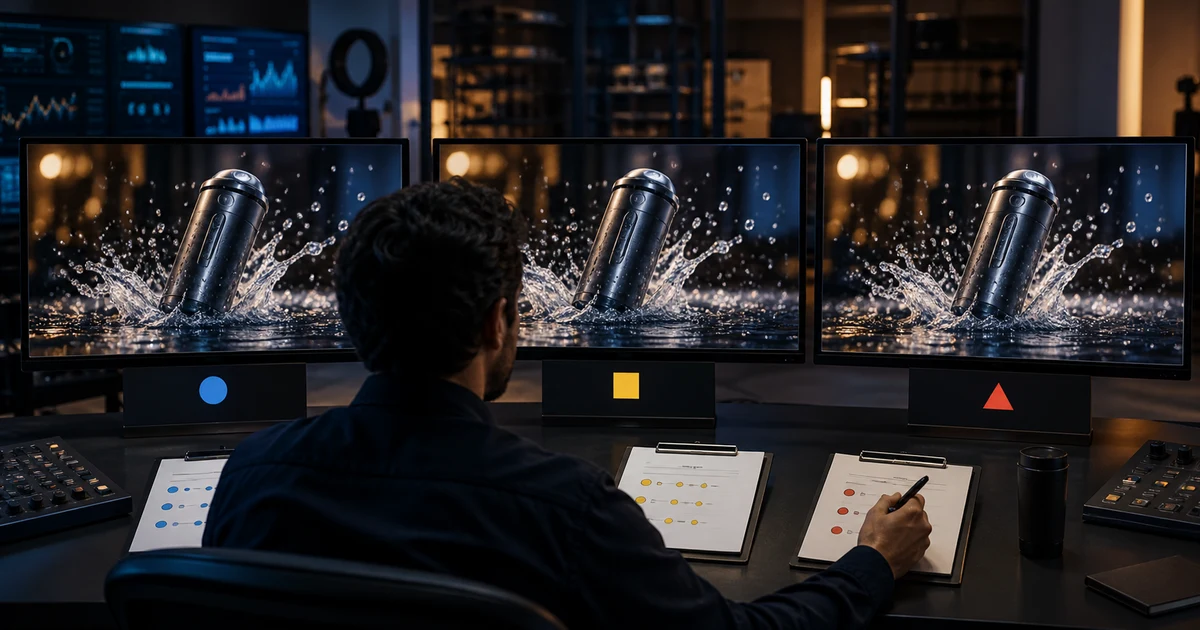

AI Video Model Benchmark Workflow: Compare Usable Results helps you complete one real creation job with a repeatable process and a clear approval standard. It focuses on the decisions that determine whether the output is useful, accurate, and ready for its destination.
Start with the decision the benchmark must make
“Which model is best?” is too broad. Define the job, destination, required duration, reference type, quality floor, and budget. A model for a six-second product close-up may not be the right model for dialogue, fast action, character continuity, or an atmospheric establishing shot.
Write the decision before generating: choose a default model for product-image animation, select a fallback for faces, or determine whether a premium model saves enough retries to justify its cost.
Build a representative shot suite
Use five to eight shots that cover the failures your work actually encounters. Include a simple control, a person in motion, a product with exact geometry, a camera move, a material interaction, a low-light scene, and a shot that must preserve a reference. Do not use only the spectacular prompt each vendor showcases.
Lock the inputs
Use the same source image, prompt meaning, negative constraints, duration, aspect ratio, resolution target, and attempt count. Translate syntax only when a model requires it; record that translation. If one model receives hand-tuned rescue prompts and another receives a first draft, the test measures operator attention rather than capability.
Save model version, date, settings, seed when available, generation time, credits, failed jobs, and source files. Model behavior changes, so a benchmark without version and date expires quietly.
Score dimensions before seeing outputs
| Dimension | What passes | Automatic fail |
|---|---|---|
| Prompt adherence | Required subject, action, camera, and scene appear | Core instruction missing |
| Temporal stability | Identity and objects remain stable through motion | Face, product, or anatomy changes materially |
| Physics | Weight, contact, liquid, fabric, and speed look plausible | Impossible interaction affecting meaning |
| Editability | Clean handles and useful start/end states | No usable cut point |
| Destination fit | Crop, duration, detail, and tone work where published | Required information is unreadable or absent |
Review blind, then diagnose
Hide model names and randomize output order for the first pass. Have reviewers score independently before discussion. Separate aesthetic preference from mandatory truth. A visually exciting clip that changes the product is not a near win; it is unusable for that job.
After scoring, reveal models and inspect failure patterns. Look for consistent strengths rather than one lucky render. Record confidence and disagreements.
Calculate cost per approved result
Add generation credits, failed attempts, operator time, cleanup, upscaling, and editing. Divide by clips that passed the destination review. A model with a higher listed cost can be cheaper if it produces more usable footage with fewer repairs.
Also track time to first usable clip and accepted seconds per attempt. Those measures connect the benchmark to production capacity.
Choose a routing rule
Do not force one winner across every shot. Create a default, a specialist, and a fallback rule. Example: default for reference-preserving product motion, specialist for dialogue, fallback when the default fails hands twice. The rule should state when to stop retrying and switch.
Benchmark checklist
- The shot suite represents real production work
- Inputs, attempt counts, and pass criteria are comparable
- Review is blind before model names are revealed
- Structural failures cannot be averaged away by aesthetics
- Cost is calculated per approved output
- The final routing rule includes a rerun date or trigger
Frequently asked questions
How many prompts should an AI video benchmark use?
Use the smallest suite that covers your real shot classes and failure risks; five to eight deliberate cases is often more useful than dozens of random prompts.
Should every model use the exact same prompt?
Preserve the same meaning and constraints, but record syntax adaptations required by a model.
What metric matters most?
A pass rate against predefined production criteria and cost per approved clip are more useful than aesthetic preference alone.
How often should I rerun the benchmark?
Rerun after meaningful model updates, workflow changes, new shot requirements, or a sustained change in failure rate.
Can one model win every category?
It can, but routing by shot type is usually more resilient than assuming one universal winner.
Continue with a useful next step
 Video
VideoRunway Media Router: How Automatic Model Choice Works
Learn how Runway Media Router selects image, video, and audio models by quality, speed, and cost, plus its limits and best use cases for creative teams.
 Video
VideoGoogle Flow Explained: What It Is and the Best AI Filmmaking Use Cases for Creators
Learn what Google Flow is, how it works, and the best creator use cases. Includes practical workflows, quality tips, and prompt equivalents you can reuse.
 Video
VideoGoogle Flow Alternatives: 6 Tools Compared by Workflow
Compare 6 Google Flow alternatives for multi-model video, editing, character consistency, commercial work, and lower-cost testing with a practical scorecard.