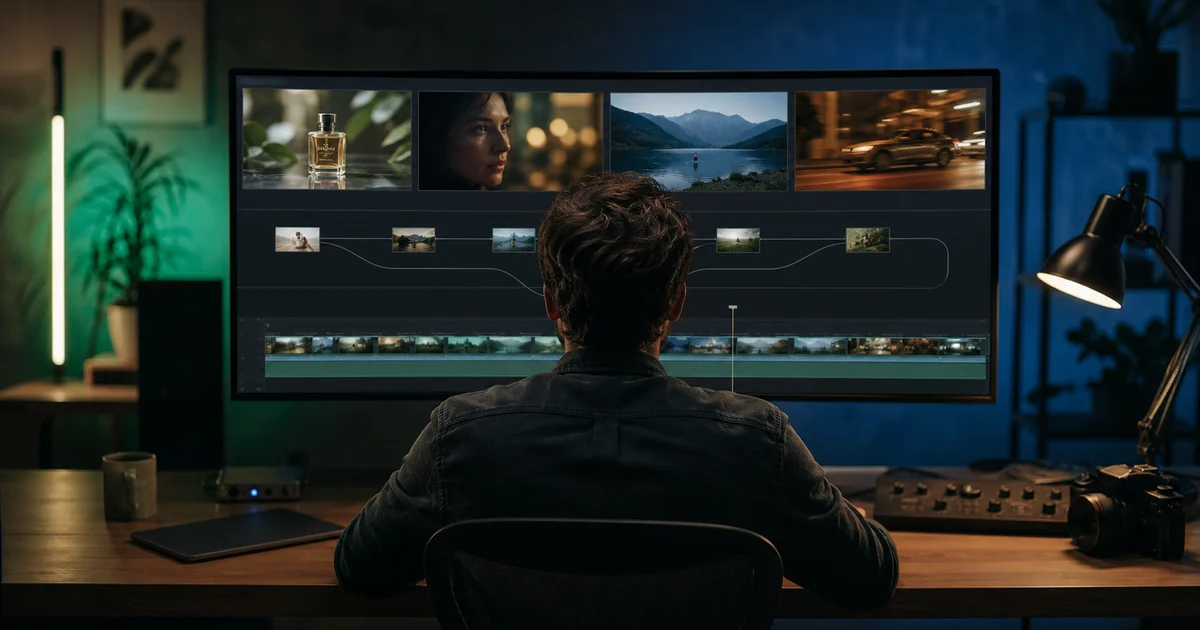

The best Google Flow alternative is not automatically the platform with the newest model or longest feature list. It is the one that removes the constraint stopping your current project: model lock-in, inconsistent characters, limited editing, expensive retries, missing audio, or a production pipeline spread across too many subscriptions.
What a Google Flow alternative actually needs to replace
Flow is more than a text-to-video box. Google's current help pages document text, image, ingredient, frame, and video inputs; reusable characters and voices; project assets; version stacks; video editing; and desktop-only features such as Scenebuilder and camera controls. Its model menu also matters because each Veo or Gemini Omni mode supports a different mix of references, lengths, editing, and extension.
That means a cheaper video generator is not necessarily a replacement. First write down the part of Flow you use. Is it a world-building workspace, a way to access Veo, a character library, a scene editor, or simply the place where you make a few short clips? Your answer changes the shortlist.
For the current feature map, use Google's Flow models and supported features guide and scene editing documentation. Availability, credits, and regional restrictions can change.
Google Flow alternatives at a glance
| Alternative | Best fit | Main advantage | Watch before switching |
|---|---|---|---|
| QuestStudio | Multi-model creators | Image, video, voice, music, prompts, and editing in one workflow | Flow-only characters, custom tools, or scene features may not have a direct equivalent |
| Runway | Video-first production | Strong generation, camera prompting, and editing tools | Confirm the active model, resolution, duration, and credit cost |
| Kling AI | Action and motion tests | Useful option when movement and physical action drive the shot | A good motion result does not guarantee cross-shot identity |
| Adobe Firefly | Creative Cloud teams | Generation and editing inside an Adobe-centered asset workflow | Check which model produced an asset and what its current terms allow |
| Luma Dream Machine | HDR and video modification | Ray workflows include text, image, keyframes, and modification modes | Some modes lack native audio or reference consistency |
| Alibaba Wan | Builders and API workflows | Text, image, reference, and editing endpoints with detailed controls | Hosted model access is not the same as downloadable open weights |
This is a workflow comparison, not a claim that one service wins every shot. Product pages describe capability; your controlled test reveals fit.
1. QuestStudio for a multi-model creative workflow
QuestStudio is the strongest alternative when the problem is not Veo quality but the boundaries around one provider. Video Lab exposes several approaches, including Google Veo 3.1, Seedance 2.0, Kling Turbo, and Runway modes. The wider product also connects image generation and editing, voice, music, prompts, and reusable project work.
The practical advantage is choice at the shot level. A premium cinematic shot can use one model, a fast variation another, and a video-to-video correction a third. You can use the QuestStudio model comparisons to narrow the first test, then open Video Lab with blog attribution for the representative shot.
QuestStudio is not a copy of Flow. If your project depends on a Flow character with a saved voice, a Flow custom tool, or Scenebuilder's exact interface, switching requires a migration plan. Choose it when model flexibility and the surrounding media workflow matter more than matching Google's workspace feature for feature.
2. Runway for video generation and editing depth
Runway is a good fit for teams that want a video-first environment with detailed prompting and post-generation tools. Its current Gen-4.5 documentation describes text-to-video and image-to-video, 2-to-10-second durations, multiple aspect ratios, and sequenced instructions. Runway's own guidance also separates visual description from motion, which makes controlled prompt iteration easier.
Choose Runway when camera choreography, timing, iteration, and video editing are central. Do not assume a plan name tells you how many usable seconds you will finish. Review the current Gen-4.5 specifications, then measure retries and approved seconds on your own brief.
3. Kling AI for motion-led shots
Kling belongs on the shortlist when the visual idea succeeds or fails on movement: a runner changing direction, fabric reacting to wind, a product moving through a reveal, or a camera following a subject through space. Use it as a shot specialist rather than assuming it must replace your whole filmmaking workspace.
A fair Kling test should include one restrained motion shot and one difficult action shot. Preserve the same reference image, duration, framing, and acceptance criteria. If Kling wins motion but loses identity or edit recovery, it may still deserve one role in a multi-model pipeline.
4. Adobe Firefly for Adobe-centered commercial work
Adobe Firefly makes the most sense when generated media must stay close to Photoshop, Premiere, brand libraries, review workflows, or other Creative Cloud assets. It can be a better operational choice than the most visually impressive standalone generator because handoff time, file preparation, and approval history also affect production cost.
Adobe's feature set keeps changing. For example, its current documentation includes video generation with transparent backgrounds, which is useful for layered compositing. Check the current Firefly video guidance and your organization's licensing requirements before treating any workflow as cleared for a campaign.
5. Luma Dream Machine for HDR and video modification
Luma is worth testing when the finish depends on color range, style adherence, keyframes, or modifying existing footage. Luma's current Ray documentation describes text-to-video, image-to-video, keyframes, HDR options, and video modification, with capabilities and limits varying by Ray version.
The important tradeoff is mode compatibility. A feature available in one Ray mode may not carry into another, and native audio is not universal. Review Luma's current Ray workflow FAQ before designing a pipeline around an export or reference feature.
6. Alibaba Wan for controlled developer workflows
Wan is the most technical option in this list. Alibaba Cloud documents separate text-to-video, image-to-video, reference-to-video, and editing routes, along with controls for duration, aspect ratio, prompt rewriting, seeds, and watermarks. That makes it useful when a builder wants to integrate generation into a repeatable system instead of working only in a creator interface.
Be precise about release language. A model being available through Alibaba Cloud does not prove that its newest weights are downloadable under an open-source license. The official Wan model overview is the safer source for live model IDs and supported modes.
Use this ten-shot migration scorecard
Do not move a campaign because one demo clip looked impressive. Build a ten-shot set that represents your real work: two dialogue shots, two high-motion shots, two product or identity-critical shots, two atmosphere or establishing shots, and two edits of existing material.
Score every shot from 0 to 2
- Prompt adherence: Did the required subject, action, setting, and camera behavior appear?
- Identity and product truth: Did faces, packaging, proportions, and important details stay correct?
- Motion: Did movement remain physically believable for the full clip?
- Audio: Was dialogue, ambience, or silence handled as required?
- Editability: Could you repair the failed part without starting over?
- Export fit: Did aspect ratio, duration, resolution, and file format match the destination?
- Recovery time: How long did it take to turn a failed first result into an approved one?
Record generations, elapsed time, credits used, and approved clips. Divide total spend by approved clips, not by raw outputs. The AI generation cost calculator helps keep model prices and retry rates in the same decision.
Run the comparison without fooling yourself
- Freeze the brief. Use the same source files, duration, aspect ratio, and required action.
- Allow only interface translation. Adapt syntax when a platform requires it, but do not make one prompt richly detailed and another vague.
- Cap retries. Give each workflow the same retry budget and record every failure.
- Review at delivery size. A face that looks acceptable in a small preview can fail on a large product page.
- Choose a role, not a universal winner. Your result may justify one platform for hero shots and another for drafts, edits, or volume.
If you start from a still image, run it through the image-to-video consistency checker before blaming the video model for a crop, pose, or background conflict.
When you should stay with Google Flow
Staying is the rational choice when your team already has a reliable Flow project structure, uses Google characters and voices, depends on ingredients across scenes, or gets acceptable clips without excessive retries. Switching has a cost: rebuilding references, learning new controls, recreating prompts, moving assets, and rechecking rights and exports.
Leave only when a named constraint outweighs that migration cost. Good reasons include needing a model Flow does not expose, wanting a broader image-to-video-to-audio workflow, requiring a different editing mode, or repeatedly paying for failed shots that another system handles better. Curiosity alone is not a migration plan.
How QuestStudio helps
QuestStudio gives creators one place to compare several generation approaches and continue the job across Image Lab, Video Lab, Voice Lab, Music Lab, and editing tools. That makes it useful when the winning workflow is a chain rather than a single model.
Start small. Open QuestStudio Video Lab, choose one representative shot, and write the acceptance criteria before generating. If Flow wins, keep Flow. If another model produces more approved work with fewer retries, you have evidence for the next decision.
Google Flow alternatives FAQ
What is the best Google Flow alternative?
The best alternative depends on the job. QuestStudio fits multi-model creation, Runway fits advanced generation and editing, Adobe Firefly fits Creative Cloud teams, Luma fits HDR and video modification, Kling fits motion-led shots, and Wan fits developer-controlled workflows.
Is there a free Google Flow alternative?
Several platforms offer limited trials, free credits, or low-cost draft modes, but terms change often. Compare what a representative approved clip costs rather than choosing by the word free.
Should I leave Google Flow if I already use Veo?
Not necessarily. Flow remains a strong choice when Veo, ingredients, frames, characters, and scene building match your workflow. Test an alternative only when a specific constraint is costing time or approved output.
How should I compare AI video platforms?
Use the same source, brief, aspect ratio, duration, and acceptance criteria. Score prompt adherence, identity, motion, audio, editability, export fit, retries, and total cost per approved clip.
Can QuestStudio replace Google Flow?
QuestStudio is a strong alternative when you want several image, video, voice, and music models in one workflow. Flow may remain better when your project depends on Google's newest Flow-only character, scene, or custom-tool features.
Choose with one finished shot
A useful comparison ends with a decision, not a longer bookmark list. Name the constraint, run the same representative shot in two workflows, score the outputs, and keep the system that produces more approved work. That is a much better signal than a provider's feature table, including ours.
Continue with a useful next step
 Video
VideoGoogle Flow Explained: What It Is and the Best AI Filmmaking Use Cases for Creators
Learn what Google Flow is, how it works, and the best creator use cases. Includes practical workflows, quality tips, and prompt equivalents you can reuse.
 Video
VideoGoogle Flow Scenebuilder: Make Separate Clips Feel Like One Scene
Build a connected scene in Google Flow with a three-shot continuity ledger, a cut-versus-extend decision, and checks for the joins that break the story.
 Video
VideoFree Veo 3 Prompt Generator for Google Flow & Veo 3.1
Build a free Veo 3.1 prompt for Google Flow with camera movement, duration, aspect ratio, lighting, audio, and optional dialogue. Copy it or continue in Video Lab.
For a focused next step, read Google Flow Scenebuilder: Make Separate Clips Feel Like One Scene.