
A watch dial is small, but its errors are easy to recognize. A missing hour marker, an extra hand or a moved date window can turn a polished campaign image into a photograph of a different product. Start AI watch photography with an approved view of the actual watch and decide which details the finished image must show.
For a first supporting scene, keep the watch in the source pose. Change the setting or the light treatment carefully, then inspect the dial, case and strap separately. A dramatic rotation asks the system to invent surfaces the reference may never show.
Keep the watch inspection worksheet beside your reference when you open Image Lab.
Choose the job of this photograph
A listing detail, a lifestyle banner and a campaign concept have different obligations. The listing detail needs to help a buyer inspect the actual watch. A lifestyle image can provide context, but it still needs to preserve the product when it represents a real SKU. A fictional design exploration should stay outside that product gallery.
Write the intended crop before editing. If the dial will be large enough to read, its marks and characters need individual review. If the watch is small in a scene, review it at the final size as well as at a useful zoom. Tiny display size does not justify substituting a different bezel or bracelet.
Prepare a source that shows the important surfaces
Use a sharp front or three-quarter photograph with a readable dial. Add side and strap references when those areas will remain visible. Keep the original capture and the product information together, but give each a different role: photographs establish visible appearance, while the approved product record establishes specifications.
Do not infer water resistance, movement type, material or accuracy from a rendered image. A shine on a case cannot prove its metal. A visible extra dial cannot establish a working complication. Those facts belong to the manufacturer's approved information and should be checked there before anyone writes the caption.
Make a dial map before editing
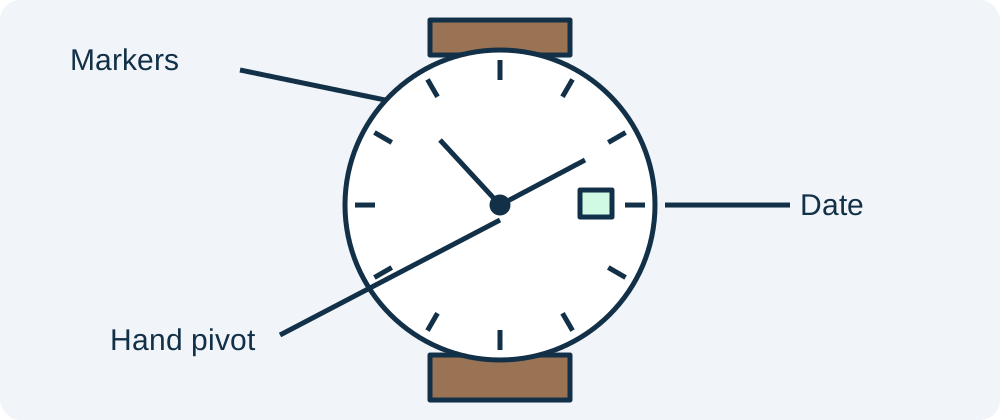
Record the visible hour markers, central hand pivot, hand positions, date window and any sub-dials. For a simple three-hand watch, note where each hand begins and ends. Do not add a universal rule that every watch should display the same advertising time. The approved source decides the presentation.
Follow the dial outward. Check the minute track, bezel, crown, lugs and the first visible strap attachment. A perfectly rendered face can sit inside the wrong case. Reflections crossing these boundaries deserve special attention because a bright strip can hide a stretched edge or a missing marker.
Build one restrained supporting scene
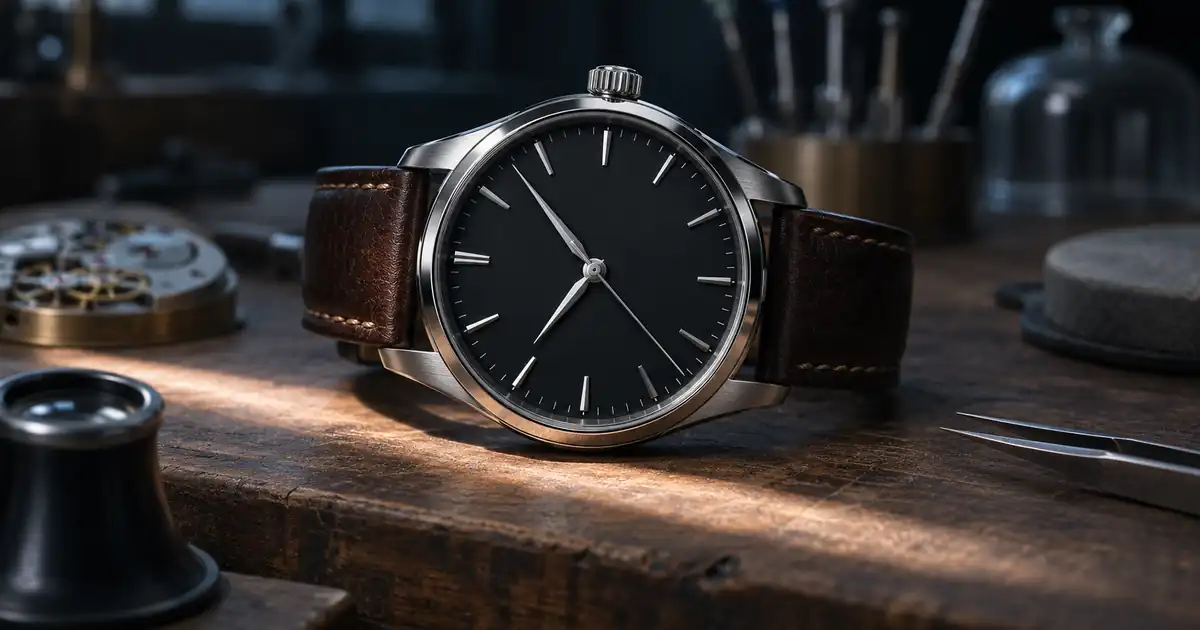
Our example is a fictional plain watch with a dark dial, simple indices and a leather strap. We want a horizontal editorial scene on a textured workbench. The watch stays at the source angle, and the surface changes around it. We do not ask for a rotating case, moving hands or a newly exposed caseback.
Use the approved watch photograph as the product reference. Preserve the exact visible dial layout, hand positions, date window, case outline, crown and strap attachments. Keep the source angle. Place the watch in a quiet workbench scene with soft directional light and restrained reflections. Do not add markings, sub-dials, extra hands or new hardware.
Review the resulting image before making a second variation. If the first candidate changes the dial, do not use it as the next reference. Return to the approved source and reduce the scope. A background change is a better first test than a completely new camera position.
Inspect the dial before the atmosphere
Place source and candidate side by side at comparable scale. Start at twelve o'clock and move around the dial in one direction. Check the shape and position of every visible marker, then inspect the hands and their relationship to the pivot. This consistent route reduces the chance of repeatedly looking at the attractive highlight while missing a duplicated index.
Next, inspect the case silhouette and strap. Check whether the crown still joins the case naturally, whether the lugs retain their spacing and whether the strap disappears into an impossible attachment. Only after those checks should you decide whether the lighting serves the campaign.
Record the specific failed zone and the intended repair. “Date window moved toward the center” is actionable. “Make it more premium” is likely to change more than the faulty detail. Preserve the accepted regions while revising one problem.
Decide when the source needs a retake
If a reflection completely hides a logo or marker in the source, the image system has no reliable visual evidence for that region. Retake the watch with a different light position, or use approved artwork in an appropriate compositing workflow. Do not accept plausible invented lettering simply because it looks sharp.
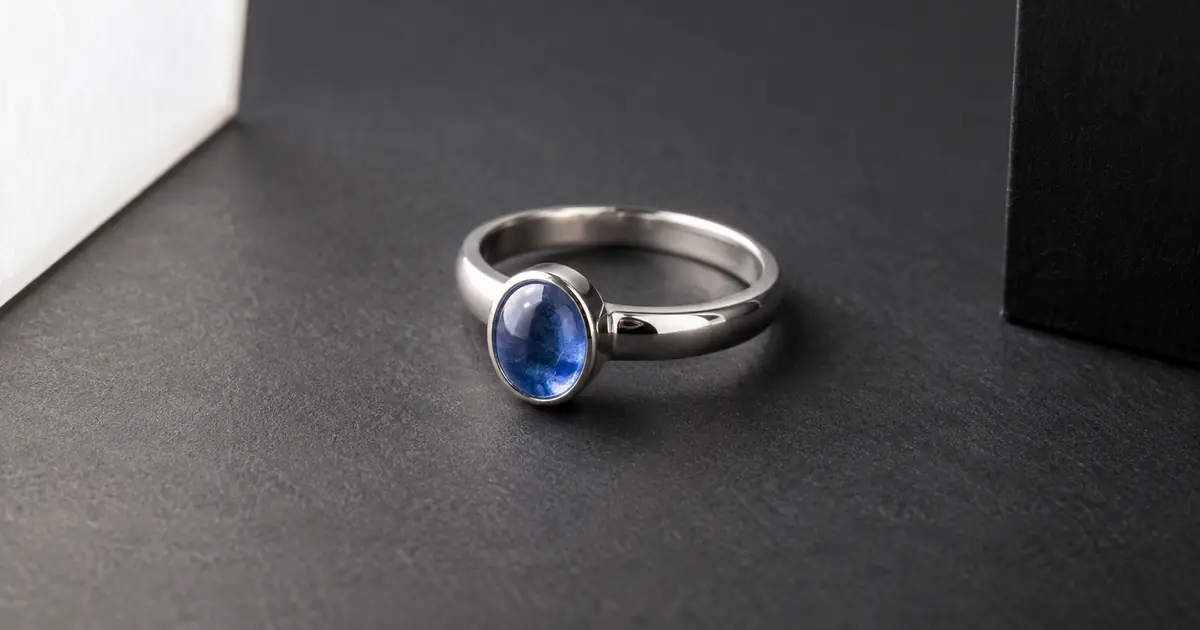
The jewelry reflection guide helps separate useful form-defining reflections from obscured information. Its repair principles apply here, while the dial map adds the watch-specific checks that a ring photograph does not need.
How QuestStudio helps
Use Image Lab for one controlled supporting scene or a local image edit. Keep the accepted source, the brief and the candidate together so a reviewer can compare them. For gallery planning, the product photo scale guide explains why an attractive isolated image may still communicate size poorly.
Finish with a full-frame review and a final-size review. Preserve a neutral detail photograph in the gallery when buyers need to inspect the dial closely. Campaign atmosphere works best when another image can clearly answer the product questions.
Frequently asked questions
Can AI reliably reproduce every watch dial character?
Do not assume it can. Compare each visible character with the approved source and reject invented or altered marks. Use a clearer source when important text is obscured.
Should I move the hands to a standard advertising time?
Use the presentation approved for that watch. A new hand position is a product edit that requires review, and it can obscure different dial features.
Can an image prove the watch is waterproof?
No. A generated water scene cannot establish water resistance or any other performance specification. Use the manufacturer's approved product information.
What is the safest first scene change?
Keep the source pose and visible product surfaces while changing a simple supporting background. Inspect the dial and case before attempting a new angle.
What should I do when a reflection hides a marker?
Return to a photograph that shows the marker, or retake the product with adjusted lighting. A plausible reconstruction is not evidence of the actual dial.
Try one reviewed production step
Bring the approved source and the smallest useful brief to Image Lab. Compare the result with your reference before expanding the project.