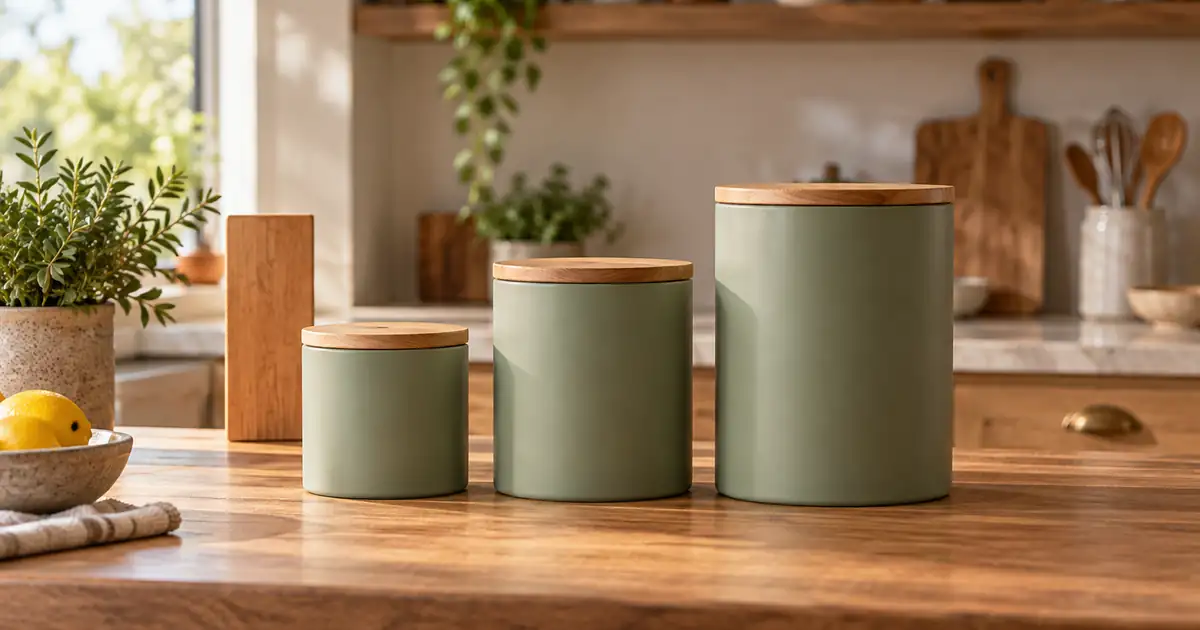

A small canister and a large canister can look identical when each is enlarged to fill its own product card. An AI lifestyle scene can make the problem worse by inventing a bigger spoon, a smaller shelf or a different camera angle. To show product scale clearly, plan a real comparison image first, then keep decorative scenes consistent with that evidence.
The useful distinction is between filling the image and communicating physical size. Both have a place in a product gallery. A tightly cropped detail helps someone inspect a lid; a shared view of the actual size options helps them choose the right one. Do not expect a prompt containing measurements to perform both jobs automatically.
Decide which image answers the size question
Give the gallery a deliberate sequence. The first image can introduce the selected product clearly. A detail can explain its finish. A comparison photograph should show the available sizes together using the same viewpoint. A lifestyle scene can suggest where the item belongs without becoming the only evidence of its dimensions.
Write the question next to each planned image. “What does the medium canister look like?” is different from “How much taller is the large one?” When those questions are mixed together, editors often normalize every product to the same image height and accidentally erase the difference the customer needs to see.
If the product must fit a particular opening, shelf or appliance, provide verified measurements and a real fit demonstration where appropriate. A generated scene is not a fit test. Likewise, a large-looking container does not establish its capacity; external dimensions and usable internal volume are different facts.
Build one reliable size-family reference
Gather the actual items and confirm their variant names. Record dimensions from the products or approved specifications, including whether height includes the lid and whether width includes protruding handles. Keep shipping-box measurements out of this record unless the image is specifically about the packaging.
Photograph the family together on one surface. Leave the camera in the same position, avoid an extreme wide angle, and keep comparable faces at a similar distance from the lens. Show all bases and tops. A line of bases on the counter makes the comparison easier to understand than a staggered arrangement with the smallest item closest to the camera.
This is a practical reference, not a calibrated measurement system. It records a real relationship and makes obvious changes easier to catch. Save the original file before adjusting its background. If you need separate views for each variant, take those without moving the camera or changing the setup unnecessarily.
For a single large item such as a chair, use the furniture product photography workflow to plan the source angle and structural checks. A real photograph of the intended use is stronger evidence than a newly generated person whose height is unknown.
Work through a three-canister gallery
Imagine a fictional kitchen brand selling three canisters with approved external heights of 11, 17 and 23 centimeters. These numbers are an exercise, not measurements of the editorial hero. The marketing team wants clean individual cards, a comparison image and a warm kitchen scene.
The individual cards may use different crops so each product is readable. Label each card with its actual variant. The comparison image must keep the three products together at their real relative sizes. Do not independently resize them after separating the background.
| Gallery asset | What may change | What must remain dependable |
|---|---|---|
| Individual product card | Crop and surrounding whitespace | Selected variant and product shape |
| Three-size comparison | Background outside the products | Relative size, shared viewpoint and count |
| Lid close-up | Magnification of the detail | Actual finish and construction |
| Kitchen lifestyle scene | Decorative setting | Correct selected item and believable scale |
| Dimensions graphic | Layout and typography | Numbers taken from approved specifications |
The team can now review each image for its assigned purpose. An individual card is not rejected merely because it uses a closer crop. A comparison image is rejected if the small and large versions have been made almost the same height.
Generate atmosphere around an approved relationship
When the comparison is the important part, retaining the real product pixels in a composite is often easier to verify than regenerating the entire scene. Create or choose a background compatible with the source camera and light. Then place the approved product group without independently stretching or resizing its members.
If you test a generative edit, describe the protected group explicitly. Keep the source and result side by side. The following brief is a starting point for inspection, not a guarantee that the model will retain geometry.
Reject a result that changes a lid, narrows one body or shifts the smallest item toward the camera. A stylish background is not a reason to accept a changed size relationship. If repeated generations alter the group, return to a conventional composite rather than adding more adjectives to the prompt.
Check the comparison before the lighting
Start by identifying the variants without looking at their labels. Can a reviewer tell which is smallest, medium and largest? Then compare each silhouette with the reference. Examine lid thickness, handle projection, width and height together. A product can retain its total height while acquiring a much wider body.
Next inspect placement. A closer object can appear larger even when its modeled dimensions would be smaller. Check contact with the surface, base alignment and the visible top surfaces. Do not “correct” perspective by squeezing one item until it fits a preferred outline.
Finally, review the supporting objects. A spoon, hand or mug can suggest scale, but these vary in size and can be distorted by generation. Remove an unreliable cue rather than presenting it as proof. Keep the real comparison photograph accessible in the gallery even if an attractive lifestyle image becomes the opening shot.
Use the size-gallery worksheet to record the variant, image role, source reference and review outcome. A short reason such as “large lid became too thin” is more useful than a general score of seven out of ten.
Test the actual variant selector and mobile crop
Open the product page as a shopper would. Select the small version, then the large version. Check whether the main image updates, whether the size label remains visible, and whether a cached image makes the wrong variant appear selected. This checks the delivered gallery rather than just the exported files.
On a phone, inspect the comparison image at ordinary viewing size. A crop that hides the bases may make the height comparison ambiguous. A thumbnail that removes the largest lid can make the size family look incomplete. Change the composition or presentation instead of relying on tiny explanatory text.
Keep product accuracy separate from persuasive styling. The product photo approval checklist covers the broader review, while the bundle photography guide addresses which items are actually included in an offer. Size, variant and bundle count are related purchasing questions, but each needs its own check.
How QuestStudio helps
Use Image Lab to explore a backdrop or a controlled image edit from an approved source. Begin with one size family and one setting. Keep the original comparison available so you can reject changes to the products before choosing a visual style.
Finish with a usable gallery decision: a retained real comparison, a reviewed creative scene and a clear mapping to the correct variants. Save the prompt and accepted result for the next family. QuestStudio can help create the scene; the actual products and specifications remain the authority on size.
Frequently asked questions
Can a prompt guarantee accurate product scale?
No. Dimensions in a prompt communicate an intention, but the output still needs comparison with real products, photographs and approved specifications.
Should every product fill the same amount of the image?
Individual cards can use different crops for readability. A size-comparison image should preserve the real relationship between the products.
Is a generated hand a reliable size reference?
Not by itself. Hand size and generated anatomy can vary. Use a real reviewed interaction photograph or another verified reference when scale matters.
What if the AI keeps changing the smallest variant?
Keep the real product group and change the background in a conventional composite, or use the original photograph. Repeated attractive distortions are still failed comparisons.
Make the choice easier to understand
A strong size gallery lets a shopper move from an appealing scene to dependable evidence. Keep the creative work, but give the comparison photograph and verified dimensions a clear place beside it.
Plan a size-aware scene in Image Lab
Hero image: AI-generated editorial illustration. Examples are original planning exercises, not measured model tests.