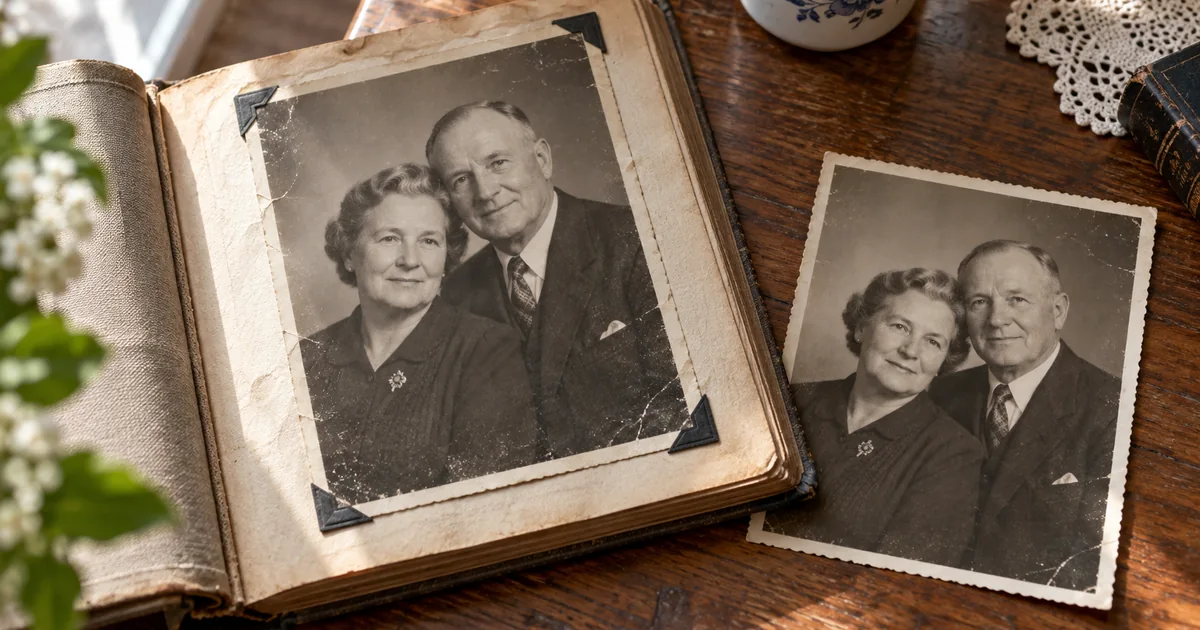

An old family photograph already carries a story. Animation can add a small moment of movement, but it can also replace a familiar smile or invent a gesture the person never made. Start with the photograph you want to preserve, then decide how much movement you are comfortable adding.
Download the family photo motion review · Try a short photo animation in Video Lab
Decide what the finished clip should mean
There are two different projects here. One moves the camera across an unchanged photograph. The other generates new frames in which people blink, breathe or move. The first can preserve every visible feature of the original still. The second creates an imagined performance based on it.
Choose before you generate. For a family-history presentation, a slow pan across the actual image may be the better fit. For a clearly labeled creative tribute, a gentle animation may be welcome. Do not assume everyone will react the same way to seeing a deceased relative appear to move.
If the picture includes living relatives, check that they are comfortable with the intended edit and sharing context. Keep an ordinary still version available. The animation should be an optional companion, not the only surviving copy of the family image.
Prepare the scan without redesigning the people
Digitize the photograph evenly, with as little glare and perspective distortion as possible. Include the full visible image before making a working crop. Keep an untouched scan in a separate file. If the photograph is physically fragile, choose a handling method appropriate to its condition rather than flattening it aggressively for a cleaner scan.
Correct orientation and a distracting color cast if needed. Remove small dust marks carefully. Be cautious with heavy face enhancement: a sharper-looking face can contain invented eyes, teeth or skin details. If you alter those features before animation, the video may faithfully animate the wrong person.
Use the photo restoration guide for the still-image review. Approve that stage separately. A restoration failure and a motion failure require different fixes, so do not combine them into one instruction like “restore, colorize and make everyone laugh.”
Choose a source with room for small movement
A front-facing or gently angled portrait with visible eyes is an easier first experiment than a crowded wedding photograph. Hair or glasses covering a face can become unstable when the head turns. A photograph with a missing cheek does not contain enough evidence to establish that person's moving profile.
For a group, identify every visible face and number them on a working copy. Decide whether each person should remain still or receive the same restrained motion. A prompt that says “everyone comes alive” leaves the model to invent several simultaneous performances.
Do not enlarge a tiny background face and assume the new detail is historical information. You may choose a wider composition with restrained atmosphere instead. The limit is the information in the source, not the confidence of the generated expression.
Make a motion-permission map
| Region | Proposed motion | What should remain stable |
|---|---|---|
| Main face | One subtle blink, if appropriate | Face proportions, gaze and expression |
| Head and shoulders | Very slight natural settling | Original angle and clothing structure |
| Hands | Usually remain still initially | Finger count, position and contact |
| Background | Minimal or none | Furniture, architecture and photograph edges |
| Camera | Locked for the first test | Original framing and perspective |
For the worked example, use a fictional studio portrait of a seated couple. Begin with a silent clip and stable framing. Ask for only a small blink and subtle breathing. Avoid a new smile, a wave, turning toward each other or spoken dialogue until you have a result the family actually wants.
The map is a review plan, not a set of guaranteed locks. Some models may introduce movement outside the requested area. That is why the whole clip needs inspection, including the first and last frames.
Write a small motion brief
Runway's image-to-video guidance separates the source image's visual role from the text prompt's motion role. That is a useful way to organize the request: the photograph establishes the people and scene; the brief describes the limited change over time.
Use a short duration supported by your chosen model. You do not need a long clip to find out whether the eyes or mouth drift. Keep notes on the source file, prompt and model so the next candidate changes one variable instead of restarting the entire experiment.
Review each face through the whole clip
Watch once at normal speed without music. Does the person feel recognizable? Then pause at the beginning, middle and end, and around any blink or head movement. Compare eye spacing, mouth shape, glasses, hairline and visible teeth with the source.
For groups, review each numbered face independently. A strong result for the central person does not make a distorted face in the corner acceptable. Look at hands and clothing next: a moving lapel, disappearing brooch or drifting hand can make an otherwise gentle clip feel unsettling.
Finally watch the background and the edges of the photograph. The wall should not breathe, and the album border should not melt into the scene. If the model treats the frame as part of the imagined room, crop the working source to the actual photograph or use a still-image camera move instead.
Pick the least invasive useful repair
If a new smile changes the mouth, remove the smile request and return to the approved still. If a head turn invents a profile, reduce the motion. If hands distort, keep them still or choose a composition that does not depend on hand movement. Never describe invented features as recovered memories.
After repeated identity changes, switch to an ordinary pan or zoom in a video editor. Move the crop slowly enough to let viewers read the image, and avoid zooming beyond what the source supports. You can add a factual caption and quiet music without generating facial motion at all.
This alternative is not a failed version of the project. It may be the clearest way to present the photograph, particularly when the original expression is what matters most. Choose the method that serves the family, not the effect that produces the most motion.
Label and archive the finished version
Keep the original scan, approved restoration, generated clip and final edit as separate files. Add a caption such as “AI animation made from a family photograph” when sharing the generated version. Preserve known names and dates in a separate factual note rather than asking the model to infer them from appearance.
Preview the final exported file on the screen where it will be shown. Music can make a strange expression harder to notice during editing, so review once more with sound off. Let the people closest to the photograph decide whether the animation feels appropriate before using it in a public tribute.
How QuestStudio helps
Use Video Lab with an image-to-video model to test the approved scan and one restrained motion brief. Compare a short candidate against the source before making a longer edit. Finish captions, music and any conventional camera move in your video editor; the generated clip remains an interpretation of the still.
Frequently asked questions
Can AI recover the person’s real movements?
No. It generates plausible motion from a still image. A blink, smile or gesture is an imagined performance, not recovered historical footage.
Should I restore the photo before animating it?
Fix distracting source problems carefully and approve the still first. Heavy face enhancement can change identity before animation begins.
Can I animate a large group?
You can try, but every face needs review through the clip. A simple portrait is a more manageable first test.
What if the face keeps changing?
Reduce the requested movement, return to the source, or use a conventional pan across the unchanged photograph. Do not keep a result solely because the motion is smooth.
Should the clip have a disclosure?
A clear note that it is AI animation from a still photo helps viewers understand what they are seeing, especially in family-history or memorial contexts.
Keep the memory in control
Finish one short, quiet version and compare it with the still. If movement adds something the family values, keep it alongside the original. Start that restrained test in Video Lab.
The worked example is a proposed creative exercise, not a measured model benchmark. The hero is an original AI-generated editorial illustration.