
The best AI character generator is not the one that makes the prettiest first portrait. It is the one that keeps the same identity when you change the pose, camera, clothing, lighting, background, and eventually the medium.
For a reusable visual character, our best overall pick is QuestStudio Character Forge because it connects saved character profiles and references to image and video production. OpenArt is the strongest focused alternative for a guided character-and-story workflow. Midjourney is best for high-aesthetic exploration, Ideogram is approachable for one-reference characters, and ComfyUI with a LoRA offers the most technical control.
Important intent check: this guide compares visual character generators. Conversational products such as Character.AI and Inworld create personalities and dialogue, not repeatable visual assets, so they do not belong in the same ranking.
Quick answer
Choose by the job you need to finish
- Best overall production workflow: QuestStudio
- Best dedicated character workflow: OpenArt
- Best visual style exploration: Midjourney
- Best approachable reference workflow: Ideogram
- Best for trained, technical control: ComfyUI plus a LoRA
Best AI character generator for individuals vs business teams
For individual creators
Prioritize a low-setup reference workflow, understandable controls, and a correction path you can afford to test. One attractive portrait is not enough: generate the profile, full-body, new-outfit, and difficult-lighting frames before paying for a longer plan. The right choice depends on whether you are making portraits, an illustrated series, an AI influencer, or video.
For business projects and teams
Prioritize approved-reference storage, reusable profiles, commercial-use terms, collaboration, version history, and a direct handoff into the formats the campaign needs. Record who approved the identity, which reference set is current, and which prompt and settings produced each accepted asset.
How to compare pricing without relying on stale plan numbers
Calculate the cost per approved six-frame character set, not the cheapest advertised subscription. Include failed generations, correction time, storage, team access, commercial-use requirements, and the cost of moving an approved character into image or video production. Confirm current prices and terms on the provider’s own site before purchasing because plans change faster than this comparison can be republished.
How we compared AI character generators
This is a workflow comparison, not a claim that every vendor was rerun in a controlled paid benchmark on the same day. We reviewed the current published character-reference, editing, organization, and output workflows, then compared them against the failure modes that matter in real production.
A useful character system should survive more than a flattering close-up. We prioritized five capabilities:
- Identity control: a saved profile, character reference, or trained adapter that anchors the face and body.
- Variation control: the ability to change pose, clothing, expression, camera, and location without rebuilding the person.
- Correction path: editing or regeneration controls that fix one detail without destroying everything else.
- Series workflow: organization for references, prompt versions, scenes, and approved assets.
- Production handoff: a practical route from the approved still into storyboards, social content, advertising, or video.
Pricing and model names change quickly, so confirm the current plan before buying. The durable question is whether the workflow matches the number and type of assets you need to ship.
AI character generator comparison
| Tool | Best for | Identity workflow | Main tradeoff |
|---|---|---|---|
| QuestStudio | Reusable profiles across image and video | Saved character plus reference image | Best value appears when you use the wider workflow |
| OpenArt | Stories, comics, and guided character reuse | Defined character reused in image and video | Small variations can still require correction |
| Ideogram | Simple realistic or illustrated references | Saved Character Reference | Some controls are unavailable with a character reference |
| Midjourney | Stylized concepts and art direction | One Omni Reference plus prompt and weight | Fine identity details may drift |
| Leonardo AI | Rapid game and concept iterations | Reference and image-guidance workflows | Model and setting choice adds complexity |
| LTX Studio | Storyboard-first narrative planning | Characters organized inside a production | Less focused on standalone character art |
| Adobe Firefly | Design-team editing and brand workflows | References plus nondestructive editing | Not a dedicated persistent-character system |
| Runway | Moving an approved character into video | Reference-led image and video workflow | Motion can expose identity drift |
| Scenario | Game-asset pipelines and custom styles | Project-specific model and asset workflow | Setup is heavier than a one-photo tool |
| ComfyUI + LoRA | Maximum control and repeatable batches | Trained adapter plus node workflow | Highest learning and maintenance cost |
What makes a great AI character generator?
A strong AI character generator usually needs to do at least three things well:
That is why consistency matters so much. A character is only useful long-term if you can reuse it in new scenes, prompts, and assets without losing the core look.
1) QuestStudio
Disclosure: QuestStudio publishes this guide, so judge this recommendation by the workflow rather than the placement. QuestStudio is our best overall pick for creators who want to take one approved character beyond a single image.
Character Forge supports creation from a description or reference image, saved names and bios, trait and identity controls, and reusable character profiles. Those profiles can then support work in Image Lab and Video Lab, which removes a common failure point: rebuilding the character from scratch every time the format changes.
The strongest use case is a creator building a mascot, AI influencer, story lead, or campaign character who needs portraits today and motion later. The workflow is less compelling if you only want one anonymous concept image and never plan to reuse it.
Best for
- creators building reusable characters
- marketers building mascots
- teams that need characters across images, voice, and video
Watch for: create and approve a compact reference sheet before scaling. No multi-model platform can rescue a weak or contradictory identity reference.
2) OpenArt
OpenArt is a strong dedicated option when the character itself is the center of the workflow. Its current character system lets creators define a reusable identity from a prompt, reference image, or guided presets, then call that character back inside image and video generation.
The advantage is continuity of workflow: a storyteller can create one character, reuse it in a portrait, a wider scene, a comic panel, and a video sequence without restating the full identity every time. OpenArt also acknowledges that small variations can still happen, which is the honest expectation for any reference-driven system.
Best for
- children's books, comics, and visual stories
- creators who want a guided saved-character workflow
- moving one identity between images and video
Watch for: a saved character reduces drift, but it does not remove the need to approve a reference sheet and correct difficult poses.
Before rebuilding a character series, the OpenArt and QuestStudio workflow comparison gives you a robot-scene brief and checks for the accepted image. Use a separate reference-based test for recurring identity; repeating the text brief does not establish consistency.
3) Ideogram
Ideogram is one of the clearest choices for users who want a reusable character without a training pipeline. Its Character Reference feature is designed to preserve facial features, hairstyles, and other recognizable traits from one image to the next. You can save a character, reuse it with new prompts, and combine it with Remix or Magic Fill for corrections.
The official workflow recommends a clear, well-lit portrait, preferably at a slight angle. That practical input guidance matters: reference quality often decides whether the system preserves identity or merely produces a similar-looking person.
Best for
- beginners using one strong portrait reference
- realistic and illustrated recurring characters
- targeted corrections with Remix or Magic Fill
Watch for: some generation controls are disabled while Character Reference is active, and extreme pose or style changes still deserve a separate consistency test.
4) Midjourney
Midjourney remains strong for visually impressive character concepts, especially fantasy, fashion, stylized illustration, and mood-rich portraits. Its V7 Omni Reference workflow accepts one character or object reference and lets you control its influence with Omni Reference Weight.
This is excellent for art direction, but it is influence rather than a promise of exact identity replication. Midjourney's own documentation warns that intricate details such as freckles or clothing logos may not match perfectly, and high stylization can compete with the reference.
Best for
- concept artists
- stylized fantasy characters
- visually rich hero images
Watch for: Omni Reference uses one image, costs more GPU time than a regular V7 image, and needs a clear text description alongside the reference.
5) Leonardo AI
Leonardo AI continues to appeal to creators who want flexible image generation and design workflows. It is often mentioned by creators working on concept art, character ideation, and asset-heavy visual production.
Its strength is breadth: reference guidance, model selection, editing, and rapid variations make it useful when a character is still being designed. That same breadth can become a weakness if a team changes models or guidance settings between scenes without documenting them.
Best for
- game art workflows
- rapid ideation
- stylized design variations
Watch for: save the exact model, reference, prompt block, and guidance settings with every approved character version.
6) LTX Studio
LTX Studio is relevant for creators who see a character as part of a story production rather than only a static portrait. Its value is planning: character, scene, shot, and narrative decisions live closer together, which reduces the handoff gap between concept art and storyboard.
Best for
- storyboarding
- film and narrative pipelines
- broader production planning
Watch for: choose it for a narrative pipeline, not because you only need one polished character sheet.
7) Adobe Firefly
Adobe Firefly makes the most sense for designers who care as much about correction and compositing as initial generation. Reference-led creation, masking, and nondestructive editing inside an established design workflow can be more valuable than a dedicated character button when a team needs controlled campaign assets.
Firefly is not a persistent-character database in the same way as a saved-profile tool. Its advantage is the ability to refine the surrounding design, repair specific regions, and continue through familiar creative applications.
Best for
- design teams already using Adobe applications
- marketing compositions that require controlled edits
- brand-sensitive asset production
Watch for: maintain your own approved reference sheet and identity prompt because the workflow is broader than character persistence.
8) Runway (character in motion)
When your character needs to move, Runway belongs in the comparison even though it is not primarily a character-sheet generator. It matters when the end product is motion-first marketing, a short film, or a concept reel. Start with an approved still and treat every new clip as a continuity test.
Best for
- motion tests and cinematic previews
- teams already centered on Runway Gen models
- creators who treat video as the primary deliverable
Watch for: fast motion, profile turns, occlusion, and large expression changes can expose drift that was invisible in still images.
9) Scenario
Scenario is aimed at game and asset pipelines where a character must fit a defined visual world. Project-specific training and controlled asset generation are useful when a studio needs a family of characters, props, and environments that feel intentionally related.
This is a heavier workflow than uploading one selfie, but that setup can pay off when the deliverable is hundreds of production assets rather than a handful of social posts.
Best for
- game studios and production artists
- custom visual styles across an asset library
- teams that can justify model setup and review
Watch for: budget time for dataset preparation, naming conventions, and quality review before scaling generation.
10) Open / node-based stacks (ComfyUI and similar)
Power users may prefer ComfyUI, a trained LoRA, and a controlled node graph. This route offers the highest ceiling for repeatable batches because the team owns the model, adapter, seed strategy, conditioning, and post-processing chain.
The tradeoff is operational: someone must curate training images, test for overfitting, version the workflow, manage compute, and troubleshoot model changes. It is powerful infrastructure, not a one-click character product.
Best for
- technical artists and pipeline owners
- heavy batch generation
- custom model and LoRA experimentation
Watch for: do not train on near-duplicate portraits only. Include the angles, expressions, and framing the production will actually require.
The six-frame test every AI character tool should pass
Marketing demos usually show the best two outputs. A production test should deliberately introduce the conditions that cause identity drift. Use the same anchor reference and identity block for all six frames:
- Neutral anchor portrait: front or three-quarter view, even lighting, visible hairline, and no obstructing accessories.
- Profile view: tests nose, jaw, ear, hair silhouette, and whether the tool understands the face beyond one angle.
- Full-body action: tests body proportions, clothing construction, and the ability to preserve identity when the face is smaller.
- New outfit: changes clothing while explicitly locking face, hair, age, body, and signature features.
- Difficult lighting: tests the same identity under night, rim light, or colored practicals without allowing the face to mutate.
- Two-character scene: tests whether identities blend, swap traits, or lose their assigned clothing and position.
Score each output from 0 to 2 for face, hair, body, outfit, style, and correction effort. A beautiful frame that needs ten rerolls is less useful than a slightly less dramatic frame you can reproduce. Keep the approved reference, identity prompt, model, settings, and final score in one project folder.
Which AI character generator should you choose?
For an AI influencer or brand mascot
Prioritize a saved profile, reference-image reuse, editing, vertical and horizontal formats, and a direct route into video. QuestStudio or OpenArt fits this workflow better than an image generator that treats every prompt as a fresh start.
For a children's book or comic
Prioritize expression sheets, pose changes, scene organization, multi-character handling, and local corrections. OpenArt is a focused option; QuestStudio is stronger when the same assets also need voice, video, or broader campaign reuse.
For game assets
Prioritize custom style control, turnaround sheets, batch output, transparent-background assets, and a versioned production pipeline. Scenario or a ComfyUI/LoRA stack deserves serious consideration.
For cinematic concept art
Midjourney remains compelling when aesthetic quality and rapid art direction matter more than exact face replication. Lock an approved frame elsewhere before you begin a long serialized production.
For one portrait from one photo
Use the simplest reference workflow available. Ideogram is approachable, while Character Forge is a better starting point if that portrait may become a recurring profile later.
A practical QuestStudio character workflow
Do not begin by generating twenty unrelated scenes. Build the identity once, test it, and only then expand production.
- Open Character Forge and start from a clean reference image or a specific description.
- Name the character and save the traits that cannot drift: face shape, age range, hair silhouette, body build, signature feature, and default outfit.
- Generate a small reference sheet before attempting finished scenes. Keep front, three-quarter, profile, and full-body views.
- Run the six-frame test above. Fix the identity profile if two or more frames fail; do not patch every scene with longer and longer prompts.
- Move approved references into Image Lab for scene creation and Video Lab when the still-image identity is stable.
- Save prompt versions and approved assets inside the same project so the next scene starts from evidence instead of memory.
The first goal is not maximum output. It is one reusable character that survives a meaningful change. That is the point where an attractive demo becomes a production asset.
Create and test a character profileFAQ
What is the best AI character generator in 2026?
QuestStudio is the strongest fit when you want a reusable character profile that can continue into image and video workflows. OpenArt is a focused alternative for a dedicated character-and-story workflow, while Midjourney is strongest for aesthetic exploration.
Which AI character generator keeps the same face?
Choose a tool with an explicit character-reference or saved-profile workflow. A clear, well-lit anchor portrait plus a fixed identity description usually preserves a face better than text-only generation.
Can I create a consistent AI character from one photo?
Yes. Several tools accept one reference photo, but reliability improves when you also create front, three-quarter, and profile references and test the character under new poses and lighting.
Is an AI character generator the same as Character.AI?
No. Visual AI character generators create reusable images or video references. Character.AI is primarily a conversational character platform, so it serves a different search intent.
Do I need LoRA training for consistent characters?
Not always. Saved character references are faster and sufficient for many social, storyboard, and mascot workflows. LoRA training is useful when exact repeatability across a large production justifies more setup.
How should I test an AI character generator?
Use the same character in six tests: neutral portrait, profile, full-body action, new outfit, difficult lighting, and a second-character scene. Score identity, outfit, style, and correction effort separately.
What is the best AI character generator for individual users?
Individual creators should favor a low-setup reference workflow, useful corrections, and an affordable way to test several scenes before committing. The best fit depends on whether the final asset is a portrait, illustrated series, social character, or video.
How should businesses compare AI character generator pricing?
Compare the cost per approved character set, not only the advertised monthly price. Include rerolls, correction time, commercial-use requirements, collaboration, storage, and the cost of moving approved characters into image or video production.
Is QuestStudio good for recurring characters?
Yes. QuestStudio's Character Forge is designed around saved profiles and references that can continue into image and video workflows, which is more useful for recurring characters than isolated text-to-image prompts.
Conclusion
The best AI character generator in 2026 is not just the one that makes the prettiest portrait. It is the one that helps you build a reusable character system.
Choose by the hardest change your character must survive, not by one polished demo. If the character needs to return across scenes and formats, build the reusable profile in Character Forge, run the six-frame test, and only then scale production.
Related guides
Continue with a useful next step
 Image
ImageAI Character Generator for Consistent Characters, Styles, and Worlds
Create consistent AI characters faster for games, stories, social content, and brand worlds with better prompts, references, and workflows.
 Image
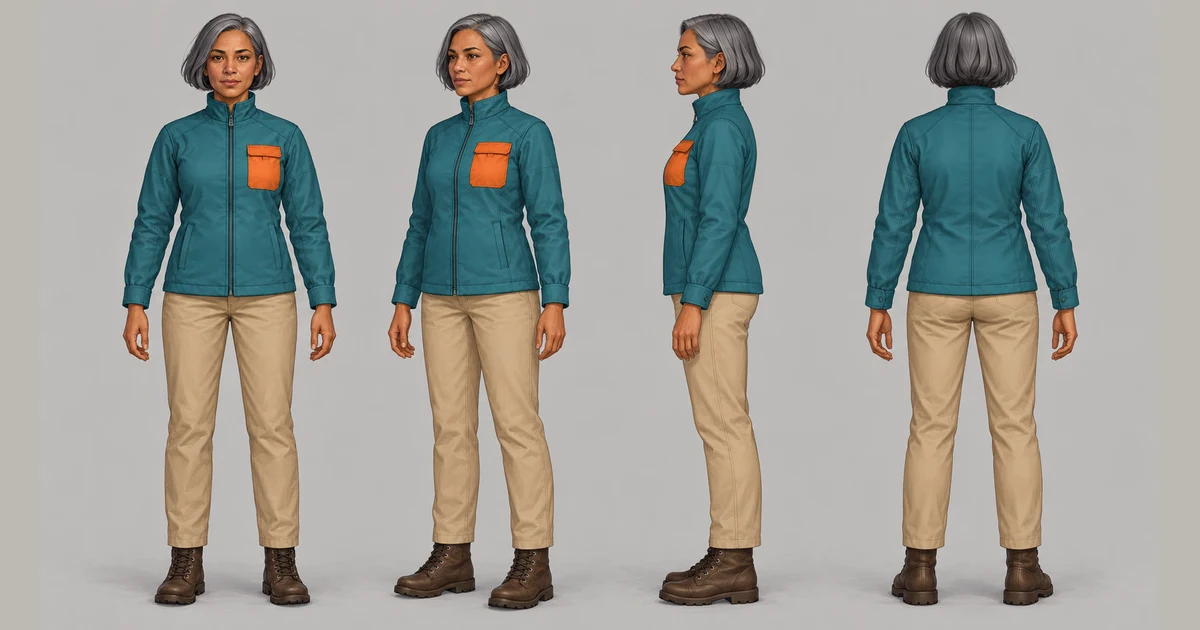
ImageAI Character Turnaround Sheet: Lock Identity Before Animation
Create an AI character turnaround sheet with front, side, back, expression, pose, clothing, proportion, and color references for consistent images and video.
 Image
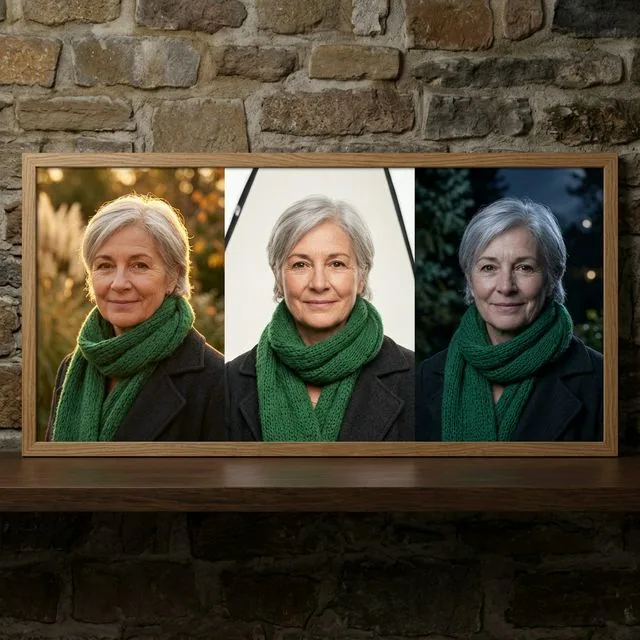
ImageBest AI Models for Character Consistency: 4 Compared (2026)
Compare Flux 2, Nano Banana, GPT Image, and Midjourney for character consistency using one six-image identity test, reference controls, edits, and cost.