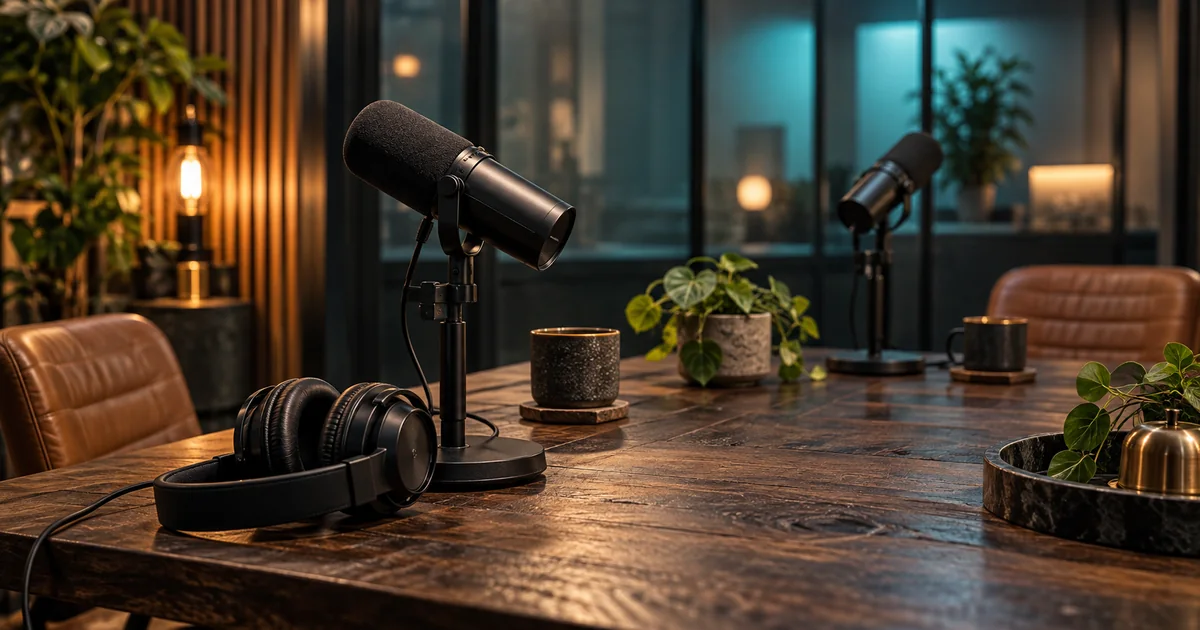

A podcast can need a better edit, cleaner speech, or more consistent levels. Those are different problems. Buying a speech enhancer will not decide which story to cut, and removing every pause will not make an interview more engaging. The best AI podcast tool is the one that improves the weak stage without damaging what already works.
Download the podcast tool audition · Draft a short podcast introduction
Compare by the stage you need to improve
| Tool | Recommended use | Important trial question |
|---|---|---|
| Descript | Rearranging dialogue through its transcript | Do the resulting cuts sound intentional? |
| Riverside | Recording, editing, and repurposing in one workflow | Can you control how aggressively automation edits? |
| Adobe Podcast | Enhancing a difficult speech recording | Does clarity improve without an unnatural voice? |
| Auphonic | Leveling and final audio processing | Does the result meet your delivery needs? |
| Cleanvoice | Automated cleanup before further editing | Can you inspect and adjust the edit afterward? |
How these picks were selected
These are editorial recommendations by use case, based on official product pages and documentation checked September 24, 2026. The picks cover complementary stages of podcast production. They are not ranked by a claimed listening benchmark, and their feature sets overlap. We have not run a comparative hands-on benchmark of these products, so the list does not claim a measured quality winner. The practical trial below is a method you can run on your own material.
Check the linked provider pages for current plans, usage limits, and export access. “Free to try” does not necessarily include the deliverable you need. The hero is an original AI-generated editorial illustration, not a product screenshot or test result.
Descript: best suited to a dialogue-led edit
Descript’s podcasting page describes transcription, editing, recording, and clip creation in one product. Our recommendation is to consider it when the editorial structure follows the conversation: remove a repeated explanation, move a section, or prepare a short excerpt.
Use the text to navigate, but use your ears to approve. Removing a sentence can leave an abrupt breath, a missing response, or a change in room tone. Read the paragraph after editing and listen across both cut points.
A useful trial includes a thoughtful pause and an unnecessary false start. You should be able to keep the first and remove the second. If an automatic pass treats both the same way, adjust the settings or work more selectively. The objective is a coherent conversation, not the lowest possible word count.
Riverside: useful when recording and repurposing belong together
Riverside’s AI feature overview describes editing controls, silence and filler removal, audio cleanup, and clip creation. Consider it when you want a connected workflow from a recorded conversation to the episode and its supporting clips.
Pay attention to the controls that govern automation. A lively interview and a reflective story need different pacing. Keep the reactions that help listeners understand the relationship between speakers, and review any automatic speaker-focused layout changes in a video episode.
The strongest trial is an actual guest session or a representative existing recording. Make one full-length edit and one short clip, then request a revision to each. Check whether the same workflow makes both outputs easier to manage. Avoid treating a clip suggestion as the final editorial judgment about what your guest meant.
Adobe Podcast: a focused speech-enhancement candidate
Adobe’s Enhance Speech guide explains a web-based route for improving speech recordings and describes an adjustable enhancement amount on Premium. It belongs on the shortlist when the problem is the sound of an existing voice recording rather than the episode’s structure.
Try a short section with the actual noise or room sound you need to reduce. Compare the original and processed versions at a similar listening level. Louder can seem better even when the voice has become less natural.
Listen especially to quiet endings, breathy words, laughter, and speech that overlaps another sound. If the result feels metallic or changes the character of the speaker, reduce processing where possible or keep the original for that section. A damaged recording may still need manual repair or a replacement take.
Auphonic: a candidate for consistent levels and delivery
Auphonic documents leveling, noise and reverb processing, multitrack functions, and configurable loudness targets. It is a good fit to investigate when the conversation is already edited but the speakers, music, or episodes need more consistent treatment.
Bring the real delivery requirements to the trial. Choose the loudness and peak settings for the destination rather than copying an unexplained preset from a tutorial. Compare a quiet speaker, a loud laugh, and the transition into music.
Check the complete exported file, including its opening and ending. Auphonic’s current free offering includes a jingle, so confirm the plan appropriate for a clean client or show deliverable. A free audition and a release-ready production are different purchasing questions.
Cleanvoice: cleanup with a path back to an editor
Cleanvoice describes noise and filler cleanup, multitrack editing, and timeline export. It is worth considering when repetitive cleanup is consuming time but you want to continue shaping the episode in another editor.
Test the handoff before processing a whole archive. Import a small result into the application you actually use and inspect where the cuts landed. Check that the separate speakers remain aligned and that you can still make a local correction.
A cleanup pass should preserve the meaning and personality of the conversation. Keep a guest’s hesitation when it communicates uncertainty; remove a distracting mouth sound when it contributes nothing. The useful metric is time saved on acceptable cleanup, including the time spent reversing poor decisions.
Separate editing, repair, and mastering decisions
Begin with the conversation. Decide what the episode needs to say and what can be removed. Then address specific recording problems. Finish with the level and delivery processing required for the destination. This order avoids polishing a long section that you later cut.
Keep original recordings and separate tracks when available. Once several voices and music are flattened into one file, some corrections become harder. A safety copy also gives you a way to compare the processed voice with what was actually recorded.
| Problem you hear | First task to investigate |
|---|---|
| The episode wanders | Structure and editorial cuts |
| One guest is hard to understand | Source quality and selective speech cleanup |
| Speakers jump in volume | Leveling and mix balance |
| The conversation feels rushed | Undo aggressive silence or filler removal |
| The export sounds different | Delivery format and playback review |
Audition a two-minute passage that contains the hard parts
Choose a passage with both speakers, a quiet sentence, a laugh, a pause, a false start, and a moment of background noise. If music is part of the show, include a short transition as a separate check. A clean monologue will not reveal the problems in a difficult interview.
Process the same passage in your finalists. Match listening levels, then compare without looking at the product name if possible. Write down missing consonants, unnatural breaths, abrupt cuts, and any change in meaning. These observations are more useful than a single overall score.
Next, try to repair one failure. Can you restore a removed pause, reduce cleanup on one phrase, or return to the source? Reversibility matters because no automatic pass understands every editorial intention. Record the correction time along with the initial processing time.
Budget for the complete episode
Estimate the amount of audio you will upload, the number of separate tracks, and the number of revisions. Check how the provider meters those actions and whether the required exports are included. A plan that fits a ten-minute solo show may not fit a weekly multitrack interview.
Keep the workflow simple enough to repeat. Moving the episode through several tools can be useful, but each transfer creates another version to track. Add a specialized service only when it solves an audible problem or removes a recurring production burden.
Save a short record of the accepted settings and why you chose them. Next episode, start from that record and listen again. A different room, microphone, or guest can require a different amount of processing.
How QuestStudio helps with supporting audio
Use Voice Lab to draft a clearly authored introduction, transition, or closing line. Keep that generated narration separate from the guest recording so you can place and revise it deliberately. For a restrained music idea, use Music Lab and finish the mix in your editor.
QuestStudio is the publisher of this guide. Its role here is supporting asset creation, not replacing the dedicated podcast-editing and repair workflows compared above. Listen to the complete episode once more after all assets are assembled.
Frequently asked questions
What is the best AI podcast editing tool in 2026?
Descript and Riverside are useful candidates for broader editing workflows. Adobe Podcast, Auphonic, and Cleanvoice are worth evaluating for specific cleanup, leveling, or handoff needs.
Should I remove every filler word?
No. Some hesitations and pauses carry meaning or make a conversation feel natural. Review automated cuts in context.
Can AI fix any recording?
No. Processing may improve a difficult recording, but clipping, overlap, and missing speech can remain problematic. Compare with the original and use a replacement take when needed.
Why compare audio at the same loudness?
A louder version can seem clearer simply because it is louder. Similar listening levels make changes in tone, artifacts, and intelligibility easier to judge.
Continue with a useful next step
 Voice
VoiceAdobe Enhance Speech: Clean a Recording Without Losing the Speaker
Choose a speech-cleanup test, compare matched listening levels, and catch missing consonants, altered names, and unnatural room changes before export.
 Voice
VoiceAI Podcast Intro Music: Build Around the Host’s First Line
Create AI podcast intro music around the host’s first line. Plan a recognizable cue, a clear voice entrance, and reusable opening, under-voice, and outro edits.
 Voice
VoiceAI Podcast Trailer: Give Listeners a Reason to Follow
Write and test a focused AI podcast trailer with an original repair-show script, honest voice choices, listening checks, and one clear follow action.