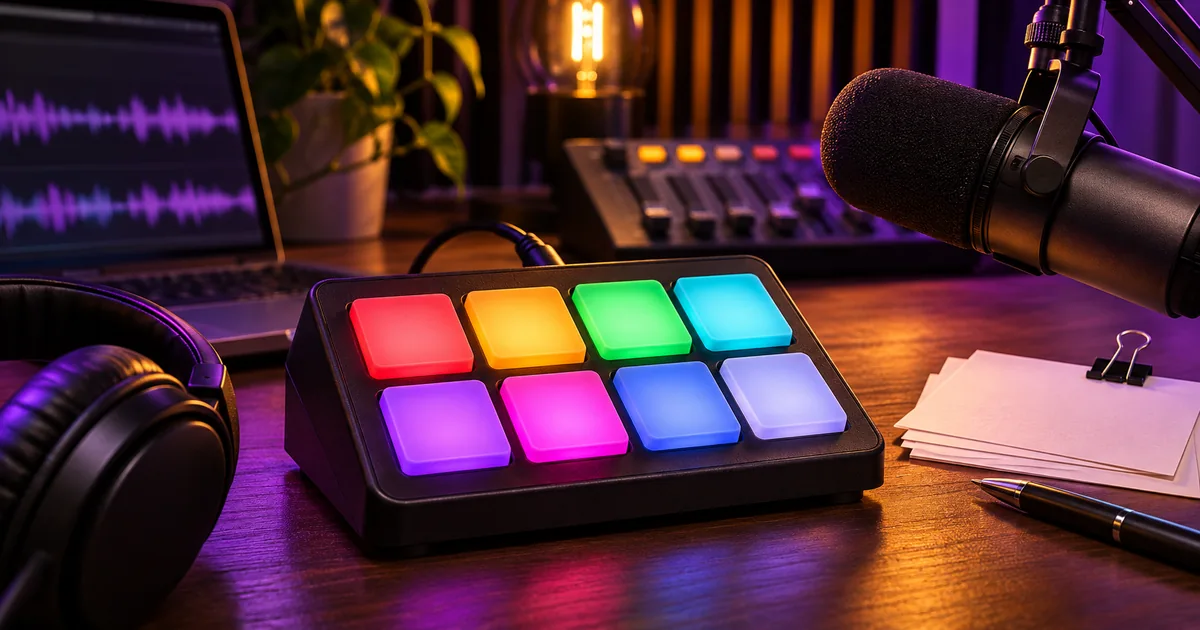

Set up a podcast soundboard with a small bank of named cues, a way to stop them immediately and a recording route that keeps them editable. Rehearse what you hear, what the guest hears and what lands in the recording. A sound that plays locally can still be missing from the mix the audience receives.
Start with cues that have a purpose
Pick three jobs for the first session. The opening cue announces the segment. A short stinger marks a change. A fade or stop control gives the host a clean way to get out of a cue. Use audio you made or can use in the recorded show. Name the playback assets by job so a guest producer can identify them without previewing every file.
The downloadable set includes a short three-note opening, a shorter two-note transition and a low-key end cue. These are synthetic practice sounds, useful for checking routing even if you choose different sounds for your show. Import any of them into your board using the WAV files and map a reliable stop control. Playback controls vary with the app or device. Elgato's documentation is one example of loading audio into a dedicated soundboard action.
Set most cues to play once unless you have a reason to keep them looping. For music under speech, audition the cue where the speech actually begins. If the first consonant disappears under the music, lower the cue or have the music end sooner. A soloed sound that seems quiet can still compete with speech.
Draw where each source should go
A remote session can have several different mixes. The host hears the guest and the cue while monitoring. The guest may need the cue to time a response, but sending the guest's own voice back with a delay can make the conversation difficult. The recorder needs the finished conversation and any separate sources your editor will use.
For a practical local recording, try track one as the full review mix, track two as host voice and track three as soundboard. Add a guest track if available. Route the cue source into the full mix and its isolated track. When using the OBS approach, confirm the enabled output tracks and the appropriate source assignments in its mixer. In other recording setups the names change but the question stays the same. Which source belongs in each saved track?
Use a guest-return mix that omits their own delayed audio when your setup supports it. Test the exact return route with a second person. A host can have perfect monitoring and still be unable to tell what reaches the guest. If the guest does not need to hear the cue live, adding it to the edit can be simpler.
Set comfortable levels in the conversation
Record ten seconds of the host speaking normally. Press the loudest cue and keep speaking through it. Listen back on headphones and on a speaker. If the words are still easy to hear but the cue is intrusive, shorten it as well as adjusting level. If the cue peaks when triggered twice, fix the playback behavior or the available headroom before the live show.
Change the soundboard source level separately from the microphone. That way a hot cue can be corrected without making the host quieter. Listen for clipping in the finished mix where the sounds overlap. In the show timeline, an isolated source also makes it easier to move a late cue several frames or change a fade.
Keep a low-effort fallback. A host can say “Let’s move on to the next story” when the transition does not fire. The editor can add the cue later if the spoken bridge and recording are clean. This matters more than squeezing extra buttons onto a crowded controller.
Rehearse three small failures
Start by recording each cue alone, then record the intended transition while the host speaks. Open the mix and the separate source tracks to see where they landed. In a test with a remote guest, ask them to tell you which cue they heard and whether their own voice echoed. Record the answer into the session notes.
Trigger the wrong cue on purpose in a disposable rehearsal. Time how quickly you can stop it and return to the show. If there is no clean stop, shorten or reassign that action. Then test hitting a key twice. Different controls may restart, stack, toggle or ignore the repeat. Pick the behavior you can handle without looking away from the script.
Finally, disconnect the soundboard or use the show without it for one segment. Verify the microphone and guest routes still work, and leave a verbal transition for the editor. A clean dry record gives you more options than a session where the board or wrong effect is inseparable from the dialogue.
Keep a one-page run sheet for the producer
Write a cue name, trigger moment, expected duration, recording track and emergency action. For a recurring show, add the file version and leave room for timing notes. When music changes, rehearse the edited cue in context. A file replacement in the same slot can have a different duration or peak level.
After the show, save the cue files next to the isolated recording tracks and the review mix. Note cues that fired early, late or more than once. The edit then starts with known evidence instead of a search through unlabeled effects.
Practice and verification
| Cue | Trigger | Expected track | Guest hears it? | Fallback |
|---|---|---|---|---|
| B-Transition | After host finishes question | Mix + isolated cues | Only if needed | Stop cue or keep spoken bridge |
How QuestStudio helps
Make a candidate theme or transition in Music Lab, then trim and approve the short cue in your editing tool. Use QuestStudio's video sound cue sheet to map where sounds belong if you also record a video version of the show.
Frequently asked questions
Can I use a podcast soundboard without a hardware controller?
Yes. An app with click or keyboard controls can be enough. Test how it starts and stops playback before using it during the show.
Should my guest hear every cue?
Only when hearing it helps them participate. Test a return mix in which they hear the necessary cue without a delayed copy of their own microphone.
Why can I hear the soundboard but it is missing from the recording?
Your monitoring can include a source the recorder does not capture. Inspect source routing, recorded tracks and the exported file.
Can I remove a wrong cue afterward?
If the cue is isolated, you can mute or move it. If the only surviving track already mixes the cue and the speech, clean removal can be difficult.
What file format should I use for soundboard cues?
Use a format the board supports. These practice cues use WAV so you can inspect and edit the original samples easily.
Before you deliver
Set up a small cue bank, verify the three listening paths, and practice recovering from one wrong trigger. Keep the isolated cue track so you can fix the timing afterward.
Sources
Related QuestStudio guides
 Voice
AI Podcast Transition Music: Make Short Stingers Work
Create short AI music stingers for podcast section changes. Plan their role, trim the cue, protect speech and test the transition in the finished episode.
 Creator Workflows
OBS Separate Audio Tracks for Mic and Desktop Sound
Set up separate mic and desktop audio tracks in OBS. Keep a combined preview mix, test the isolated tracks and fix missing or doubled audio before editing.
 Voice
AI Podcast Intro Music: Build Around the Host’s First Line
Create AI podcast intro music around the host’s first line. Plan a recognizable cue, a clear voice entrance, and reusable opening, under-voice, and outro edits.
Hero image created with AI. Practice materials by QuestStudio.