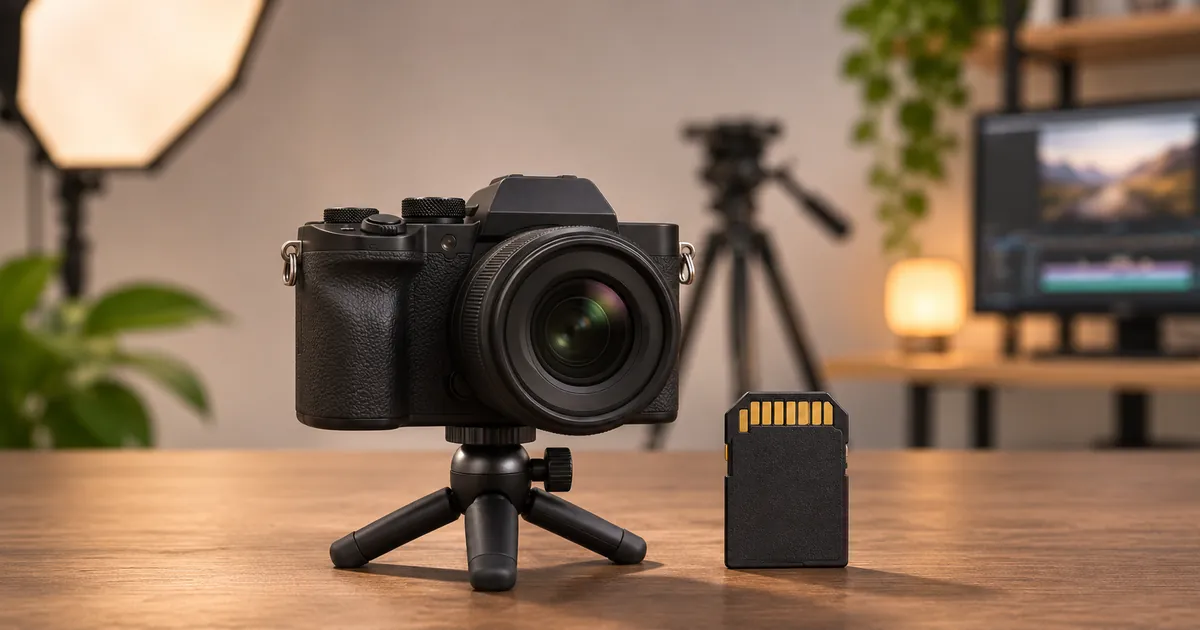

A full-size UHS-I V30 SD card with the U3 mark, such as the listed 128 GB SanDisk Extreme PRO, fits the card speed classes Canon lists for standard EOS R50 4K UHD movie modes, including standard-compression HDR PQ. Check that your camera is the EOS R50, then match the exact movie settings before ordering. Canon publishes a separate card table for the EOS R50 V.
Gear to consider
We may earn a commission if you buy through these Amazon links.
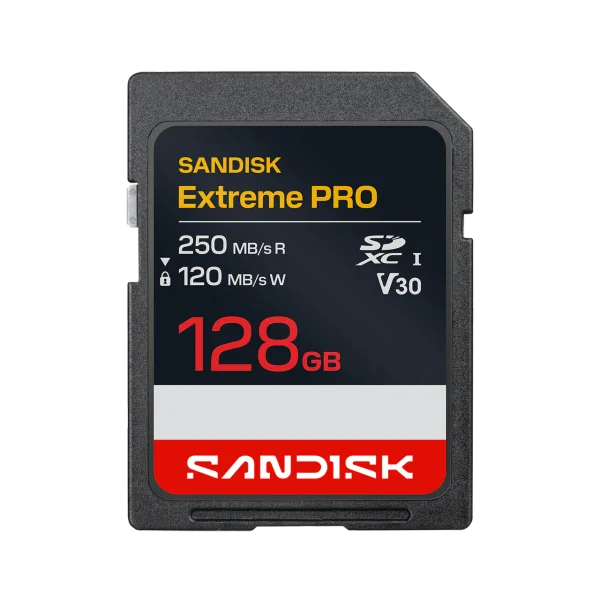
SanDisk Extreme PRO SDXC 128 GB
For documented EOS R50 modes that fit U3 and V30
Check the 128 GB SDXC version and both speed-class marks. Use the separate Canon table if your body says EOS R50 V.
Read the row for the mode you will shoot
Open the EOS R50 specification table and scroll to card performance for movie recording. Find 4K UHD, then match the frame rate, IPB compression and HDR PQ setting. The standard-compression SDR and HDR PQ rows use different card class requirements. Read the row for your intended mode before comparing the labels on different packages.
Look for the U3 symbol and V30 on the selected card. U3 and V30 are minimum speed-class designations used in different parts of the SD standards. A large maximum read number describes another test that often matters more for offloading to a compatible reader. It doesn't tell you which of Canon's sustained write requirements the package meets. Check the markings and manufacturer SKU even if two listings use nearly identical photos.
Estimate space for a real shoot
Canon's table estimates roughly 860 MB per minute for 4K standard compression with HDR PQ off and 1,218 MB per minute with HDR PQ on. Using those estimates, 45 minutes of footage would occupy about 39 GB in the first mode and about 55 GB in the second mode, before any planning margin. That calculation describes total footage, so it can include several separate clips. It doesn't establish how long an individual take can run.
Write planned minutes per scene. Add space for rehearsals, retakes and any other files that will share the card. Use measured size per minute when you have test clips from your own camera. On an interview, split the estimate into the main interview and separate B-roll. Pack a known-good spare for a paid shoot. Cards with footage already on them should stay clearly separated from empty ones.
| Camera or job | Look up | Plan for |
|---|---|---|
| EOS R50, HDR PQ off | 4K UHD and IPB setting | The selected row and measured shoot duration |
| EOS R50, HDR PQ on | 4K UHD and HDR PQ row | Both card class and greater file size |
| EOS R50 V | The separate model manual | Its codec-specific requirements |
| Long event | Camera limits, batteries and available space | Rehearsal at the expected temperature |
Use the camera review to plan a longer rehearsal
RTINGS' EOS R50 test reports 4K up to 30 fps on the original R50 and observed a heat interruption during its 4K battery test. The card can meet the written requirements while power, heat or a per-clip limit stops a recording. Test the exact setup you intend to use, with its chosen settings, normal airflow, batteries and the actual length you expect for the longest important take.
First copy anything you need off the card and verify the backup. Then follow the camera manual for in-camera formatting and 4K preparation. Record a representative test, including movement and audio, then play the middle and end of the file on your computer. Take a second short clip immediately after the first. This checks the restart process you will rely on when the room is busy.
If the spare produces the same early stop, note any camera warning and the time it appeared. Check the model-specific clip limits and temperature guidance before spending on a faster card. If one card alone stops early, test it with a known reader or replace it after confirming the camera settings and the card's exact SKU. The V30 vs. V60 guide explains the class labels and why faster on the package may have little effect in a given camera mode.
Plan the transition between cards
Make a short checklist for swapping before a planned break. Check remaining recording time in the chosen mode, stop the recording, wait for card activity to finish, and follow the camera manual before removing anything. Label the full card and set it aside. After inserting the spare, confirm the format settings and capture a few seconds with audio. Read back a portion of that file at the first convenient break. These steps protect you from discovering that the spare belongs to another camera only after you need it.
Plan the shoot in QuestStudio
Use Video Lab to storyboard the framing changes or plan reference clips. Assign a real estimated recording time to the interview, cutaways and room coverage before packing cards. Keep those estimates in the worksheet and record what the camera actually wrote during rehearsal. The resulting plan will be useful even when a scene runs longer than expected.
Frequently asked questions
Is a V60 card required for the EOS R50?
Consult Canon's exact mode table. The listed 4K UHD modes on the original EOS R50 can be matched with a full-size card bearing U3 and V30. The EOS R50 V has a different table.
Does a 128 GB card give me one take over two hours?
Card capacity describes total potential recording space in the selected mode. Canon's per-movie limits, operating conditions and power source determine the length of an individual take.
Why is the advertised read speed much higher than V30?
Maximum read speed describes how fast data might be read under suitable conditions. V30 identifies a sustained video speed class. Use the exact class the camera requires first.
Can I format the card after copying to a laptop?
Verify the copied files and make an independent backup before erasing the card. Use the camera's formatting instructions after you have confirmed those copies. The card copy verification guide gives you a repeatable check.
Buy the card for the mode, then test the take
Choose the SanDisk 128 GB option if your camera is the EOS R50 and the selected UHS-I card markings match the listing and Canon's table. Keep your current card if it already matches and passes a representative rehearsal.
Download the setup checklist (CSV)
Ready to check the listing?
We may earn a commission if you buy through these Amazon links.
SanDisk Extreme PRO SDXC 128 GB
Sources and further reading
- EOS R50 specification table
- RTINGS' EOS R50 test
- SanDisk specifications for the listed 128 GB card
- Separate Canon EOS R50 V specifications
Affiliate disclosure
As an Amazon Associate I earn from qualifying purchases. Recommendations draw on product documentation and the external tests linked above. The hero is an AI-generated setup illustration.
Continue with a useful next step
 Video
V30 vs V60 SD Cards: Choose for Your Exact Video Mode
Choose V30 or V60 using your camera’s exact video mode. Decode write classes, avoid SanDisk revision mix-ups, and estimate storage before buying an SD card.
 Creator Workflows
Verify an SD Card Backup Before Formatting It
Verify a camera SD card backup with file hashes, two separate destinations, and playback checks before you format the card for your next shoot.