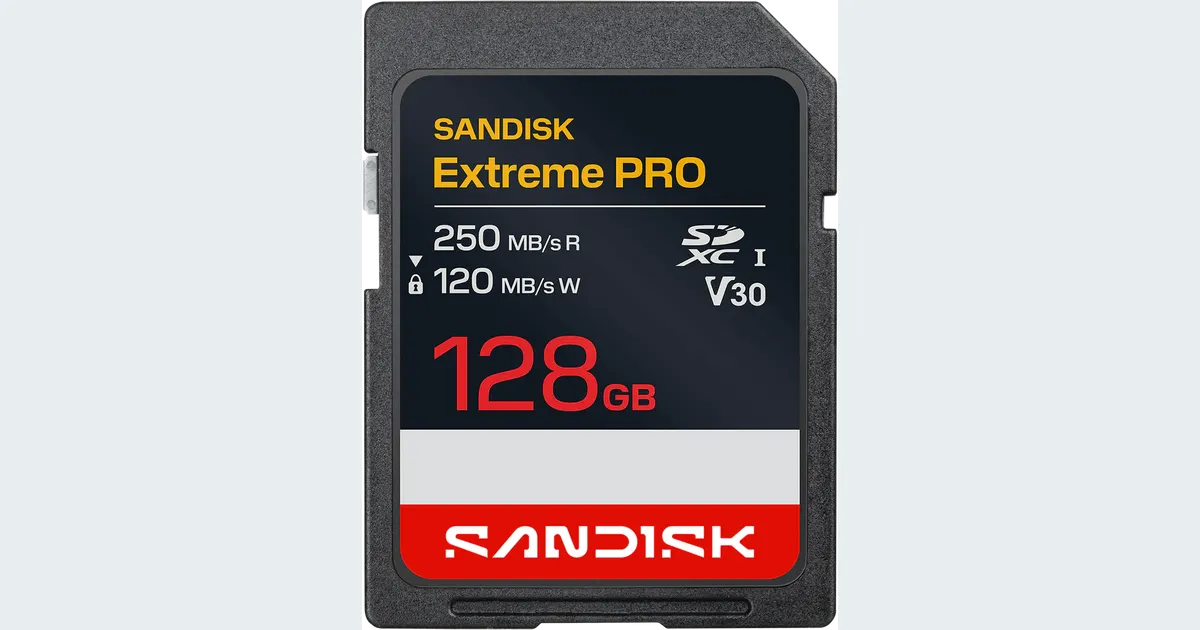

Choose an SD card from your camera’s requirement for the exact recording mode, not from “4K” on the box. V30 and V60 describe minimum sequential performance classes under defined conditions; they are not universal labels for a resolution. The linked SanDisk Extreme PRO 128 GB UHS-I V30 card is suitable only when your camera’s documentation accepts that card type and class for the mode you plan to use.
A product to consider
Check the fit below, then select Buy on Amazon for the current offer and buying options. We may earn a commission from this paid link.
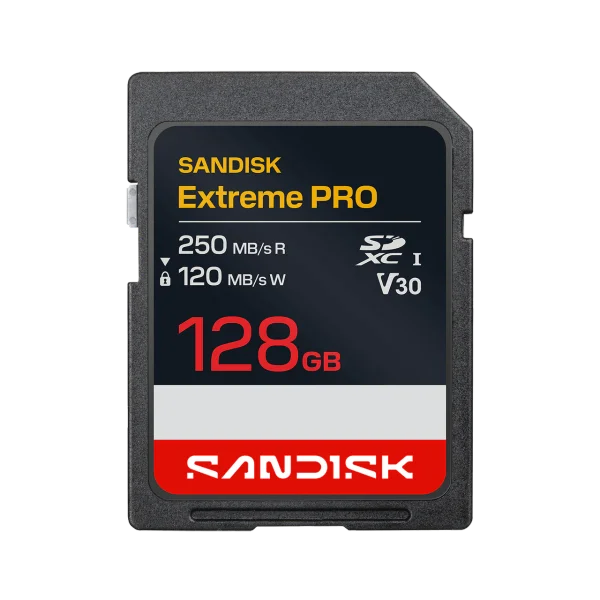
SanDisk Extreme PRO SDXC, 128 GB, 250 MB/s version
Only for camera modes whose manual accepts this UHS-I V30 card
Model SDSDXXJ-128G-GSCIN is a full-size SD card, not microSD. Buy it for a compatible mode; choose the required higher class if your camera specifies V60, V90 or another media format.
Download the practical worksheet
Original blank CSV worksheet. Record your own setup and observations.
Find the camera mode before comparing cards
Open the camera manual or current manufacturer support page and locate the media requirements. Record the camera model, firmware where relevant, resolution, frame rate, codec, bitrate and any special slow-motion mode. Two modes with the same pixel dimensions can place very different demands on a card.
Check the physical card format and supported capacity as well. A full-size SDXC card does not fit a microSD-only device. An adapter changes the physical connection; it does not upgrade a card's performance class or override a camera manufacturer's supported-media list.
If the manual specifies UHS-II, V60, V90, CFexpress or an approved model list, follow that requirement. A rough bitrate calculation is useful for understanding the workload, but it is not permission to substitute a lower class against the camera's instructions.
Separate read speed, write class and bus type
| Label | What it tells you | What it does not prove |
|---|---|---|
| Up to 250 MB/s read | A manufacturer transfer-speed claim in a supported setup | The minimum sustained write speed while recording |
| V30 or V60 | A defined minimum sequential performance class | Compatibility with every 4K camera mode |
| UHS-I or UHS-II | The supported bus interface family | That every host or reader reaches the advertised maximum |
The SD Association defines Video Speed Classes including V30, V60 and V90, corresponding to 30, 60 and 90 MB/s minimum sequential performance under the standard's conditions. Use the class required by the host rather than treating similar-looking symbols as interchangeable promises.
Read speed matters when copying footage off the card. Sustained writing matters while recording. A large read number on the label can be attractive without answering the camera's capture requirement. Likewise, a faster reader may shorten an ingest job without changing which video modes the camera permits.
UHS-II cards have a different contact arrangement and require a compatible path to use their bus capabilities. Check the camera and reader separately. Buying a higher-class card can be sensible for future use, but only after establishing what your current equipment actually supports.
The exact SanDisk option in this guide
The selected product is the 128 GB Extreme PRO SDXC UHS-I card, model SDSDXXJ-128G-GSCIN, marked up to 250 MB/s read and V30. SanDisk's documentation lists up to 120 MB/s write for this 128 GB revision. These are manufacturer claims, not our benchmark results, and the headline read rate depends on a compatible SanDisk QuickFlow path.
Do not mix it with the older SDSDXXD 200 MB/s revision, a different capacity or an Extreme PRO UHS-II V60 product. Similar names do not make their speed specifications identical. Check the model and label on the selected offer before ordering.
Our recommendation is conditional: this is a candidate for a camera mode that accepts its format and class. It is not our pick for every 4K production. We have not performed endurance, sustained-write or camera-compatibility testing on the linked card.
Estimate storage without mistaking it for certification
Bitrate is often expressed in megabits per second, while card capacity and transfer rates use bytes. Divide megabits per second by eight to estimate megabytes per second. Then multiply by the intended duration. This arithmetic helps plan capacity, but it does not account for every camera overhead, variable-bitrate behavior or reserved space.
Illustrative calculation: 100 Mb/s ÷ 8 = 12.5 MB/s. Over 30 minutes, 12.5 × 1,800 = 22,500 MB, or about 22.5 decimal GB before other overhead. This is an example, not a claim about a particular camera.
Leave room for retakes and the camera's actual usable capacity. A nominal 128 GB label does not guarantee that an exact number of minutes will fit in your chosen mode. Use the camera's remaining-time estimate and a rehearsal to refine the plan.
A bitrate below 30 MB/s does not automatically prove that V30 is accepted. Some cameras impose specific card or bus requirements for a mode. Record the manual requirement next to your estimate so the calculation cannot silently replace it.
Run a capture-to-backup rehearsal
Use the worksheet before an important recording. First copy and verify anything already on the card. Formatting can erase files, so follow the camera manufacturer's procedure only after you know the data is safely preserved. Do not experiment on the only copy of a project.
- Identify: record the full card model, capacity and class markings.
- Configure: select the exact camera mode you intend to use.
- Rehearse: record a realistic scene for a duration relevant to the job.
- Inspect: play the saved clip and check for errors, stopped recording or damaged files.
- Copy: transfer the files, verify that the destination copies open, and preserve a separate backup.
A successful rehearsal gives evidence about that setup and session. It does not establish a universal reliability rate. If the camera reports a card error, stop using that card for critical capture until the cause is resolved. Repeated formatting is not a substitute for investigating incompatible or failing media.
Use a reputable seller and check the actual delivered item against the order. Suspicious capacity or behavior deserves investigation before an irreplaceable shoot. Do not rely only on a marketplace title or aggregate rating.
Keep camera media separate from editing storage
A camera card is capture media. An external drive can serve as working storage after ingest, but one drive is not a backup merely because it sits outside the computer. Our external SSD guide explains the project-storage decision.
If your reader is in a hub, check its supported bus and the other devices sharing the connection. The creator hub guide covers why a fast SSD, display and card reader can compete for resources. A slow copy does not necessarily mean the card failed to meet its recording class.
For a live camera feed sent over HDMI, a capture adapter solves a different problem. It does not replace the internal card requirements when you also record in the camera.
Use real footage as the source of truth
After backing up the files, plan the finished sequence. Keep genuine demonstrations as genuine footage. Use QuestStudio Video Lab for a separate illustrative insert when that helps the explanation, and label source footage and generated assets clearly in your project.
The useful purchase is the card that reliably supports the documented mode and your working routine. If your camera requires V60, buy for V60. If it accepts this V30 model and your rehearsal succeeds, a more dramatic number on another label may not improve the final video.
Check the current offer
If this product fits the setup described above, review the selected model, condition and included contents on Amazon. We may earn a commission from this paid link.
Frequently asked questions
Is V30 enough for 4K video?
Sometimes, but resolution alone cannot answer that. Follow the camera manufacturer’s requirement for the exact codec, frame rate and recording mode.
Does 250 MB/s on the card mean V250?
No. That is an advertised maximum read speed for a supported transfer setup. It is separate from the V30 class marking.
Can I choose a card from bitrate arithmetic alone?
No. Arithmetic helps estimate storage and understand data rates, but camera-specific class, bus and approved-media requirements still control.
Is the linked card microSD?
No. It is a full-size 128 GB SDXC UHS-I card, model SDSDXXJ-128G-GSCIN. Check the slot and model before buying.
Will a faster card speed up AI video generation?
No. It affects supported capture and file-transfer work. QuestStudio’s cloud generation is a separate process.
Sources and further reading
Research checked October 27, 2026. Check the current Amazon offer for seller, price, availability and included contents. Images: credited manufacturer product imagery, not QuestStudio test photographs. Original decision framework and worksheet: QuestStudio.
Affiliate disclosure and research approach
As an Amazon Associate I earn from qualifying purchases. If you buy through paid links, QuestStudio may earn a commission at no extra cost to you. See our editorial and affiliate policy.
This is a research-based guide using linked manufacturer documentation and clearly attributed published reviews where available. We have not tested this equipment hands-on. The worksheets are original exercises for your observations, not published test results.