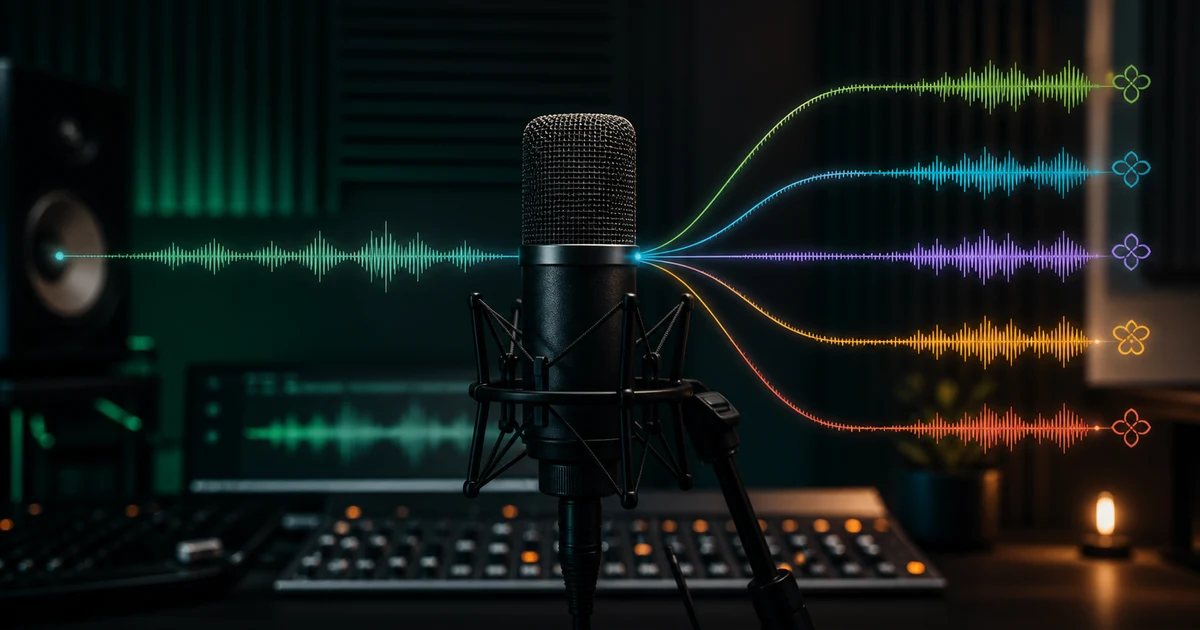

Chatterbox Multilingual is useful when you have permission to reproduce a voice and need that voice to deliver speech in more than one language. The model can get you from a short reference clip to a convincing test quickly. The hard part is deciding whether the output still sounds like the same person, says the right words, fits the target language, and is safe to publish.
Resemble AI describes the current Chatterbox family as open-source text-to-speech with zero-shot voice cloning. Its official Chatterbox repository separates Multilingual from English-focused Turbo and Nano variants. Its Chatterbox Multilingual model page says the latest V3 family improves speaker similarity, unwanted continuation, repetition, and conversational delivery. Those are model claims, not permission to skip your own listening test.
What Chatterbox Multilingual is good at—and what it cannot decide
The model is designed to take a short audio prompt and synthesize new text in a similar voice. That makes it relevant to multilingual narration, localized product explainers, permitted character dialogue, creator intros, and internal prototypes. The public model documentation lists broad language coverage and dedicated language packs for some regional variants.
It cannot decide whether your translation sounds natural, whether a local phrase is culturally appropriate, whether a voice owner approved a new use, or whether a small identity change is acceptable. It also cannot tell you that a technically fluent clip now sounds like the wrong age, accent, emotional state, or person. Those are editorial decisions.
| Decision | What the model can help with | What a person must verify |
|---|---|---|
| Voice identity | Condition speech on a reference clip | Whether timbre, rhythm, age, and character still match |
| Language delivery | Generate supported-language speech | Pronunciation, dialect, grammar, code-switching, and cultural fit |
| Performance | Create expressive variations | Whether emotion serves the scene instead of becoming imitation or parody |
| Safety | Use model-level provenance features where available | Consent, disclosure, approved use, storage, access, and revocation |
Step 1: prepare a reference clip that represents the voice
A longer recording is not automatically a better recording. Resemble AI recommends at least 10 seconds for Chatterbox Multilingual. Start with 10 to 30 seconds of a single speaker in a quiet room, speaking at the distance and intensity you want the generated voice to inherit.
- No background music, room conversation, or second speaker.
- No clipping, aggressive denoising, reverb, phone-call filtering, or heavy compression.
- Consistent microphone distance and volume.
- A natural sentence with varied consonants and vowels—not one repeated phrase.
- The voice owner's written permission for this project, language, audience, and distribution.
Trim long silence from the beginning and end, but do not remove every breath or make the voice unnaturally sterile. If the clip contains a smile, whisper, dramatic performance, or unusual accent, expect that character to influence the result. Save a clean original before processing so you can return to it when a cleanup pass damages the voice.
If you are unsure whether the recording is usable, run it through the voice-clone sample readiness checker before spending generations on a bad input.
Step 2: write a language-aware test script
Do not begin with a two-minute final narration. Use three short test blocks that expose different failure modes:
- Identity block: one natural sentence in the reference language.
- Pronunciation block: names, numbers, abbreviations, product terms, and difficult words from the real project.
- Performance block: a short line with the intended pace and emotion.
Translate for speech, not for a spreadsheet. Break long sentences where a speaker would breathe. Spell out ambiguous abbreviations. Decide whether numbers should be read as years, prices, measurements, or individual digits. A fluent reviewer should approve the script before generation; fixing the translation after you have judged the voice mixes two problems together.
A useful 20-second test
Identity: “Thanks for joining me. Today we are testing a clearer, more natural version of this introduction.”
Pronunciation: Add one name, one number, one date, and one product-specific word from your actual script.
Performance: Add one line that should sound warm, urgent, calm, or conversational—then name the intended delivery in your review notes.
Step 3: run a controlled Chatterbox test in QuestStudio
Go directly to Chatterbox Multilingual in Voice Lab so the article-to-tool handoff stays measurable.
Use the clean clip you approved in the previous step. Do not upload public speeches, celebrity audio, customer calls, or a coworker's recording without explicit permission.
Match the script to the selected language. If you need a regional dialect, record that requirement because a general language label may not guarantee the intended region.
If the voice already drifts in its source language, changing languages will not rescue the input. Fix the reference before continuing.
Keep the reference and script fixed while you compare language or delivery. Keep the language and reference fixed while you revise punctuation or wording.
Label candidates A, B, and C without generation details. Ask reviewers to score them before revealing which settings produced each clip.
Step 4: score the output before you publish
A polished waveform is not proof of a usable voice clone. Score every candidate from 1 to 5 on the same rubric. Reject the clip when an identity, meaning, consent, or safety issue is severe, even if the average score looks good.
| Criterion | Listen for | Automatic rejection |
|---|---|---|
| Speaker identity | Timbre, age, accent, cadence, and characteristic rhythm | Sounds like a different person or exaggerates a protected trait |
| Words and meaning | Every word, number, name, and pause | Invented, missing, repeated, or meaning-changing speech |
| Language quality | Pronunciation, dialect, stress, grammar, and natural phrasing | A fluent reviewer cannot approve it |
| Audio quality | Noise, clicks, metallic tails, clipped consonants, and inconsistent loudness | Artifacts distract from the message or survive a clean regeneration |
| Performance fit | Emotion, pace, emphasis, and audience appropriateness | Deceptive, manipulative, or outside the approved use |
For localization, use at least one fluent reviewer who was not involved in writing the translation. Familiarity makes it easy to hear the intended word instead of the generated word. For regulated claims, customer instructions, or safety content, add a subject-matter review as well.
Chatterbox troubleshooting: fix the cause, not the symptom
The clone sounds like a different person
Return to a cleaner, more representative reference. Match the speaking intensity to the target script and shorten the test. Compare against XTTS v2 before assuming more processing is the answer.
Pronunciation is wrong
Rewrite the smallest failing phrase, expand abbreviations, separate numbers, and test a native-language spelling or approved phonetic treatment. Regenerate that sentence, not the full script.
The accent drifts across languages
Have a fluent listener determine whether the drift is intelligible, unnatural, or identity-changing. Test a reference spoken in the target language when the voice owner can provide one.
The model repeats or continues
Break the script into shorter semantic units, remove confusing punctuation, and generate one section at a time. Never edit an invented word into the transcript as if it were intended.
The audio has hiss or metallic tails
Inspect the source before applying more denoising. Heavy cleanup can create the texture the model amplifies. Re-recording ten clean seconds often beats repairing a weak minute.
The delivery is flat or overacted
Simplify the direction, shorten sentences, and change one performance cue. If the clone still fights the scene, choose a different model or record the human performance.
Chatterbox Multilingual vs XTTS v2: run a real comparison
QuestStudio includes both Chatterbox Multilingual and XTTS v2 because voice-cloning quality depends on the input, language, script, and intended delivery. Chatterbox is a strong first choice for expressive multilingual testing. XTTS v2 is useful as a second baseline when you want to compare speaker similarity, pronunciation, and stability under the same conditions.
Do not compare a polished Chatterbox clip with a first-draft XTTS clip. Use the same authorized reference, the same short script, the same target loudness, and the same reviewers. Track generation cost and review time alongside quality. The cheapest generation is not cheap if every usable sentence requires manual repair.
Consent and disclosure belong in the workflow
Open-source weights and model watermarks do not grant rights to a person's voice. Before cloning, record who owns the reference, who approved the clone, which languages and channels are allowed, how long permission lasts, who can generate with it, and how the owner can revoke access. Disclose synthetic speech where the audience could reasonably believe the person recorded the new line.
Resemble AI documents PerTh watermarking for Chatterbox outputs, but provenance is one layer—not a substitute for access control, honest labeling, or consent. Read the broader voice-cloning permissions and safety checklist before client, employee, customer, political, medical, financial, or public-figure use.
How QuestStudio helps you move from test to usable audio
QuestStudio gives creators one place to test Chatterbox Multilingual, compare XTTS v2, keep the voice result near the video or music project, and continue without building a local Python environment. The valuable next step is not “sign up someday.” It is to run one short, authorized, language-aware test and decide whether the result passes your rubric.
Run the 20-second identity test
Bring one clean reference clip and the three-part test script above. Generate the source-language version first, then one target language, and score both before expanding the project.
Open Chatterbox MultilingualChatterbox Multilingual voice cloning FAQ
How much reference audio does Chatterbox Multilingual need?
Resemble AI recommends at least 10 seconds. A clean, representative clip with one speaker is more useful than a longer clip containing noise, music, or inconsistent delivery.
Can Chatterbox clone a voice across languages?
Yes. Chatterbox Multilingual is designed for cross-language voice cloning, but pronunciation, accent, rhythm, and speaker identity should be reviewed by a fluent listener in every target language.
Why does a Chatterbox voice clone sound like a different person?
Common causes include a noisy or unrepresentative reference, mismatched speaking style, long difficult scripts, weak pronunciation cues, or an unsuitable language and accent combination.
Should I use Chatterbox Multilingual or XTTS v2?
Start with Chatterbox when expressive multilingual delivery is the priority. Test XTTS v2 as a controlled comparison when you need another voice-cloning baseline or a different language and stability tradeoff.
Can I clone someone else's voice with Chatterbox?
Only use a voice you own or have explicit permission to clone for the stated purpose. Keep consent, disclosure, and revocation records and never use a clone to impersonate or deceive.