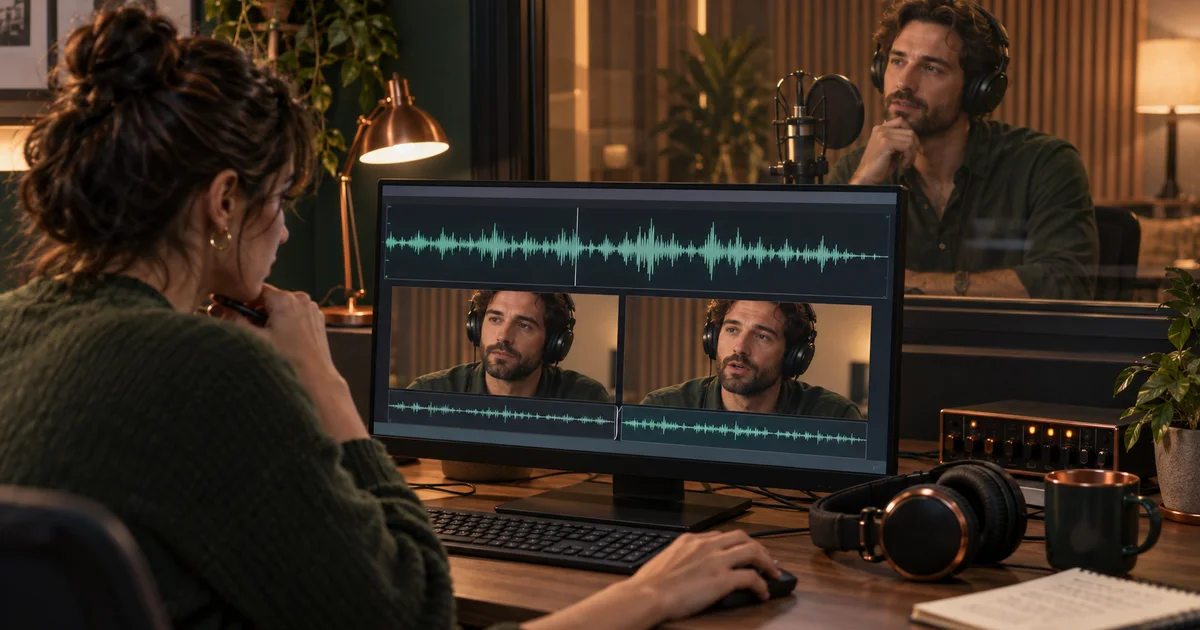

Removing a stumble from an interview can leave a clipped consonant, an unnatural breath, or a face that jumps mid-thought. Descript Regenerate can help repair a short transition, but a smoother result is only useful if it preserves the intended words and performance.
Download the speech edit repair log · Rehearse a script in Voice Lab
Feature information checked September 17, 2026, including Descript’s August update. The museum-host edit is an original review exercise, not a recorded Descript product test. The hero is an AI-generated editorial illustration.
Decide whether you are repairing delivery or changing words
There are two different jobs hiding inside “fix this sentence.” One keeps the intended wording and smooths a rough edit. The other replaces words the speaker did not record in that form. The second needs additional review of meaning and speaker authorization, even if both jobs can sound seamless.
Descript’s current Regenerate overview describes audio and video repair and identifies current eligibility limits, including English-language support. Rewriting speech requires an authorized custom AI speaker. Verify that the selected material is supported before spending time adjusting an unsuitable selection.
Our exercise keeps the instruction “The west gallery opens at nine.” The host stumbled before “opens,” and the ordinary cut makes the transition sound abrupt. We want the same sentence, not a more enthusiastic speaker, a different opening time, or a newly invented promise.
Preserve three versions so you can compare fairly
Keep the original take, the ordinary edit, and the regenerated candidate. Each answers a different question. The original preserves the performance; the ordinary edit shows the specific defect; the regenerated version should solve that defect without introducing a worse one.
Mark the words that carry meaning. In the museum line, “west” distinguishes the location and “nine” gives the time. A result that softens “west” into an unclear syllable fails, even if the join sounds smooth. Include emphasis and uncertainty when they matter: changing “might open” to a confident-sounding “opens” can alter the message without a large textual change.
Choose a passage long enough to hear the sentence in context. A repair may sound natural as an isolated phrase and rushed when placed between the preceding question and the next answer. Preserve those neighbors in your comparison sequence.
Select one clean edit boundary
For a rough cut, Descript’s current repair instructions recommend selecting surrounding words at the transition and using Regenerate. Preview the candidate, then keep, retry, or revert. A selection containing multiple edits or a scene boundary can be unsuitable; reduce it to the specific transition you are repairing.
Do not begin with an entire paragraph because the edit is somewhere inside it. A broad selection gives the process more material to reinterpret and makes it harder to identify the improvement. Start with a few surrounding words that include a natural lead-in and exit.
At the same time, avoid a selection so tight that it cuts through the sound you are trying to preserve. A consonant, breath, or word ending may need context on both sides. Let the audible phrase guide the boundary instead of selecting only the visibly empty gap.
Choose audio only or audio and video for a reason
Use audio-only repair when the picture is already covered by a cutaway, the project is audio, or the visual transition is acceptable. Consider audio-and-video repair when a supported visible speaker shot needs the face and movement to bridge the edit. Current Descript guidance lists restrictions for cases such as multiple speakers, sequences, obscured faces, and B-roll; the available controls should decide eligibility.
| Editing situation | First choice | What to inspect |
|---|---|---|
| Podcast stumble | Audio repair | Words, breath, cadence, room tone |
| Interview covered by a painting detail | Audio repair with existing cutaway | Speech continuity and cutaway timing |
| Supported single visible speaker | Consider audio-and-video repair | All audio checks plus mouth, eyes, and posture |
| Unsupported or ambiguous speaker view | Conventional edit or new recording | Meaning and continuity remain clear |
A cutaway is not a failure of AI editing. If the museum host is describing a painting, an accurate view of that painting may improve the story while covering the visual join. Use the method that serves the piece with the least unnecessary reconstruction.
Audition the repair in a fixed order
- Words: Listen without reading the transcript and write what you hear. Compare with the intended line.
- Meaning: Check names, numbers, negation, uncertainty, and emphasis.
- Delivery: Listen for rushed syllables, misplaced stress, and a breath that arrives at an unnatural point.
- Sound: Compare tone, level, and background ambience with the adjacent original audio.
- Picture: If video changed, inspect the mouth, jaw, eyes, hands, and body position through the transition.
Use comparable playback levels. A louder candidate can seem clearer simply because it is louder. Listen once through headphones and once through an ordinary speaker if that matches the intended audience. A small artifact hidden by studio playback may be conspicuous on a phone.
Watch the full sentence at normal speed before scrutinizing frames. Then inspect the transition slowly. Both views matter: a single odd frame may be invisible in motion, while a subtle change in gaze can feel distracting across several frames.
Keep, retry, or return to a conventional edit
Keep a result only when it fixes the identified defect and passes the meaning checks. If it introduces a new problem, describe that problem before retrying. “The word nine loses its initial sound” is a useful reason to widen or move the selection. “Try again because it might be better” can become an unbounded search.
Descript’s August 5 release notes describe a rebuilt Regenerate flow. If your interface differs from an old tutorial, use the current controls and help text. Finish or revert an active preview before starting another repair on the same material.
Set a small attempt budget appropriate to the project. If the same word keeps changing, consider retaining the original breath, using a less aggressive ordinary edit, covering the cut visually, or asking the speaker for a pickup. A short rerecord can be faster and clearer than repeated synthetic repair.
Review the exported passage, not just the preview
Place the accepted edit back into the complete sequence and export a review copy. Confirm that captions still match the spoken words, the timing remains useful, and no neighboring edit was unintentionally changed. A repair that shifts the rhythm may require a caption or cutaway adjustment even when its audio is acceptable.
Record what was changed and why, especially for client work. The useful note is brief: “Smoothed the stumble before opens; west and nine preserved; host approved final line.” Do not describe a proposed exercise as an approved real-world edit.
If you need a separate narration passage, rehearse the script in QuestStudio Voice Lab before recording or generating the final version. Regenerate itself runs in Descript. For noisy recordings where the words and cuts already work, the speech-cleanup guide addresses a different problem.
Frequently asked questions
Is Regenerate the same as removing background noise?
No. This workflow repairs a short speech or video transition. Noise cleanup addresses the recording’s sound and may be more appropriate when the performance and edit are already correct.
Should I rewrite a sentence just to hide a cut?
Only when a wording change is actually intended and authorized. Start by preserving the original meaning and repairing the transition itself.
What if the video repair is unavailable?
Check current eligibility. You can often keep an ordinary visual cut, use appropriate B-roll, repair audio alone, or record a pickup instead.
What is the most important approval check?
The final wording and meaning must be correct. A natural-sounding repair that changes a name, number, negation, or degree of certainty should not be accepted.