
Use ElevenLabs Scribe v2 batch transcription when you have a recorded interview or other finished audio file. Request speaker labels and word timing when the chosen workflow exposes them. Then verify the output against the recording before handing it over. A transcript can read well and still assign a quote to the wrong person.
Scribe's speaker IDs identify apparent speakers. The editor decides who those speakers actually are. Start with one clean turn from each person and make a short list of names, numbers, and overlapping lines that deserve extra attention.
Choose the transcription job before uploading
Use batch transcription for a complete file. Use a real-time route for live audio when you need partial results during the recording. Those are different model routes. ElevenLabs describes the batch and real-time options, word timing, speaker diarization and structured output in its transcription documentation.
Check the intended deliverable. A written transcript may only need text and occasional time references. An editor who must find every disputed quote needs source timestamps or word-level timing. A caption workflow also needs readable cue breaks and display durations. Keep the original structured output if you will need more than plain text.
Use the final recording, or label the exact file revision if someone may edit it afterward. If you remove a minute from the front of the audio after transcription, the time codes refer to the old file. Use an approved upload path for the recording, especially when it contains guest or client material.
Establish who the speaker IDs represent
Find an introduction or clear solo turn. Play it, confirm who speaks and record the mapping from the generated speaker ID to the person's name or role. Do the same for the second speaker. Check another clean turn near the end to make sure the assignment stayed consistent.
If your microphones were recorded onto separate channels, inspect the channel layout before choosing a transcription route. ElevenLabs documents a multichannel batch workflow. Channel assignment can help when each channel reliably belongs to one person. It still needs listening when there is bleed, crosstalk, a shared recorder, or a change of microphone.
Check timing and words against the original audio
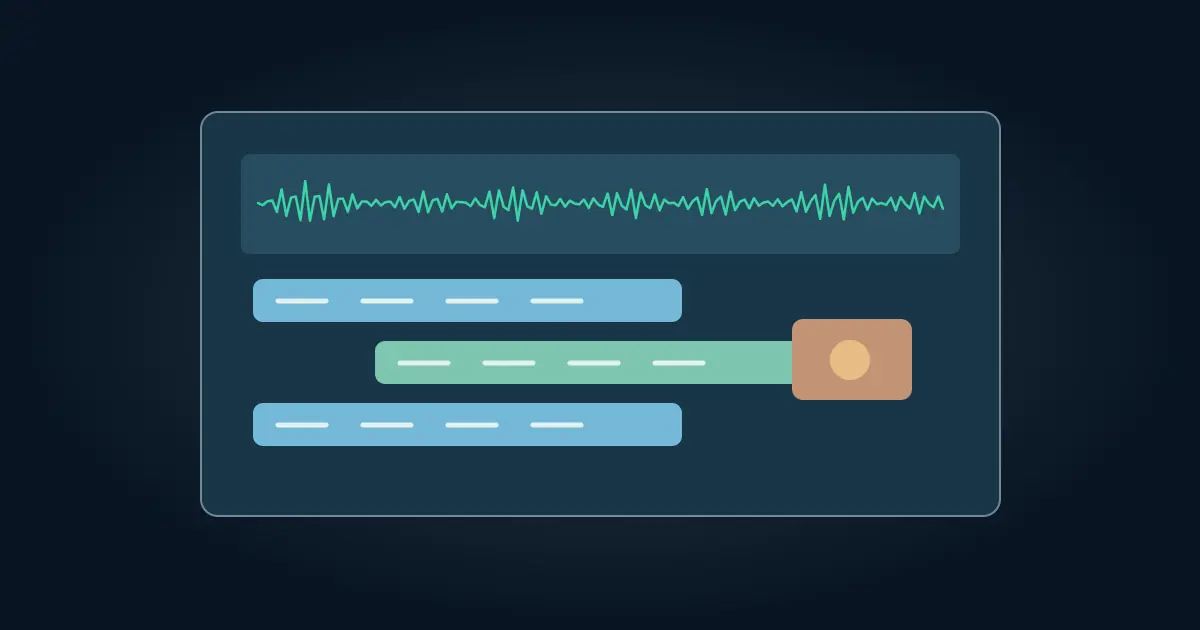
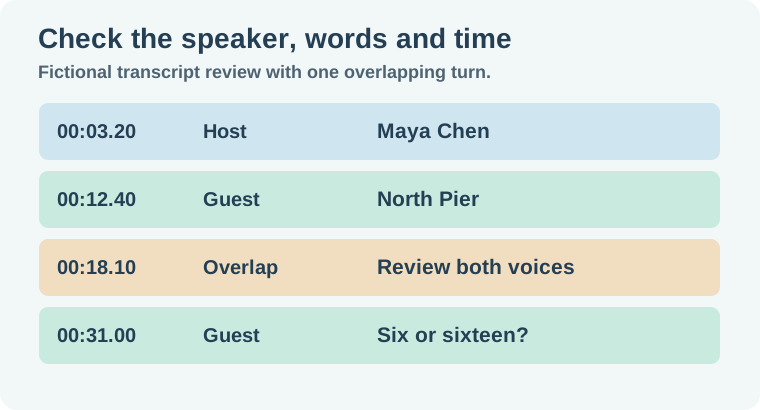
In a fictional workshop interview, the host introduces Maya Chen at 00:03.20. At 00:12.40 the guest says “North Pier.” At 00:18.10 the host starts a short interjection while the guest is still speaking. Review those three points with the recording open. The first confirms the speaker mapping, the second checks an unusual name, and the third exposes the attribution risk.
Play the overlapping passage at a usable speed and preserve uncertainty if the words are unclear. Avoid filling a gap based on what sounds plausible in the written paragraph. At 00:31, for example, “six” and “sixteen” may look like a small edit but change a claim. Flag that kind of difference for an audio check even if a spellchecker is satisfied.
When the workflow supports key terms, supply a short, verified list of names and jargon. Check the result anyway. A likely spelling can help the transcription while still being wrong in a specific quote. Before you hand over a caption file, use the Subtitle Edit sync workflow to confirm that it matches the actual delivery cut.
Export the version your recipient needs
For a readable transcript, use clear speaker names and consistent paragraphs. For editor notes, retain time references for important quotes and for anything still unresolved. Keep the structured response alongside the proof if it is part of the handoff. A short text export may no longer contain all of the timing and event fields.
When building captions, group words into readable cues and review the displayed text against the final video. Word timestamps help establish where words occur, but the viewer also needs enough time to read each subtitle. If you already have approved text and need its timing, the forced alignment guide covers that separate route.
Check one early, middle, and late phrase after export. Use the time in the file to find each phrase in the original media. If every time is offset by the same amount, look for a slate, trim or different recording. If only a busy exchange is wrong, correct that part first.
Keep raw timing and editorial corrections in separate fields when you can. For example, preserve the original word start and end in the machine output while correcting a misspelled place in the edited transcript. If you split a long line into two readable sentences, record the audio position for the new paragraph. This lets a reviewer locate the quote even if the display copy changes.
Decide how the transcript should represent sound events and interrupted speech. A clean interview transcript may omit incidental handling noise. A captioner may need a cue for a door opening or a long pause that affects the scene. Read the client brief first. In a sample handoff, mark an unresolved line with its source time and the two possible readings instead of picking whichever looks more polished.
How QuestStudio helps
Use Voice Lab for a separate scratch read when you need to test a new scripted line against the approved edit. Keep the scratch audio and the original interview transcript identified separately. The record-and-transcribe workflow covers organizing the source and transcript from capture through export.
Record any unresolved phrase in the review sheet. A recipient can then go straight to the right moment and hear the evidence for themselves.
Download the scribe transcript review sheet.
Frequently asked questions
Is Scribe v2 the same as Scribe v2 Realtime?
They are distinct routes for recorded files and live transcription. Use the one that matches when you need results.
Does a speaker ID identify a person by name?
It identifies an apparent speaker in the output. Use the audio and verified context to assign names.
What should I do about overlapping speakers?
Review that stretch against the original. Correct attribution when you can hear it and flag uncertain words when you cannot.
Can word timestamps go straight into subtitles?
They help locate speech. Build and review readable cues with appropriate display durations against the final video.
Why did my timestamps shift after editing the recording?
They refer to the audio version originally submitted. Realign or transcribe the final version if the timeline changed.