
A useful voice recorder with transcription must do three jobs: capture understandable audio, turn it into editable text, and let you export the files you need. Start with the recorder already available on your phone, check whether transcription supports your device and language, and run a short test before buying dedicated hardware or a subscription.
The transcript is a working aid, not an automatic record of truth. A polished paragraph can still contain the wrong name, time, quantity, or speaker. Choose a workflow that makes those errors easy to find while preserving the original audio.
Choose between phone recording and a separate recorder
| Approach | Practical fit | Verify before relying on it |
|---|---|---|
| Supported iPhone with Voice Memos | Personal notes and short recordings with an existing phone | Device, language, region, transcript copying, and separate audio export |
| Supported Pixel with Recorder | Recording and searchable text within one phone workflow | Language support, speaker features, backup settings, and sharing options |
| Standalone recorder plus transcription software | Sessions requiring dedicated inputs, storage, or a recording backup | Import format, transcription allowance, privacy, and export access |
Apple's Voice Memos transcription guide describes viewing text during or after recording and copying it into another document. Availability depends on supported devices, languages, and regions. Confirm the current requirements for your phone rather than assuming that every Voice Memos installation includes the same features.
Google's Recorder instructions document recording, naming files, and saving edited copies on supported Pixel devices. Google also distinguishes on-device transcription from optional account and backup behavior. Check the settings you actually enable; “works on a phone” does not settle where every copy of the recording is stored.
A standalone recorder can be a good capture device without including transcription at all. Some products bundle a separate service with allowances or account requirements. Evaluate the recorder and the service as two connected purchases. If the subscription ends, you should understand what happens to previously recorded audio and whether you can still export it.
Make the audio understandable before asking for text
Put the microphone where it can hear the speakers clearly. A recorder at one end of a long table may capture the nearest person well and the other person poorly. Do a short introduction from each participant, listen back, and adjust placement before the actual discussion. Get the participants' permission for the recording and intended use.
Avoid judging capture quality from an active waveform alone. It may represent room noise, a rubbing case, or a distant voice. Listen through headphones and check ordinary words as well as the loudest phrase. If an external microphone is connected, confirm that the application is actually using it.
Keep speakers from talking over each other when the conversation allows it. Say unfamiliar names and key numbers clearly. For an interview, maintain a separate notes list of names, organizations, and important terminology. That gives the reviewer a reference without silently rewriting what was said.
The iPhone recording guide covers basic capture and preserving a source take. For a more complex setup, the podcast equipment guide separates solo, remote, and two-person signal paths.
Use the original two-speaker practice clip
This clip was made locally with two stock Windows synthetic voices. It is a fictional exchange, not a human interview and not a transcription accuracy benchmark. It gives you a short, known script for checking import, text correction, and export in the application you are considering.
Speaker A: Mira, is the Cedar workshop on Thursday at nine thirty? We need twelve printed guides, not twenty.
Speaker B: Yes, Thursday at nine thirty. The room is B fourteen. Please bring twelve guides and two blank notebooks.
Download the correction and export log
If your application accepts imported audio, transcribe this file and compare its output with the script. If it only transcribes live capture, read the script with a willing partner and label your test as a different recording. Playing a sample through a loudspeaker and rerecording it adds room and playback effects, so it is not an equivalent input.
Write the device, application version, language, and recording method in the log. Record whether you used an imported file, live speech, or playback into a microphone. Those details explain far more than an unexplained claim that one service “got everything right.”
Review names, numbers, negation, and speakers
The small word that changes the order
We need twenty printed guides.
We need twelve printed guides, not twenty.
Replay the quantity and negation, then check the room identifier and speaker change.
Start with the words whose errors would change the meaning. In this script, twelve, not twenty is more consequential than a missing comma. “Thursday” and “nine thirty” identify the appointment. “B fourteen” identifies the room. “Mira” identifies a person whose name may not be predictable from ordinary spelling.
| Possible incorrect text | Check against audio | Corrected reference |
|---|---|---|
| We need twenty printed guides | Listen for the contrast and the word “not” | We need twelve printed guides, not twenty |
| The room is before teen | Replay the room identifier in context | The room is B fourteen |
| Speaker A says both turns | Listen to the voice change after the pause | Separate Speaker A and Speaker B |
Keep the raw transcript and a corrected copy. Mark uncertain passages rather than filling them with plausible text. If the recording itself is unclear, write an uncertainty marker with a timestamp and seek clarification from an appropriate source. A language model can produce a confident sentence without recovering the missing audio.
Separate correction from summarization. A corrected transcript aims to represent what was spoken. A summary selects and condenses ideas. Label each output so a collaborator does not mistake a tidy summary for a verbatim quotation. Preserve the audio reference when a quote will appear in a published piece.
Test the exports before a long recording
Decide which files you need. An audio file, plain-text transcript, speaker-labeled document, and timed caption file are different deliverables. Being able to copy text does not imply that the product can export timestamps or captions. A searchable in-app view does not guarantee an editable document outside the app.
- Save a short recording with a recognizable filename.
- Export or share the audio to a folder you control.
- Copy or export the transcript in the required form.
- Open both files in separate applications.
- Check the first and last words, speaker boundaries, and any timestamps you depend on.
- Repeat the process after correcting one important word.
If the final handoff needs captions, confirm the required caption format directly. Do not change a text file's extension and expect it to become valid timed captions. The audio delivery guide helps organize the approved script, source file, and final export into a package another editor can understand.
Compare real limits and data handling
Check recording duration, transcription minutes, upload size, supported languages, export formats, offline behavior, and the consequences of a plan change. Use a dated note from the product's current documentation or account screen. Avoid treating an introductory allowance as a permanent free tier.
For sensitive material, identify where processing happens, whether synchronization is enabled, who can access shared links, and how retention works. Do not test with a private client interview just to see whether an unfamiliar service works. A fictional practice script provides a useful technical test without exposing someone else's conversation.
Our synthetic clip cannot establish how a product performs on accents, overlapping speech, noisy rooms, or specialized terminology. After it passes the basic file workflow, run a short permitted sample representative of your real recording. A successful controlled test is a starting point, not proof of universal accuracy.
How QuestStudio helps after transcription
Once you have a checked transcript, turn it into an approved script for the asset you want to make. Voice Lab can be a next step for an original narration using the options currently available. It is not presented here as a recorder or transcription service.
If the goal is a podcast introduction, use the trailer workflow to turn the source material into a clear listener promise. Keep the factual review separate from voice generation so a smooth delivery does not conceal an incorrect script.
Frequently asked questions
Do all voice recorders include transcription?
No. Some capture audio only; others depend on an associated application or paid service. Verify capture, transcription, and export as separate parts of the workflow.
Can I trust an automatic transcript without listening?
Review important names, numbers, negation, and quotations against the audio. Fluent text can still misrepresent what was said, especially in noisy or overlapping speech.
Is speaker labeling the same as identifying a person?
No. Labels may separate voices without proving their identities. Confirm who spoke each relevant passage and correct mistakes before attributing quotations.
What should I export for an editor?
Confirm the editor's needs, then provide the original audio, checked transcript, and any required timing information with consistent filenames. A summary should be labeled separately.
Does the practice clip prove which transcription app is best?
No. It is a known-script workflow exercise using synthetic voices. It is useful for testing import, corrections, and exports, but it is not a representative accuracy benchmark.
Prepare an approved narration
Once your transcript becomes an approved script, review the available Voice Lab options for an original narration.
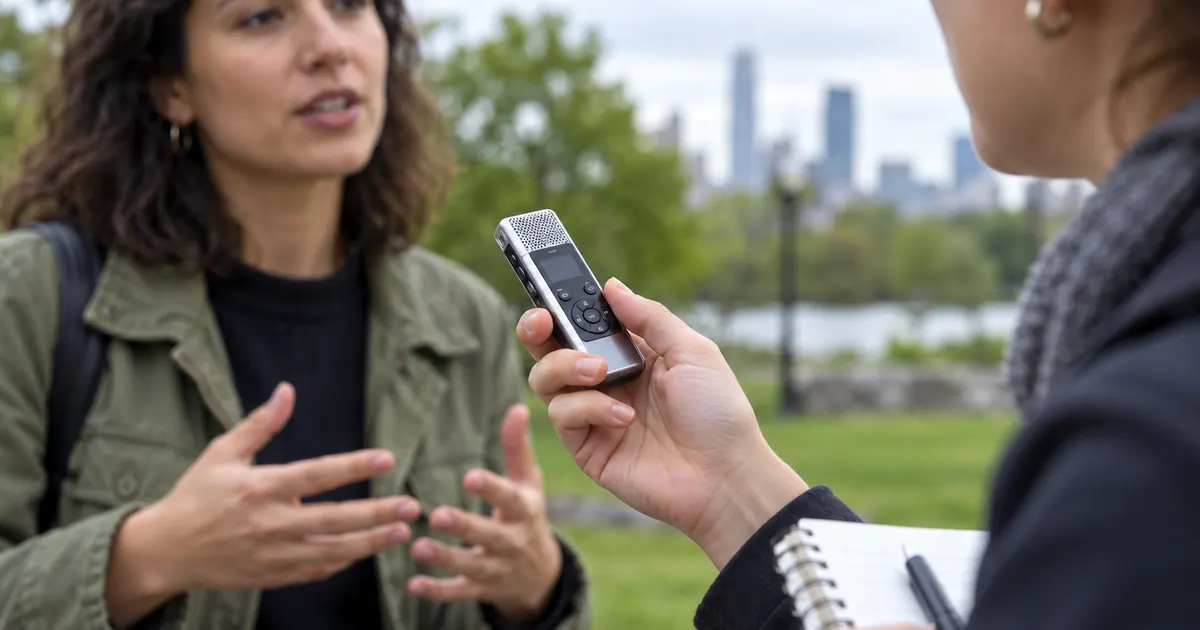
Hero: AI-generated editorial illustration. Original teaching materials and documented feature research, checked October 28, 2026. Visual guides updated October 29, 2026. Examples are labeled where synthetic or hypothetical.