
A useful Gemini prompt tells the model what each reference is allowed to contribute. Give the product photograph authority over the object, the mood reference authority over atmosphere and the written facts authority over claims. Ask for a textual brief before attempting a finished visual.
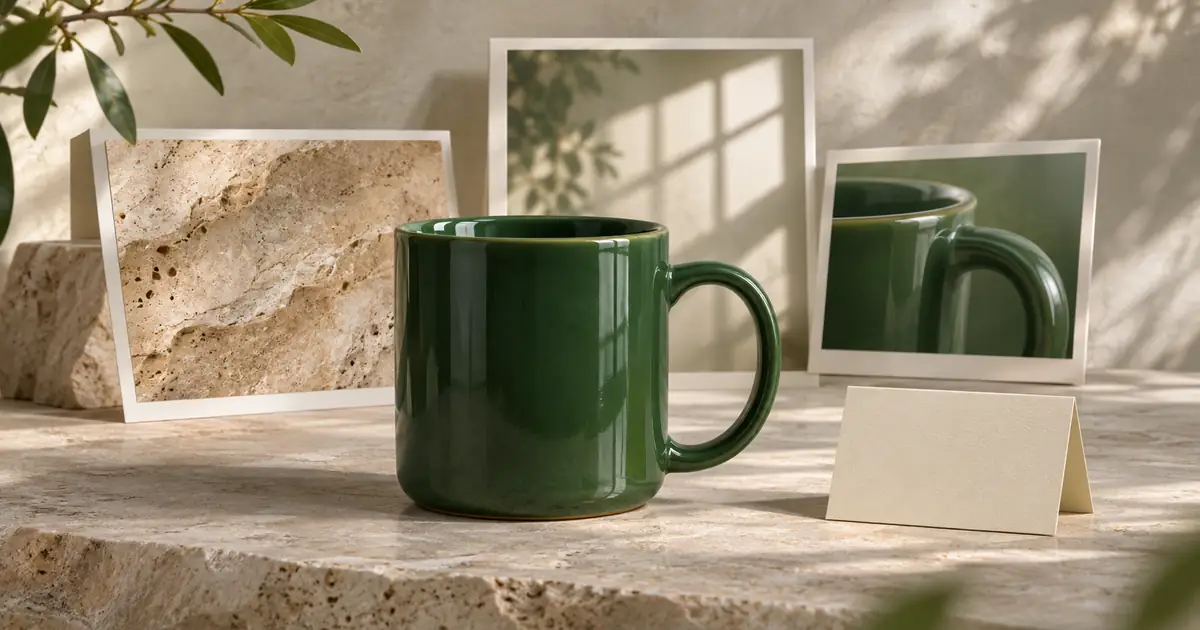
This workflow is for creators with a pile of references that do not all describe the same thing. A mug photograph, a stone texture and a dramatic lighting image can support one campaign, but copying all three literally can change the product. The goal here is a clear image brief that a person can approve, revise and reuse.
Google's multimodal prompt design guidance supports giving media context and explicit instructions. That source describes a developer and enterprise platform, so it does not establish the buttons or upload limits in every Gemini consumer account. Use the current upload route available to you; the source-role method below does not require a particular API parameter.
Start with a product you can identify
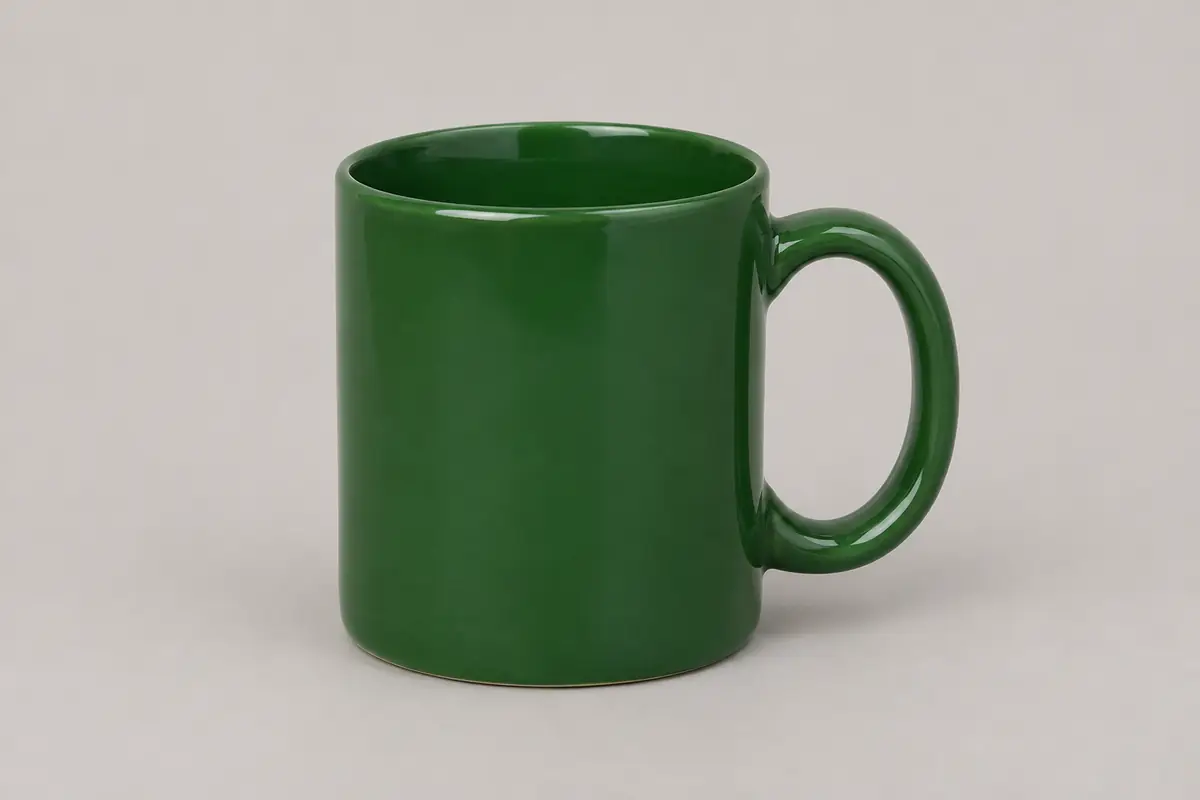
Our fictional product is a plain forest-green mug. The reference shows the handle, rim and body. It does not prove capacity, dishwasher safety, country of origin, price or an environmental certification. Those facts stay unknown until the product owner supplies them.
Download the reference facts sheet. Pair it with the image above. For your own project, use an approved product photograph and only references you have permission to use. A found image can be a private discussion reference without being cleared for publication or commercial imitation.
Choose a mood reference that contributes one useful quality, such as soft side light or pale stone. If it shows a white cup with a gold handle, state that its cup is irrelevant. Otherwise, a model may mix the reference objects and return a direction that no longer matches your stock.
Make a source-role ledger
| Source | May contribute | Must not establish |
|---|---|---|
| Product photograph | Mug silhouette, green surface, visible handle and rim | Hidden dimensions, capacity or care instructions |
| Approved facts sheet | Owner-confirmed wording and required exclusions | Facts absent from the sheet |
| Mood image | Light direction, surface feeling and restrained palette | A replacement mug, logo, material claim or offer |
| Channel request | Target crop and space for later copy | A guarantee that the final crop or typography will be correct |
The ledger resolves conflicts before you ask for a composition. If the product photo and facts sheet disagree about color, stop and ask the owner. Do not silently average them into a third version. If the mood reference clashes with product visibility, preserve the product and simplify the atmosphere.
Prompt one: inspect references and state uncertainty
I am preparing a campaign brief, not a finished advertisement.
Reference A is the product authority: the plain green mug photograph.
Reference B is mood only: use its soft side light and pale stone feeling. Do not copy its object, branding or lettering.
The attached facts sheet is the only authority for written claims.

First return:
1. Visible product details you can support from A.
2. Mood qualities you would borrow from B.
3. Conflicts or unclear details.
4. Facts that remain unknown.
Do not infer capacity, care instructions, origin, price or sustainability claims.
Read this response before moving forward. A useful inspection might identify a green body and complete handle, then list capacity as unknown. If it states “350 ml dishwasher-safe stoneware,” the task has already drifted beyond the sources. Correct that inference rather than letting it reach the final brief.
The response examples in this guide are authored review examples, not a recorded Gemini account test. Their purpose is to show what to accept or reject. Your actual output can differ, even with the same request.
Prompt two: turn the approved interpretation into a brief
Use the reviewed source-role ledger and only the approved observations.
Write a production brief for one supporting product image.
Return these headings: objective, product details to preserve, scene, lighting, framing, exclusions, unknowns and review checks.
Scene: pale matte stone with one plain green mug.
Lighting: soft side light, gentle contact shadow.
Framing: complete handle and rim visible; leave clear space on the left for later copy.
Do not write advertising claims or put text on the mug.
Keep product facts separate from optional art direction.
An acceptable scene sentence would be: “Place the reference mug upright on pale matte stone, keeping its handle and rim inside the frame.” A separate art-direction sentence could request a soft highlight and uncluttered background. Neither sentence needs a capacity or a care promise.
By contrast, “Show the sustainable 350 ml mug keeping coffee hot all morning” adds several facts. Removing the adjective “sustainable” is not enough; capacity and thermal performance also lack support. Return to the facts sheet and remove every unsupported part.
Revise one conflict at a time
Suppose the brief proposes a very tight crop because the mood reference uses one. Ask for a framing revision that retains the complete handle. Leave the accepted color and lighting instructions alone. Changing every variable makes it difficult to tell whether the correction solved the actual problem.
Revise framing only. The full mug, rim and handle must remain visible with a small margin. Keep the previously approved color, surface and light direction. Return the revised framing sentence and note any remaining ambiguity.
Next, inspect the textual brief as if you were handing it to a photographer. Can they tell which object to preserve, which reference controls light and what the final image needs to show? If the answer depends on remembering a long conversation, put the decision into the brief itself.
Move from brief to visual with a review loop
Bring the approved direction and permitted product reference to Image Lab. Check the current reference controls and generation cost before starting. A text instruction is a request, not a guarantee of accurate product geometry or color.
Inspect the result beside the original. Compare the handle attachment, rim thickness, color impression, full outline and any unexpected text. A beautiful scene can still be unusable if the mug has changed. If the visual needs only a small framing adjustment, preserve the accepted instructions and revise that one condition.
Keep the original reference, approved brief, accepted output and rejection notes together. The creative asset versioning workflow explains how to retain the decision history. If you are still learning the generation and editing route itself, start with the Gemini image creation guide; this article owns the earlier step of interpreting mixed references.
Know when another reference adds confusion
More references do not automatically create a stronger brief. Add a source only when it answers a specific unresolved question. A fifth image that changes color, shape and lighting at once creates more competing instructions than a clear close-up of the actual handle.
Stop and ask for a better source when the product is obscured, the label is unreadable or the written facts conflict. Do not ask a model to reconstruct a commercial fact from an attractive photograph. Resolving the missing fact with the owner is often faster than repeatedly correcting polished but unsupported drafts.
Frequently asked questions
Can Gemini combine an image and written facts into a brief?
Multimodal workflows can use media with explicit instructions. Use the route currently available in your account and assign each source a clear role. This guide does not establish consumer upload limits or a universal interface.
Should every reference control the product appearance?
No. Keep one approved product authority. A mood reference may contribute light, atmosphere or surface direction without replacing the product, label or factual claims.
What if Gemini infers capacity or care instructions?
Reject those details unless the approved facts sheet supports them. A photograph does not establish hidden dimensions, care instructions, origin, price or performance.
Is the mug image a tested Gemini output?
No. It is an original generated source reference for the exercise. The response examples are authored review examples, and no private Gemini generation result is claimed.
What should I check after generating the image?
Compare the output with the product source for silhouette, handle, rim, color, framing and unexpected text. Preserve the reviewed brief and revise only the condition that failed.
Use the reviewed reference brief
Take the approved identity reference and scene direction to Image Lab. Check the available inputs and inspect product details in the output.