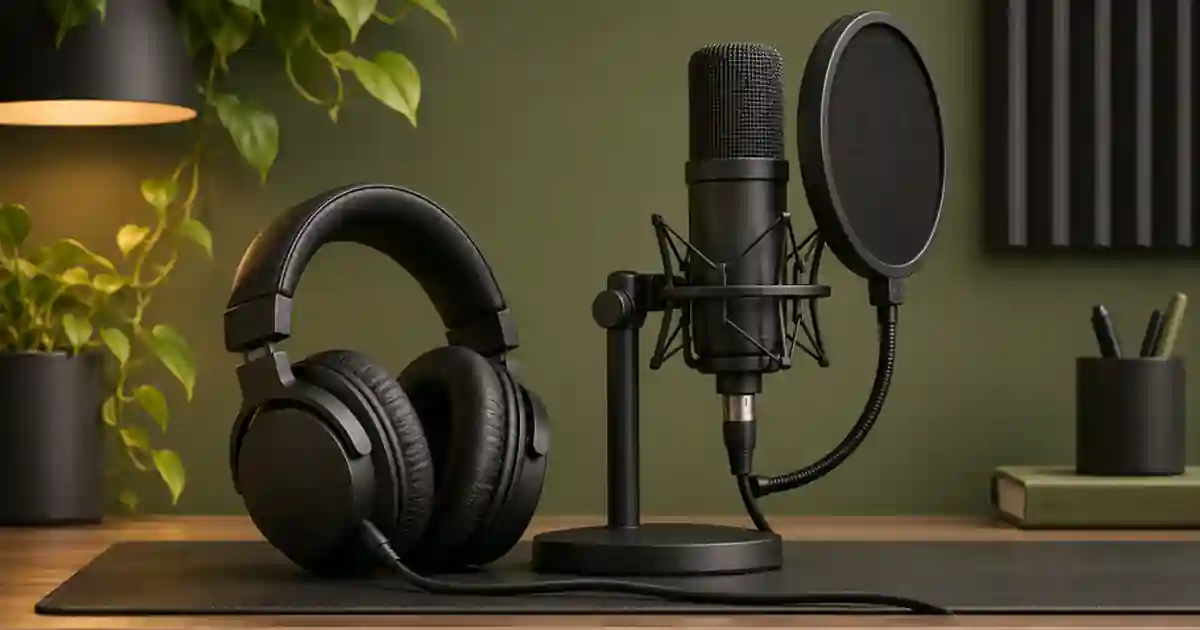

If a guide track or click shows up in your narration recording, I recommend testing headphone spill before reaching for noise removal. Listen to an untouched take, then repeat a short recording with the same mic setup and a lower cue level. A cleaner new take is easier to edit when you can still capture it.
My gear pick for this setup
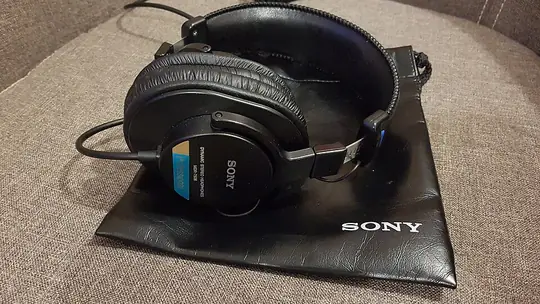

Sony MDR-7506
A wired closed-back option for narration
I’d shortlist the MDR-7506 when I need a closed-back pair on a compatible wired output. Fit and cue level still matter. Test leakage with your microphone in its normal position.
Find out whether the cue entered through the mic
Keep the narration track soloed and listen during the quiet space between words. If the cue is audible there, check the recording path. Play the cue while recording silence with the headphones in their normal position. Then stop playback and record the same room tone. A faint sound that follows the cue only during the first pass points toward leakage or a routing problem. Listen with the same playback level for both passes.
To separate acoustic bleed from routing, test the playback track and input separately. If the exact cue appears on the recorded track even when the headphone output is muted and the mic is receiving no audible cue in the room, inspect loopback, mixer routing and the input selected by the app. If the recording changes when you lower the headphones or move them farther from the capsule, acoustic spill is more likely. Keep the mic gain steady while comparing.
Turn down the cue before changing the voice
I reduce the headphone cue level until the speaker can still follow the timing comfortably. A busy guide mix can push the listener to raise the volume. Use a short cue, simple rhythm or quiet spoken lead-in where it serves the read. Keep playback clear enough to hear without making the speaker compete with it. If the cue has a sharp click, try a less intrusive one and compare timing in the recorded line.
Closed-back wired headphones can be a practical option for recording, but a poor seal or a high monitoring level can still leak. Position the cups as intended. I keep both cups seated during the test rather than leaving one beside the mic. If the performer needs to hear their own voice, check the supported monitor balance rather than simply turning up the whole headphone feed.
Keep mic position and gain comparable
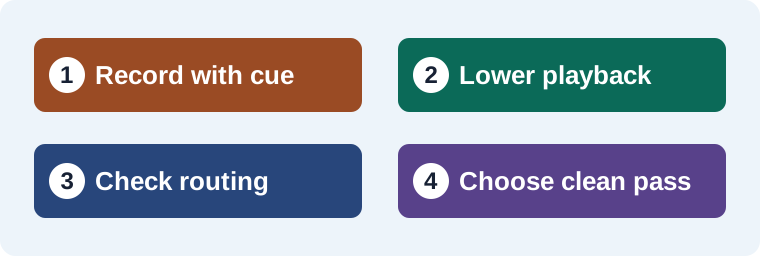
Set the microphone at the intended speaking distance, with the microphone’s documented pickup orientation. Put the guide track in the same place on the timeline. Record one pass at the original cue level and one at a lower level. Compare the raw speech and the quiet spaces. If moving the mic slightly helps, repeat the speech check for plosives, level and tone. A different distance can change the voice even when it reduces audible spill.
Listen to the short clip in the intended mix. A faint cue in a long pause may be removable with matched room tone. If the cue overlaps important syllables, a replacement take can preserve the voice more reliably than heavy cleanup. Use the room tone workflow for repairs between phrases. The editing headphone guide covers wired options and what to check on your normal output.
Choose the next check from the result
| Observation | What I do next |
|---|---|
| Lower cue makes spill quieter | Retake at the lower level and check speech timing. |
| Spill changes with earcup position | Check fit, seal and mic placement. |
| Recording contains the cue even with headphone output muted | Check loopback, tracks and input routing. |
| Spill overlaps the main phrase | Try a clean pickup and compare the delivery. |
Use a clean reference for narration pickups
I keep the raw line, the quieter cue pass and a short room-tone clip together. If I use an authorized sample in Voice Lab, I choose a dry excerpt without the guide track. Then I compare the replacement in the full edit, where the pause and cue timing actually matter.
Rule out another playback device
Pause the session and confirm the cue is coming through the headphones alone. A laptop speaker, monitor speaker, or phone can leave a quiet but intelligible cue on the mic. Unplug or mute one device at a time, then make a fresh ten-second recording with the same gain. If you hear the cue clearly even when the headphones and speakers are silent, look at the input source and loopback options in the interface or recording app.
Listen to the saved take without playing the cue track. When you compare the corrected take against the earlier one, check breaths and pauses as well as the loudest words. Quiet spill can be obvious during a clean fade even when it was hard to hear during the performance.
Compare a held pause before you repair the full take
Use a two-sentence read with a short pause. First record it with the usual guide level. Then lower the guide and record the same words at the same distance. For a third pass, play the guide without speaking for a few seconds and stop it while the mic is still recording. I’d compare the pause in each file and mark where the cue becomes audible. If reducing the guide solves the problem, record the needed pickup with the quieter setting. If the cue remains even when headphones are muted, check the interface and software routing. For a quiet take, listen at the intended mix level as well. A repair that seems successful on an isolated clip can still reveal the guide when you bring the voice forward in the edit.
Download the narration troubleshooting worksheet (CSV)
Frequently asked questions
Do closed-back headphones eliminate bleed?
They can help limit sound leakage. Fit, playback level and mic position still affect what gets recorded.
Why does the cue appear when I mute the headphones?
Check whether the recording input includes playback or loopback. A routed signal can enter the track without leaking acoustically.
Can I remove bleed under speech?
Try any repair on a copy. If the cue overlaps words and a pickup is possible, compare it with a clean new take.
What can I do about a cue in a quiet pause?
Trim that pause carefully and patch it with matched room tone where appropriate. Check that the sentence still sounds natural.
Sources and further reading
Affiliate disclosure
As an Amazon Associate I earn from qualifying purchases.
Continue with a useful next step
 Voice
Headphones for Video Editing, Voice and AI Music
Compare Sony MDR-7506 and Audio-Technica ATH-M40x for editing speech and video. Use a repeatable listening check for comfort, cable fit and audible flaws.
 Voice
Direct Monitoring for Voiceover Without the Echo
Use direct monitoring for voiceover when your headphones play your voice late. Separate the listening and recording paths and test for doubled monitoring.
 Voice
How to Record Room Tone for Cleaner Voiceover Edits
Record room tone with your voiceover mic and use it to smooth narration cuts. Learn what to capture, where to crossfade and how to check a repaired pause.