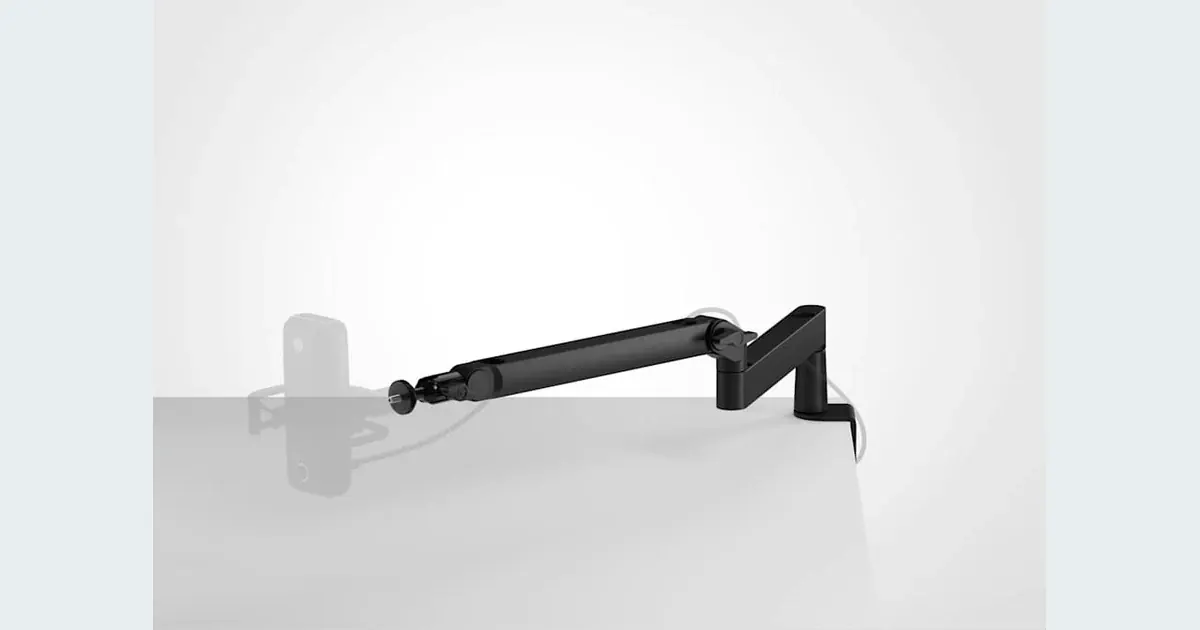

A low-profile microphone arm is worth considering when a tall boom blocks your face or screen during tutorials. The Elgato Wave Mic Arm LP is a sensible candidate for a seated recording desk with enough clearance, a suitable edge and a compatible microphone load. Measure those three things first. A tidy photograph does not tell you whether the arm will reach your mouth without crossing the keyboard.
A product to consider
Check the fit below, then select Buy on Amazon for the current offer and buying options. We may earn a commission from this paid link.
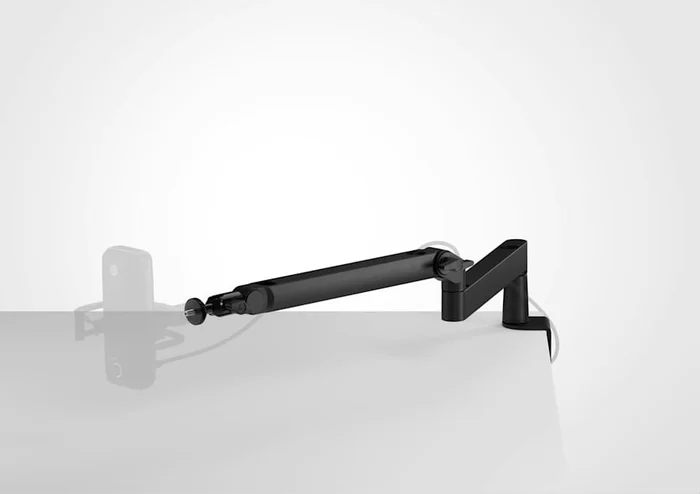
Elgato Wave Mic Arm LP, black
For a seated creator with a suitable desk edge and clear under-monitor space
Choose the LP when its reach and clamp fit your desk. Its 2 kg limit includes the microphone and accessories. This is the black arm, not Wave Mic Arm Pro; the microphone is separate.
Download the practical worksheet
Original blank CSV worksheet. Record your own setup and observations.
Choose the support around your speaking position
Sit where you actually record, open the application you demonstrate and place your hands on the keyboard. The microphone needs to reach your normal speaking position without making you lean forward. Moving the microphone closer to you is often more useful than buying a different microphone and leaving it far away.
A low-profile arm travels near the desk before rising toward the microphone. A taller boom approaches from above or from the side. Neither arrangement is automatically better: monitor stands, a laptop screen and the camera framing determine which path is clear. Trace that path with a piece of string before buying.
For microphone selection itself, use our USB microphone guide. This decision is about support, placement and repeatability. The arm contains no preamp, does not filter room noise and cannot improve a voice sample that is clipped or recorded in a reverberant space.
Low-profile arm, overhead boom or desktop stand?
| Support | Good fit | Main compromise |
|---|---|---|
| Low-profile arm | Seated tutorials with a clear route below the monitor | Can occupy keyboard or mouse space |
| Tall boom | Reaching over equipment or approaching from above | May enter the camera frame |
| Desktop stand | Occasional fixed-position narration | Uses desk space and can transmit desk movement |
A desktop stand is a useful baseline if you record only occasionally. If it places the mic comfortably and stays outside the shot, an arm may add convenience rather than improve the recording. A floor stand can avoid a fragile desk edge, but requires its own stable footprint.
Think about storage as well as recording. An arm that fits while extended may collide with a monitor when folded away. Include the cable in your plan: it must move freely without tightening against the microphone socket or dragging across your work surface.
What the Wave Mic Arm LP offers
Elgato lists 740 mm horizontal reach, 550 mm vertical reach and a desk clamp opening up to 60 mm. The stated lower-arm and upper-arm clearances are 70 mm and 160 mm. These dimensions describe the product geometry; they do not establish clearance in every mounting position. Compare a sketch of your desk with the current manufacturer diagram.
The LP supports up to 2 kg, including accessories. Its 1/4-inch mount includes 3/8-inch and 5/8-inch adapters. Add the microphone, shock mount and any attached filter when checking the load. Do not substitute the higher capacity advertised for Wave Mic Arm Pro, which is a different model.
Lars's ProSettings review describes stable positioning and useful cable management in his setup. That firsthand account helps explain the appeal, but it cannot confirm your desk fit. We have not independently tested the arm or measured its isolation from keyboard vibration.
Check the desk before the microphone
Measure the usable flat surface above and below the edge. A thick decorative lip, cable tray or metal frame may block the clamp even when the tabletop itself is thinner than 60 mm. Check the desk manufacturer's guidance for clamp-mounted equipment, particularly with glass, hollow panels or delicate finishes.
Use the installation method and tightening guidance supplied with the arm. More clamping force is not a solution to an unsuitable edge. If the base cannot sit squarely, choose a different supported location or a stand designed for your surface.
Now check monitor clearance throughout the movement. Raise or lower a sit-stand desk through its normal range before deciding where cables should run. A cable that is comfortable while seated can pull tight when standing. Leave enough slack for adjustment, but keep loops away from hinges and other moving parts.
Make a desk-fit worksheet before ordering
Draw a top view of the desk and mark the clamp location, keyboard, mouse area, monitor base and your usual head position. Record the distance from the clamp to the proposed microphone position. Repeat the measurement with the microphone moved aside, because parking the arm is part of daily use.
- Load: add the published weights of the microphone and attached accessories.
- Clamp: record tabletop thickness and the usable flat area beneath it.
- Reach: measure the intended speaking position and compare it with the manufacturer's geometry.
- Movement: mark obstacles in both recording and stored positions.
- Framing: check whether the microphone or arm hides your face, demonstration or script.
The downloadable sheet is a planning tool, not a compatibility certification. If a measurement is uncertain, resolve it before purchase instead of treating the published maximum reach as guaranteed usable reach. Keep your sketch so you can reproduce the arrangement later.
Evaluate the recording after installation
Record the same short paragraph with your previous support and the new arrangement, keeping the microphone and recording settings consistent. Listen for changes caused by distance and angle, then make a separate sample while typing normally. Do not deliberately strike the desk or overload the support to test it.
If normal keyboard movement reaches the recording, investigate the physical path and any manufacturer-supported shock mount. An arm is not automatically a vibration isolator. If a breath creates a low thump, placement or a compatible pop filter may be the more relevant fix.
Keep notes about repeatability: can you return the microphone to a comfortable position after a normal work session? That practical result matters more than a cleaner-looking desk. Use an editing listening checklist to compare saved files rather than relying only on live monitoring.
Turn consistent placement into a useful voice asset
Once the setup is repeatable, prepare a short clean recording of your own voice or a voice you have permission to use. Keep the original file and label its microphone position, input settings and processing. Avoid heavy cleanup merely to conceal an unresolved recording problem.
Open QuestStudio Voice Lab for the relevant voice workflow and follow the selected model's reference requirements. The arm does not integrate with Voice Lab; it helps you capture a more consistent source before that separate creative step.
Choose the LP if the measured desk route works and you will use that convenience regularly. Keep a simpler stand if your existing position already works. The successful purchase is a support you can set reliably, not an accessory you must rearrange the entire desk to accommodate.
Check the current offer
If this product fits the setup described above, review the selected model, condition and included contents on Amazon. We may earn a commission from this paid link.
Frequently asked questions
Does a boom arm improve microphone sound?
It can help you place the microphone consistently. It does not process sound or remove room echo; changes you hear may come from distance and angle.
Is the LP the same as Wave Mic Arm Pro?
No. They are separate products with different specifications. This guide and purchase link refer to the black LP model and its 2 kg total load limit.
Will it fit every desk under 60 mm thick?
No. The clamp also needs a suitable surface and clearance underneath. Desk lips, frames and fragile materials can make an otherwise thin edge unsuitable.
Should I include a shock mount in the weight?
Yes. Count everything supported at the microphone end, including the mic, mount and attached accessories. Check the supplied assembly instructions.
Do I need an arm for Voice Lab?
No. Voice Lab does not require a particular microphone support. Choose one only if it helps your recording position and permitted source capture.
Sources and further reading
Research checked October 27, 2026. Check the current Amazon offer for seller, price, availability and included contents. Images: credited manufacturer product imagery, not QuestStudio test photographs. Original decision framework and worksheet: QuestStudio.
Affiliate disclosure and research approach
As an Amazon Associate I earn from qualifying purchases. If you buy through paid links, QuestStudio may earn a commission at no extra cost to you. See our editorial and affiliate policy.
This is a research-based guide using linked manufacturer documentation and clearly attributed published reviews where available. We have not tested this equipment hands-on. The worksheets are original exercises for your observations, not published test results.