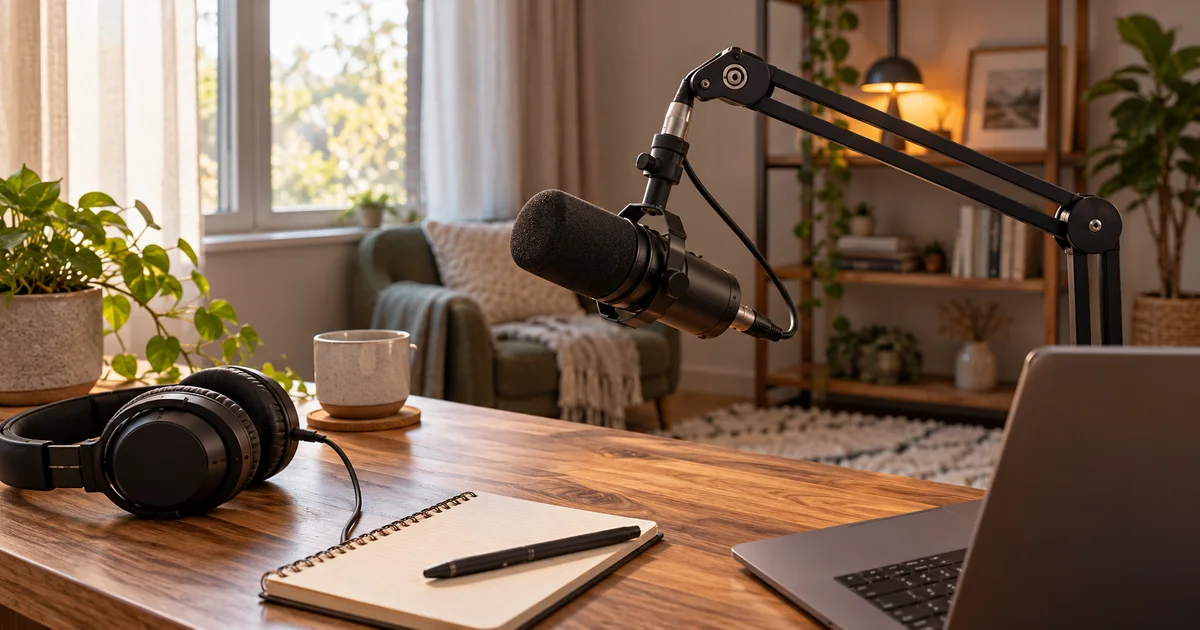

A useful microphone for voice cloning captures a clear, consistent speaker. It cannot remove room echo by itself, supply permission to use a voice, or guarantee a convincing clone. For a simple desk setup, start with a USB microphone you can place close to your mouth and monitor through headphones.
Download the practical worksheet
Original blank CSV worksheet. Add your own observations; it contains no invented test results.
The buying decision in one minute
Our research shortlist is the Shure MV7+ for people who value its USB controls and processing options, and the RØDE PodMic USB for people who want a straightforward speech microphone with both USB and XLR connections. Both let you begin without a separate audio interface. Neither is a required purchase if your existing microphone already produces clean recordings.
For AI reference samples, prioritize control over effects. Record a clean original, then make any processed version separately. This preserves the option to change noise reduction or equalization later instead of permanently baking a heavy treatment into the only file.
These choices concern the microphone and capture workflow. The amount of audio, allowed file format, verification process and consent requirements belong to the cloning service you choose. Read the voice sample quality guide before recording a long session for the wrong model.
Shure MV7+: buy for the controls you will use
The MV7+ has USB-C and XLR outputs plus headphone monitoring. Shure's MV7+ user guide makes an important distinction: the microphone's digital processing applies to the USB signal, while its XLR output follows a different, passive route. A setting in the app is not proof that the same effect reaches an external XLR recorder.
For a creator switching between calls, livestreams and narration, software control can be convenient. For a voice-reference session, start with deliberate settings, keep them consistent and listen for processing that removes quiet consonants or changes breaths. The feature list is useful only when it helps your actual recording.
Dave Carr's SoundGuys MV7+ review praised its vocal reproduction and revised windscreen, while noting that the windscreen could still fit loosely. That is a published review observation, not our hands-on result. Check the attachment and microphone placement before a long take.
Check Shure MV7+ on Amazon (paid link). The linked microphone-only version should not be assumed to include a boom arm or desk stand.
RØDE PodMic USB: check the USB part of the name
The PodMic USB product documentation lists USB-C, XLR, headphone monitoring and onboard processing. The original XLR-only PodMic is a different buying proposition: it needs another device to connect to a computer. Similar product photographs make this an easy mistake.
The PodMic USB makes sense when you want to record one speaker at a desk and retain the option of using an interface later. Budget for a support that can hold the microphone steadily at the right height. A low stand that leaves it far from your mouth can undo the advantage of a close speaking position.
A MusicRadar PodMic USB review highlights its flexible USB/XLR workflow and the benefit of deliberate close placement for speech. Treat that as a reason to audition your own voice and room, rather than a promise that the microphone rejects every background sound.
RØDE also documents a control trap: pressing the headphone control is not a universal microphone mute. Its behavior depends on the software context. Confirm the recording meter stops when you believe you have muted.
Check RØDE PodMic USB on Amazon (paid link). Verify the exact USB model and included accessories before ordering.
Spend on the missing part of the setup
| What you hear | First change | Purchase implication |
|---|---|---|
| Roomy, distant speech | Move closer and reduce nearby reflections | A usable arm or quieter position may help more |
| Desk bumps | Separate the support from typing and tapping | Check mounting options before adding software |
| Bursts on P and B sounds | Adjust speaking angle and pop protection | Do not assume more expensive electronics solve airflow |
| Distortion on loud phrases | Lower capture gain and repeat the loudest sentence | Extra processing cannot reliably repair an overloaded input |
A dynamic microphone is not a noise-cancellation device. Its practical advantage for this job often comes from using it close enough that your voice is strong relative to the room. A distant dynamic can still sound reverberant. Start in a quiet space with soft furnishings and move noisy fans or computers away from the microphone's most sensitive direction where practical.
Use headphones while setting levels, then listen to the saved file. Direct monitoring can reveal placement problems quickly, but it may not reproduce everything the recording application adds. Make sure the application has selected your new microphone rather than the laptop's built-in input.
A three-take comparison you can repeat
Use the same short paragraph for three takes. Include ordinary sentences, a few words with sharp S sounds, a louder phrase and several seconds of room tone. This is an original setup exercise, not a laboratory benchmark or a promise about clone quality.
- Baseline: record at a comfortable distance with unnecessary effects off. Note microphone, position, gain and app.
- Placement change: adjust distance or speaking angle, changing only one variable. Keep the delivery similar.
- Optional processing: try the treatment you expect to use for a finished narration, preserving the first two files.
Compare at similar playback loudness. A louder file can seem better even when it contains more noise or harsher speech. Listen for complete words, stable tone, room reflections, clipping and unnatural pumping. Record why you kept a take, not just which one sounded impressive on first playback.
ElevenLabs' instant-cloning guidance emphasizes consistent, clean source audio. Its requirements are specific to that service. Keep an unprocessed master and create an upload copy matching the current requirements of your chosen provider rather than assuming one universal recording preset.
The 32-bit float explainer is useful if another recorder advertises recoverable levels. File headroom does not make microphone overload, room echo or clothing noise disappear.
How QuestStudio helps
After confirming consent and recording a clean sample, use an appropriate model in Voice Lab for a short audition. Check the selected model's upload controls and credit requirement first. Compare the generated passage with your intended pronunciation, pacing and voice characteristics before producing a full script.
Keep the microphone test separate from the model test. If you change both the reference recording and synthesis settings at once, you cannot tell which change caused the difference. Save the approved source file, the settings and a short explanation of the result. A new microphone is justified when it fixes a capture problem, not merely because an AI tool appears in the workflow.
Frequently asked questions
Do I need a special AI microphone?
No. Clean, consistent recording and permission to use the voice matter. The microphone does not need an AI label.
Can I use either microphone without an audio interface?
Yes, through its USB connection with a compatible computer and cable. XLR use requires a suitable interface, mixer or recorder.
Should I enable noise reduction for cloning?
Keep a clean original and follow the chosen provider's guidance. Heavy processing can alter speech; improve the recording environment before trying to repair it.
Will a dynamic microphone remove room echo?
No. Close placement can improve the balance between voice and room, but reflections still require attention.
Is PodMic the same as PodMic USB?
No. Check the full model name. The USB model includes a digital connection; the original PodMic is XLR-only.
Sources and further reading
Sources and product details checked October 25–26, 2026. Hero: AI-generated editorial illustration of generic equipment, not a product test photograph. Worksheet and decision framework: QuestStudio.