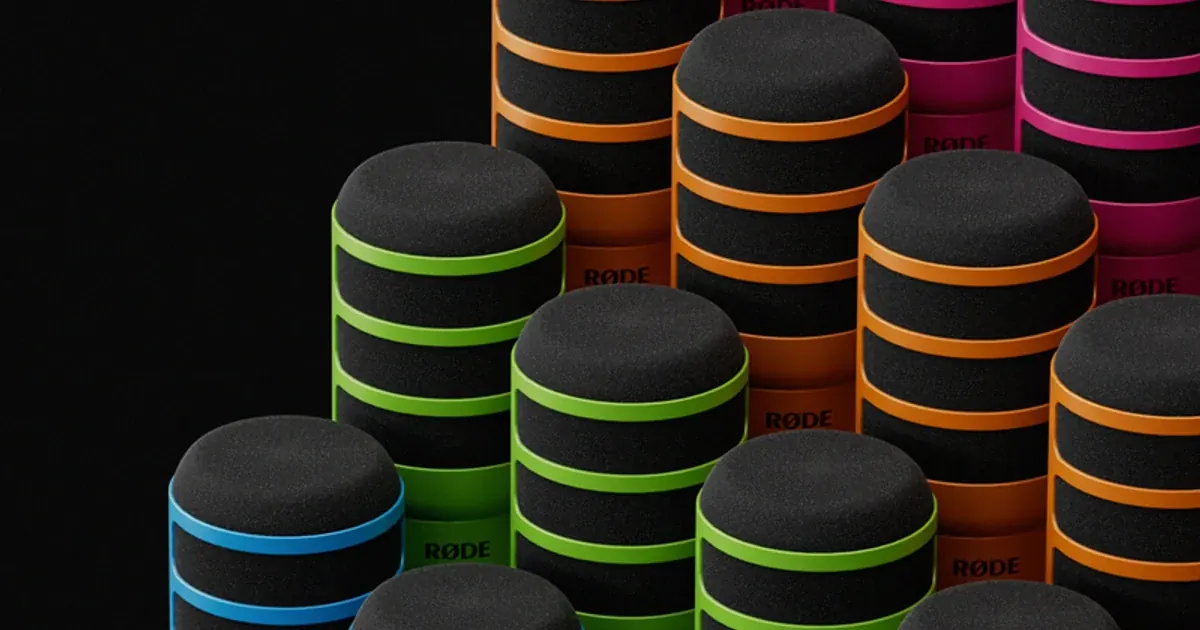

A low thump on “p” and “b” sounds usually calls for a placement and pop-filter check, not a new microphone. A fitted RØDE WS14 is an option for a compatible PodMic or PodMic USB that needs an external filter. Check your box first: RØDE lists an external pop filter among the PodMic USB’s included accessories, so many owners already have what they need.
A product to consider
Check the fit below, then select Buy on Amazon for the current offer and buying options. We may earn a commission from this paid link.
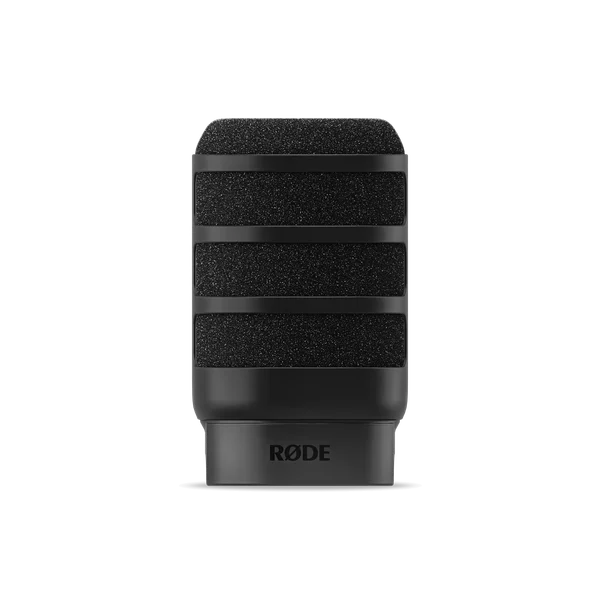
RØDE WS14 pop filter, black
For a compatible PodMic that needs an external filter or a replacement
This is a fitted accessory, not a microphone. PodMic USB already includes an external pop filter, so check your box first. WS14 is not a universal cover or a substitute for outdoor wind protection.
Download the practical worksheet
Original blank CSV worksheet. Record your own setup and observations.
Identify the sound before choosing an accessory
A plosive is the burst of air that can accompany a spoken consonant. When that air hits the microphone, the recording may contain a low, sudden thump. That problem is different from a steady fan, room echo, keyboard vibration or the sharp hiss of a sibilant sound. A product advertised as a pop filter is not a universal noise remover.
Record a normal paragraph and note the words that trigger the problem. If every sentence has a roomy tail, investigate the room and microphone distance. If the noise occurs only when you touch the desk, investigate support and vibration. If the meter overloads on loud words, correct the level before assessing a filter.
For source capture fundamentals, start with the USB microphone guide. An accessory can help with a specific physical problem, but it cannot rescue every recording error or make a poor reference suitable for a voice model.
Understand the different kinds of protection
| Option | Typical job | Limit |
|---|---|---|
| Separate mesh pop screen | Intercept close indoor speech bursts | Needs room and a suitable clamp |
| Fitted foam pop filter | Compact indoor protection on a compatible mic | Fit and acoustic effect depend on the exact design |
| Outdoor wind protection | Reduce moving-air interference in location recording | Must suit the microphone and wind conditions |
Product names are not perfectly consistent. A foam cover may be described as a windscreen even when a particular fitted design is intended mainly for indoor speech. Read the manufacturer's purpose and compatibility instead of treating every black foam accessory as interchangeable.
A separate screen gives you a visible spacing cue between your mouth and the mic. A fitted filter occupies less space in a camera shot. Neither choice removes the need to speak toward the microphone's correct pickup side and maintain a reasonably consistent position.
For outdoor work, use protection documented for the microphone and environment. Do not assume a small indoor pop filter provides the same protection as a suitable location-recording windshield system.
Where the RØDE WS14 fits
RØDE describes WS14 as a low-profile pop filter for PodMic and PodMic USB, made with high-density foam and supporting ribs. The black accessory is the selected purchase here. It is not a microphone, universal sleeve or replacement for a documented shock mount.
The useful buying case is narrow: you have a compatible microphone, need external plosive protection or a replacement, and want a fitted solution. If the included filter is present and works well, another one may add no recording benefit. A different color is a cosmetic choice, not evidence of better sound.
Kettner Creative's PodMic demonstration illustrates the broader plosive problem. It predates WS14 and should not be read as a test of this accessory. We have not independently measured WS14 attenuation or compared its frequency response with other filters.
Avoid stretching an incompatible cover over a different microphone simply because the diameter looks close. Follow the supported fit and installation instructions. A poor fit can obstruct controls, place pressure on the assembly or leave the intended protection in the wrong position.
Try microphone placement before spending
Use your normal speaking level. Move slightly off the direct path of your breath while still addressing the microphone as its manual recommends. Change one thing at a time and save a short sample. Moving so far away that the room dominates is not a useful trade for fewer plosives.
If you use a separate pop screen, position it according to its instructions and keep a comfortable distance from it. Do not press your mouth into the screen or use it as a physical stop. If the screen blocks your tutorial view, reposition the supported mount rather than pushing the microphone into an awkward angle.
A desk arm that reaches your normal position can help you repeat the arrangement. It is optional, and it does not replace the filter. The aim is a comfortable speaking position that remains consistent through a full recording.
Run the same-sentence comparison
Use this original practice line: “Before the preview, place the blue package beside the paper.” Speak naturally rather than exaggerating blasts of air. Then read a normal paragraph from your actual project. The artificial phrase reveals a problem; the real paragraph tells you whether the change helps ordinary delivery.
- Baseline: record with your current safe setup and note the distance and angle.
- Placement: adjust the microphone position while keeping the gain and processing unchanged.
- Filter: if you have a compatible filter, repeat the same passages with it fitted correctly.
- Playback: listen at a consistent comfortable level, noting thumps, dullness, room sound and accidental overload.
- Decision: keep the arrangement that solves the problem with the least inconvenience.
The worksheet deliberately leaves results blank. Record your own observations instead of assuming that a named accessory must win. If you compare files with different playback levels, louder can seem better even when the problem remains. Avoid drawing a universal conclusion from a single voice and room.
If the recording still thumps, review the entire signal path and ask whether the sound is actually a plosive. Normalization or compression can make an existing low-frequency burst more obvious. Keep an unprocessed sample to separate capture from later processing.
Care, fit and replacement decisions
Follow the manufacturer's cleaning instructions and allow any cleaned component to dry fully before returning it to use. Do not soak the microphone or improvise a cleaning method based on a generic foam product. Inspect the filter for damage that prevents the intended fit.
For shared equipment, use an appropriate cleaning and handling routine rather than assuming a pop filter makes a microphone hygienic. Keep accessories labeled by compatible microphone so a similar-looking cover does not migrate into the wrong kit.
When ordering, check the exact WS14 color, seller, included quantity and return conditions on Amazon. The linked item is one black filter; the microphone or other colors visible in manufacturer imagery are separate products. We do not publish a fixed price or stock promise.
Carry the clean source into Voice Lab
After choosing the setup, record your own voice or another voice you have permission to use. Keep the original and document the capture conditions. Use the editing listening checklist to inspect the actual file before uploading it anywhere.
Open QuestStudio Voice Lab and follow the chosen model's reference requirements. A filter helps at capture; it does not guarantee the generated result will be natural or remove the need to review it. Keep the generated output separate from the reference so corrections remain traceable.
Buy WS14 when the exact fit and a real missing-accessory need line up. If your existing filter and a small placement adjustment already solve the thumps, keep that setup and move on to the recording.
Check the current offer
If this product fits the setup described above, review the selected model, condition and included contents on Amazon. We may earn a commission from this paid link.
Frequently asked questions
Does PodMic USB already include a pop filter?
RØDE currently lists an external pop filter as included. Check your package and selected bundle before buying another one.
Will WS14 fit any microphone?
No. RØDE specifies PodMic and PodMic USB. Do not infer compatibility from appearance or approximate diameter.
Can a pop filter remove room echo?
No. It addresses bursts of air near the microphone. Echo requires a different approach to the room, distance or recording position.
Is a pop filter enough outdoors?
Do not assume so. Choose wind protection documented for the microphone and the conditions where you record.
Should I apply heavy cleanup before a voice reference upload?
Start with a clean capture and follow the selected model’s requirements. Strong processing can introduce artifacts; keep an untouched original for comparison.
Sources and further reading
Research checked October 27, 2026. Check the current Amazon offer for seller, price, availability and included contents. Images: credited manufacturer product imagery, not QuestStudio test photographs. Original decision framework and worksheet: QuestStudio.
Affiliate disclosure and research approach
As an Amazon Associate I earn from qualifying purchases. If you buy through paid links, QuestStudio may earn a commission at no extra cost to you. See our editorial and affiliate policy.
This is a research-based guide using linked manufacturer documentation and clearly attributed published reviews where available. We have not tested this equipment hands-on. The worksheets are original exercises for your observations, not published test results.