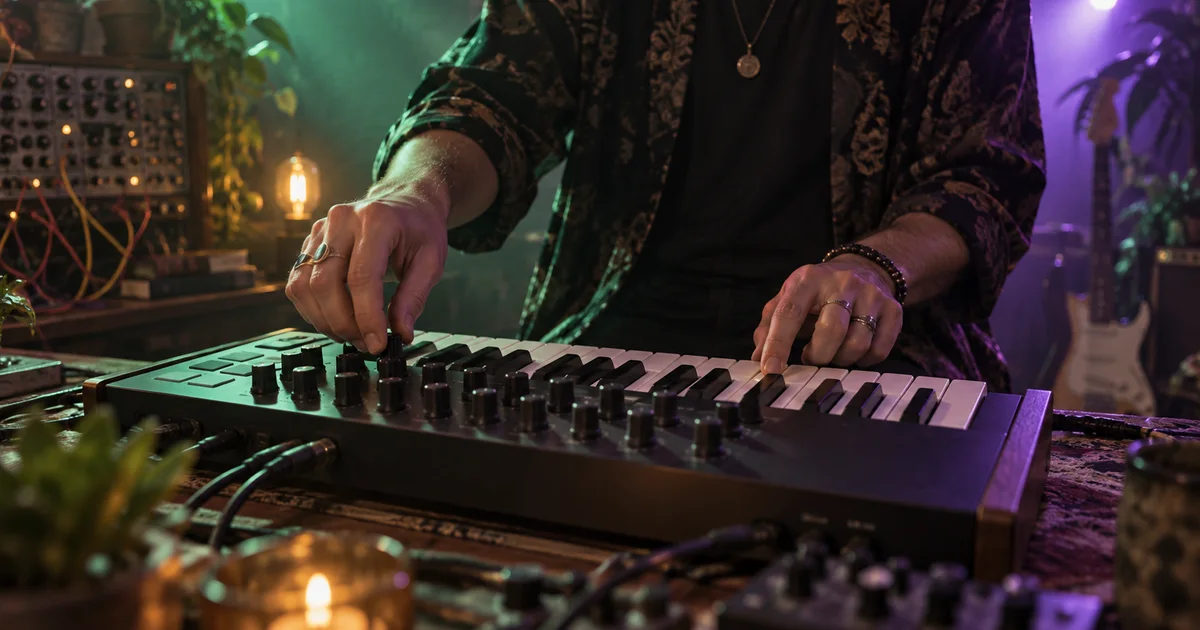

Lyria RealTime is useful when you want to steer music as it unfolds. Instead of requesting one finished song and waiting for the result, you guide a continuing instrumental stream. This tutorial uses Prompt DJ as a starting point for planning a gradual transition from a quiet opening to a fuller middle and a restrained ending.
Download the live music transition map · Sketch a separate music cue
Google documentation checked September 16, 2026. The transition map is an original proposed exercise, not a recorded Lyria performance. The hero is an AI-generated illustration.
Distinguish RealTime from a finished-song workflow
Google’s Lyria RealTime documentation describes an experimental model for streaming instrumental music, including weighted prompts and live controls. It links to Prompt DJ and other demonstrations. This is a different workflow from requesting a complete track through another Lyria product.
The Magenta team’s introduction frames the model around interactive musical exploration. That makes the performer’s sequence of choices part of the result. A written prompt alone is not a complete record of how a live transition was made.
If you need a vocal song or the features of Lyria 3.5 in Flow, see our Lyria 3.5 guide. Do not transfer product-specific assumptions about vocals, editing, or export between the two workflows.
Plan a transition with a reason to change
Imagine a forty-second montage of a community garden opening for the day. The first images show empty paths, the middle shows people arriving, and the ending settles on a close view of a planted seed. The music should become fuller with the activity and then leave space for the final image.
Choose a restrained instrumental direction: soft keys, light hand percussion, and a warm sustained texture. The objective is a clear change in energy without turning the middle into a different genre. Keep the plan simple enough that you can hear the effect of each adjustment.
| Section | Editorial purpose | Proposed musical change |
|---|---|---|
| Opening | Introduce the quiet garden | Sparse texture, limited percussion |
| Arrival | Support increasing activity | Gradually introduce rhythmic weight |
| Busy middle | Carry the montage | Fuller texture without a new tempo |
| Ending | Leave room for the final image | Reduce density and plan an editorial tail |
The times are targets for your edit, not a promise that the model will land an exact musical event on a specific frame. Capture more usable material than the final cue needs and make the final timing decisions in an editor.
Open the official demo and establish a baseline
Follow the Prompt DJ link from Google’s current documentation. Demo availability and controls can change, so use the linked interface as the source for the current interaction. Check access requirements before planning a session around a particular demo.
Begin with one coherent prompt or a small set of related musical descriptions. Listen long enough to understand the baseline before moving controls. If you change everything immediately, you lose the reference that makes the next choice meaningful.
Write down what you actually hear. The output might be busier or brighter than the description suggests. Respond to that result rather than repeatedly adding adjectives that point in several directions at once.
Blend prompts rather than replacing the whole idea
The API documentation describes weighted prompts and recommends gradual changes to avoid abrupt shifts. Think of a second prompt as a direction you can introduce, not a command that must instantly erase the current music.
For the arrival section, add a related emphasis such as “slightly more active hand percussion, still gentle and spacious.” Move toward it in stages where your interface supports that control. Listen after each change before deciding whether more is needed.
Keep a brief performance log: baseline, first rhythmic lift, fuller middle, and reduction. Record approximate timing and the choice made. If a transition works, this log helps you understand why; it also prevents a new session from becoming a complete restart.
Do not assume prompt weights represent an exact audible percentage of each musical idea. They influence generation, and the perceived blend depends on the actual output. Judge whether the music still serves the images.
Separate density, brightness, tempo, and scale
A busier arrangement does not necessarily need a faster tempo. Increasing density can make the middle feel more active while keeping the underlying pace stable. Brightness affects another aspect of the sound; moving it together with density makes the cause of a change harder to hear.
In the documented API, BPM and scale changes require resetting the musical context, which can create a hard transition. Google also notes that configuration updates need the full intended configuration to avoid resetting omitted values to defaults. These details matter if you build your own controller.
For this exercise, keep tempo and scale stable. Explore density or prompt balance first. If you deliberately want a new tempo, treat it as a separate section with an editorial transition rather than assuming it will behave like a seamless mixer adjustment.
A proposed density arc might move from low to moderate to fuller and back toward low. Exact numerical values are less important than the audible result and the footage they support. Do not keep increasing a control just because the visual interface has unused range.
Record a bounded performance and review the joins
Capture the output through a recording or export workflow supported by the demo and your setup. Confirm that you are recording the intended audio source before the full performance. Keep the initial test short and listen to the saved file.
Perform the planned arc while noting the changes you make. Leave material before and after the intended edit. A continuous stream may not provide a clean ending exactly when you stop interacting, so plan to choose and shape the final tail in your editor.
Review the capture without the pictures first for abrupt shifts, unwanted sounds, and awkward transitions. Then place it under the montage. A musical change that sounds impressive alone may draw attention away from an important visual action.
Use fades or cuts where they make musical and editorial sense, and check them on headphones and ordinary speakers. Preserve room for dialogue or environmental sound if the scene needs it. A full mix is not automatically a better mix.
Keep exploration separate from the delivered cue
Save the raw capture, your performance notes, and the edited delivery file separately. Name the selected start and end points so another editor can trace the finished cue back to the session. Record the tool and model context available at the time.
Before using the audio in a released project, review the applicable product terms for your use and retain that information with the asset. Do not infer a particular license from the fact that a demo generated downloadable audio.
If you need to explore a separate musical concept before the live session, sketch a cue in Music Lab. QuestStudio’s music workflow is separate from Lyria RealTime and Prompt DJ; this article does not claim live-stream controls inside QuestStudio.
Frequently asked questions
Is Lyria RealTime the same as Lyria 3.5 in Flow?
No. This guide covers experimental instrumental streaming and live steering. Check each product’s documentation for its own generation and editing capabilities.
Should I change tempo to make the middle more energetic?
Try arrangement density or prompt emphasis first. The documented API requires a context reset for BPM changes, which can create a hard transition.
Do weighted prompts create an exact percentage mix?
Do not interpret them as guaranteed audible percentages. Listen to the generated result and adjust gradually toward the intended musical direction.
Can I use QuestStudio as the Prompt DJ controller?
This guide does not claim that integration. Use the official linked demo for RealTime exploration and Music Lab for a separate cue-sketching workflow.