
A mashup sounds promising until you ask a simple question: what did each source actually contribute? The result may borrow the mood of one clip, ignore the melody you cared about, and introduce a rhythm from neither. A useful Suno mashup tutorial needs a listening method as well as a generation button.
Download the mashup source comparison · Sketch an original idea in Music Lab
Feature information checked September 17, 2026. The acoustic-motif exercise is an original comparison plan, not a reported Suno generation or quality benchmark. The hero is an AI-generated editorial illustration.
Match the tutorial to the Suno version you are using
Suno’s January Mashup and Sample announcement described combining two songs and working from selected segments. Its September 9 v6 announcement expands source-driven creation with multiple inputs. The controls and availability you see depend on the current product and account; do not assume an older two-source walkthrough describes every v6 option.
The principle in this guide applies whether you can select two sources or several: add a source because it contributes something identifiable. More inputs do not automatically create a more controlled result. They can introduce competing tempos, tonal centers, vocal identities, and arrangement expectations.
Start with material you created or have permission to use. Keep the source files and their provenance. This is a practical production record, not a claim that a platform’s upload control settles every downstream use question.
Write a musical brief before choosing sources
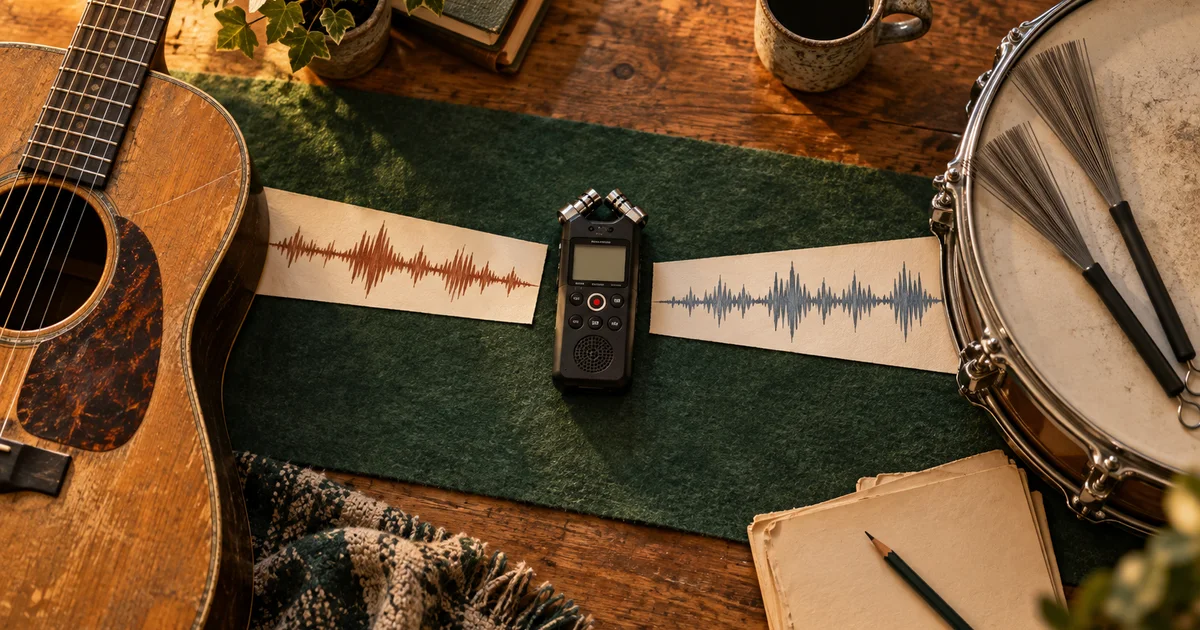
Our exercise is a short instrumental cue for a calm workshop montage. Source A is an original acoustic-guitar motif. Source B is a brushed-drum sketch. The desired result is intimate and lightly rhythmic, with room for narration and a usable ending.
Write down the nonnegotiable requirement: the cue should retain a recognizable version of the motif while gaining the gentle pulse. “Recognizable” needs a definition. For this exercise, it means preserving the motif’s short-short-long rhythmic identity and its upward opening gesture, not necessarily copying the source waveform.
If exact notes or exact recorded sound are essential, say so before generation. That requirement may move the task toward a MIDI arrangement or a conventional audio edit. A generative mashup can be useful without being the correct tool for every preservation task.
Assign roles and unwanted traits to each input
| Source | Wanted contribution | Unwanted carryover | Listening check |
|---|---|---|---|
| A: guitar motif | Melodic contour and small-scale intimacy | Long pauses from the sketch | Can you hum the motif afterward? |
| B: brushed drums | Gentle pulse and soft attacks | A busy fill near the end | Does the rhythm leave space for speech? |
| Combined output | One coherent short cue | Sudden genre shift or oversized climax | Does it serve the workshop montage? |
Listen to the sources from beginning to end before combining them. A quiet intro can hide a loud ending that becomes influential. Choose an appropriate segment where the interface allows it, and retain enough musical context for the phrase to make sense.
Do not label a source “drums only” if the actual file contains a strong bass line and chords. Your role assignment is an intention, not a separation operation. If unwanted material dominates, prepare a cleaner source or use a stem workflow before trying to combine it.
Make a controlled comparison rather than chasing the first attractive result
Use three listening conditions: A interpreted on its own, B interpreted on its own, and A plus B together. Where the current Suno workflow permits a single-source remix or source-conditioned generation, use that for the first two. If it does not, compare the original inputs and label that weaker baseline honestly; the controls are not equivalent.
Hold the text direction and other available settings steady as far as the interfaces allow. Generated outputs can vary even under similar settings, so this small comparison does not establish a scientific causal effect. It does reveal whether your intended source roles are audible enough to justify more work.
This is a proposed direction for our sources. Replace the motif description with the actual feature you want preserved. A prompt cannot guarantee note-perfect transfer, and listing a source’s role does not turn generative interpretation into a deterministic mixer.
Use an omission test to find out what matters
After listening to the combined output, remove one intended contribution from your mental brief. If the result would sound essentially the same without source B, perhaps the pulse is not transferring clearly. If it loses the motif but captures the guitar’s tone, the model may be using timbre more than the musical phrase you value.
Write observations in ordinary musical terms: “opening rises, but the rhythm is now even eighth notes”; “brush texture is present, but a kick dominates”; “ending introduces a new melody.” Avoid rating everything with a single good/bad score. Different failures need different source or prompt changes.
Compare the opening, a middle phrase, and the ending. A successful first five seconds can hide a later arrangement that leaves the brief. For a short commercial or narrative cue, the ending is part of the deliverable, not optional leftover material.
Choose the next change from the listening result
| Observation | Useful next experiment |
|---|---|
| Motif disappears, mood survives | Use a clearer motif segment and describe its defining rhythm |
| Drums overwhelm the guitar | Use a sparser rhythm source before adding more prompt adjectives |
| Combined result ignores one input | Test that input separately to see what it communicates |
| Sources pull toward incompatible styles | Replace the less essential source or simplify the brief |
| Exact phrase must remain unchanged | Use the approved recording or MIDI in an editor |
Make one change per round. Replacing both sources and rewriting the prompt may produce a better song, but it teaches you little about why. For a repeatable workflow, save the input combination, instruction, selected output, and reason for approval.
Set a practical attempt limit. If every attractive candidate loses the feature you need, stop treating the task as a prompt-writing contest. A hybrid production can keep the exact motif as recorded audio and use a generated accompaniment around it.
Approve the cue against the picture or narration
Play the candidate beneath the actual montage and voice track. The music may be interesting on its own but too busy for the words. Adjust level and arrangement through the editing tools you have, and check whether the final phrase can end cleanly at the intended cut.
Keep the raw generated file and the final edited export separately. The final export should have the intended duration, a deliberate start, and no accidental truncated tail. Document which version passed review rather than assuming every variation in the folder is usable.
Use QuestStudio Music Lab to explore an original musical direction, then use Suno’s own Mashup workflow separately where available. For exact part-level editing after generation, continue with the Suno stems guide. For the broader release context, see the v6 guide.
Frequently asked questions
Is a Suno mashup the same as mixing two audio tracks?
No. Generative interpretation can change musical content. Use an audio editor when you need exact recordings combined with predictable timing and level.
Should I use as many sources as the interface allows?
Start with the minimum needed to express the idea. Add another source only when it contributes a specific feature that the existing inputs cannot communicate.
Why test each source separately?
It helps reveal whether the source communicates the feature you care about. It also makes a combined result easier to diagnose, although generation variability prevents a simple causal guarantee.
What if I need the melody’s exact notes?
Keep the approved melody as audio or MIDI and arrange around it in suitable editing software. A mashup prompt should not be treated as a note-preservation guarantee.