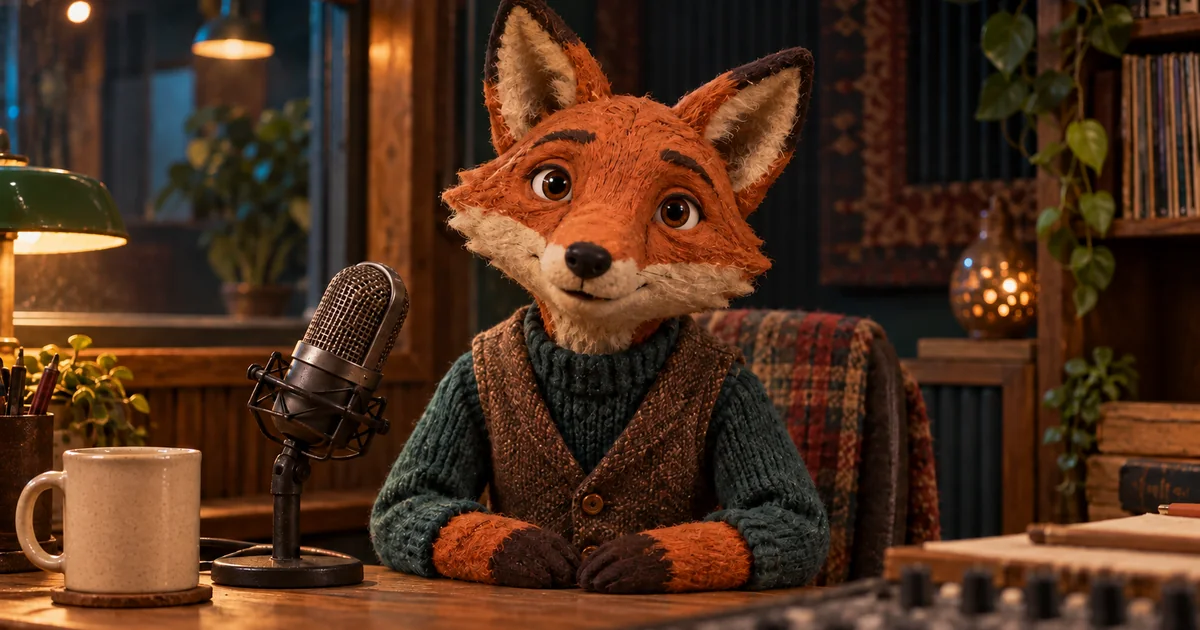

A talking character can match every syllable and still feel wrong. The face may grin through a serious line, the mouth may disappear behind a microphone, or the voice may rush the reaction. Start by making the voice and portrait agree about the performance.
Download the voice and portrait sheet · Create the character’s spoken line
Editorial guide checked September 13, 2026. Examples and worksheets are original planning material; the hero is an AI-generated illustration, not a model benchmark.
Give the character one thing to mean
A performance starts with a situation. Our original example is a fox puppet hosting a small craft show. It has just found a missing button and says, “There it is. I knew the little blue button was hiding somewhere.” The first sentence is a discovery; the second is quiet satisfaction. It is not an announcement, a sales pitch, or a shouted joke.
Read the line aloud. The pause after the discovery gives the face a moment to respond. If every word is delivered at the same intensity, the animator has less useful variation to express. If the line is overacted, a subtle portrait cannot make the performance understated again.
Keep the first assignment to a short utterance. A complete minute of dialogue introduces changing intentions, longer pauses, and more opportunities for visual drift. You can build a sequence later from approved lines. First establish that this particular character can communicate one clear thought.
Understand what the model name does and does not establish
Pika describes Pikaformance as image performance synchronized to sound, and its current pricing table lists Pikaformance separately from general video generation. The Pika website also distinguishes its video app and sound-based Trendmaker experiences from other products. A brand’s general image-to-video generator, an audio-driven performance feature, and a third-party API model are not interchangeable names.
Check the actual feature offered in your account and the official Pika plan information before committing a long recording. This article focuses on preparing and reviewing the inputs. It does not assume a particular subscription allowance, render speed, export resolution, or an expression slider that may not exist in your interface.
Search results include several sites with Pika-like names that are not the official pika.art domain. Their tutorials can suggest questions to investigate, but their screenshots and claims are not proof of the controls currently available to you. If a tutorial’s menu is missing, confirm the product and mode before blaming your upload.
Make a portrait with a readable mouth
For the fox, use a face with a clearly separated muzzle, visible jaw, and an unobstructed mouth. The microphone belongs beside the character rather than directly in front of its lips. A large scarf, a hand against the face, or a prop covering the chin removes information needed to judge the result.
Choose an expression compatible with the line. A slight attentive look leaves room for discovery. A fixed open-mouthed laugh asks the system to reconcile a strongly implied expression with a quiet delivery. That might work as an experiment, but it is a poor baseline.
Inspect the image for accidental second faces, figurines that resemble the main character, and decorative pictures in the background. They add no value to this scene and may create ambiguity. A single coherent portrait is easier to understand than a collage of reference poses, especially when the feature expects one image.
Leave room around the face for the eventual crop. At a vertical social-video size, the ears and chin must still read. Avoid placing the essential mouth area under a planned caption or platform button. You are preparing a moving shot, so judge the composition with those later uses in mind.
Approve the recording before animation
Listen to the voice without looking at the picture. Every word should be clear, the pause should feel intentional, and the character’s attitude should match the scene. Background music can wait. A dry spoken line makes it easier to separate a timing problem from a busy mix.
For a generated voice, keep the audition text constant while comparing candidates. Changing both the voice and script prevents a fair judgment. For a recorded voice, leave a little clean space before and after the line so you can edit the final placement without cutting into a breath or consonant.
The block contains only the spoken words. Direction such as “quiet satisfaction” belongs in a supported style control or your recording notes, not in the text if the voice system would read it aloud. Use the same approved words for every visual test.
When the voice has an unfamiliar name or a tricky word, solve that before animation. Replacing the audio afterward can shift timing and invalidate a previously acceptable mouth movement. Save the exact final audio file instead of relying on a similarly named earlier take.
Animate once, then review three separate questions
Supply the approved image and audio to the external performance feature. Use the shortest useful test supported by the interface. Keep notes on the image version and audio version so that a later comparison does not quietly use different inputs.
| Question | Review method | Example failure |
|---|---|---|
| Does the timing agree? | Watch the start, pause, and end with sound | The mouth keeps speaking after the line ends |
| Does the mouth remain readable? | Scrub the most open and closed moments | The muzzle merges into the microphone |
| Does the emotion fit? | Watch once muted, then listen again | The face looks frightened during a satisfied line |
A successful mouth match does not settle the emotional question. In our example, a raised brow during “There it is” can support the discovery, while a sustained wide grin may overpower the small moment. Describe the mismatch in the review sheet instead of requesting a vague increase in realism.
Also watch the silent beat. A character that freezes rigidly whenever the audio pauses may feel like a moving photograph instead of a listener. Decide whether the pause is acceptable in the final edit, whether a shorter hold helps, or whether the shot needs a different performance approach.
Change the input that explains the problem
If the line is rushed, fix the audio. If the lips vanish behind the muzzle, improve the portrait. If the character becomes a different animal during an extreme expression, try a less exaggerated source expression and a calmer delivery. These are hypotheses to test, not guaranteed model settings.
Keep each comparison small. Use the same image with two audio deliveries, or the same audio with two portraits. Do not replace both at once unless you are abandoning the previous direction. A clean comparison lets you keep what already works.
If repeated tests still fail at a key moment, change the shot design. A cutaway to the discovered button can carry a short phrase while the approved fox reaction plays afterward. Editing is a valid production tool; the entire line does not have to remain on a talking face.
Use QuestStudio for the voice, then finish the scene
Voice Lab can create the spoken line using a supported voice. You do not need to clone a real person to make a fictional puppet. Choose a voice you can use for the project, approve the delivery, and export it. Pikaformance itself is not currently listed in QuestStudio.
After the external animation step, add captions and music in your editor, then review the delivered file. Make sure the captions reproduce the approved words and do not cover the mouth. Save the portrait, voice, animation, and final edit as separate assets. That gives you a reusable character performance without forcing every future line through the same unsuitable image or take.
Frequently asked questions
Is Pikaformance the same as ordinary image-to-video?
Pika describes it as an audio-driven performance model that synchronizes image expressions with sound. Do not assume every general image-to-video mode offers the same input or control.
Can I fix an unsuitable voice with a better portrait?
A different image will not repair unclear words, a rushed delivery, or the wrong emotional emphasis. Approve the audio first.
Must I clone someone’s voice?
No. An original fictional voice or an authorized recording can supply the performance. A stock text-to-speech voice is often sufficient.
Does QuestStudio include Pikaformance?
Pikaformance is not currently listed. Voice Lab can make the spoken line and Image Lab can help prepare the portrait for use in an external animation tool.