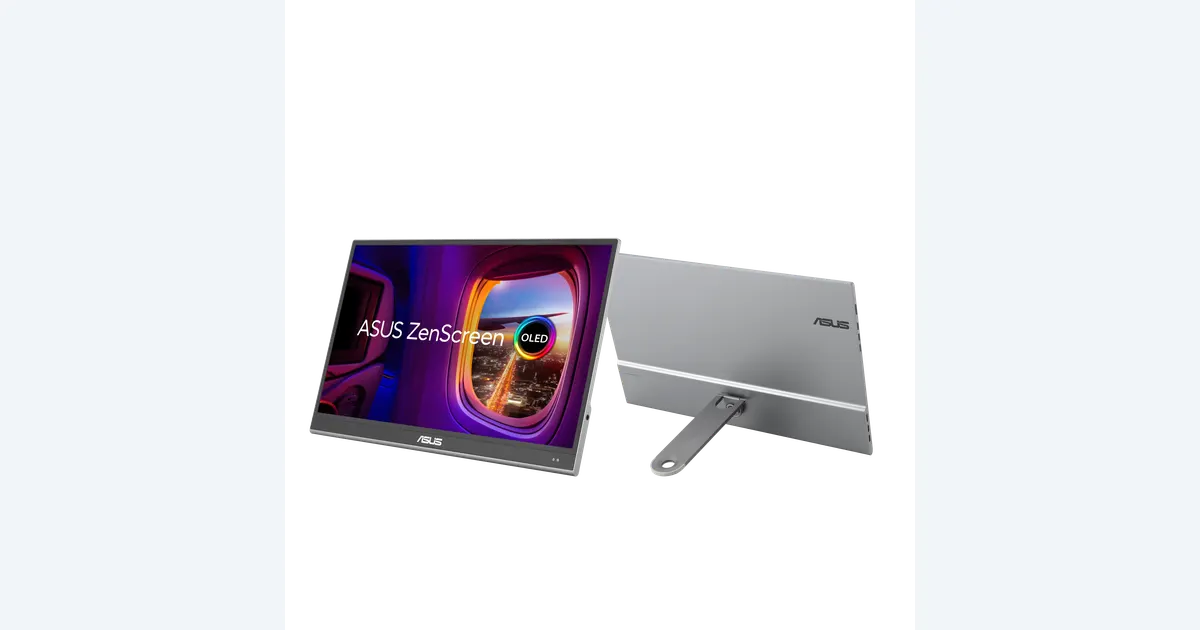

A portable monitor can give your laptop a separate image preview while the timeline, browser or controls stay on the main screen. ASUS ZenScreen OLED MQ16AHE is a candidate when its connection, power and compact format fit your work. Buy it for a useful review station, not on the assumption that an OLED label or wide-gamut claim makes every color decision accurate.
A product to consider
Check the fit below, then select Buy on Amazon for the current offer and buying options. We may earn a commission from this paid link.
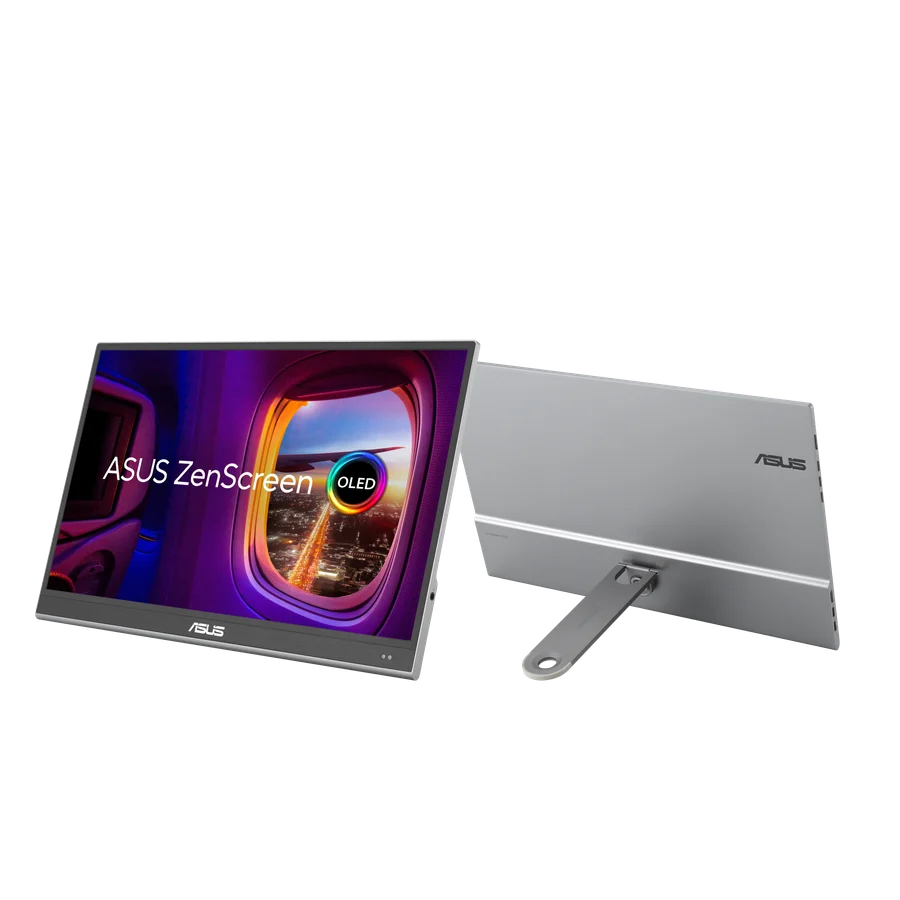
ASUS ZenScreen OLED MQ16AHE
For portable review space when your laptop supports the required display and power connection
MQ16AHE has a 15.6-inch viewable OLED panel and a detachable kickstand. The listing includes new and used offers; check condition and seller before buying. Older MQ16AH review measurements do not certify this model.
Download the practical worksheet
Original blank CSV worksheet. Record your own setup and observations.
Name the job of the second screen
Decide whether the display will hold application controls, a client preview or the image used for final color decisions. Those jobs have different requirements. A second screen used for bins and notes may not need the same color behavior as the screen on which you approve a product's appearance.
Sketch a normal session. Put the source reference on one screen and the candidate edit on the other, then consider how you will compare them fairly. Two different display modes can create an apparent color difference that belongs to the screens rather than the files. For a critical comparison, viewing both images on the same controlled screen can be more useful.
A portable screen is especially attractive when you move between desks, but it also adds a stand, cable route and power requirement. If your work rarely leaves one desk, compare a suitable stationary monitor and its ergonomics before paying for portability.
The MQ16AHE recommendation and its limits
ASUS lists a 15.6-inch viewable Full HD OLED panel for MQ16AHE, marketed in a 16-inch class. Its specifications include 100% DCI-P3 coverage and HDR10 support. Those are manufacturer claims and capabilities, not QuestStudio measurements or proof that this screen is appropriate for final HDR mastering.
The model has a detachable 360-degree kickstand and a rear tripod socket. It is distinct from the older MQ16AH and from the touchscreen ProArt PA148CTV. Reviews of those products cannot establish this model's measured accuracy, touch capability or included hardware.
The Amazon listing checked for this guide had both new and used offers, with a used offer featured. Check the selected condition, seller, included stand and cables, warranty terms and return terms before ordering. The button points to the model listing; it does not guarantee that Amazon will continue featuring a particular offer.
We have not tested MQ16AHE. Consider it for a documented portable display workflow when its actual offer makes sense against alternatives. Skip it if you need a verified mastering display, a touchscreen function it does not provide, or a larger permanent workspace.
Plan video signal and power as separate paths
| Path | Video | Power check |
|---|---|---|
| Compatible USB-C host | DisplayPort Alt Mode through the full-function port | Confirm the host can supply the needed power |
| HDMI source | HDMI to the monitor mini-HDMI input | Provide supported power through USB-C |
ASUS distinguishes the full-function USB-C connection from the power-only connection. A USB-C-shaped socket on your computer does not automatically provide a display signal. Check the exact host-port documentation, the cable and any adapter between the computer and monitor.
With an HDMI connection, plan the separate power supply. Do not assume the video cable powers the display. A connection that lights the screen briefly may still behave differently when brightness or other connected loads change. Use the supported adapter and cable arrangement rather than choosing only by connector shape.
If you connect through a hub, map the other devices too. Our hub compatibility guide explains why a display, SSD and card reader can create a different workload from a keyboard alone. Confirm the laptop's supported number of external displays.
After connecting, inspect the active resolution, refresh rate and scaling in the operating system. Make text readable before beginning a long session. An image that looks sharp does not establish that the system is using the mode you intended.
Make a consistent SDR review state
For ordinary web product images and SDR video, start with the delivery requirements and a color-managed application. Keep the document's color profile distinct from the monitor profile. Do not assign the monitor profile to an exported product photograph as a shortcut to making it look the same elsewhere.
A wide-gamut display can show more saturated colors in an unmanaged path than the file intends. Learn the available display modes and use the supported workflow for your output. The existence of a large gamut does not guarantee that every application interprets the image correctly.
Our monitor-calibration guide explains display measurement separately. A suitable supported profiling process can improve your own consistency, but it cannot control the customer's phone, ambient light or browser behavior.
Record brightness, display mode, application and room conditions. Avoid direct reflections and large lighting changes during the comparison. A portable screen used beside a bright window one day and in a dim hotel room the next is not automatically the same review environment even if the hardware is unchanged.
Build a portable review-station worksheet
Use images and clips you own or have permission to review. Include a neutral object, a saturated product, fine label text and a short clip with visible motion. Retain untouched originals. This is a practical consistency set, not an accuracy chart or a substitute for measurement.
- Connect: record host port, cable, input and power source.
- Set: note active resolution, scaling, display mode and brightness.
- Compare: inspect the source and edited result on the same screen.
- Export: reopen the delivered file in the intended application or publishing path.
- Document: record any mismatch and where it first appears.
If a file changes only between applications, investigate color management before adjusting the image. If both source and edit shift when moved between screens, investigate the display states. If the edit alone changes the product's label or color on the same screen, that is a content problem.
Check the physical setup as well: can the stand remain stable, can cables route without pulling it, and is the viewing height comfortable? A screen that needs constant repositioning may slow review even when its picture is attractive. Do not use a precarious stack to imitate a taller stand.
Repeat the short record after moving to a substantially different workspace. You do not need to invent a numerical accuracy score; clear observations and consistent conditions are more useful than a confident but unmeasured rating.
Treat OLED care and portability as daily constraints
Follow the model's current care guidance for static content and power-saving behavior. ASUS provides a proximity sensor that can reduce activity when you move away. That feature is not a guarantee against image retention or a reason to leave the same bright interface visible indefinitely.
Keep the screen protected during transport and support it as directed. A thin travel display is not a tablet designed to be handled by touching the picture surface. Check the chosen offer for the actual protective accessories, particularly when buying used.
If most of the second screen shows fixed controls all day, compare whether an alternative display technology better fits that use. The point is to choose the tool around the recurring job rather than treating OLED as a universal upgrade.
Use the screen to judge content, not certify it
In QuestStudio Image Lab, create a permitted reference-based variation and preserve the original. Inspect the source and result together for label changes, geometry, surface finish and color. The display helps you see the comparison; it does not prove that an AI-generated hidden detail matches the real object.
Use the product fidelity benchmark to record those content decisions separately from screen setup. A polished preview can still be an inaccurate product image. Keep an approved real reference available when reviewing changes.
Choose MQ16AHE if its portable size, supported connection and current offer fit a repeatable review routine. Keep the laptop alone or choose a desktop display when the extra screen would add more setup friction than useful space. The completed worksheet should make that decision clearer before the purchase.
Check the current offer
If the product fits your setup, check the selected model, condition, seller and included contents on Amazon. We may earn a commission from this paid link.
Frequently asked questions
Is MQ16AHE the same as MQ16AH?
No. They are different models. This guide does not transfer the older model’s review measurements or accessories to MQ16AHE.
Will any USB-C port run it?
No. The video path needs compatible DisplayPort Alt Mode support and a suitable cable. Alternatively, use the supported HDMI video and separate power arrangement.
Is this a touchscreen?
Do not infer touch support from the ProArt PA148CTV or another portable model. MQ16AHE is the distinct OLED display discussed here.
Does 100% DCI-P3 mean every photo looks accurate?
No. Gamut coverage is different from accuracy and depends on a complete color-managed workflow. The quoted coverage is a manufacturer specification.
Is the Amazon offer always new?
No. The listing had new and used offers at the check. Inspect the selected condition, seller and included accessories before buying.
Sources and further reading
Research and Amazon listings checked October 28, 2026. Check the current offer for condition, seller, price and included contents. Images: credited manufacturer product imagery, not QuestStudio test photographs. Original decision framework and worksheet: QuestStudio.
Affiliate disclosure and research approach
As an Amazon Associate I earn from qualifying purchases. If you buy through paid links, QuestStudio may earn a commission at no extra cost to you. See our editorial and affiliate policy.
This is a research-based guide using linked manufacturer documentation and clearly attributed published reviews where available. We have not tested this equipment hands-on. The worksheets are original exercises for your observations, not published test results.